
If you’ve ever shipped a redesign, hit publish, and then watched Google indexing crawl along like it’s on dial-up, you already know why people suddenly start asking about a sitemap. It’s not glamorous. It’s not “content.” But it’s one of those technical basics that quietly decides whether your best pages get discovered or sit in limbo.
This piece gives you seven real sitemap example patterns (XML, HTML, and visual), what they look like, when they’re worth the effort, and where they’re basically busywork. By the end, you’ll know which sitemap to build, what to include, and how to avoid the classic mistakes that make a sitemap technically “valid” but practically useless.
Table of contents (so you can skip around)
- Sitemap basics that actually matter: what it is, what it isn’t, and why people misuse it
- 7 sitemap examples (XML, HTML, visual): patterns you can copy, plus when each one wins
- How to create, find, and submit a sitemap: practical steps that don’t assume a perfect CMS setup
- Advanced edge cases: large sites, sitemap indexes, and what “crawl budget” conversations miss
- FAQ: quick answers to the questions everyone asks right before launch day
Sitemap basics that actually matter
A sitemap is a list of URLs you want discovered. That’s it. It’s not a ranking boost, it’s not a magic “please index me” button, and it won’t fix a site whose internal linking is a mess.
Here’s the part most people get wrong: they treat the sitemap like a dump of every URL their CMS can spit out. Then they wonder why Google ignores half of it. Google treats sitemaps as a hint, not a command, and if your hint includes thin pages, duplicates, parameter junk, or redirected URLs, you’re training the crawler to distrust you.
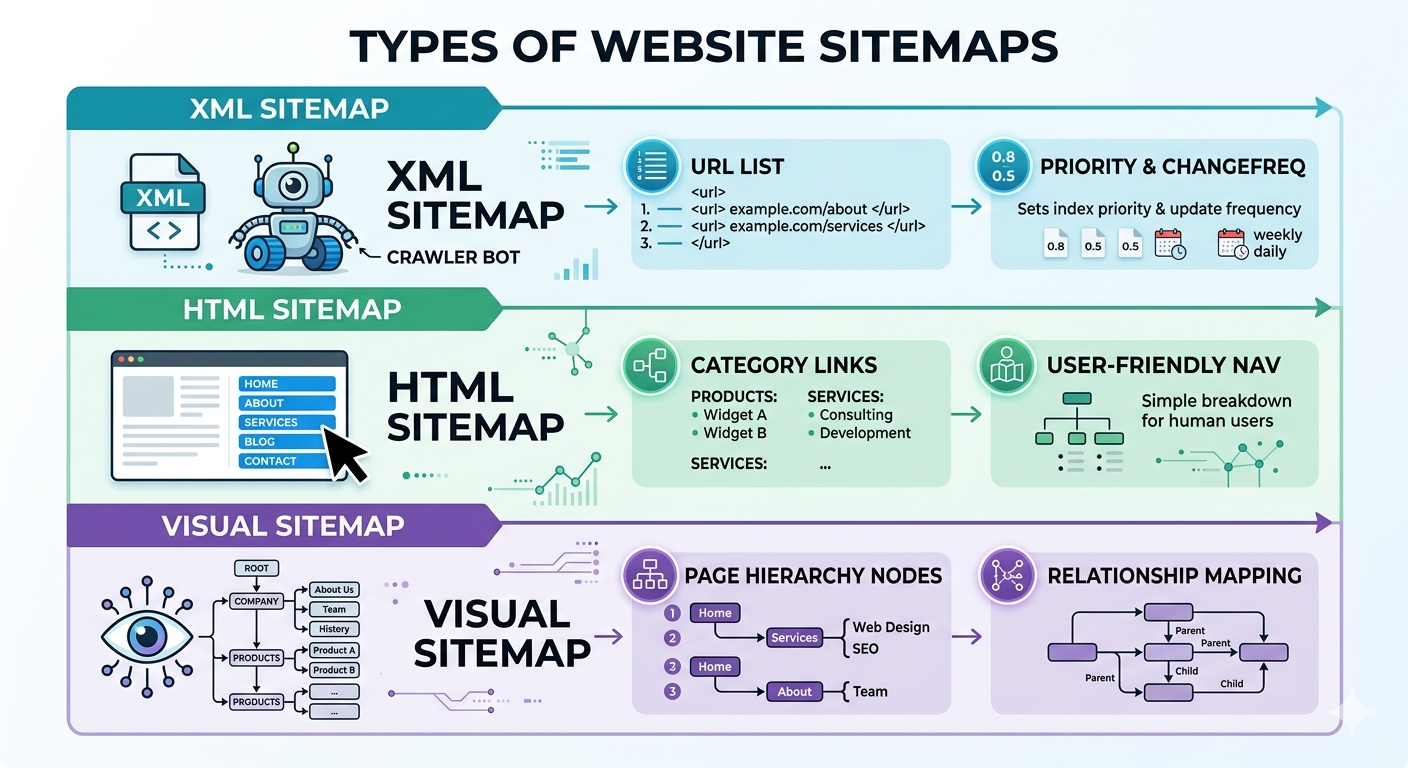
XML sitemaps are built for crawlers, HTML sitemaps are built for humans (Semrush, 2023). Visual sitemaps are for planning and UX, basically a map of hierarchy and relationships (Lucidchart). Different tools, different outcomes.
7 sitemap examples you can steal (and when each one makes sense)
Not every site needs all of these. I’ve seen teams spend a week perfecting an HTML sitemap that got 12 clicks a month, while their XML sitemap was quietly listing 3,000 redirected URLs. Priorities.
1) Standard XML sitemap (the default workhorse)
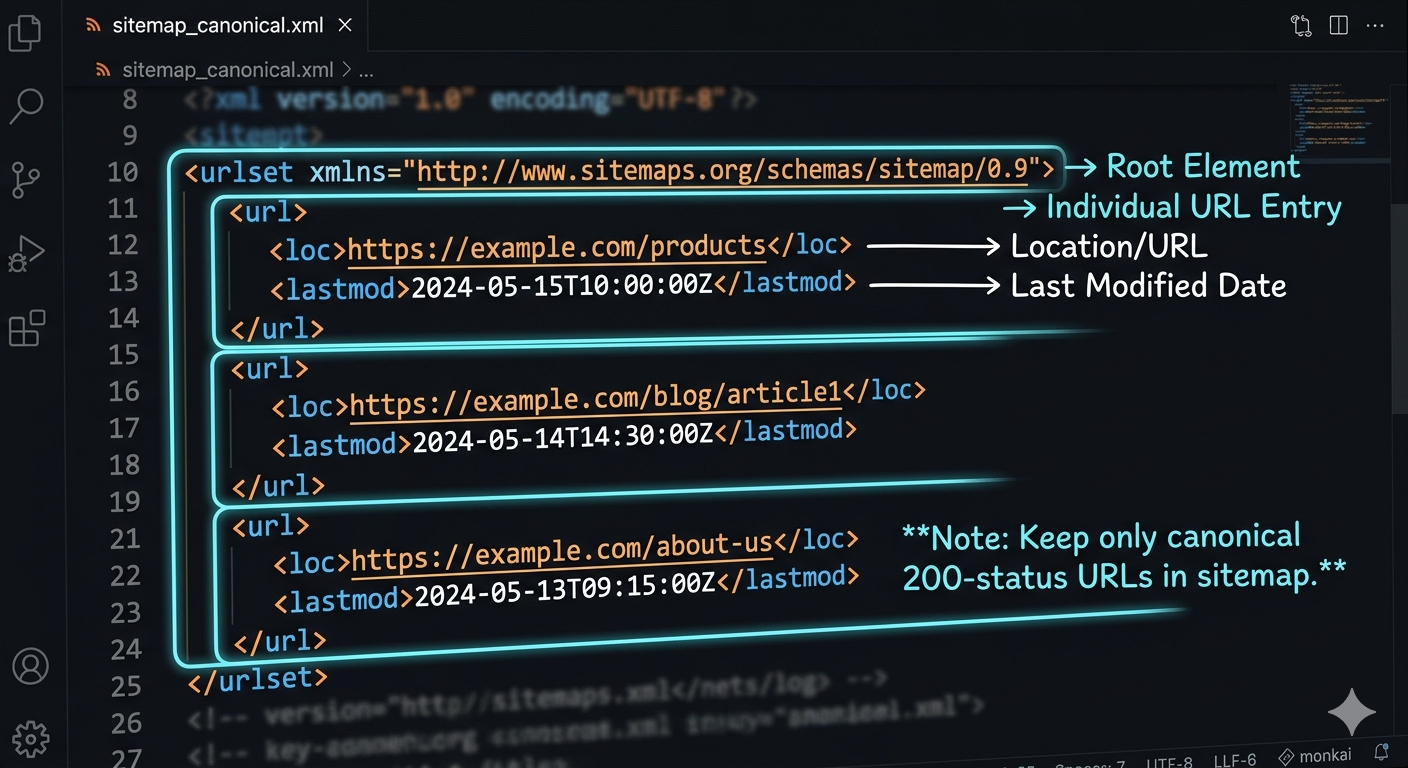
This is the classic sitemap xml file: a <urlset> containing <url> entries with <loc>, and optionally <lastmod>, <changefreq>, <priority>. The only tag that’s truly essential is the URL itself. Keep it clean and current, and it does its job.
Hard limits matter here: one XML sitemap can’t exceed 50,000 URLs and must be under 50MB uncompressed (sitemaps.org, 2016, see the Sitemaps XML protocol spec). If you’re near those limits, you’re not “fine,” you’re one content import away from breaking it.
2) XML sitemap index (for large sites and grown-up problems)
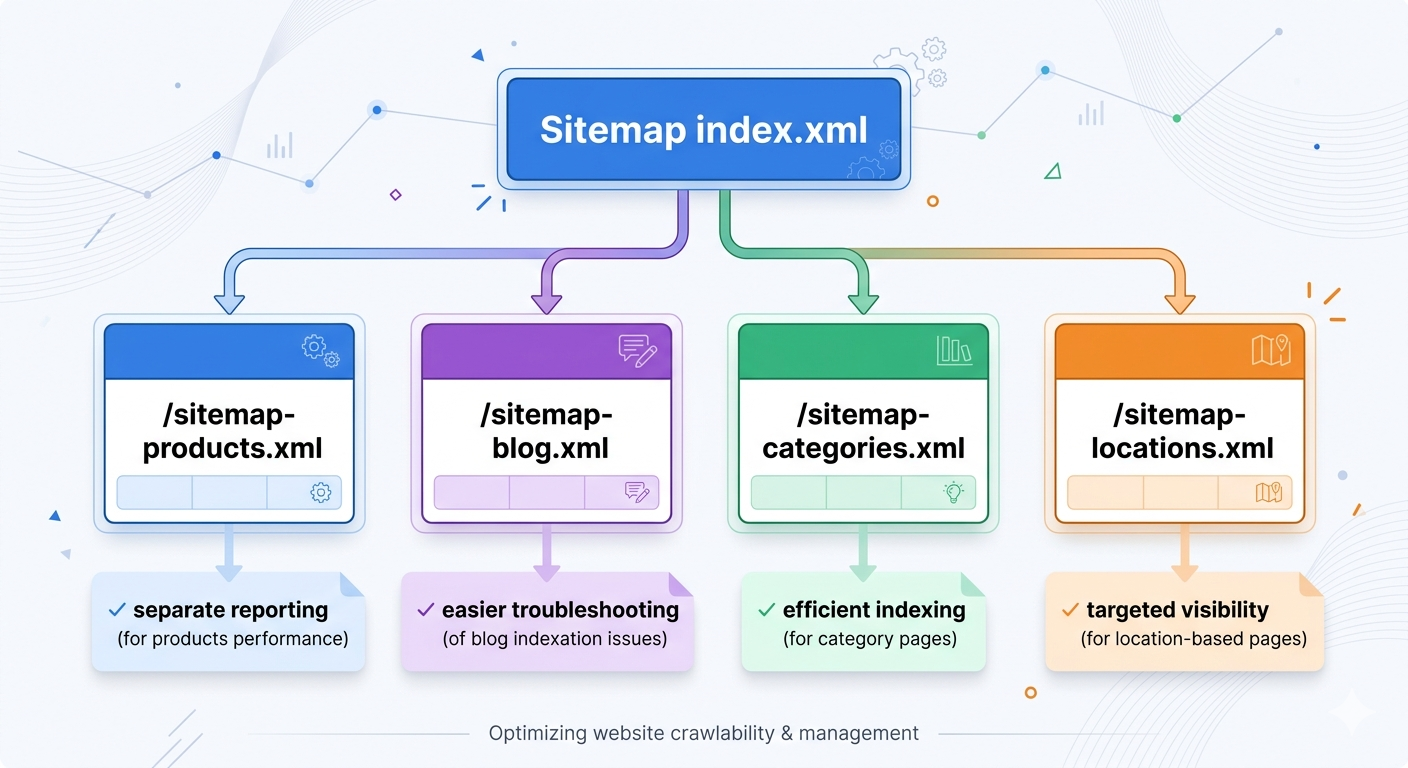
Once you have multiple sitemap files, you need a sitemap index file that lists them. Google explicitly recommends this for large sites and supports a sitemap index listing up to 50,000 sitemaps (Google Search Central, 2025: manage large sitemaps with an index file).
The non-obvious win: splitting sitemaps by type (products, blog, categories, locations) makes debugging faster. When “Discovered, currently not indexed” spikes, you can isolate the problem area without guessing.
3) HTML sitemap page (useful, but rarely a hero)
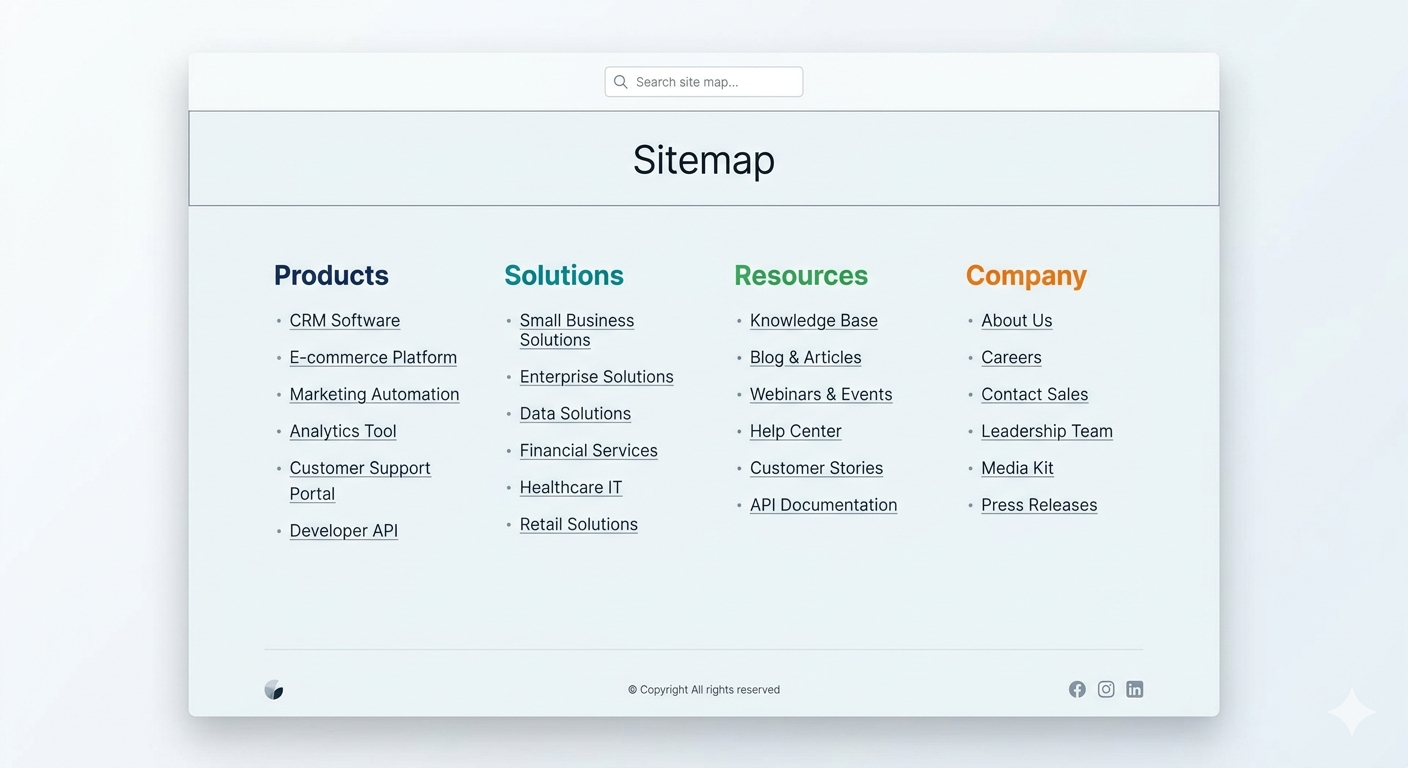
An HTML sitemap is a normal webpage that lists important sections and pages. It’s for visitors who are lost, and for sites with gnarly navigation. It’s not a substitute for internal linking, and it’s not where you hide 800 orphan pages hoping Google “finds” them.
Where it shines: big service sites (agencies, healthcare groups, legal networks) where people want a plain list of “all locations” or “all services.” Where it’s pointless: small marketing sites with five pages. Don’t build an HTML sitemap to feel productive.
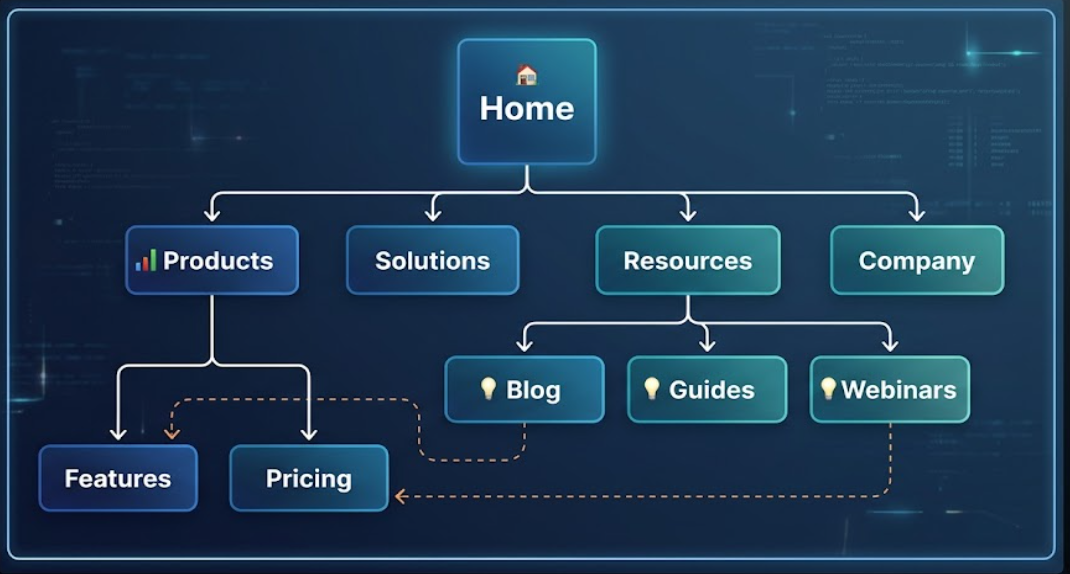
4) Visual sitemap (UX and IA planning, not SEO theater)
A visual sitemap is a diagram showing your page hierarchy and relationships (Lucidchart). It’s what you use before you build, or when your site has grown into a junk drawer and you need to reorganize without breaking everything.
I’ve watched teams argue about “crawl depth” for weeks, then a visual sitemap exposed the real issue in ten minutes: three separate “Solutions” sections created by different departments, each linking to different case studies, none of them canonicalized. The diagram made the politics visible.
5) “Money pages only” XML sitemap (the contrarian one)
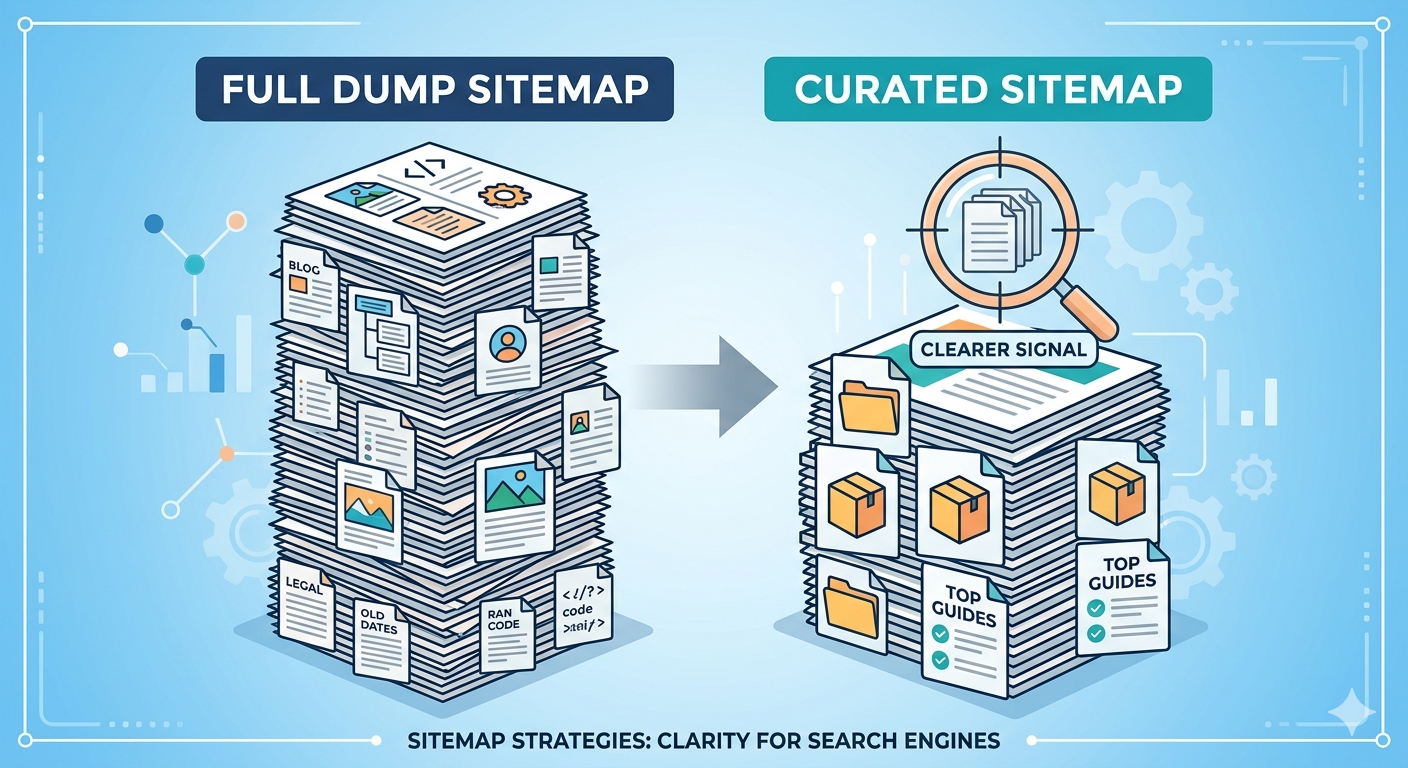
Most advice says “include everything indexable.” I disagree for a lot of sites. If you publish at scale, a smaller, curated sitemap that includes only your canonical, high-intent pages can be a sanity saver. Categories, core product pages, top guides, location pages that actually convert.
Why it works: it reduces noise. If your blog has 4,000 posts and 2,500 are outdated, you’re basically sending Google a to-do list of low-value URLs. A curated sitemap forces you to decide what you stand behind.
6) Image and video sitemaps (for media-heavy brands)
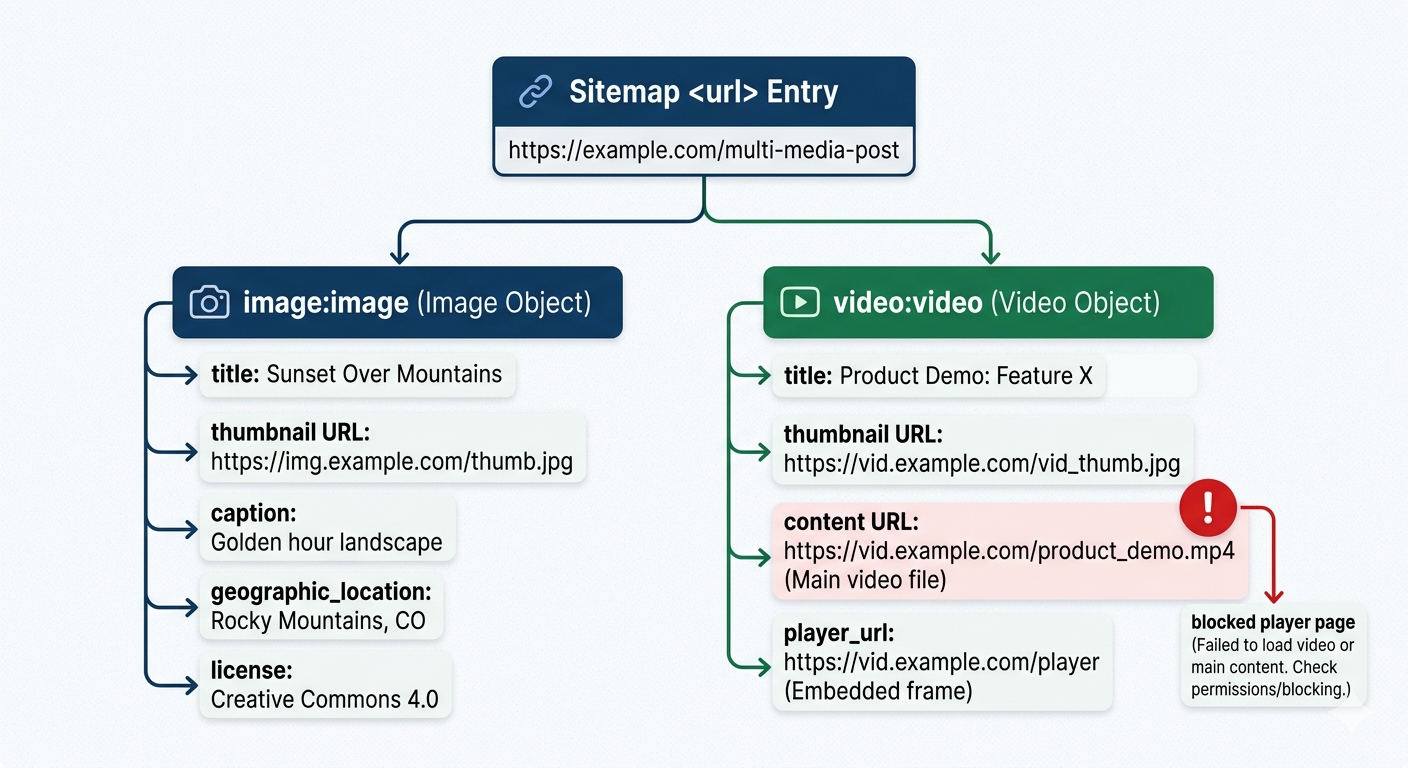
If your organic growth depends on media (recipes, ecommerce galleries, webinars, product demos), image and video sitemap extensions can be worth the hassle. The catch is operational: your media metadata has to be consistent, and your CDN URLs can’t be a rotating mess.
I’ve seen video libraries tank because the sitemap referenced player pages that were blocked by robots.txt. The sitemap was “right,” the site configuration wasn’t. That’s the theme with sitemaps: they expose reality.
7) Sitemap from a crawler export (the “trust but verify” method)
A sitemap crawler (Screaming Frog, Sitebulb, or your platform’s crawler) can generate a sitemap from what’s actually reachable on the site. This is how you catch the embarrassing stuff: canonical loops, internal links pointing to redirects, parameter URLs that got indexed because someone shared them in a newsletter.
If you’ve tried this and gotten garbage results, you’re not alone. Crawlers reflect your architecture. If the crawl is messy, the sitemap will be messy too. Fix the structure first, then regenerate.
How to create, find, and submit a sitemap (without overcomplicating it)
| Task | Fast path | What to watch for |
|---|---|---|
| How to create a sitemap | Use your CMS plugin or a dedicated sitemap generator | Only include canonical, indexable URLs (no redirects, no 404s) |
| How to find sitemap of a website | Try /sitemap.xml, then check robots.txt for a Sitemap: line | Some sites use a sitemap index, not a single file |
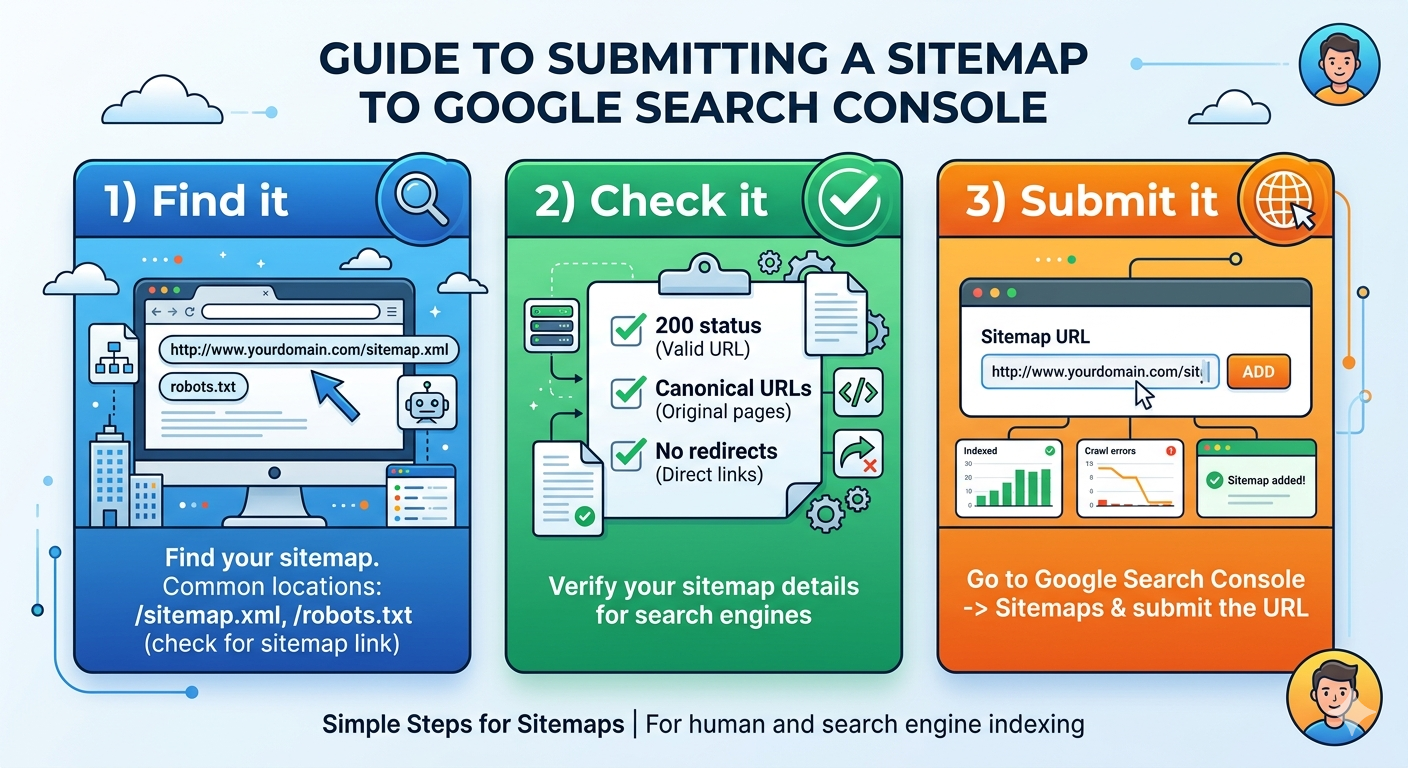
| How to submit sitemap to Google | Add it in Search Console’s Sitemaps report | Submitting doesn’t force indexing, it improves discovery |
| Keep the workflow boring. Boring is reliable. |
Creating an XML sitemap is usually a button click, but “creating a good one” is a content decision. If you’re doing it manually, follow Google’s supported formats (XML, RSS, Atom, and text) and their build guidance in Google Search Central’s sitemap documentation.
Finding a sitemap on someone else’s site is equally unsexy. Start with /sitemap.xml. If it’s not there, check /robots.txt and look for a “Sitemap:” directive. If you see a sitemap index, open it and you’ll usually find multiple files split by section.
Advanced stuff: where sitemaps break in the real world
Two edge cases show up constantly in audits.
First, “valid” sitemaps that are strategically wrong. Example: an ecommerce site includes every faceted navigation URL because it returns a 200. Google crawls them, sees near-duplicates, and spends less time on the pages that matter. Your sitemap just volunteered for extra work.
Second, teams obsess over crawl budget on sites that don’t have a crawl budget problem. If you’re under a few thousand pages and your internal linking is sane, your bigger issue is usually quality signals and duplication, not whether Googlebot is “wasting” 3% of its time.
One clean rule I stick to: if a URL is noindex, canonicalized to something else, blocked, redirected, or a known duplicate, it doesn’t belong in the sitemap. That’s not purity. That’s respect for everyone’s time, including Google’s.
Key takeaways (print these, tape them to your monitor)
- A sitemap is a discovery hint, not an SEO cheat code. Your architecture and content quality still do the heavy lifting.
- Use a sitemap index once you’re scaling, and split by section so debugging doesn’t turn into archaeology.
- HTML sitemaps are for people. Visual sitemaps are for planning. XML sitemaps are for crawlers. Mixing goals creates junk.
- Curated sitemaps beat “URL dumps” on messy, high-volume sites because they reduce noise.
- Validate before you submit, then watch Search Console for coverage patterns, not instant miracles.
FAQ
What is a sitemap?
A sitemap is a file (or page) that lists the URLs you want discovered and crawled. XML sitemaps are built for search engine bots, while HTML sitemaps are built for human navigation.
What is a sitemap generator?
A sitemap generator is a tool that crawls your site and outputs a sitemap automatically from your URLs. If you want a quick, clean output, Vizup has a free sitemap generator.
What is an XML sitemap?
An XML sitemap is a machine-readable file (usually at /sitemap.xml) that lists canonical URLs you want search engines to crawl, plus optional metadata like last modified date. It uses XML tags such as <urlset>, <url>, and <loc>.
How to create a sitemap?
For most sites, the fastest path is generating an XML sitemap automatically (via your CMS, an SEO plugin, or a generator tool), then validating it for broken URLs and redirects. After that, submit it in Google Search Console so Google can pick it up quickly.
How to find the sitemap of a website?
Start with the common location: add /sitemap.xml to the domain (for example, example.com/sitemap.xml). If that fails, check the site’s robots.txt file at /robots.txt, it often lists the sitemap URL explicitly.
How to submit a sitemap to Google?
Open Google Search Console, choose the right property, then go to "Sitemaps" and paste the sitemap URL (often /sitemap.xml). Submit it, then watch for errors like fetch failures, redirects, or URLs blocked by robots.txt.
How to create an XML sitemap?
Generate it from your CMS or a dedicated tool, then make sure it only includes URLs you actually want indexed (no 404s, no redirect targets, no blocked pages). Before you submit, run a validation pass using a sitemap checker so you don’t ship a sitemap full of junk URLs.
What does a sitemap look like?
An XML sitemap looks like structured code with tags such as <urlset>, <url>, and <loc>. An HTML sitemap looks like a normal webpage with grouped links. A visual sitemap looks like a hierarchy diagram of pages and sections.
How important is a sitemap for SEO?
It’s important for discovery and coverage, especially on large sites, new sites, or sites with weak internal linking. It won’t compensate for thin content, duplicate pages, or a navigation structure that hides key URLs.
How to create a sitemap in WordPress?
Most WordPress sites use an SEO plugin that outputs /sitemap.xml automatically. After it’s generated, run a quick validation (broken URLs and redirects are common) using a sitemap checker before submitting to Google.
Do I need both an XML sitemap and an HTML sitemap?
Not always. XML is the one search engines expect, so it’s the priority for SEO workflows. An HTML sitemap can still be useful on big sites or messy IA projects because it gives humans a quick "all pages" view, but it’s not mandatory.
Where should a sitemap live on my site?
Most sites place the XML sitemap at /sitemap.xml, or split it into multiple files and reference them from a sitemap index. If you want search engines to find it faster, list the sitemap URL in /robots.txt as well.
Why is Google ignoring URLs in my sitemap?
The usual culprits are redirects, 404s, canonical tags pointing somewhere else, or pages blocked by robots.txt or noindex. Another common one: the sitemap includes parameter URLs or duplicates, so Google chooses a different canonical and skips the rest.
How often should I update my sitemap?
Update it whenever your URL set changes, new pages, removed pages, or major migrations. If you publish frequently (news, ecommerce, large blogs), automated generation is the sane option so the sitemap stays current without manual work.
What should you exclude from an XML sitemap?
Leave out URLs you don’t want indexed, such as admin pages, internal search results, staging URLs, and pages returning 3xx/4xx/5xx status codes. Also avoid listing duplicate variants (UTM-tagged URLs, filtered category pages) unless you’ve made a deliberate indexing decision.
