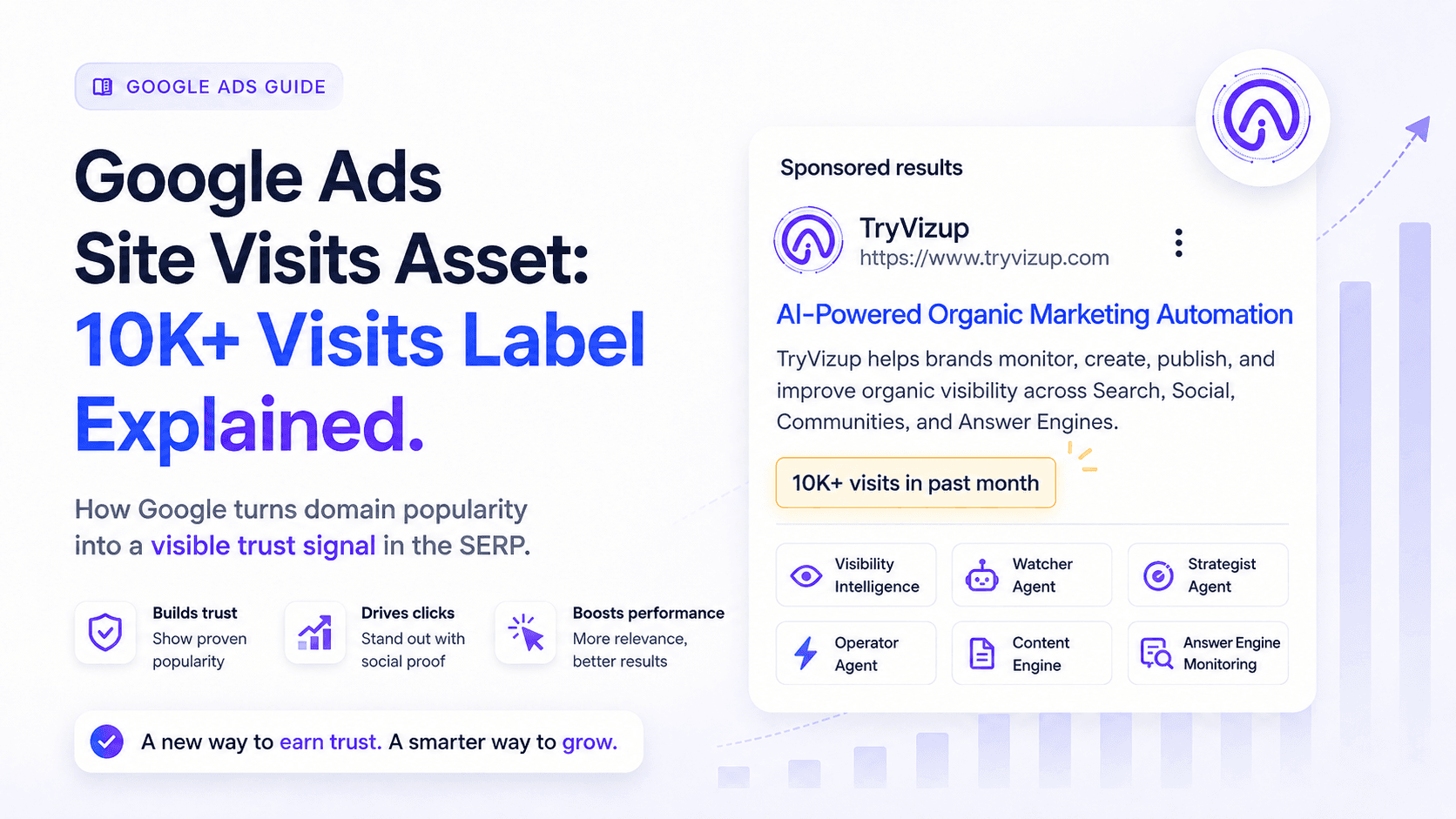
Advertisers have spent years trying to manufacture trust on the SERP. We cram social proof into ad copy, trot out awards, and bolt on every extension Google will allow. Now Google is doing the signaling itself, turning plain old site popularity into a badge inside the ad. This isn't just another extension. It changes what a user can assume before the click: whether a brand already draws real traffic and, by implication, real trust.
Google calls it the Google Ads Site Visits asset, and it can surface labels like "10K+ visits in past month" directly in the ad unit. One clarification up front: the badge says "visits," but Google's documentation ties eligibility to clicks, specifically, at least 10,000 in the last 30 days. That wording mismatch sounds minor until you try reconciling the label with GA4. If you want a cleaner way to understand how visibility is changing across search, social, communities, and answer engines, Vizup is built for that broader organic visibility view.
What Is the Google Ads Site Visits Asset?
The Site Visits asset is an automated, non-clickable label that appears in Google Search and Performance Max ads and reports a rough level of recent site traffic. Google frames it as a way to surface a site popularity signal directly in the ad. Unlike sitelinks or callouts, you're not supplying the copy here. Google is effectively attaching a domain-level credibility stamp based on what it observes. It's generated automatically, shown inside the ad, and meant to reduce hesitation before someone clicks. You don't write it or configure it, you either qualify and see it, or you don't.
What Does the Site Visits Label Look Like?
Visually, it's simple: a short line of text that puts your domain into a broad traffic tier instead of revealing an exact number. Google says the badge you get depends on which click bucket your domain lands in. In practice, you'll see one of three labels:
- 10K+ visits in past month
- 100K+ site visits
- 1M+ site visits
Google currently documents three buckets.: 10K+, 100K+, and 1M+. The point isn't to leak your analytics, it's to tell users you're not an unknown quantity.
Eligibility Requirements for Google Ads Site Visits Asset
The badge isn't a freebie. Google spells out eligibility requirements in its help documentation. A 10K-click floor predictably tilts toward established brands: big ecommerce, marketplaces, publishers, and lead-gen players with steady demand. If you're early, you're probably not getting this yet. That said, understanding how Google Ads works across campaign types can help you build toward eligibility faster than you'd expect.
Google lists three main eligibility requirements: the domain must have at least 10,000 clicks in the last 30 days, the account must have no policy violations, and the website must operate on a single-tenant domain or a unique subdomain that clearly represents the business. Sites hosted on shared-domain subpaths may not qualify because Google cannot separate clicks cleanly for that business.
How Google Calculates the Site Visits Asset
This is the part that trips people up. Google says the asset reflects aggregate domain clicks across organic results and paid ads. It updates daily and looks at the whole domain, not a single landing page. If your campaigns send traffic to example.com/shoes and example.com/shirts, Google rolls it all up under example.com.
One more time, because it matters: the label says "visits," while the eligibility language says "clicks." Don't expect it to line up neatly with GA4 sessions, users, pageviews, or even your total Google Ads clicks. Treat it as Google's own internal count built from multiple signals, not a number pulled from your analytics property. If you've ever had a stakeholder ask why Ads says one thing and GA4 says another, you already know why having a single reporting view for paid and organic data helps.
Why This Update Matters for Advertisers
It adds social proof before the click
This is the headline effect: users can get a sense of a domain's recent momentum before they ever land on the site. As a Google Ads social proof asset, the label is meant to confer credibility at a glance, and that can translate into more confident clicks.
It may influence CTR
Google says the asset can boost engagement and improve performance. Broad promises like that deserve skepticism. If it moves your click-through rate, you'll see it in your own reporting, so test, segment, and compare. Don't treat the badge like a magic bullet.
It may widen the trust gap
This one is awkward but obvious: the badge mostly helps incumbents. If you don't clear the threshold, your ads can end up sitting next to competitors with a Google-issued stamp of popularity. In crowded SERPs, that kind of visual advantage makes the climb steeper for newcomers.
It makes organic and paid visibility more connected
Because Google says the asset is based on aggregate clicks from organic and paid traffic, SEO can now show up as paid-search credibility in the most literal way possible: as text inside your ad. Strong organic visibility that earns clicks can help you qualify for the badge, which could then feed back into ad performance. The channels have always influenced each other, this makes the relationship impossible to ignore.
Which Industries Could Benefit Most?
The label matters most when a user's first instinct is skepticism. If trust is the bottleneck before someone buys or submits a lead form, a visible popularity tier does real work. Expect the biggest upside in categories like:
- Insurance, Finance, and Legal services: High-stakes decisions where credibility is paramount.
- Healthcare: Patients are looking for established and trusted providers.
- Ecommerce: Shoppers are often wary of unknown online stores.
- Travel: Booking with a popular, well-trafficked site feels safer.
- Education: Students and parents want to see that an institution is in demand.
- B2B SaaS: A high visit count can signal market leadership and a stable product.
- Local services with high competition: Think plumbers or electricians. A popularity badge could be a key differentiator.
What Smaller or New Advertisers Should Do
If you're not at 10,000 clicks a month, don't spiral. A lot of coverage stops at "here's the feature." The practical takeaway is this: Google is rewarding total demand, not just clever account structure. Treat the Site Visits asset as a reminder that brand gravity is becoming part of the ad unit.
So the job is to grow domain-level traffic until you're eligible. That's less about chasing a single metric and more about building durable acquisition. Work on branded search demand, publish and scale SEO pages that bring in qualified clicks, and tighten high-intent landing pages so your ads earn strong CTR. Invest in remarketing and demand gen so your domain keeps accumulating clicks across channels. And watch the competitive set: if rivals are showing the badge and you aren't, that's the new bar you're trying to clear.
Can You Turn the Site Visits Asset On or Off?
As with many Google Ads automated assets, there's no neat on/off switch in the UI. You can't manually add it, and if Google decides you qualify, it can run automatically. Google does note that advertisers who don't want it can contact their Google representative to get it turned off. That matters if you'd rather not telegraph your traffic tier to competitors, or if you're in a sensitive category where advertising volume is something you'd prefer not to spotlight.
How to Monitor the Impact of Site Visits Assets
If the label starts showing, treat it like any other variable in the auction: measure it. Compare CTR before and after it appears, and split out brand versus non-brand to see where it shows up strongest. Since this is a Performance Max site visits asset as well as a Search one, track those campaign types separately. Keep an eye on impression share and top-of-page rate to see whether the badge coincides with better visibility. If you're already pulling Google Ads and GA4 into one reporting dashboard, this is a quick analysis, not a week-long spreadsheet project.
Resist the urge to give the badge credit for every wiggle in performance. Auction shifts, copy tests, seasonality, and competitor bidding can all move CTR. What you're looking for is a sustained lift that holds up once you account for those other changes.
Key Takeaways
- The Site Visits asset is an automated Google Ads feature that adds a popularity label to your ads.
- It can show tiers like "10K+ visits in past month" as a trust signal.
- Eligibility starts at 10,000 domain-level clicks in the last 30 days, aggregated across organic and paid traffic.
- It works with Search and Performance Max campaigns.
- Even if you qualify, Google doesn't guarantee it will show.
- The feature naturally advantages brands with established, domain-wide visibility.
- Google is making total domain popularity visible in the SERP, tightening the feedback loop between organic traction and paid credibility.
Frequently Asked Questions
What is the Google Ads Site Visits asset?
The Site Visits asset is an automated Google Ads feature that adds a non-clickable popularity label (such as the Google Ads 10K visits label) to help establish trust.
What does "10K+ visits in past month" mean in Google Ads?
It means Google may show that your domain falls into the 10K+ tier. Google's documentation says the asset is based on aggregate clicks across organic and ads traffic, not a direct readout of "visits" from your analytics.
Is the Site Visits asset clickable?
No. It's a non-clickable line of text inside the ad, meant purely as a credibility signal.
Can I manually add the Site Visits asset?
No. Like other Google Ads Search ad assets, it's applied automatically when Google determines an account meets the eligibility requirements.
Can I opt out of Site Visits assets?
Yes. Google says advertisers can contact their Google representative to get help turning the asset off.
