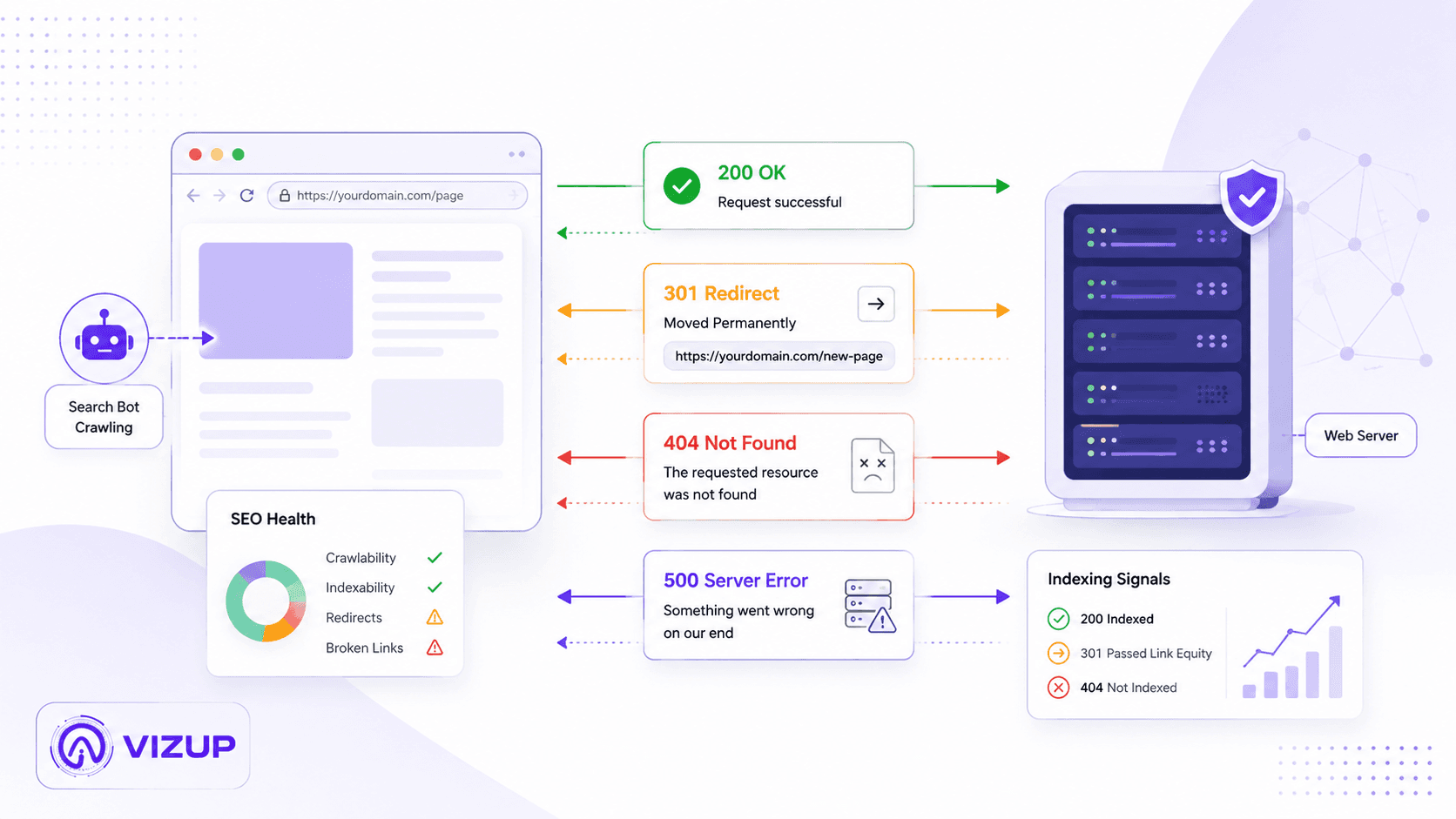
You've seen them before: the dreaded "404 Not Found" page. Or maybe you hit refresh during a big sale and got a blunt "503 Service Unavailable" instead of a checkout button. Those three-digit numbers are HTTP status codes, and they're not just there to ruin your day. They're the web's call-and-response system: the instant reply a server sends every time you click a link, load an image, or submit a form.
Most of the time, status codes stay out of sight. If you run a website, though, they're some of the clearest signals you get about whether things are working. Developers live in this world, but marketers, SEOs, and business owners need to understand them too. You can't grow search traffic if crawlers can't reach your pages, and you can't sell anything if redirects and outages keep sending customers into dead ends. We'll break down what the major codes mean for SEO, which ones deserve your attention, and how to fix common issues.
What Are HTTP Status Codes?
Every web request is a tiny negotiation. Your browser (the client) asks for something, a page, an image, a script. The server answers with a response, and right up front it includes an HTTP status code. That code is the shorthand: "Here you go," "It's moved," or "Nope, something broke."
Status codes come in five families. The first digit tells you the category, so you can understand the outcome at a glance.
- 1xx (Informational): The server got the request and is still working on it. Most users will never notice these.
- 2xx (Successful): The request succeeded. This is what you want for normal page loads.
- 3xx (Redirection): The request requires further action. This family includes URL redirects as well as cache-related responses such as 304 Not Modified.
- 4xx (Client Error): The request can't be fulfilled because of an issue on the client's side, like a bad URL or lack of permissions.
- 5xx (Server Error): The request was valid, but the server couldn't complete it due to a problem on its end.
HTTP Status Codes for SEO
| Family | Code | Status | What it means | Common use or cause | SEO and website action |
|---|---|---|---|---|---|
| 1xx Informational | 100 | Continue | The initial request was accepted and the client can continue sending its body. | Large POST or upload request. | Usually invisible to users and not an SEO concern. |
| 1xx Informational | 101 | Switching Protocols | The server agrees to switch communication protocols. | WebSocket or protocol upgrades. | Not normally relevant to indexable webpages. |
| 1xx Informational | 103 | Early Hints | Preliminary headers are sent before the final response. | Preloading stylesheets, scripts, or other resources. | Can support performance, but the final page must still return the correct response. |
| 2xx Success | 200 | OK | The request succeeded and content was returned. | Normal webpage, image, CSS, JavaScript, or API response. | Expected for indexable webpages, but it does not guarantee indexing. |
| 2xx Success | 201 | Created | The request succeeded and created a new resource. | Form submissions or API resource creation. | Generally an API response, not a standard webpage response. |
| 2xx Success | 202 | Accepted | The request was accepted but processing has not finished. | Queued or asynchronous jobs. | Usually relevant to applications and APIs rather than SEO pages. |
| 2xx Success | 204 | No Content | The request succeeded but there is no response body. | API updates, tracking calls, or successful actions requiring no returned content. | Do not use for a normal page that is expected to display content. |
| 2xx Success | 206 | Partial Content | Only part of the requested resource was returned. | Video streaming, audio playback, resumable downloads, and byte-range requests. | Normal for media delivery; confirm the full resource remains accessible. |
| 3xx Redirection | 301 | Moved Permanently | The resource has permanently moved to another URL. | URL changes, HTTPS migration, domain migration, or content consolidation. | Use for permanent moves. Google treats it as a canonicalization signal and says permanent redirects do not lose PageRank. |
| 3xx Redirection | 302 | Found | The resource is temporarily available at another URL. | A/B tests, temporary campaigns, or short-term routing. | Google generally retains the source URL in results. Do not use for a permanent migration. |
| 3xx Redirection | 303 | See Other | The client should retrieve another URL, normally with a GET request. | Redirecting after a form submission to prevent duplicate submissions. | Usually an application-flow response rather than an SEO migration redirect. |
| 3xx Redirection | 304 | Not Modified | The cached version is still current, so the content does not need to be resent. | Browser and CDN cache validation. | Normal and beneficial for caching. It is not a redirect to another URL. |
| 3xx Redirection | 307 | Temporary Redirect | A temporary redirect that preserves the original request method and body. | Temporary API or application routing. | Similar SEO intent to a 302. The source URL is generally retained. |
| 3xx Redirection | 308 | Permanent Redirect | A permanent redirect that preserves the original request method and body. | Permanent API routes, HTTPS enforcement, or URL migrations. | Google treats 308 as a permanent redirect alongside 301. |
| 4xx Client Error | 400 | Bad Request | The server cannot process the request because it is malformed. | Invalid syntax, parameters, headers, or cookies. | Investigate if internal links or normal browser requests repeatedly produce it. |
| 4xx Client Error | 401 | Unauthorized | Authentication is required or the provided credentials are invalid. | Login-protected pages and private APIs. | Fine for genuinely private pages. Public SEO pages should not return 401. |
| 4xx Client Error | 403 | Forbidden | The server understood the request but refuses access. | Permissions, firewall rules, CDN blocks, or IP restrictions. | Check that Googlebot and users are not unintentionally blocked from public content. |
| 4xx Client Error | 404 | Not Found | The requested resource cannot currently be found. | Deleted page, broken link, or mistyped URL. | Correct when no page exists and no replacement is available. It is not a direct ranking penalty. |
| 4xx Client Error | 410 | Gone | The resource was intentionally removed and is not expected to return. | Permanently retired content with no replacement. | Both 404 and 410 are valid for permanently removed pages. Google generally treats them alike. |
| 4xx Client Error | 429 | Too Many Requests | The client has sent too many requests within a period. | Rate limiting or server protection. | Appropriate for temporary rate limiting. Google warns that prolonged 429 responses can result in affected URLs being dropped. |
| 5xx Server Error | 500 | Internal Server Error | The server encountered an unexpected condition. | Application errors, faulty plugins, bad configuration, or script failure. | Treat as urgent when it affects public URLs. Repeated 500 responses can cause Googlebot to slow crawling. |
| 5xx Server Error | 502 | Bad Gateway | A gateway or proxy received an invalid response from an upstream server. | CDN, reverse proxy, load balancer, or origin-server failure. | Monitor and resolve quickly if it affects important pages. |
| 5xx Server Error | 503 | Service Unavailable | The server is temporarily unable to handle the request. | Maintenance, overload, or exhausted resources. | Correct for temporary maintenance. Include Retry-After where possible and avoid returning it for prolonged periods. |
| 5xx Server Error | 504 | Gateway Timeout | A gateway did not receive a timely response from an upstream server. | Slow origin, database delay, networking problem, or proxy timeout. | Investigate the upstream dependency and server response time. |
Key Status Codes for SEO
While there are dozens of codes, a handful do most of the heavy lifting in day-to-day SEO and website management. Understanding these specific codes is critical for diagnosing technical issues, managing site migrations, and ensuring search engines can crawl and index your content effectively.
200 OK
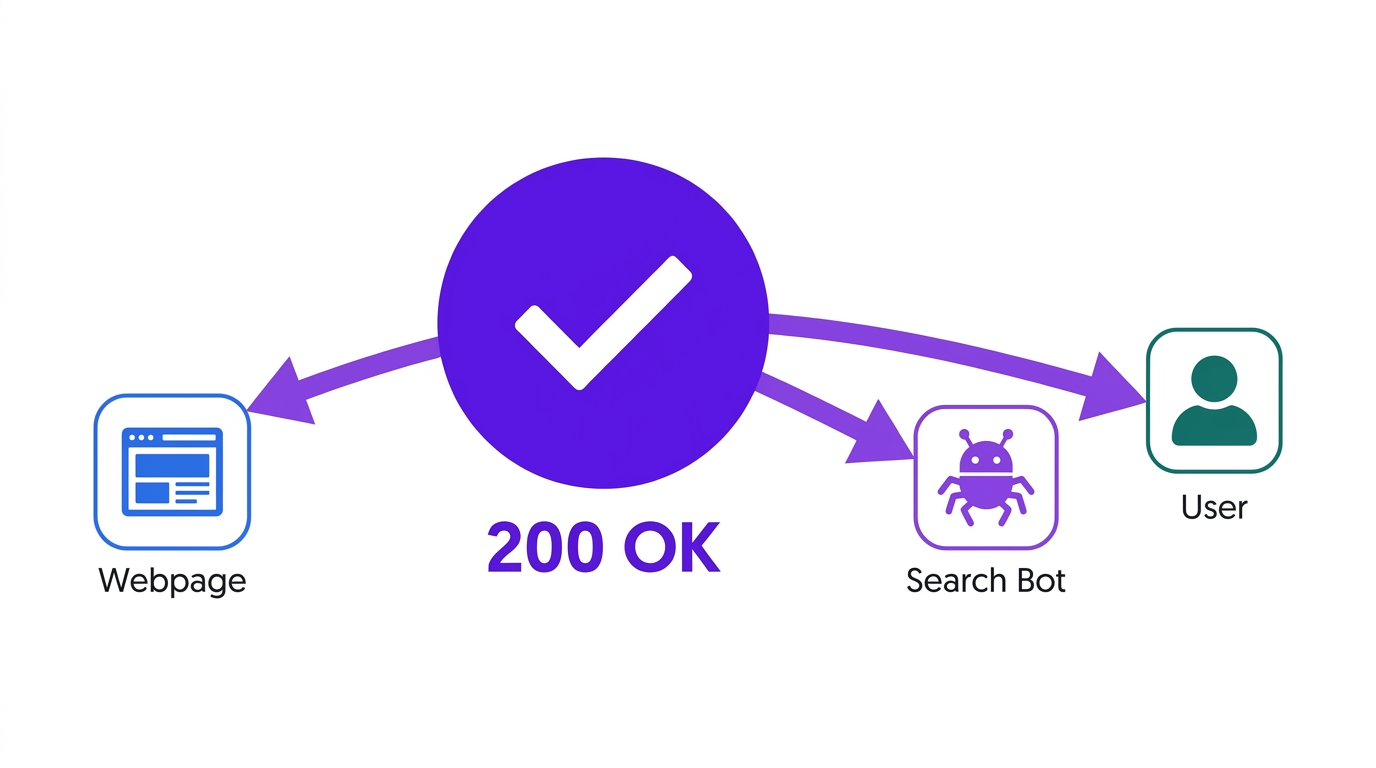
This is the baseline for a healthy, accessible page. "200 OK" means the request succeeded and the server returned the content. For any public page you expect people (and Google) to visit (your homepage, product pages, blog posts) a 200 response is the goal. A 200 response confirms that the page loaded successfully and allows search engines to process its content. It does not guarantee that the page will be indexed.
301 Moved Permanently & 308 Permanent Redirect
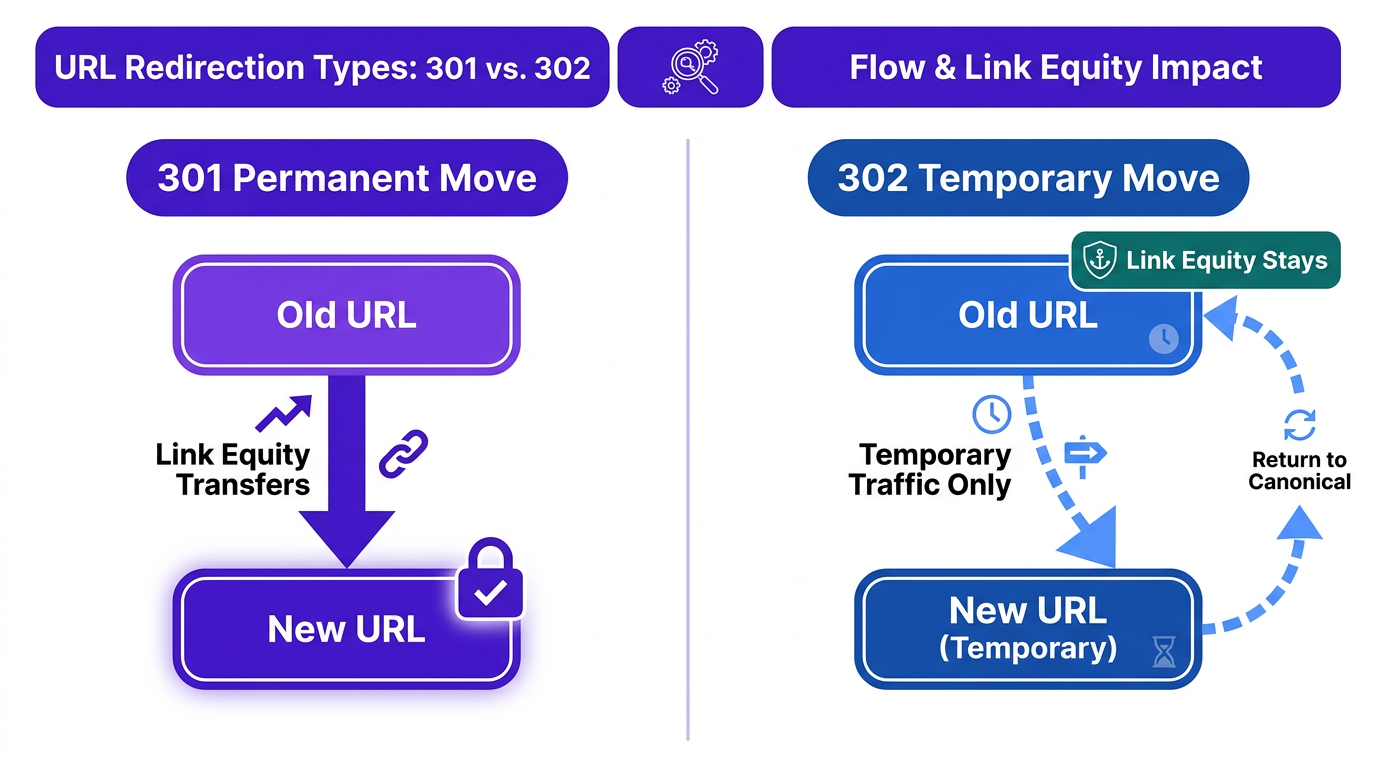
A 301 or 308 redirect is the workhorse for permanent URL changes. A 301 tells search engines that the move is permanent and signals that the destination URL should become the canonical version. Google states that properly implemented permanent redirects do not cause a loss of PageRank, although processing the move can take time. The main difference is that a 308 preserves the original request method (like POST), while a 301 may not. For most SEO purposes, they are treated similarly by Google.
Tip: Use a permanent redirect when:
- You change a URL slug.
- You migrate your site from HTTP to HTTPS.
- You are changing your domain name.
- You merge two pieces of content into one.
302 Found & 307 Temporary Redirect
A 302 indicates that the move is temporary. Google generally keeps the original URL in search results while users are temporarily sent to the destination. Use it for short-term experiments or routing, not permanent URL migrations. A 307 is a similar temporary redirect that, like the 308, strictly preserves the original request method. Using a temporary redirect for a permanent change is a common and painful mistake. Using a temporary redirect for a permanent change can delay Google's recognition of the destination as the preferred URL, particularly when other canonical signals are inconsistent.
404 Not Found & 410 Gone
A 404 means the server cannot find the requested resource. A 410 explicitly indicates that the resource was intentionally removed and is not expected to return. For Google Search, both 404 and 410 are valid when a page has been permanently removed and has no suitable replacement. Google generally treats the two responses alike. The larger SEO concern is indirect: users reach a dead end, internal links become broken, and backlinks pointing to the removed URL no longer benefit a relevant live page.
401 Unauthorized & 403 Forbidden
These codes indicate access restrictions. A 401 means authentication is required (the user needs to log in), while a 403 means the server understood the request but refuses to grant access, often due to permissions. These are not inherently bad; they are necessary for protecting private content. The SEO issue arises when public, indexable pages accidentally return a 401 or 403, effectively blocking them from users and search engines.
5xx Server Errors
5xx errors are the ones you really don't want. They mean the request was fine, but your server couldn't complete it. From an SEO perspective, they're especially damaging because they make the whole site look unreliable, not just one URL. Persistent server errors can cause Googlebot to reduce its crawl rate. Google warns that returning 503 or 429 responses for more than two days may lead to affected URLs being dropped from the index. Short outages are usually recoverable, but server errors should still be resolved quickly. For planned maintenance, a 503 with a Retry-After header is the correct signal to send.
How to Check HTTP Status Codes
You don't have to infer status codes from a sad error page. A few simple tools will tell you exactly what a URL is returning, whether you're checking one page or auditing an entire site.
Here are a few practical methods:
- Browser Developer Tools: The fastest way to sanity-check a single page. In Chrome, right-click the page, choose "Inspect," open the "Network" tab, then refresh. You'll see every resource load; click the main document (usually the first item) and find "Status Code" under the Headers section.
- Online Status Code Checkers: Handy for quick bulk checks without installing anything. Paste in a list of URLs and get a report back. Tools like httpstatus.io or the one from WebFX are popular options.
- SEO Crawlers: For a real site audit, use a crawler like Screaming Frog or Sitebulb. They crawl your site the way Googlebot does and surface status codes across every URL, including redirect chains and other technical problems that are hard to spot manually.
Key Takeaways for Your Strategy
You don't need to memorize every HTTP status code to run a clean site. What matters is getting the fundamentals right: make sure important pages return 200, permanent moves use 301 or 308, temporary experiments use 302 or 307, and anything that looks like a server meltdown gets treated as urgent.
- Audit Regularly: Crawl your site frequently to catch 404s, redirect chains, and other issues. For large e-commerce or publishing sites, this should be more frequent than quarterly. Fix broken internal links quickly so users and crawlers don't keep hitting dead ends.
- Use Redirects Wisely: Use permanent redirects (301/308) when a move is permanent. Confirm you haven't left temporary redirects (302/307) in place after a migration or content consolidation.
- Monitor Server Health: Watch 5xx errors in Google Search Console. If they persist, treat it like an incident and loop in your hosting provider or dev team immediately.
- Prioritize User Experience: A 404 is a dead end, not just a technical detail. A helpful custom 404 page can route visitors back to relevant pages instead of letting them bounce.
Frequently Asked Questions
Do 404 errors hurt my SEO?
Not directly. Google treats 404s as a normal part of the web. The SEO damage is usually indirect: users hit dead ends and leave, and any backlinks pointing at a now-404 URL stop passing value to your site.
How long should I keep a 301 redirect in place?
Plan to keep a 301 redirect live for at least one year. Google needs time to recrawl the old URL, process the permanent redirect, and transfer ranking signals to the new page. Pull it too soon and you risk losing the SEO value tied to the old address.
What is a "soft 404"?
A soft 404 is when a page that doesn't really exist returns a 200 OK anyway. Users might see a "not found" message, but the server tells Google the URL is valid. That mismatch wastes crawl budget and can confuse indexing, so missing pages should return a true 404 (or 410 when appropriate).
Can I just redirect all my 404s to the homepage?
It's a bad idea. Sending every broken URL to the homepage is confusing for users and Google often treats it like a soft 404. Redirect to the closest relevant replacement when there is one; otherwise, letting the URL return a 404 is usually the right call.
How quickly do 5xx errors affect my rankings?
A brief outage lasting minutes or a few hours will usually affect crawling before it affects rankings. Persistent 5xx responses cause Google to reduce its crawl rate, and URLs that continue returning server errors may eventually be removed from the index. There is no universal ranking-impact deadline because the effect depends on how long the errors last, how many URLs are affected, and how consistently Google encounters them.
