
TL;DR:
- Redirects in sitemap files send crawlers to URLs that no longer serve content, which burns crawl activity on every cycle.
- Crawl budget optimization matters most for very large sites or sites that change fast. If Google is crawling your new pages the same day they publish, crawl budget is usually not your bottleneck.
- There is no formal penalty for sitemap redirects, the cost is inefficiency and signal ambiguity.
- The fix: audit your sitemap for 3xx responses, replace redirected URLs with final 200-status destinations, remove dead-end entries, resubmit, and monitor automatically.
Your XML sitemap is one of the strongest signals you send to Google about which URLs deserve attention. When that sitemap contains redirects in sitemap entries, you're handing Googlebot a map full of wrong turns. The crawler follows each redirect, discovers the final destination on its own, and still has to decide whether to index it. That entire chain eats into a finite resource: your crawl budget.
According to Google's own crawl budget documentation, submitting clean, canonical URLs is one of the simplest ways to help Googlebot spend its time wisely. This is mainly a priority for very large or rapidly changing sites. Google notes that if your pages are crawled the same day they're published, you probably don't need to worry much about crawl budget. If you manage more than a few hundred pages, sitemap redirect issues are still a common source of crawl inefficiency and mixed signals.
This tutorial is for SEOs, developers, and site owners who want to reclaim wasted crawl budget and get new content indexed faster. Here's what you'll do:
-
- Audit your sitemap to identify every URL returning a 3xx redirect.
-
- Classify each redirect by type (301, 302, 307) and determine the final destination URL.
-
- Replace redirected URLs in your sitemap with the correct final destination URLs.
-
- Remove URLs that redirect to off-site or irrelevant destinations entirely.
-
- Resubmit your cleaned sitemap through Google Search Console.
-
- Set up ongoing monitoring to catch new redirects before they accumulate.
Prerequisites: What You Need Before Starting
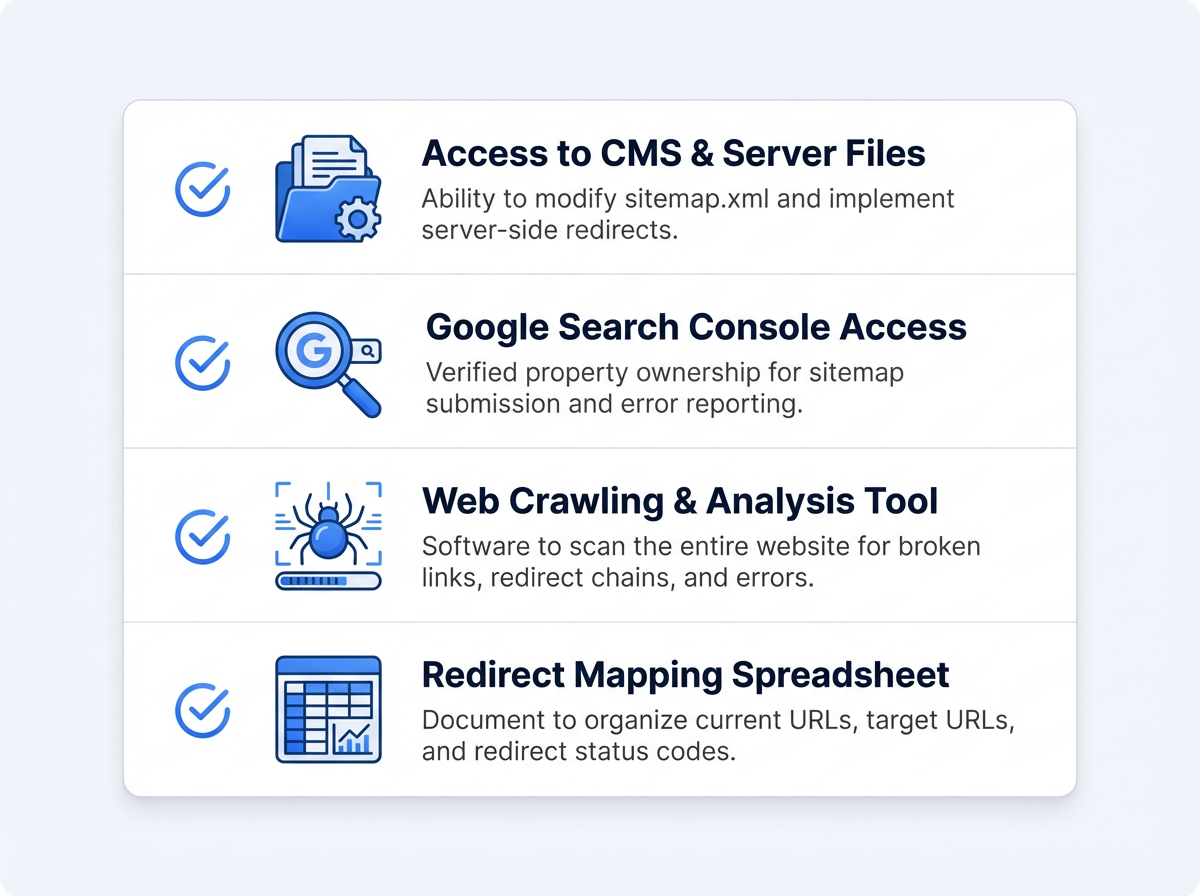
This tutorial assumes you have edit access to your XML sitemap (either directly or through your CMS) and access to Google Search Console for the property in question. You don't need to be a developer, but you should be comfortable opening a spreadsheet and making basic find-and-replace edits.
You'll also want a tool that can check your URLs at scale. Vizup's sitemap checker flags every redirect, broken link, and chain in seconds with zero setup or software installation. Just paste your sitemap URL and get a full report instantly.
Why Redirects in Your Sitemap Actually Drain Crawl Budget
Before jumping into the fix, it helps to understand why XML sitemap redirects are worth your time. Google assigns every site a crawl budget, which is the combination of crawl rate limit (how fast Googlebot can crawl without hurting your server) and crawl demand (how much Google wants to crawl based on popularity and freshness).
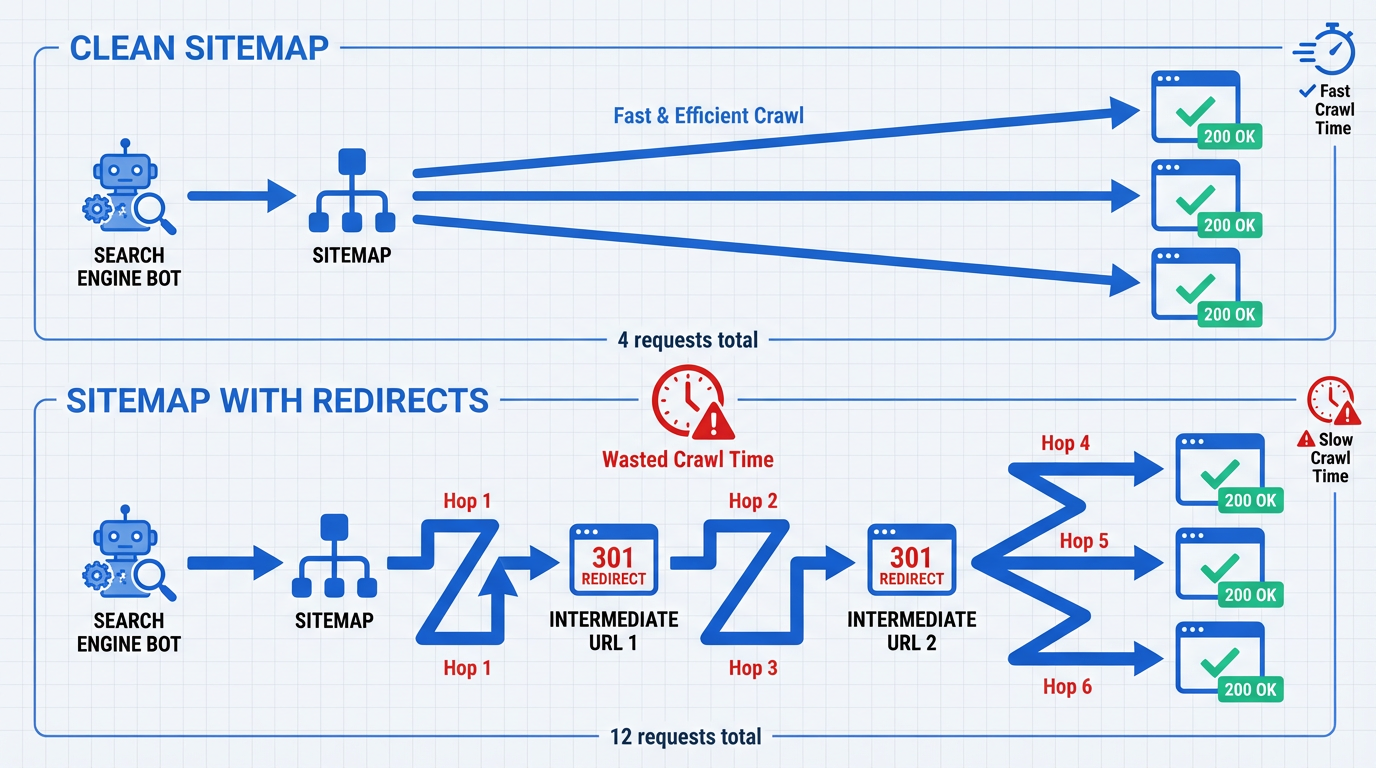
When Googlebot hits a 301 or 302 in your sitemap, it doesn't just note the redirect and move on. It follows the chain, sometimes through multiple hops, before arriving at the final URL. Each hop counts as a separate request against your crawl budget.
For a 500-page brochure site, this is barely noticeable. For an e-commerce store with 50,000 product pages, a sitemap containing 2,000 redirected URLs means Googlebot wastes thousands of requests every crawl cycle on URLs that contribute nothing to indexation. That's crawl capacity that could have been spent discovering your newest product pages or freshly updated blog posts.
✅ Best Practice: Treat your sitemap as a curated list of your best, indexable URLs. Every entry should return a 200 status code. No exceptions.
Step 1: Audit Your Sitemap for Redirected URLs
The fastest way to find redirects in sitemap files is with Vizup's sitemap checker. Paste your sitemap URL, and within seconds you get a complete report showing every 3xx response, redirect chain, and final destination. No crawl software to install, no configuration needed.
If you prefer a manual approach, you can export every URL from your XML sitemap into a spreadsheet, then use a bulk HTTP header checker or a simple cURL script to test each URL's response code. Filter for 3xx status codes and export the results. Pay attention to the redirect destination for each URL. If you see chains (URL A redirects to URL B, which redirects to URL C), note those separately because they burn even more crawl budget per URL.
Whether you use Vizup or a manual method, the goal is the same: a complete list of every redirected URL currently sitting in your sitemap, along with the destination each one points to.
⚠️ Common Mistake: Only checking your primary sitemap. If you use a sitemap index file, every child sitemap needs to be audited.

Step 2: Classify Each Redirect and Find the Final Destination
Not all redirects are equal, and the type determines your next action. Open your exported list and add two columns: Redirect Type and Final Destination URL. Here's how to classify what you find:
| Status Code | What It Means | Recommended Action |
|---|---|---|
| 301 | Permanent redirect. The old URL has moved for good. | Replace the old URL in your sitemap with the final destination. |
| 302 | Temporary redirect. The original URL is supposed to come back. | Investigate. If it's been a 302 for months, it's likely misconfigured. Either fix it to a 301 and update the sitemap, or restore the original URL. |
| 307 | Temporary redirect (HTTP/1.1 equivalent of 302). | Same as 302: investigate and resolve. |
| Redirect chain (any combination) | URL redirects through 2+ hops before reaching the final page. | Replace with the final destination URL. Also fix the redirect chain on the server side to reduce it to a single hop. |
| Quick reference for handling each redirect type found in your sitemap. |
To find the true final destination of a chain, you can use a command-line tool like cURL: curl -ILs https://yoursite.com/old-page | grep -i location. This follows every hop and prints each redirect location header.
Step 3: Fix Redirects in Sitemap by Replacing URLs With Final Destinations
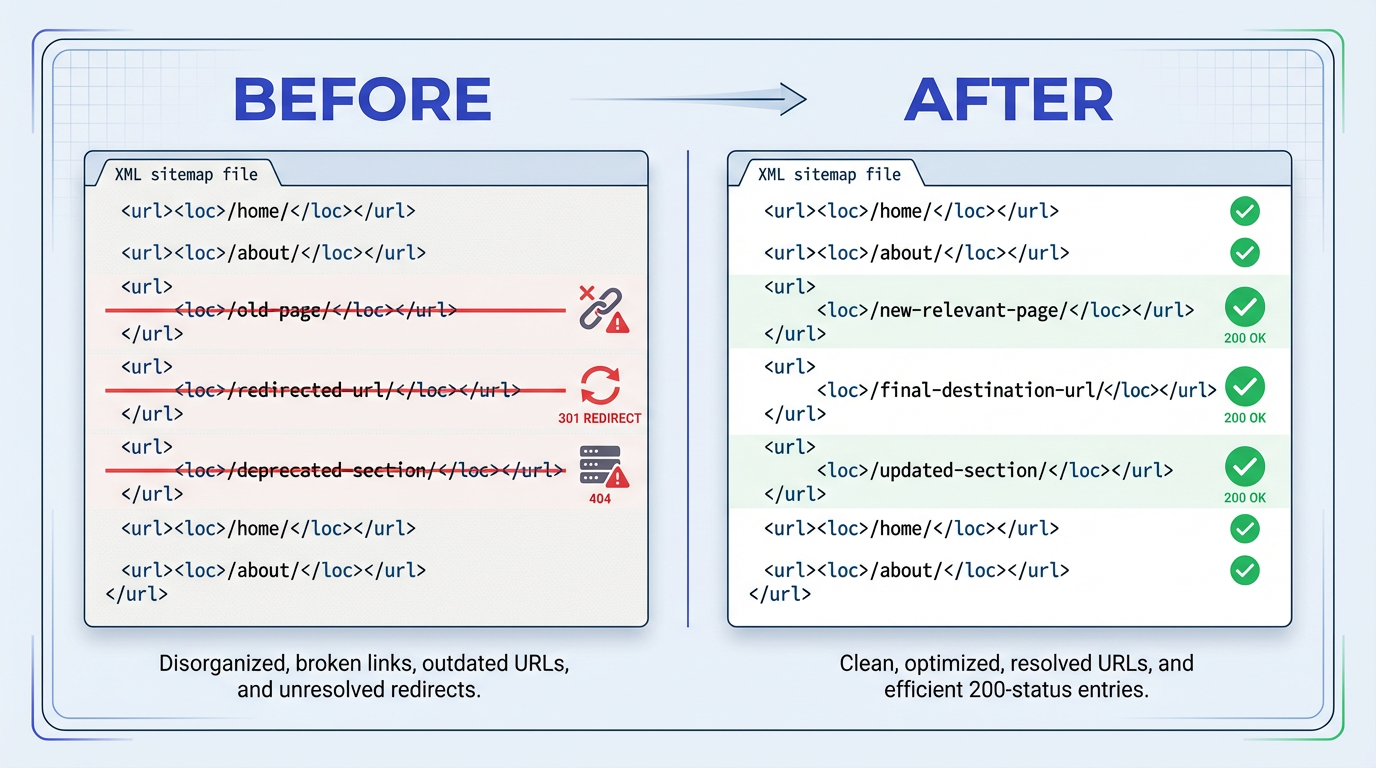
This is the core fix for sitemap redirect issues. For every 301 redirect in your sitemap, swap the old URL with the URL it ultimately resolves to. How you do this depends on how your sitemap is generated.
If Your Sitemap Is Auto-Generated by a CMS
Most CMS platforms (WordPress, Shopify, etc.) generate sitemaps dynamically based on published content. The redirect usually appears because the CMS still considers the old URL a valid published page. Go into your CMS and either delete the old page/post entry or update its slug to match the current canonical URL. Once the CMS no longer recognizes the old URL as a live page, it drops out of the auto-generated sitemap on the next rebuild.
If Your Sitemap Is Manually Maintained
Open your sitemap.xml file in a text editor. Use find-and-replace to swap each old URL with its final destination. If you have hundreds of replacements, a quick Python script or even a spreadsheet VLOOKUP can speed this up. Save the file and upload it to your server, replacing the old version.
For sites that use Vizup's sitemap generator, regenerate the sitemap after you've cleaned up your redirect rules. The tool only outputs live, 200-status URLs, so your new sitemap will be redirect-free from the start.
✅ Best Practice: After replacing URLs, run a quick re-check with Vizup's sitemap checker to confirm every entry now returns a 200 status. This catches cases where the "final destination" itself redirects somewhere else.
Step 4: Remove URLs That Redirect Off-Site or to Irrelevant Pages
Some redirected URLs in your sitemap won't have a valid on-site replacement. Common examples include:
- Old partnership landing pages that now redirect to a partner's domain.
- Discontinued product URLs that redirect to a generic category page.
- Legacy campaign pages that redirect to the homepage.
These URLs should be removed from your sitemap entirely, not replaced. Your sitemap should only contain URLs you want indexed. A URL that redirects to an external domain will never be indexed on your site. A URL that redirects to a generic homepage or category page just adds noise. Delete these entries from your sitemap file or exclude them in your CMS sitemap settings.
🚫 Avoid This: Don't replace an off-site redirect with the external URL in your sitemap. Your sitemap should only contain URLs on your own domain.
Step 5: Resubmit Your Cleaned Sitemap in Google Search Console
After saving your updated sitemap, log into Google Search Console and navigate to Sitemaps in the left sidebar. If your sitemap URL hasn't changed, Google will pick up the new version on its next fetch. If the sitemap URL changed, submit the new one and remove the old one. If the URL stayed the same, Google will fetch it again; you can also resubmit it in the Sitemaps report.
Within a few days, check the Pages report in Search Console. Look for a decrease in "Page with redirect" entries under the "Not indexed" section. This confirms Google is now receiving clean URLs from your sitemap instead of chasing redirects.
Step 6: Set Up Ongoing Monitoring to Prevent Sitemap Redirect Creep
Fixing your sitemap once is great. Keeping it clean is what separates a one-time cleanup from a lasting improvement. Redirects creep back into sitemaps for predictable reasons:
- Someone changes a URL slug without updating the sitemap.
- A bulk product import creates new redirects.
- A site migration leaves behind 302s that were supposed to be temporary.
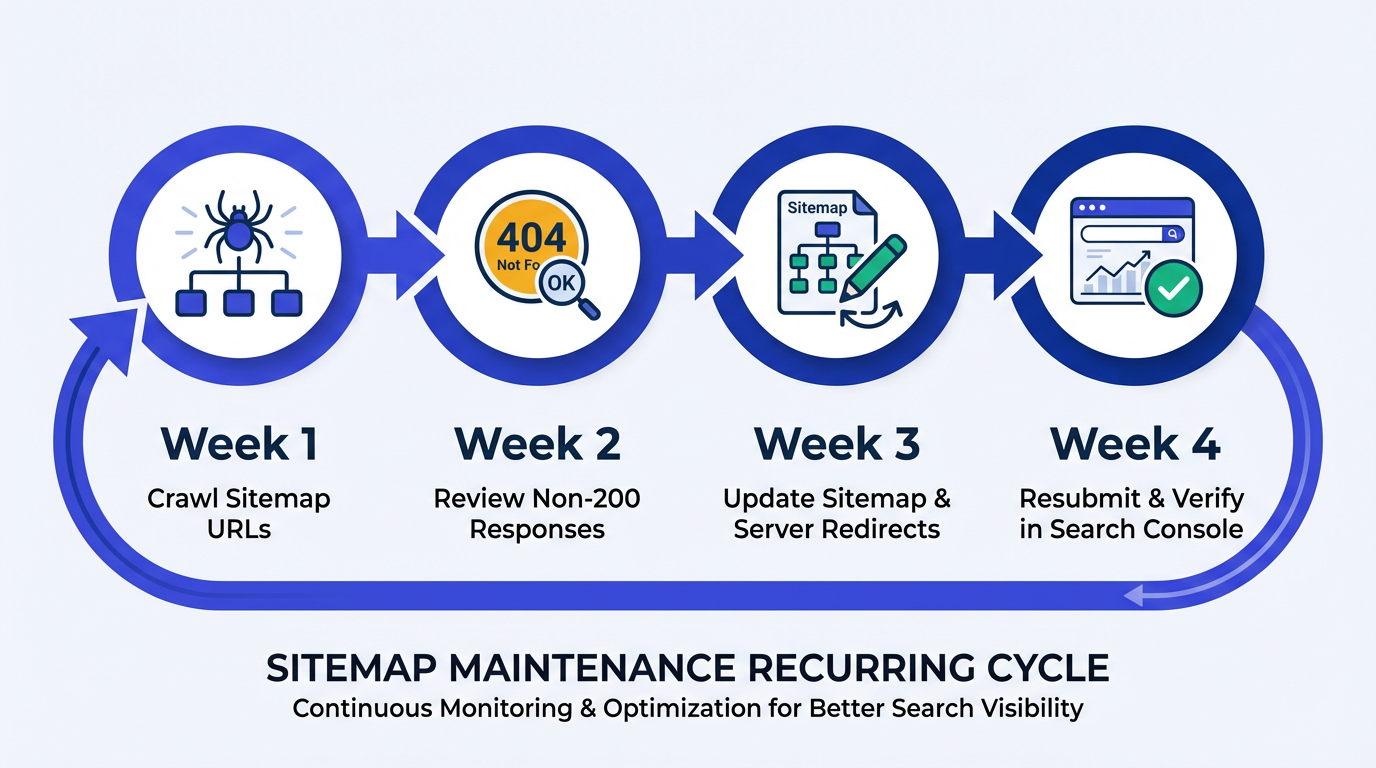
The most reliable approach is a scheduled crawl of your sitemap URLs on a weekly or biweekly cadence. Vizup's AI crawler checker monitors your sitemap automatically and flags new redirect issues as soon as they appear, so you only need to act when something breaks.
For teams that deploy frequently, consider adding a sitemap validation step to your CI/CD pipeline. A simple script that fetches each sitemap URL and checks for a 200 response can run in under a minute for most sites and will catch redirects before they ever reach Google.
✅ Best Practice: Combine automated monitoring (Vizup) with a shared redirect log your dev team updates before deploying new server-side redirect rules. This two-layer approach catches issues from both the content and infrastructure sides.
Common Mistakes When Fixing Redirects in Sitemap Files
Even after following every step above, a few pitfalls trip people up. Here are the ones I see most often when helping teams clean up their sitemaps.
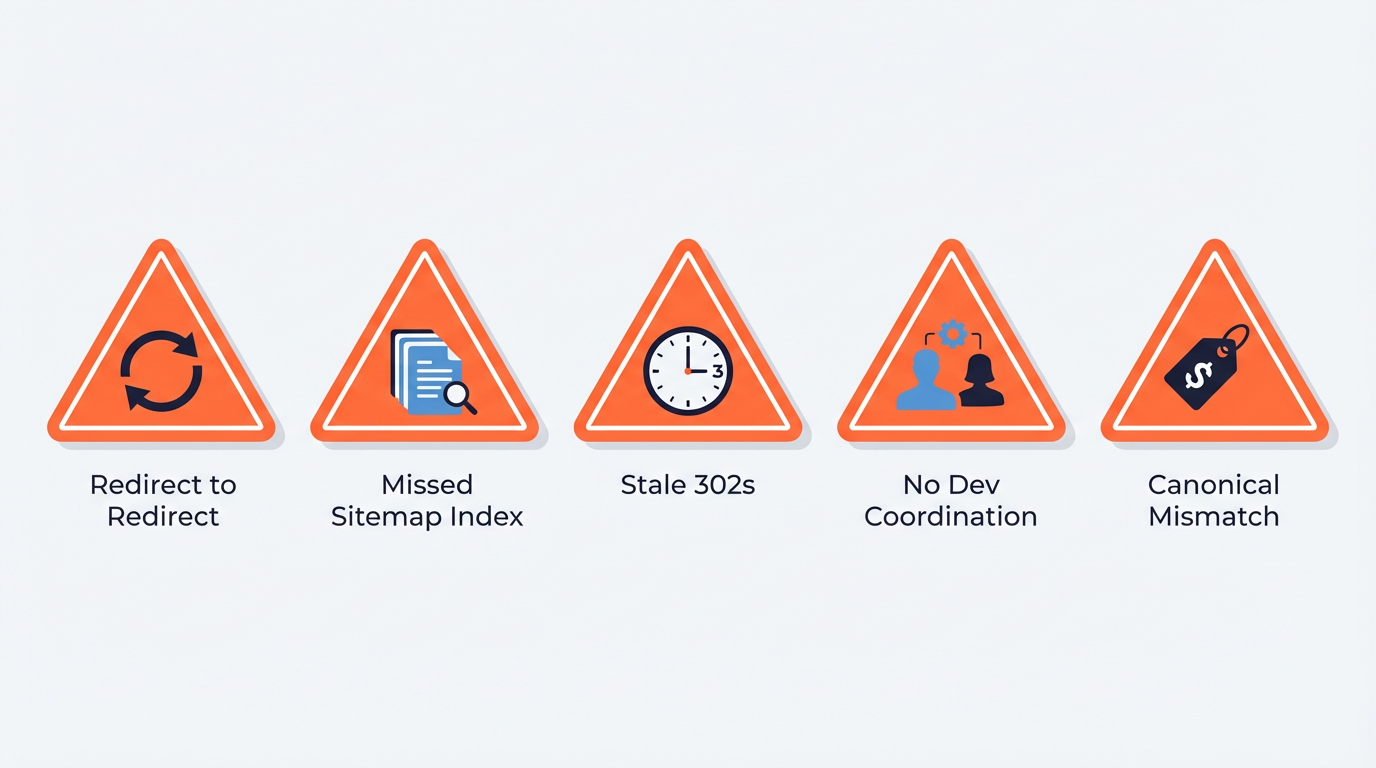
1. Replacing a Redirect With Another Redirect
This happens when you update your sitemap URL to the redirect's target, but that target itself redirects somewhere else. Always verify the final destination returns a 200 OK before adding it to your sitemap. The cURL method from Step 2 catches this instantly.
2. Forgetting About Sitemap Index Files
Large sites often use a sitemap index (sitemap_index.xml) that references multiple child sitemaps. If you only clean one child sitemap but the others still contain redirected URLs, you've only solved part of the problem. Audit every child sitemap listed in your index file.
3. Leaving 302s in Place Because 'They're Temporary'
A long-lived 302 often signals a setup worth reviewing; if the move is effectively permanent, use a 301 and update the sitemap. Google's John Mueller has repeatedly noted that Google may eventually treat long-standing 302s as 301s, but the ambiguity wastes crawl resources in the meantime. If a redirect has been in place for more than a few weeks and you have no concrete plan to restore the original URL, convert it to a 301 and update your sitemap accordingly.
4. Not Coordinating With Your Dev Team on Redirect Rules
You clean the sitemap, but next week a developer adds new redirect rules in .htaccess or the Nginx config that re-introduce the same problem. Make sure your redirect management process includes a step where SEO reviews any new server-side redirect rules before they go live. A shared redirect log (even a simple Google Sheet) goes a long way.
5. Including Non-Canonical URLs in the Sitemap
This is a close cousin of the redirect problem. If your sitemap contains URLs that have a rel=canonical tag pointing to a different URL, Google has to reconcile the conflict. The sitemap says "crawl this URL," but the canonical tag says "actually, index that other URL instead." Always ensure your sitemap URLs match their own canonical declarations. Google's Sitemaps documentation explicitly recommends this.
How Much Crawl Budget Can You Actually Recover?
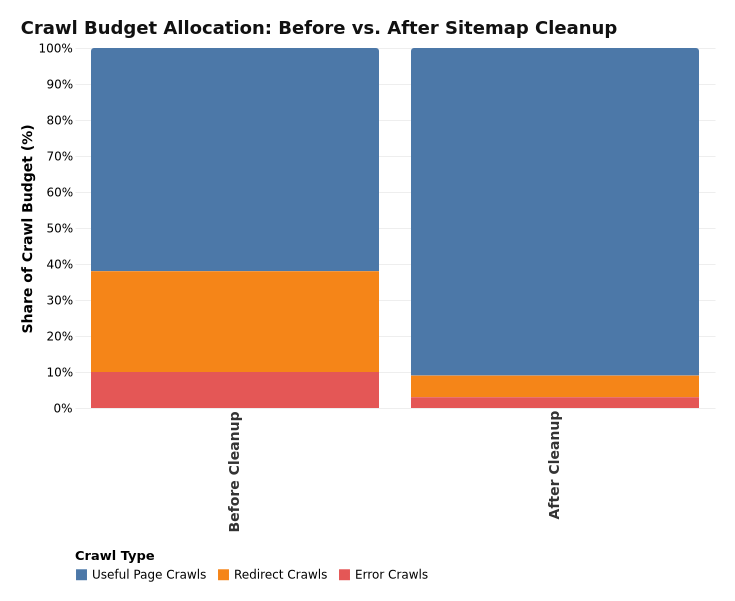
The impact depends on the ratio of redirected URLs to total sitemap URLs and the overall size of your site. A site with 100,000 pages and 5,000 redirected sitemap URLs is wasting roughly 5% of its sitemap-driven crawl requests on redirects (and more if chains are involved, since each hop is a separate request). Cleaning those up frees thousands of crawl slots per cycle.
For smaller sites under 10,000 pages, the crawl budget impact is less dramatic because Google generally has no trouble crawling the entire site regardless. The benefit for smaller sites is more about signal clarity: you're telling Google exactly which URLs matter, with no ambiguity. This can still speed up indexation of new content, especially for sites that publish frequently.
To measure your own improvement, check the Crawl Stats report in Google Search Console (Settings > Crawl Stats) before and after your cleanup. Look at "Total crawl requests" and "Average response time." A successful cleanup typically shows a stable or increased crawl request count (Google is now spending those requests on real pages) and a slight decrease in average response time (fewer redirect hops mean faster responses).
For a more detailed breakdown, run your site through Vizup's crawl budget checker, which visualizes exactly where your crawl budget is being spent and highlights the biggest efficiency gains available.
Quick-Reference Checklist for Sitemap Redirect Cleanup
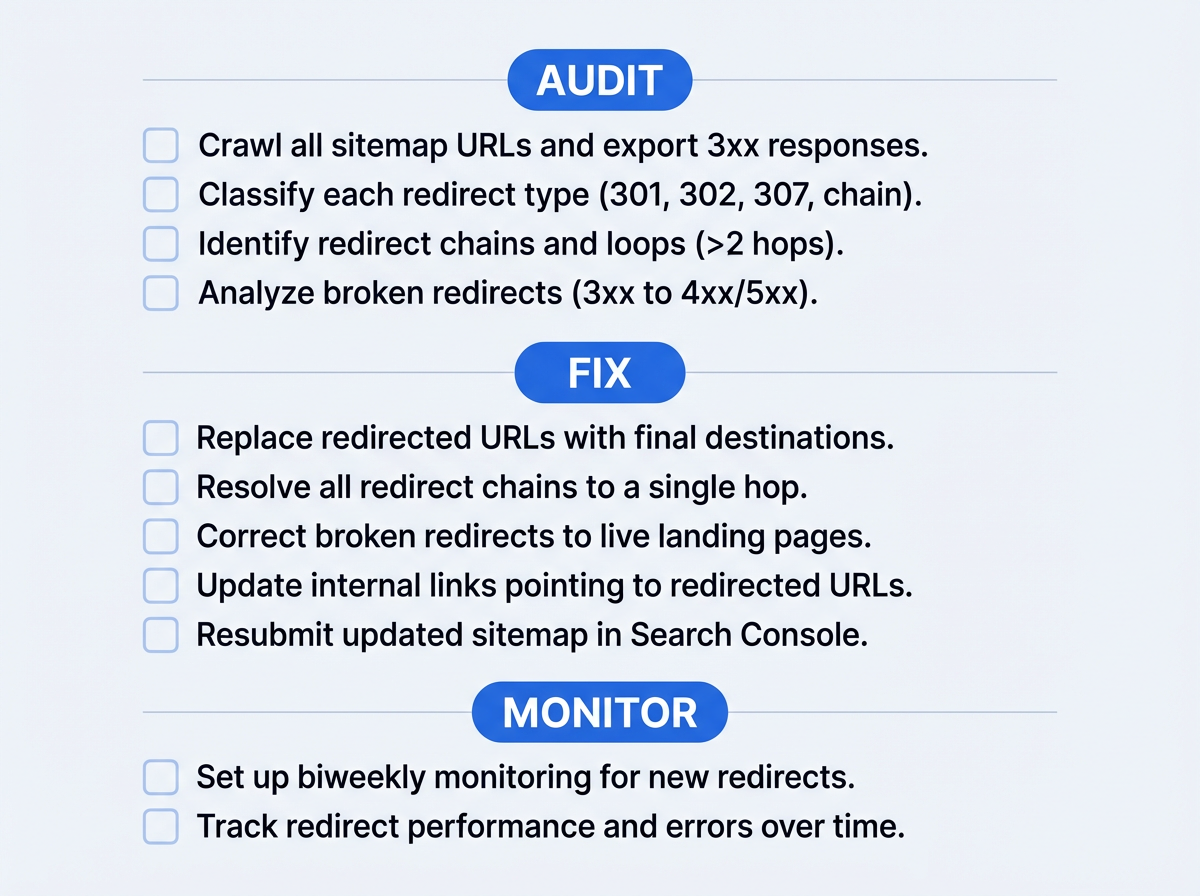
Bookmark this checklist and run through it every time you do a crawl budget sitemap optimization audit. It captures every action from this tutorial in a scannable format.
- Crawl all sitemap URLs and export 3xx responses.
- Classify each redirect as 301, 302, 307, or chain.
- Find the true final destination URL for every redirect (confirm it returns 200).
- Replace 301 redirected URLs with their final destinations in the sitemap.
- Investigate and resolve any 302/307 redirects (convert to 301 or restore the original URL).
- Remove URLs that redirect off-site or to generic/irrelevant pages.
- Verify that replacement URLs match their own canonical tags.
- Check all child sitemaps if you use a sitemap index file.
- Resubmit the updated sitemap in Google Search Console.
- Set up weekly or biweekly monitoring to catch new redirects early.
- Coordinate with your dev team to review new redirect rules before deployment.
Reclaim Your Crawl Budget: Next Steps
Redirects in sitemap files are a common and overlooked crawl efficiency problem, especially on very large sites or sites that change fast. The fix is straightforward: audit your sitemap for 3xx responses, replace redirected URLs with their final 200-status destinations, remove URLs that no longer belong, resubmit, and monitor. There is no formal penalty for having redirects listed, but you do create inefficiency and signal ambiguity that can slow discovery and muddy indexing signals.
Once your sitemap is clean, consider tackling related crawl efficiency wins:
- Review your robots.txt to make sure you're not accidentally blocking important resources.
- Check for orphan pages that exist on your site but aren't linked from anywhere (and therefore aren't in your sitemap either).
- Audit your internal linking structure to ensure Googlebot can discover your most important pages through multiple paths, not just the sitemap.
Crawl budget optimization isn't a one-time project. It's a maintenance habit. Build sitemap validation into your regular SEO workflow with tools like Vizup's sitemap checker, and you'll spend less time troubleshooting indexation issues and more time creating content that actually ranks.
Frequently Asked Questions About Redirects in Sitemaps
Can a few redirects in my sitemap really affect my rankings?
A small number of redirects won't tank your rankings directly. The real cost is crawl inefficiency and signal ambiguity. Your sitemap tells Google "crawl this URL," but the redirect says "go somewhere else." On large or fast-changing sites, that wasted crawling can delay discovery and indexation of new or updated pages. If Google is already crawling your new pages the same day you publish them, crawl budget is usually not the limiting factor, but cleaning up sitemap URLs still improves clarity.
Should I remove 301 redirects from my server after updating the sitemap?
No. Keep your 301 redirects active on the server. They still serve an important purpose for users and external links pointing to the old URL. The sitemap fix is about telling Google the correct URL upfront so it doesn't have to follow the redirect. The server-side redirect remains a safety net for anyone who visits the old URL directly.
How often should I audit my sitemap for redirects?
Monthly is a good cadence for most sites. If you publish or restructure content frequently (daily product updates, weekly URL changes), biweekly checks are better. Vizup's sitemap checker can run these checks on a schedule so you only need to act when an issue is flagged.
Does Google penalize sites for having redirects in their sitemaps?
No. There is no manual or algorithmic penalty for having redirects in your sitemap. Google simply follows the redirect and attempts to index the final URL. The cost is inefficiency, not punishment. You waste crawl activity and introduce mixed signals about which URL you want indexed, which can delay discovery of other pages on bigger sites.
What about hreflang sitemaps? Do the same rules apply?
Yes, the same rules apply, and the stakes are higher. If your hreflang sitemap entries contain redirected URLs, Google has to follow those redirects for every language/region variant, multiplying the crawl waste. Make sure every URL in your hreflang sitemap returns a 200 status and that the hreflang annotations on the destination pages are consistent with what the sitemap declares.
