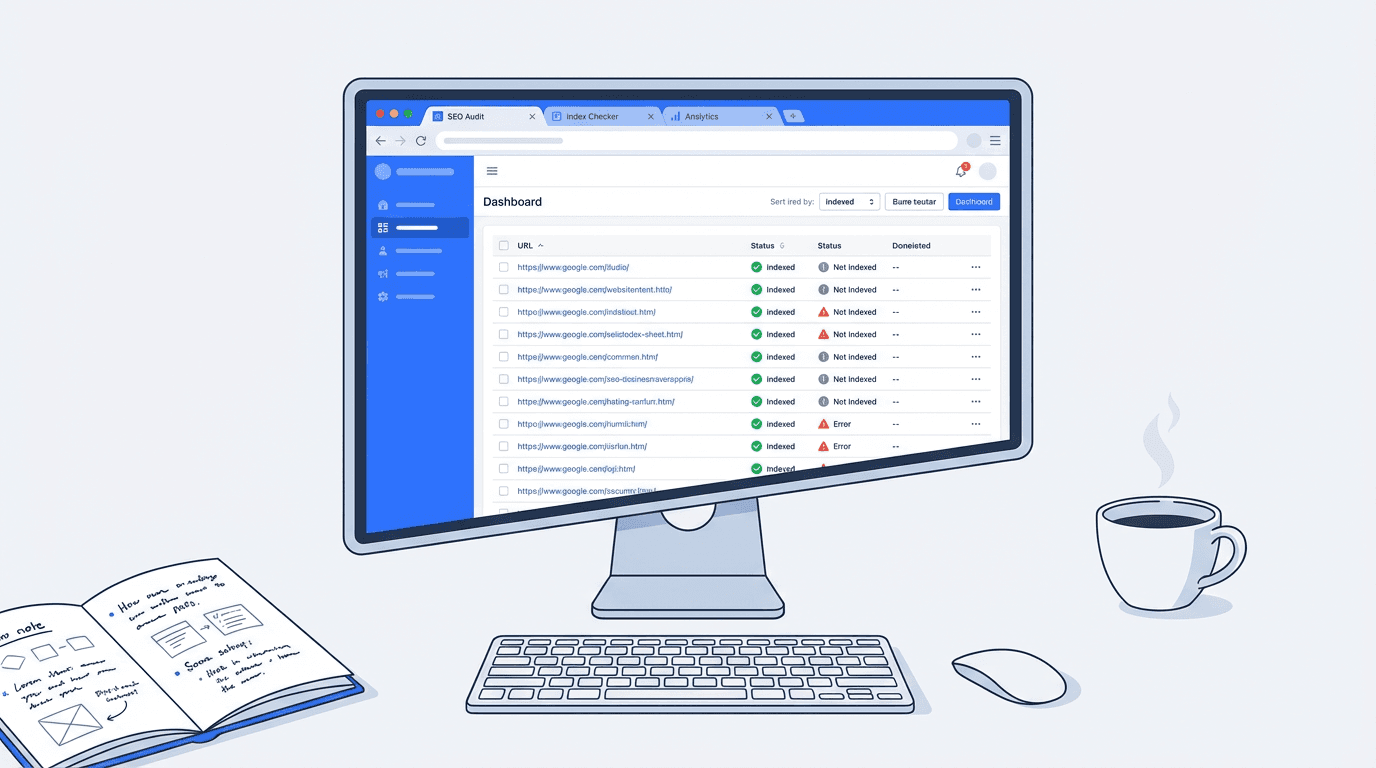
You've published 300 pages. Maybe 400. You run a site:domain.com search in Google and the number looks... off. Lower than expected, or weirdly higher. Either way, you don't actually know which specific URLs are indexed and which aren't. That's the problem. And if you've ever tried to check indexed pages in bulk without a dedicated tool, you know how quickly that turns into a spreadsheet nightmare.
According to SE Ranking (2025), the most common culprits behind missing index coverage are 'noindex' tags, robots.txt blocks, server errors, and 404s. But you can't fix what you can't see. This guide covers five practical ways to get that visibility, from completely free options to paid platforms worth the investment, so you can actually act on what you find.
Quick Comparison: All 5 Tools at a Glance
| Tool | Free Tier | Bulk Limit (Free) | Best For | Index Status Checker |
|---|---|---|---|---|
| Google Search Console | Yes (free) | Up to 2,000/day via API | Site owners with GSC access | Yes, native |
| Bing Webmaster Tools | Yes (free) | Up to 10,000 URL submissions/day | Multi-engine coverage | Yes, native |
| Screaming Frog SEO Spider | Free up to 500 URLs | 500 (free) / unlimited (paid) | Technical SEO audits | Via GSC integration |
| Ahrefs Site Audit | Limited (free trial) | Varies by plan | Large-scale site audits | Yes, with crawl data |
| Vizup | Free trial available | Varies by plan | AI-driven organic growth teams | Yes, with insights |
| Pricing and limits as of early 2026. Always verify current plans on each tool's site. |
A quick note before we get into each one: the 'bulk' threshold matters a lot here. If you're managing a 50-page brochure site, almost any tool will do. If you're dealing with a 20,000-page ecommerce catalog or a news site with years of archive content, you need something that can handle volume without making you click through pages one at a time.
1. Google Search Console (Free, But Know Its Limits)
For most site owners, Google Search Console is the starting point, and honestly, for good reason. The Coverage report gives you a categorized breakdown of indexed, excluded, and errored URLs without any third-party tool required. It's pulling data straight from Google's own index, which no scraper or crawler can replicate.
The catch is the interface. GSC's URL Inspection tool checks one URL at a time, which is fine for spot-checking but useless if you need to audit 500 pages before a migration. The workaround most SEOs use is the URL Inspection API, which allows programmatic bulk queries. Google caps this at 2,000 queries per day and 600 per minute per property (Google, 2022). That's workable for medium-sized sites, but you'll need a developer or a tool that wraps the API to actually use it at scale.
One thing people overlook: the Coverage report doesn't always show you every excluded URL. Pages blocked by robots.txt are intentionally omitted from the detailed view. So if you're trying to confirm whether a robots.txt change took effect across a large section of your site, GSC alone won't give you the full picture. Pair it with a crawler.
2. Bing Webmaster Tools (Underrated for Multi-Engine Audits)
Nobody talks about Bing Webmaster Tools in the context of index checking, and that's a mistake. If your audience includes any meaningful share of Bing traffic (and for B2B sites, that number is often higher than people expect), you need to know what Bing has indexed, not just Google.
Bing's URL Submission API allows up to 10,000 URL submissions per domain per day (Bing, 2024), which is five times Google's API limit. Bing has also shifted its recommendation toward IndexNow, a protocol that lets you notify Bing and other participating search engines about new or updated content in real time (Bing, 2025). IndexNow isn't an index checker per se, but if you're building a workflow around index management, it's worth integrating alongside your audit process.
The Webmaster Tools dashboard itself shows index status, crawl errors, and blocked URLs in a layout that's honestly cleaner than GSC for certain tasks. Free to use. Underutilized. Worth adding to your workflow if you're not already using it.
3. Screaming Frog SEO Spider (The Crawler That Earns Its Reputation)
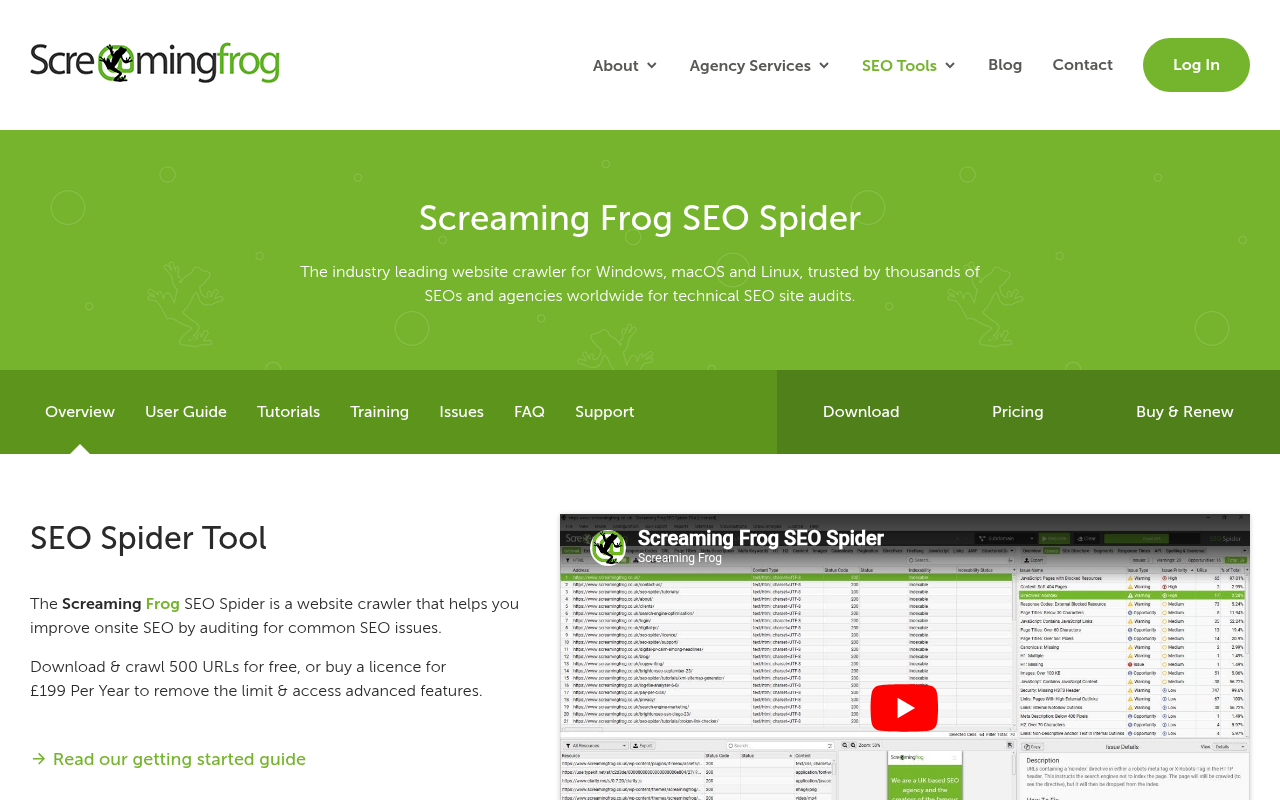
Screaming Frog remains the gold standard for technical crawling. The free version handles up to 500 URLs, which is enough for small sites. Once you're dealing with 10,000+ pages, the paid license (around $259/year as of 2026) unlocks scheduled crawls, JavaScript rendering, and custom extraction.
For bulk index checking specifically, the most useful feature is the Google Search Console integration. Connect your GSC account, run a crawl, and Screaming Frog overlays the index status data from GSC directly onto your crawl results. You end up with a single spreadsheet showing every URL the crawler found, its HTTP status, and whether Google has it indexed. That combination is genuinely hard to replicate with any other single tool.
What makes Screaming Frog useful for index audits specifically:
- GSC integration overlays real index data onto crawl results
- List mode lets you paste in a custom URL list instead of crawling from scratch
- Filters for 'noindex' directives, canonical mismatches, and robots.txt blocks in one view
- Export everything to CSV for further analysis or client reporting
The limitation worth knowing: Screaming Frog is a desktop app. It runs on your machine, which means crawl speed depends on your internet connection and the site's server. For very large sites (100k+ pages), you'll want to either run it overnight or look at a cloud-based crawler instead.
4. Ahrefs Site Audit (Best for Teams Who Need More Than Index Status)

Ahrefs Site Audit runs in the cloud, which immediately solves the desktop-app bottleneck of Screaming Frog. Set up a project, configure your crawl scope, and Ahrefs handles the rest. The index status checker within Site Audit flags pages that are 'noindexed', canonicalized away, or blocked by robots.txt, and it groups them by issue type so you're not staring at a raw list of 10,000 URLs trying to find patterns.
Honestly, the index-checking feature isn't why most teams pay for Ahrefs. It's a bonus on top of the backlink analysis, keyword research, and rank tracking. If you're already an Ahrefs subscriber, using Site Audit for bulk index checking is a no-brainer. If you're evaluating tools purely for index status checking, the price point (starting around $129/month) is harder to justify.
One genuinely useful thing Ahrefs does that others don't: it shows you which pages have been indexed by Ahrefs' own crawler versus what's in Google's index. Those two datasets don't always match, and the discrepancy is often where interesting problems hide. Pages that Ahrefs can crawl but Google hasn't indexed are worth investigating.
5. Vizup (Built for Teams Who Want Answers, Not Just Data)
Most index checker tools give you a list of problems. Vizup is built around what you do with that list. As an AI-powered organic marketing platform, it connects index status data with content performance, keyword coverage, and traffic signals so you're not just seeing which pages aren't indexed, you're seeing which ones actually matter to fix first.
For teams managing large content libraries, that prioritization layer is genuinely useful. It's one thing to know that 200 pages are excluded from Google's index. It's another to know that 12 of those pages were driving meaningful traffic six months ago and have since dropped out. Vizup surfaces that context automatically.
The platform is particularly well-suited to content and SEO teams that don't want to maintain separate subscriptions for crawling, rank tracking, and analytics. Check out Vizup's features to see how the index monitoring fits into the broader workflow, and our pricing plans if you're comparing costs against your current stack.
If you're a solo consultant or a very small site, the full platform might be more than you need. But for marketing teams publishing at scale, the combination of bulk index checking with AI-driven content recommendations is hard to replicate by stitching together free tools.
What to Do When Pages Aren't Getting Indexed
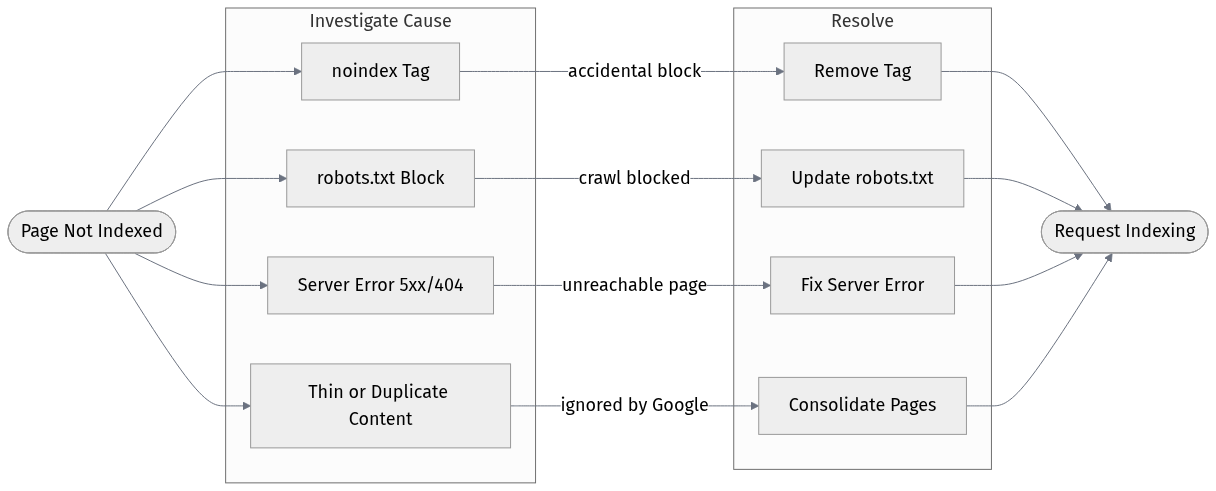
Running a bulk index check is step one. The harder part is figuring out why pages aren't indexed and deciding whether you actually want them to be. Search engine indexing is the process of storing and organizing web page content found during crawling so it can be displayed in search results (Hike SEO, 2025). If Google isn't storing a page, there's always a reason.
The most common reasons, according to SE Ranking (2025): 'noindex' meta tags (sometimes added accidentally during development and never removed), robots.txt blocks, 5xx server errors, and 404s. I'd add a fifth that doesn't get enough attention: duplicate content. If you have hundreds of near-identical pages, Google often picks one to index and ignores the rest. No error, no warning. Just silence.
A common mistake I see teams make is treating every unindexed page as a problem to fix. Some pages shouldn't be indexed. Faceted navigation URLs, session-based parameters, internal search results pages. The goal isn't maximum index coverage. It's having the right pages indexed. That distinction changes how you interpret your bulk check results entirely.
Verdict: Which Tool Should You Actually Use?
For most site owners, the answer is Google Search Console plus one crawler. GSC gives you authoritative index data. A crawler (Screaming Frog for desktop, Ahrefs for cloud-based) gives you the context around why pages are or aren't indexed. Together, they cover 90% of what you need.
If you're running Bing traffic and haven't set up Bing Webmaster Tools yet, do that today. It takes 20 minutes and the data is genuinely useful, especially for B2B sites where Bing's market share is higher than most people assume.
For teams who want index monitoring built into a broader organic strategy workflow rather than a standalone audit task, Vizup is worth evaluating. The AI layer on top of the raw index data is where it differentiates from pure crawlers. Check out our blog for more on building a sustainable organic monitoring workflow.
| Use Case | Recommended Tool |
|---|---|
| Small site, no budget | Google Search Console (free) |
| Technical SEO audit, one-time | Screaming Frog (free up to 500 URLs) |
| Multi-engine coverage | Bing Webmaster Tools + GSC |
| Large site, ongoing monitoring | Ahrefs Site Audit or Vizup |
| Content team needing prioritized insights | Vizup |
| Match the tool to the actual job, not the feature list. |
See how Vizup fits into your organic monitoring stack. No complicated setup required.
Frequently Asked Questions
What does it mean to check indexed pages in bulk?
It means verifying the index status of many URLs at once, rather than checking them one by one. Bulk index checking tools query search engine data or crawl your site to identify which pages are indexed, excluded, or blocked. This is essential for large sites where manual checks aren't practical.
Is there a free bulk index checker tool that handles large sites?
Google Search Console is the most capable free option. Its URL Inspection API supports up to 2,000 queries per day per property (Google, 2022), which covers most medium-sized sites. For sites with tens of thousands of pages, you'll likely need a paid tool or a developer to automate the API queries.
Why would a page show as crawled but not indexed?
This is one of the more frustrating outcomes in GSC. Common reasons include thin or duplicate content, a 'noindex' directive, a canonical tag pointing elsewhere, or Google simply deciding the page isn't worth indexing based on quality signals. The Coverage report in GSC usually gives a reason, but 'Crawled, currently not indexed' often requires deeper content-level investigation.
How often should I run a bulk index check?
For active sites publishing new content regularly, a monthly check is a reasonable baseline. After major site changes like migrations, CMS updates, or large-scale content additions, run a check within a week. If you're using a platform like Vizup that monitors index status continuously, you can move to an alert-based approach instead of scheduled audits.
Does checking index status for multiple URLs affect my crawl budget?
Using the URL Inspection API in GSC doesn't affect crawl budget since it's querying Google's index data, not triggering a crawl. Running a third-party crawler like Screaming Frog does generate HTTP requests to your server, though at a controlled rate. For very large sites with tight crawl budgets, schedule crawls during off-peak hours and configure the crawler's request rate accordingly.