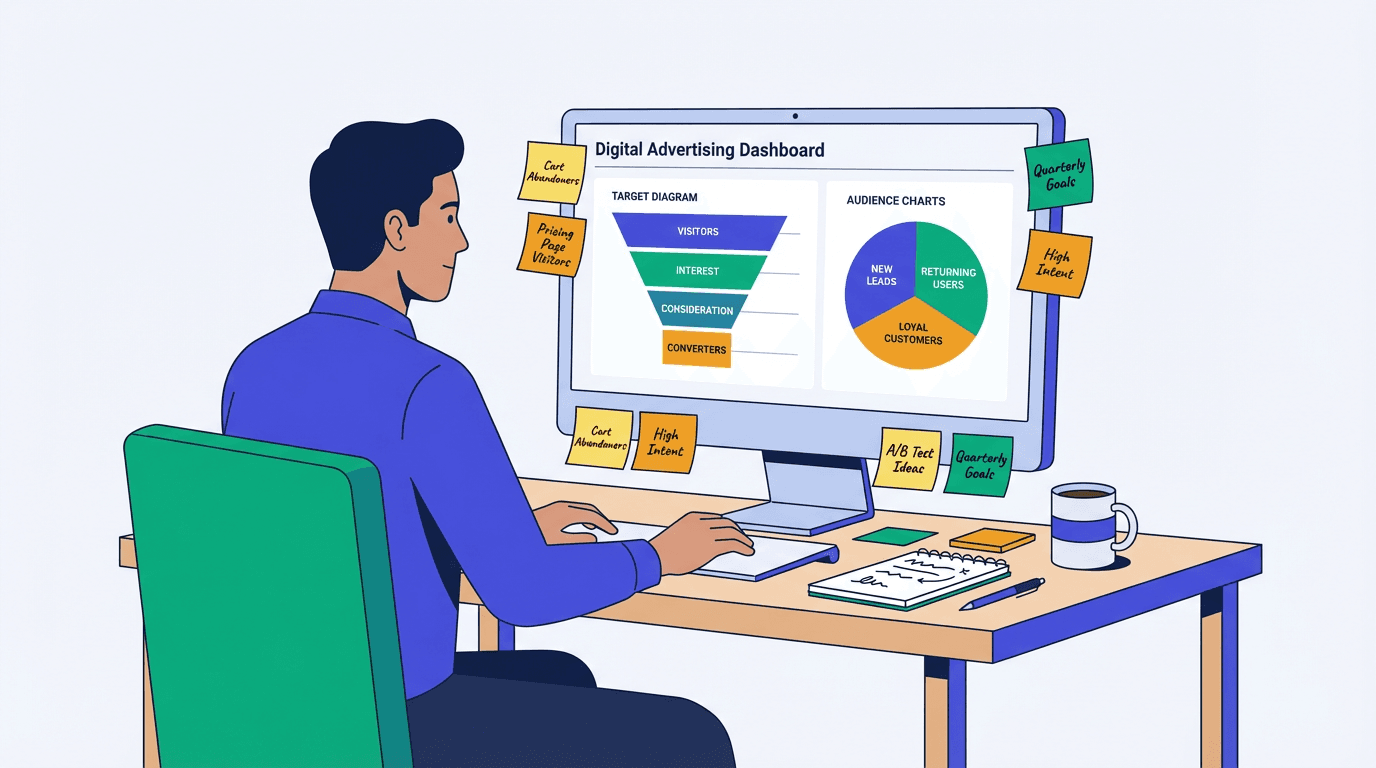
Retargeted visitors are 70% more likely to convert than cold traffic (SQ Magazine, 2026). Let that sink in, then compare it to your retargeting spend from last month. For most teams, those two numbers don't add up. The problem isn't retargeting itself. It's lazy retargeting: blasting ads at everyone who touched your homepage, running the same creative for six weeks straight, and never adjusting frequency caps. That's where budgets quietly die.
This guide breaks down how to retarget website visitors the right way. You'll learn to build intent-based audiences, run campaigns on Meta and Google with real budget discipline, and understand why analyzing organic visitor behavior before spending a dollar on ads is the foundation Vizup is built on.
Why Most Remarketing Strategy Fails Before It Starts
The most common mistake in website remarketing is treating every visitor the same. Someone who bounced off your homepage in four seconds receives the same retargeting ad as someone who spent eight minutes on your pricing page and read three case studies. That's not a strategy. That's a budget drain.
Frequency fatigue compounds the problem. When ads follow someone across the web for three weeks with no variation, you're not persuading them. You're training them to ignore your brand, or worse, resent it.
Here's the prerequisite most guides skip: you need clean behavioral analytics and proper segmentation before you touch a single ad platform. Without that foundation, every dollar you spend is a guess. Getting this right separates profitable remarketing from expensive noise. For example, Vizup's visitor segmentation tools can provide this foundation.
Map Your Funnel Before You Build a Retargeting Audience
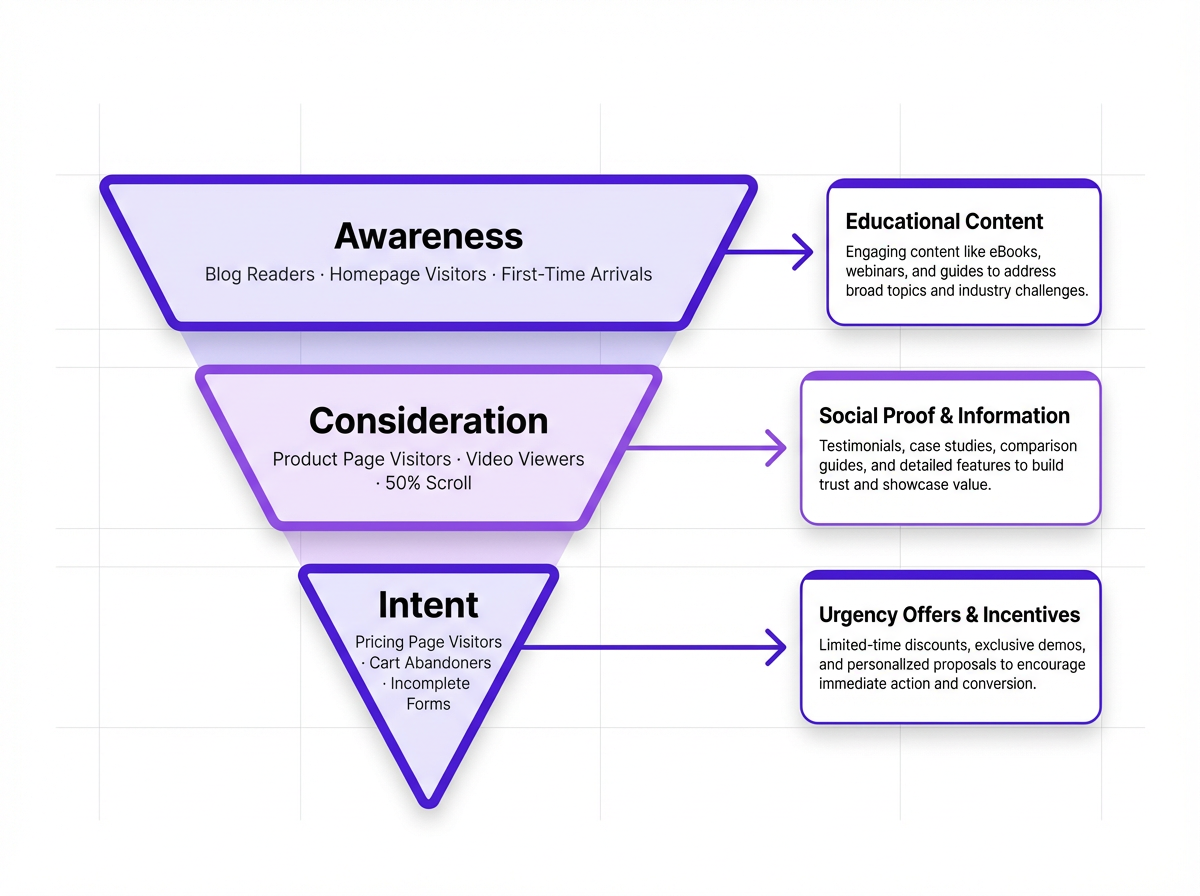
Before you open Meta Ads Manager or Google Ads, draw your funnel. Three tiers cover most businesses:
Three funnel tiers for retargeting audience segmentation:
- Awareness: Blog readers, homepage visitors with low time-on-site, and first-time organic arrivals. These people know you exist but aren't shopping yet.
- Consideration: Visitors who viewed product or service pages, watched a video, or scrolled past 50% of a key landing page. Intent is forming, but they need more information.
- Intent: Pricing page visitors, cart abandoners, and people who started a form but didn't submit. These are your highest-value segments.
Lumping all three tiers into one retargeting audience is where ROI collapses. A blog reader needs education. A pricing page visitor needs a reason to act now. The ad that works for one will actively push the other away. Segment first, then build campaigns around each tier's specific needs.
How to Retarget Website Visitors: The Audience-First Setup
Pixel Installation and Event Tracking Done Right
Installing a pixel is table stakes. What separates smart retargeting from wasteful retargeting is which events you track. Standard pageview data tells you someone visited. Custom events tell you what they actually did.
Track these high-value behavioral signals before building any audience:
Key custom events for retargeting:
- Scroll depth past 75% on key pages
- Video views past the 50% mark
- Add-to-cart clicks
- Form field interactions (started but not submitted)
- Time-on-page thresholds (e.g., 60+ seconds on pricing)
These behavioral signals are the real budget-savers because they let you target intent, not just presence. Set them up in Meta Events Manager and Google Tag Manager before you build a single audience. You can find guides for this on the Vizup blog.
Segmenting Your Retargeting Audience by Intent
Once your events are firing correctly, build audiences that reflect your funnel tiers. Recency windows matter more than most marketers realize. A 30-day blanket window treats someone who visited yesterday the same as someone who visited four weeks ago and has clearly moved on. The table below provides a starting framework you can adapt to your sales cycle.
| Segment Name | Qualifying Behavior | Recency Window | Frequency Cap | Best Ad Format | Bid Priority |
|---|---|---|---|---|---|
| Cart Abandoners | Added to cart, no purchase | 3 days | 1x/day for 5 days | Dynamic product or single-image | Highest |
| Pricing Page Visitors | Viewed pricing page 1+ min | 7 days | 5-7x/week | Testimonial or offer ad | High |
| Product Page Visitors | Viewed product/service page | 14 days | 4-5x/week | Social proof carousel | Medium |
| Blog Readers | Read 1+ blog post, 60%+ scroll | 14 days | 3-4x/week | Educational or lead magnet | Low |
| Homepage Bouncers | Under 15 sec, one page only | Exclude or 30 days | 2-3x/week max | Brand awareness video | Lowest |
| Adjust recency windows and frequency caps based on your sales cycle length. |
Retargeting Campaign Setup: Platform Playbook
Facebook Retargeting Ads That Don't Burn Cash
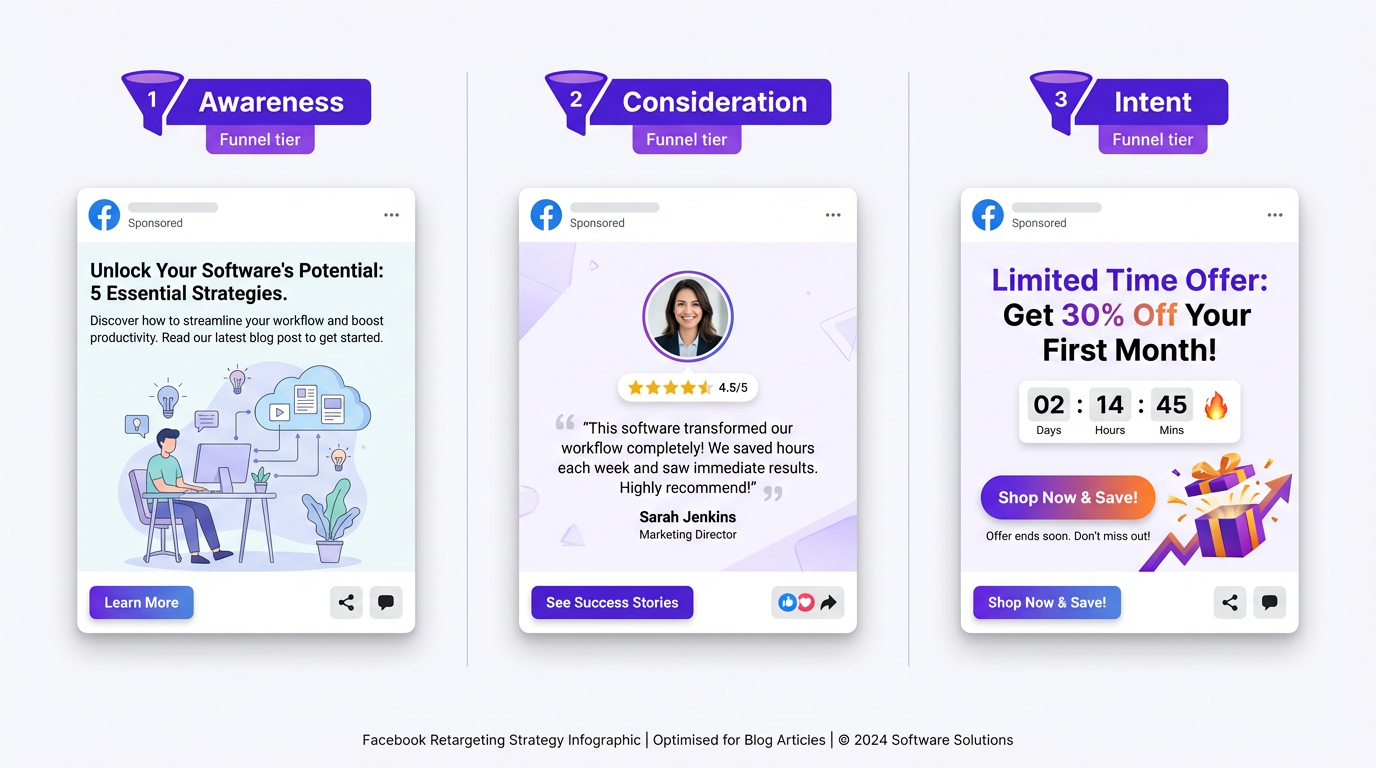
In Meta Ads Manager, build Custom Audiences from website traffic and layer exclusions immediately. Two exclusions should be non-negotiable from day one:
Essential audience exclusions for Facebook retargeting:
- Exclude recent converters so you're not paying to retarget people who already bought.
- Exclude homepage bouncers under 15 seconds unless you're running a pure brand awareness objective with a very low bid.
These exclusions alone can cut wasted spend by 20-30% in the first week.
Creative has to match funnel tier. Awareness audiences respond to educational content and brand storytelling. Consideration audiences convert better with social proof: customer quotes, case study snippets, and review highlights. Intent audiences need urgency, whether that's a limited offer, a free trial reminder, or a direct comparison of what they get versus doing nothing. When optimizing your ad copy for each tier, the message shift matters more than the visual.
Dynamic Retargeting Ads and When They're Worth It
Dynamic retargeting ads pull product images and details from your catalog automatically, serving personalized ads based on what someone viewed. For e-commerce businesses with 20+ SKUs, that's a strong approach. For SaaS companies or service businesses with one core offer, dynamic ads are often overkill and more expensive to set up than they're worth.
A simple rule of thumb: fewer than 20 catalog items? Manual creative built around your top segments will outperform dynamic ads on a constrained budget. Save the dynamic setup for when your product catalog justifies the investment.
The Frequency Strategy Nobody Talks About
Frequency caps are the single biggest budget lever in website remarketing, and they're buried in platform settings most advertisers never touch. Retargeting ads have an average CTR of 0.7%, roughly 10 times higher than standard display ads (SQ Magazine, 2026). But that advantage evaporates fast when you over-serve the same person.
Recommended frequency caps by funnel tier:
- Awareness segments: 3-4 impressions per week. Enough to build recognition without triggering fatigue.
- Consideration segments: 5-7 impressions per week. They're evaluating options, so staying visible matters.
- Intent segments: Daily for 5 days, then stop. After that window, they've either converted or decided no. Continuing to spend past that point actively hurts your ROI.
Organic intelligence makes this sharper. Vizup's AI-powered platform tracks which visitors are already re-engaging with your content through search or direct return visits. When someone comes back on their own, you can suppress them from paid retargeting entirely and redirect that budget toward visitors who haven't returned. That's the kind of signal that stops you from wasting your marketing budget on people who were already on their way back.
Three Budget Leaks to Plug This Week
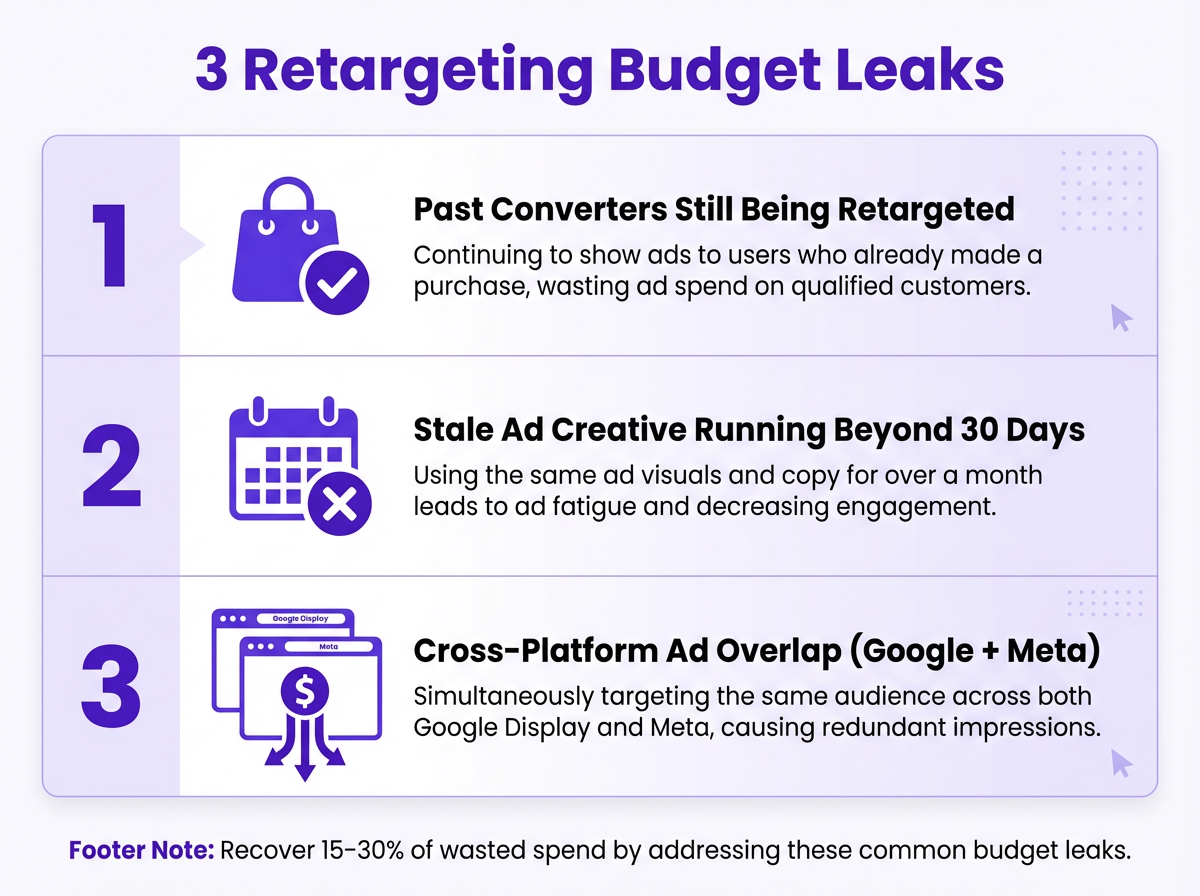
Before you touch targeting or creative, audit these three common leaks:
Three retargeting budget leaks to fix immediately:
- Not excluding past converters. You're paying acquisition rates to reach people who already bought. Build a "recent purchasers" exclusion audience in every campaign.
- Running the same creative past 30 days. Stale ads tank CTR and inflate CPM. Rotate every 3-4 weeks at minimum. Even a headline swap can reset performance.
- Ignoring cross-platform overlap. If someone sees your Google Display ad and your Facebook retargeting ad on the same day, you're double-paying for the same impression. Use platform-level frequency reporting to spot it and shift budgets accordingly.
Fixing these three issues alone can recover 15-30% of wasted retargeting spend within the first month. Make them part of your weekly campaign review.
How Vizup Fits Into a Smarter Remarketing Ads Strategy
Vizup operates as the organic intelligence layer underneath your paid retargeting. Before you spend on remarketing ads, you need to know which visitors are already re-engaging through content, search, or direct return visits. Vizup's AI-powered insights surface high-intent visitor segments based on organic behavior, so paid retargeting focuses only on the people who aren't coming back on their own. You can explore the AI analytics features to learn more.
The result is a tighter audience, lower CPM, and a retargeting campaign setup that reflects how your visitors actually behave. Instead of guessing which segments deserve ad spend, you're making decisions grounded in real visitor data from a behavioral analytics platform.
92% of marketers report that retargeting outperforms most other digital advertising strategies (SQ Magazine, 2026). The ones seeing that result built their audiences on real behavioral data first, not platform defaults. Understanding how to retarget website visitors effectively starts with knowing who's already engaged and who still needs a nudge. That distinction is the difference between a profitable campaign and an expensive one.
FAQ: Retargeting Without the Guesswork
How long should I retarget website visitors after they leave my site?
It depends on your sales cycle. For e-commerce, 3-14 days covers most purchase decisions. For SaaS or high-consideration B2B purchases, 30-60 days is reasonable. Beyond that, the cost per conversion typically exceeds the value. Use recency windows tied to your average time-to-purchase rather than platform defaults.
What's the difference between retargeting and remarketing?
The terms are often used interchangeably, but there's a technical distinction. Retargeting typically refers to pixel-based ads served to past website visitors across ad networks. Remarketing originally referred to email-based re-engagement campaigns (like Google's email list uploads). In practice, most platforms now use both terms to describe the same thing: reaching people who have already interacted with your brand.
How much budget do I need to start a retargeting campaign?
You need enough traffic to build statistically meaningful audiences first. Most platforms require a minimum of 1,000 matched users before a Custom Audience becomes effective. In terms of ad spend, $500-$1,000 per month is a workable starting point for testing, provided your audience segments are tight. Spending less on a well-segmented audience consistently outperforms spending more on a broad one.
Can I retarget website visitors without using cookies or pixels?
Yes. First-party data retargeting uses your own customer lists (emails, phone numbers) uploaded to platforms like Meta or Google to match users. Contextual retargeting serves ads based on the content someone is currently reading rather than their past behavior. Both approaches are growing as third-party cookie deprecation continues. Building a strong first-party data strategy now is the most future-proof move.
How do I stop retargeting ads from annoying potential customers?
Three things: set frequency caps (see the recommended caps by funnel tier above), rotate creative every 3-4 weeks, and set hard end dates on intent-tier campaigns (5-7 days maximum). Annoyance comes from repetition without relevance. When your ad message matches where someone is in their decision process and stops before it overstays its welcome, it feels helpful rather than intrusive.
How do I measure whether my retargeting campaigns are actually profitable?
Start by comparing cost per conversion across your retargeting segments. High-intent segments (cart abandoners, pricing page visitors) should deliver the lowest CPA. If your awareness-tier retargeting costs more per conversion than cold prospecting campaigns, that segment needs tighter frequency caps or should be paused entirely. Track ROAS by segment weekly, not just at the campaign level. Vizup's marketing analytics can help you track profitability by segment.
