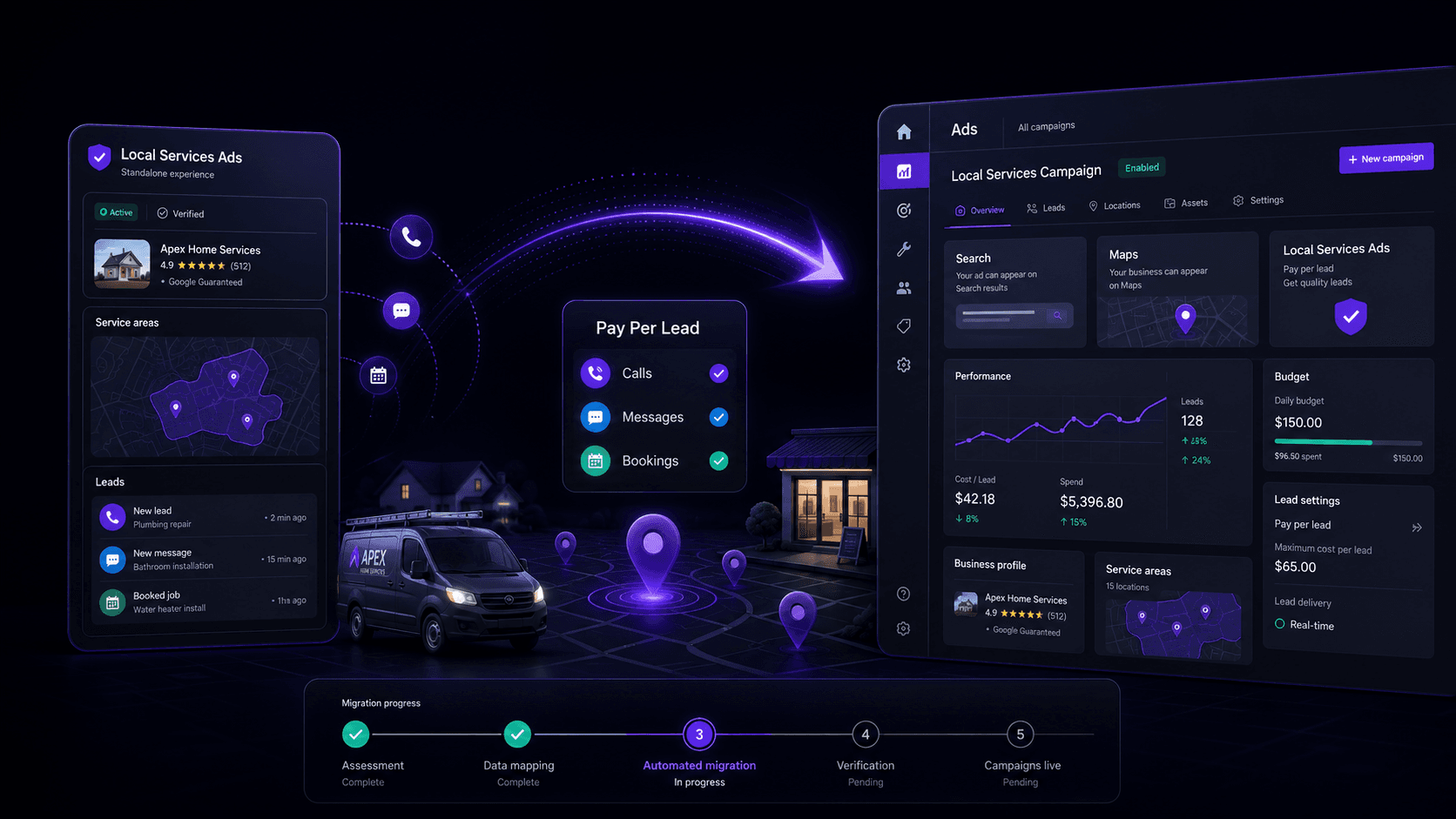
If you run a local service business, there's a good chance Google's Local Services Ads (LSAs) have been a reliable source of leads. The appeal was always the simplicity: a pay-per-lead setup that lived in its own dashboard, largely insulated from the sprawl of the main Google Ads interface. That separation is ending. Google is officially shifting Local Services Ads management out of the dedicated LSA dashboard and into Google Ads.
Your existing LSA campaigns will be converted into a specialized flavor of Performance Max, still organized around the pay-per-lead outcomes you care about. This isn't a cosmetic redesign; it changes the day-to-day mechanics of how local advertisers run and tune these campaigns. The important nuance: this is mainly a campaign management migration. Your ads will continue appearing in the same positions on Google Search and Google Maps. What changes is the control surface: where you adjust settings, what knobs you get, and which ones disappear. If you go in blind, the transition can get bumpy fast.
What Is Google Changing About Local Services Ads?
The headline change is where LSAs live. Instead of signing into the standalone LSA dashboard, you'll manage them inside Google Ads. Google is effectively folding a once-separate product into its main ad stack. For advertisers already living in Google Ads, that consolidation will feel overdue. For businesses that only ever touched LSAs, it means learning a new interface, and a new set of expectations about how budgets, bidding, and reporting work.
This includes day-to-day management of:
- Campaign budgets and core settings
- Service categories and business locations
- Lead management and customer messages
- Business photos, callouts, and other assets
- All campaign performance reporting
One point worth clearing up early: Google isn't turning LSAs into the same Performance Max campaigns people associate with YouTube, Display, and a grab bag of placements. The worry making the rounds, that your local service ads will suddenly start showing up across the broader Google network, doesn't line up with what Google is describing. These are a specialized Performance Max campaign type built for pay-per-lead local advertising. The underlying product remains LSA-style; the container is now Performance Max.
What Will Stay the Same After the Migration?
For all the churn, Google is keeping the parts of LSAs that made them work for service businesses. The fundamentals that drive lead volume and intent are largely intact.
The Pay-Per-Lead Model
This is the anchor. You will still be billed for valid leads (calls, messages, and direct bookings) rather than paying for every click. That distinction is why many local service businesses preferred LSAs in the first place. The billing logic stays the same even though the campaigns now sit inside a platform that historically trained advertisers to think in CPC terms.
Search and Maps Placements
Your ads should continue to run in the same high-intent local placements on Google Search and Google Maps. Standard Performance Max campaigns can fan out across YouTube, Gmail, Discover, and the Display Network, but these pay-per-lead campaigns are designed to stay contained to local contexts. In other words: they still behave like local service ads, not like a general-purpose PMax blast.
Keywordless Targeting
LSAs remain keywordless. You still won't be building out search term lists or managing match types. Instead, Google will keep using your service categories, service areas, business details, and other settings to decide when to show your ads. That fits with Google's broader shift toward signals and intent.
Google Verified Status
Your existing verification status and eligible Google Verified badge will transfer automatically. Google also says insurance and license reverification will no longer be required, although additional business-level checks may still be requested through Google Ads. This change means you won't be forced back through the verification flow just because the management UI moved.
What Will Change for LSA Advertisers?
This is where the migration stops being a simple relabeling exercise. The pay-per-lead model stays, but the way you operate campaigns changes, and some of the hands-on controls LSA advertisers got used to are being traded for Google Ads-style automation.
Campaign Management Moves Into Google Ads
From budgets to targeting to lead response, the work shifts into the main Google Ads interface. The standalone LSA dashboard is on the way out. Agencies and advertisers already running Search or other Google Ads campaigns will like having everything under one roof. If LSAs were the only Google product you used, expect a real adjustment period. Google Ads is powerful, but it is not minimal.
Weekly Budgets Become Daily Budgets
Google is moving LSAs off weekly budgets and onto the daily budget model used across Google Ads. Your current weekly budget will be converted by dividing by seven. From there, Google calculates a monthly cap as your daily average budget multiplied by 30.4. That's standard Google Ads math, but it changes how spending feels day to day: the system can fluctuate on any given day while still aiming to land on the monthly total.
Manual Bidding Will Be Removed
Manual maximum cost-per-lead bidding will no longer be supported. Where advertisers previously used different vertical-level Target CPA settings, Google will calculate and apply a unified campaign-level Target CPA. This is a familiar Google pattern: fewer levers for advertisers, more optimization handled by the system. When conversion data is clean and volume is healthy, automation can perform well. When it isn't, the experience can feel opaque.
Vertical-Level Target CPA Will Be Removed
Another change is easy to miss until it hits your results. If you run one campaign that covers multiple services and you set different cost-per-lead targets by service (say, HVAC installation vs. HVAC repair), that granularity is going away. Under the new structure, Target CPA is applied once at the campaign level. If different services have meaningfully different lead values, and they usually do, you'll want separate campaigns so each service can have its own bidding strategy. That means restructuring before or immediately after migration, not months later when costs drift.
BBB Callouts Will No Longer Be Supported
The Better Business Bureau callout is being retired. If that badge was doing trust-building work for you, you'll need other signals in its place. Google recommends adding at least six other structured callouts, like business hours, specialties, payment types, or service differentiators. Advertisers can upload up to 100 additional business photos and manage up to six business callouts per category from the Assets section in Google Ads.
Local Services Ads Migration Timeline
Google says it will phase the rollout rather than flip the switch for everyone at once. That means you likely won't see changes overnight. Here's the schedule Google has outlined.
| Period | Advertisers Affected |
|---|---|
| August 2026 | Selected US home and storefront service advertisers |
| Late 2026 | Broader US groups, including service-area businesses and accounts with custom bidding or booking configurations |
| 2027 | Non-US accounts and remaining categories |
| *The migration will occur in phases, starting with specific US advertisers in August 2026. * |
The August 2026 cohort targets some of the most common US LSA categories: plumbing, HVAC, electrical work, roofing, pest control, moving, house cleaning, lawn care, and appliance repair. If you're in one of those verticals, assume you're near the front of the line.
How Will Google Handle the Migration?
Google is positioning this as a mostly hands-off migration: no rebuilding campaigns from scratch, no manual porting of settings. The flow looks like this:
- The account administrator will get an email about 14 days before the migration date.
- A reminder email will follow seven days later.
- On migration day, your campaign settings will be transferred automatically.
- If you try to log in to the old LSA dashboard, you'll be redirected to Google Ads.
- Google will send a final confirmation once the process is complete.
Google says settings like locations, services, budgets, ad schedules, photos, and verification status should carry over cleanly. It also recommends allowing up to two weeks for the migration to fully complete and for campaign performance to return to stable levels. Google notes that performance may fluctuate during this period, so advertisers should avoid making major campaign changes until results begin to stabilise.
Historical Reports Will Not Transfer
This is the one deadline-driven task that matters for every LSA advertiser: your historical campaign performance data will not be moved into Google Ads. That includes previous impressions, clicks, weekly spend, campaign-level performance, and ad-level reports you may have been using to track performance over time. Once an account has migrated, the original Local Services Ads dashboard will no longer be accessible, and previous reports will no longer be available there.
Export your historical reports before your migration date. Without that export, you lose your baseline for judging what "normal" looked like.
There is a distinction, though. While campaign reporting history won't transfer, customer lead data will. Past leads, message history, customer contact details, and older call recordings will automatically transfer to Lead Manager in Google Ads. You're not losing your lead inbox; you're losing the historical performance rollups.
How Google Business Profile Will Work With the New Campaigns
Google is tightening the coupling between LSAs and your Google Business Profile. With the new LSA PMax campaigns, core business details used by the campaign must be updated through the linked Google Business Profile.
Google Ads runs a daily sync with Google Business Profile for key business information. Changes to business hours, the business phone number, and minor business-name updates generally sync within 24 hours. However, advertisers can separately edit the phone number used to route call and message leads directly inside Google Ads. A major change to your business name, address, or primary category in GBP can trigger re-verification, which may pause campaigns for 24-48 hours. Treat your GBP like production infrastructure, not a profile you casually tweak.
How the New Campaigns Differ From Standard Performance Max
The "Performance Max" name is doing a lot of unhelpful work here, mostly by making advertisers assume this is the same PMax product they already know. It isn't. Google is using the PMax framework, but the pay-per-lead LSA version behaves differently from standard PMax.
| Feature | Performance Max with pay-per-lead goals | Standard Performance Max |
|---|---|---|
| Charging model | Pay for valid, qualified leads | Cost per click |
| Placements | Google Search and Google Maps only | All Google ad networks, including YouTube, Gmail and the Google Display Network |
| Keyword management | Completely keywordless | Does not use traditional keyword management |
| Business information | Uses information pre-populated from Google Business Profile | Uses campaign assets, audience signals and other advertiser inputs |
| Lead management | Dedicated Lead Manager for calls, messages and other leads | Standard Google Ads conversion reporting |
| Assets | Business photos and local-business callouts | Broader assets such as headlines, videos and sitelinks |
Google says standard Performance Max assets such as Headlines, Videos, and Sitelinks do not apply to campaigns with pay-per-lead goals. You shouldn't have to suddenly create videos just to keep running local service ads. The asset mix stays oriented around local business signals, not full-funnel creative production.
What Advertisers Should Do Before Migration
The migration itself is automated; being ready for it isn't. If you wait until the notice email arrives, you're already on a clock. Use this checklist to get ahead of the move.
- Export all historical LSA performance reports. This is the one task you cannot recover later. Do it immediately.
- Confirm the correct account administrator email is listed in your LSA account so the migration notices go to the right place.
- Audit your linked Google Business Profile. Make sure the name, address, phone number, and hours are accurate.
- Write down your current average weekly budgets and any cost-per-lead targets you use today.
- Flag service categories with different lead values and plan separate campaigns for them after migration.
- Review business photos and service areas in the current LSA dashboard and update anything outdated.
- If you depend on the BBB callout, start adding replacement structured callouts now.
- Plan for a noisy first two weeks after migration and budget for potential volatility.
- Watch for Google Ads notifications or prompts related to the migration once it begins.
What to Check Immediately After Migration
Once Google confirms your account has migrated, treat the next login like an audit. Don't assume the transfer was perfect, verify it. Start with the basics:
- Confirm the new daily budget reflects your old weekly budget divided by seven.
- Review the campaign-level Target CPA. Does it make sense as a starting point?
- Check service areas and business categories to confirm everything carried over.
- Verify your ad schedule is still active and correct.
- Test the phone number and lead routing (a test call helps, if possible).
- Confirm message leads are enabled and routed properly.
- Open Lead Manager and make sure transferred customer leads appear as expected.
- Confirm the campaign is enabled and actually serving.
- Monitor core metrics closely: conversions, cost, and cost per conversion.
- Compare early results against the historical LSA data you exported.
Can Advertisers Create New Pay-Per-Lead Campaigns in Google Ads?
Not yet. Google Ads doesn't currently let you create a brand-new LSA PMax pay-per-lead campaign from scratch. New local accounts and campaigns still have to be created through the original Local Services Ads setup flow. This change is about where existing campaigns are managed, not how new ones are born. Google says campaign creation inside Google Ads will become available later.
What This Update Means for Local Advertisers
Zooming out, this is more than a UI change. Google is pulling local advertising closer to the center of Google Ads, and the direction is clear: fewer standalone products, more consolidation into a single platform. The tradeoff is familiar too. Advertisers get cleaner account-level management and (eventually) more unified reporting, but they give up some of the manual controls that made LSAs feel straightforward, especially around bidding. It's the same push and pull between advertiser preference and automation that shows up across Google Ads.
In the near term, the biggest operational problem is reporting continuity: historical performance data doesn't come along for the ride. The other pressure point is your Google Business Profile, which now matters even more because it feeds core identity fields directly into campaigns. And if you sell both high- and low-value services, you'll likely need a more segmented campaign structure so one Target CPA doesn't flatten everything. For local businesses looking to manage their presence more effectively, tools for Google Business Profile optimisation can be helpful.
Frequently Asked Questions
Is Google shutting down Local Services Ads?
No. Google is relocating Local Services Ads management into Google Ads. The pay-per-lead model and placements on Search and Maps are staying in place.
Will Local Services Ads start showing on YouTube or Gmail?
No. These pay-per-lead campaigns are expected to keep serving only on Google Search and Google Maps, as they do today.
Will advertisers have to pay for clicks now?
No. Billing remains pay-per-lead. You'll still be charged for valid leads like calls and messages, not for standard ad clicks.
Will my existing campaigns move over automatically?
Yes. Google is handling the migration automatically and will transfer eligible settings such as locations, services, and budgets into the new format.
Will my historical LSA performance reports transfer into Google Ads?
No. Historical campaign performance reports will not move into Google Ads, which makes exporting them before your migration date essential.
Conclusion: Don't Panic, But Do Prepare
This update is Google doing what it often does: consolidating products into the main Google Ads platform. For most advertisers, the core experience should feel familiar. The ads appear in the same local placements, and billing is still based on leads rather than clicks. The real change is operational: where you manage campaigns and how much direct control you keep.
Some advertisers will miss manual bidding and other LSA-era levers; others will welcome having everything in one dashboard. Either way, the practical advice is the same. Export your historical reports, lock down your Google Business Profile details, and be ready to review budgets, Target CPA, and targeting settings as soon as the migration completes. This is manageable, but it's not the kind of change you want to sleepwalk through.
