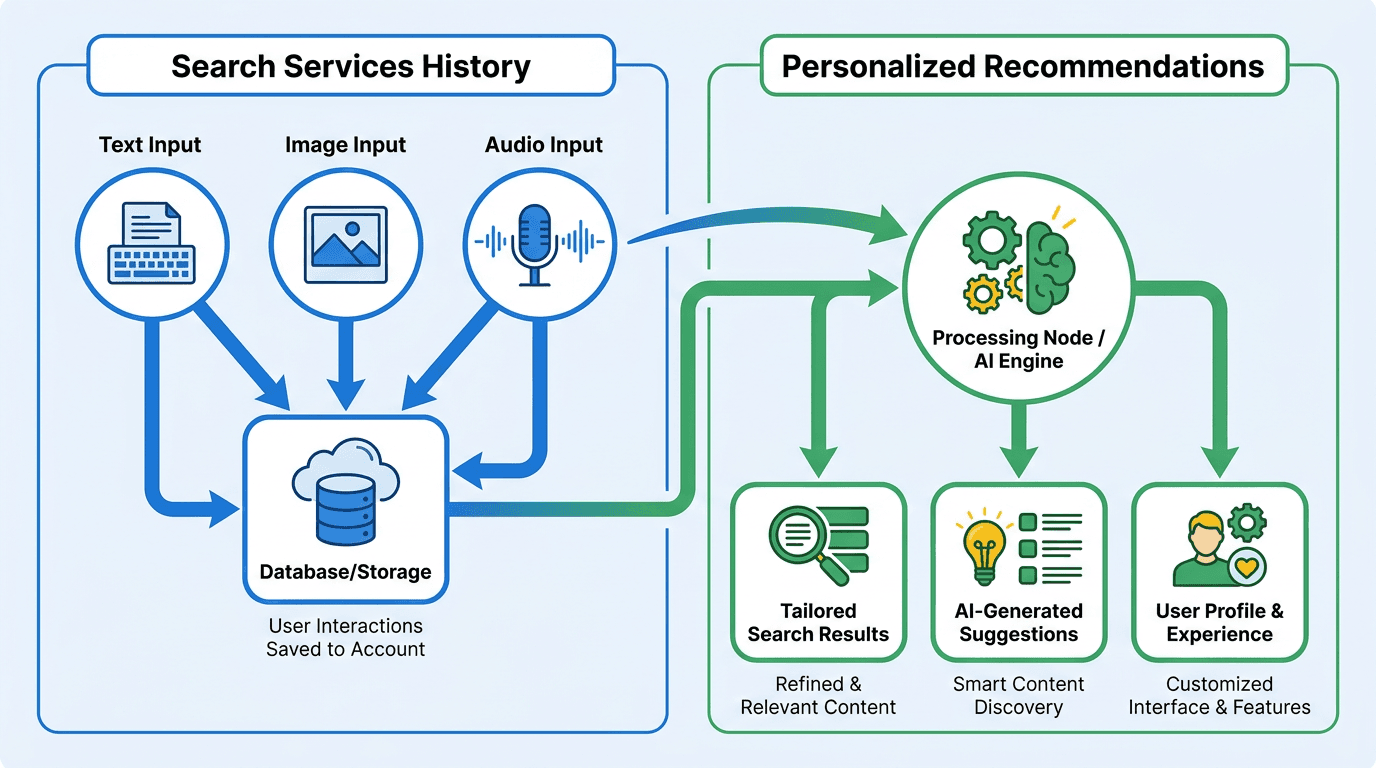
Google's account controls keep shifting, and "search" now includes more than typed queries: images, audio, and generative AI interactions are part of the same pile. That makes privacy management less like flipping a master toggle and more like choosing which knobs you actually want turned. In mid-2026, Google started rolling out two new settings, "Search Services History" and "Personalized Recommendations," aimed at giving users more granular control.
So what separates Google Search Services History from Personalized Recommendations? Search Services History decides whether your interactions with Google Search and related services (including text, images, and audio) get saved to your account. Personalized Recommendations is the next step: it governs whether Google uses that saved history to shape suggestions, results, and AI responses.
Why Should SEOs and Marketers Care About These Settings?
If you work anywhere near search, these toggles change how you interpret both rankings and user behavior. They also make it easier to misread a normal personalization shift as a performance problem (or the other way around).
- For SEO Analysts: Personalization changes what people see, which makes rank tracking messier. A result that sits at number one for a signed-out user in one location can land somewhere else for a signed-in user with years of history. Recreating one specific user's SERP is often the hard part.
- For Content Strategists: Recommendations and AI-driven suggestions increasingly sit in the discovery path. The follow-up queries Google nudges users toward, or the related topics it highlights, can redirect journeys and create new demand funnels.
- For Privacy-Conscious Users: When saved history expands to media and audio, "search history" stops meaning "a list of keywords." These Google privacy settings determine what gets retained, what you can review, and what you can delete.
- For Marketing Teams: Performance analysis now has to separate algorithm changes from user-state changes (signed in, personalization enabled, long history attached). These settings add another variable you need to control for.
How Does Search Services History Work in Practice?
Search Services History is basically your account-level activity log for Google's search-adjacent products. When it's on, it saves activity from services like Search, Google Maps, News, and Translate to your Google Account. That is not the same thing as Chrome browser history, which tracks the sites you visit in the browser. The notable recent shift is that the log can now include the media you submit during searches.
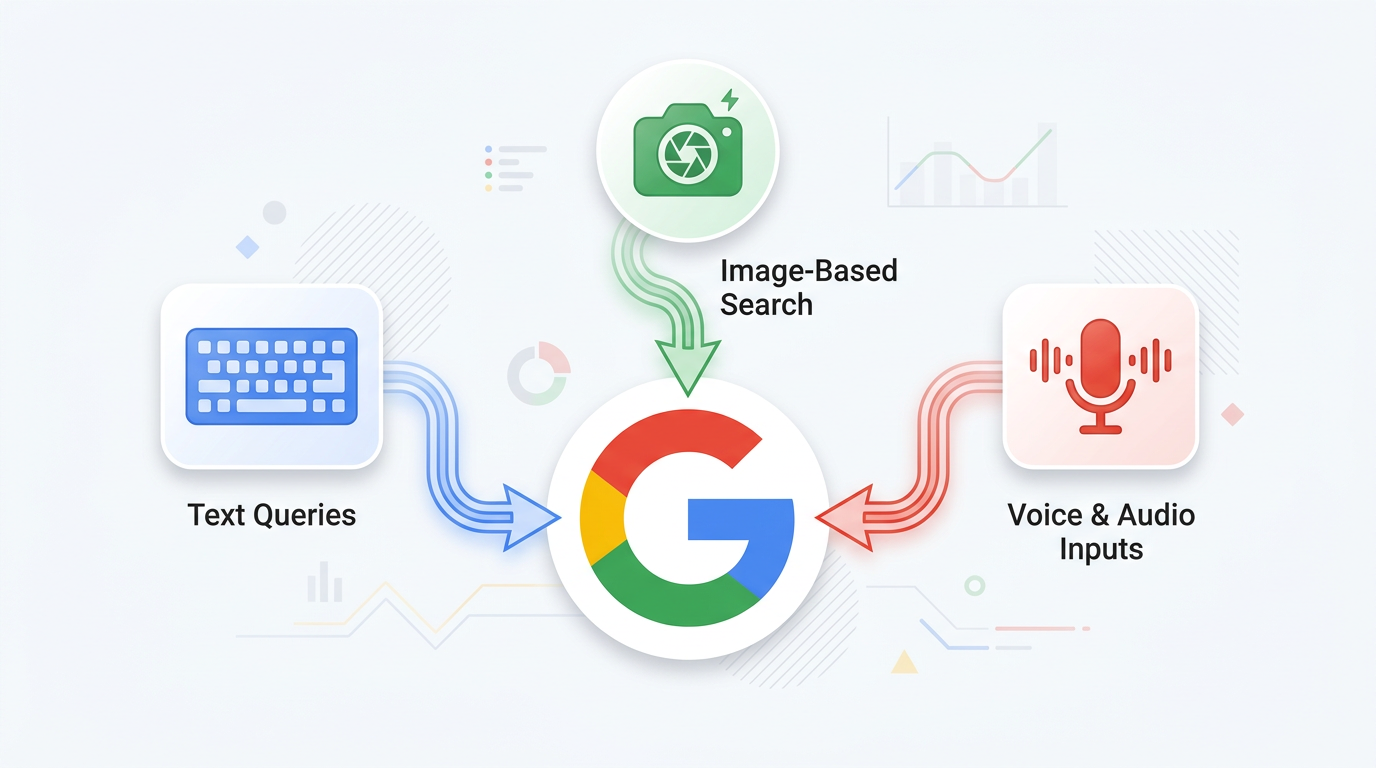
Text, image, and audio inputs all feed into your Google Search Services History when enabled.
Text Queries and Clicks
This is the familiar version of search history: the queries you type and the results you click. It can also include generative AI responses you receive. Google uses this history for things like faster suggestions and continuity across devices when you're signed into the same account.
Google Lens History and Image-Based Searches
If you search with your camera through Google Lens, the images you submit can be saved to your account when the "Save Media" subsetting is enabled. That Google Lens history can cover the images themselves and what Google extracts from them (for example, recognized objects or text). Because images often reveal more than a typed query, knowing how to review and delete this history matters for privacy.
Voice and Audio: Search Live, Voice Search, and Translate
Audio can land in your saved activity as well. That includes Google voice search history from spoken queries, Search Live recordings from interactive AI conversations, and audio from Google Translate. Like images, these clips fall under Google saved media, and you manage them through your account's activity controls.
What Changes When Personalized Recommendations Are On vs. Off?
When Personalized Recommendations is enabled, Google can use your Search Services History and other account information to tailor parts of the experience. That doesn't mean every query turns into a bespoke SERP, but it does tilt certain surfaces in predictable ways.
With this setting enabled, you might see:
- Results Matching Your Interests: If you frequently search for a specific topic, like tennis, you may see more results related to it.
- Curated Feeds: The content in your Google app and News feeds will better reflect the topics and sources you engage with most.
- Personalized AI Responses: Generative AI features, like those in AI Mode, might use your history to provide more relevant answers. For example, it might use a tennis analogy to explain a physics concept if it knows you're an enthusiast.
- Re-ordered Content Blocks: If you often watch videos, a video carousel might appear higher on the results page.
Turn it off and you dial back that tailoring, but you do not get a perfectly neutral Google. Autocomplete can still reflect saved history, and preferences like language settings continue to apply.
Timeline: From Search History to AI-Personalized Discovery
Google's personalization controls matter because search is no longer only a ranked list of blue links. It is increasingly a mix of classic results, recommendations, curated surfaces, local discovery, and AI-generated answers.
| Stage | What changed | What it means for marketers and SEO teams |
|---|---|---|
| Traditional search history | Google used saved activity to help users revisit past searches and improve future search experiences. | SEO reporting could still focus mostly on average rankings, query volume, impressions, and click-through rate. |
| Search Services History | Google separated search-specific saved activity into a clearer setting for Search services. | Marketers need to understand that user behavior inside Google Search services can shape future discovery paths, not just one-off search sessions. |
| Personalized Recommendations | Google can use activity and preferences to influence results, curated feeds, and AI responses when the setting is enabled. | Search visibility can vary more by user context. Two people searching the same topic may see different recommendations, surfaces, or follow-up paths. |
| AI Mode and AI responses | Personalized AI experiences can use history and personalization settings for eligible users. | SEO is no longer only about ranking for a keyword. Brands need to be recognizable, trusted, and repeatedly associated with the topics they want AI systems to mention. |
For marketers, this changes the job of SEO in three ways.
First, visibility measurement needs more segmentation. A single rank-tracking screenshot is less useful when discovery can shift by location, device, signed-in state, prior activity, and whether personalization is enabled. Teams should compare branded, non-branded, local, and informational queries across clean and personalized environments.
Second, topical authority matters more. If Google is using past behavior and preferences to shape recommendations, then brands need consistent signals across pages, entities, authors, product categories, local mentions, and third-party references. The goal is not just to win one query. The goal is to become a reliable source that can be surfaced repeatedly across related searches and AI-assisted sessions.
Third, AI visibility becomes part of search visibility. Personalized settings can influence AI-style responses and discovery experiences, so SEO teams should monitor not only traditional rankings but also whether their brand, content, products, and expertise appear in AI Overviews, AI Mode-style responses, Google surfaces, and recommendation-driven journeys.
The practical takeaway: personalization does not make SEO irrelevant. It makes generic SEO less reliable. The brands that win are the ones with clear topical focus, strong internal linking, consistent entity signals, high-quality supporting content, and measurement systems that account for personalized and AI-mediated search experiences.
For more context, see our breakdown of Google AI search labels and visibility signals, how Preferred Sources change personalized discovery, and why Google Search Profiles matter for publishers.
What Personalization Is NOT: Why Results Aren't Fully Individualized
There's a persistent myth that Search personalization makes every SERP entirely unique to every person. It doesn't. Personalization can nudge rankings and change which modules show up, but plenty of heavier signals still dominate what you see. Those include:
- Query Intent: The biggest lever. Google is still trying to satisfy the intent behind the search.
- General Location Relevance: Search "coffee near me" and your physical location will drive the page even if personalization is off. That's context, not deep account-based tailoring.
- Language and Device: Your language settings, and whether you're on mobile or desktop, materially change results.
- System-Wide Signals: Authority, relevance, and freshness are broad ranking signals that apply across users.
So even with Personalized Recommendations disabled, Google still leans on context like location and the wording of your current query to land on what it considers the best answer.
How Does AI Mode Personalization Use Your Data?
AI Mode personalization can draw on recent conversation context, saved activity, and preferences to steer generative AI responses. In practice, that can show up as a different tone, different examples, or follow-up questions that track what you've been doing lately. The part that tends to raise eyebrows is what gets reused to improve the underlying models.
Google says saved interactions from Search Services History, including media, may be used as Google AI training data to improve its services and models. The company also says the data is disconnected from user accounts before training use. If you turn off Search Services History, future activity will not be used to train generative AI models. You can check and adjust these Google privacy settings from your account controls.
A Practical Control Map for Users and Analysts
These options are easy to mix up because they sit next to each other and sound like they do the same job. They don't: Search Services History controls what gets saved; Personalized Recommendations controls how that saved data gets used to tailor experiences. For SEOs and analysts who need something closer to a reproducible baseline, the cleanest setup is still a controlled environment: signed out of Google, in incognito or private mode.
| Setting | What It Controls | What Data May Be Saved | Impact on User Experience |
|---|---|---|---|
| Search Services History | Whether interactions with Search, Maps, Translate, etc., are saved to your account. | Text queries, sites visited, generative AI responses, and (with a subsetting) Google saved media like Google Lens history and Google voice search history. | Off: Future activity is not saved and not used for AI training. You lose the ability to revisit past searches easily. |
| Personalized Recommendations | Whether Google uses your saved history and account info to tailor suggestions and some results. | Does not directly store data; it relies on data saved by other settings. | Off: Less tailoring in recommendations, curated feeds, and AI Mode personalization. Basic contextual personalization (like location) remains. |
| Web & App Activity | Saves activity on Google sites and apps not covered by Search Services History (e.g., Gemini Apps). | Activity from other Google services like Gemini Apps and some app usage data. | Off: Turns off history and personalization for a different set of Google services. Can affect features like Google Discover. |
| Comparison of Google's primary history and personalization settings as of mid-2026. |
Monitoring Visibility When Every SERP is Different
As personalization gets more layered and Google's AI-powered search becomes a bigger part of the results page, a single "average rank" tells you less. Measurement needs to match reality: track visibility across query classes (branded, local, informational), devices, and user states (signed in vs. signed out). That mix gets you closer to what your audience actually experiences in organic search. For a deeper look at how this shift is changing SEO measurement, see our guide on Google Search generative AI performance reports.
The old model of tracking a handful of keywords doesn't work anymore. Visibility is now a fluid concept, fragmented across countless personalized results, AI summaries, and answer-driven search experiences. This is where AI search monitoring becomes essential. Platforms like Vizup are designed for this new reality, helping brands monitor, create, optimize, and publish across the full spectrum of modern discovery. This includes traditional search, social media, online communities, and the rapidly growing world of AI Answer Engines.
By using a mix of AI agents and human experts, these systems manage a brand's presence with live tools for SEO, pSEO (programmatic SEO), AEO (Answer Engine Optimization), and GEO (Generative Engine Optimization). As Google continues evolving toward a more conversational and personalized search experience, understanding changes like Google's AI-powered search box and Google Search Profiles can help teams adapt their visibility strategy. Paid ads can then be used as a targeted add-on for amplification, rather than the primary driver of discovery.
Frequently Asked Questions
Is Search Services History the same as Web & App Activity?
No. As of mid-2026, they are separate settings. Search Services History covers activity on services like Search, Maps, and Translate. Web & App Activity controls history for other Google services, including Gemini Apps.
If I turn off Personalized Recommendations, will Google Search stop personalizing my results?
Not completely. Turning this off stops Google from using your saved history to tailor recommendations and some results. Your results can still shift based on context like general location, language, and the exact terms in the query you're running right now.
How do I delete Google Lens history and Search Live recordings?
You can delete this saved media through your Google Account activity controls. Head to the "My Activity" page, then remove specific items or set up auto-delete for your Search Services History.
Does Google use voice searches and Translate audio as Google AI training data?
If Search Services History is on, Google may use saved interactions, including audio, to improve its services, which includes training AI models. Turning off Search Services History prevents future activity from being used that way.
Why do my rankings look different from what customers see in Search?
Ranking differences usually come down to personalization and context. Location, search history, and whether someone is signed into a Google account can all change what appears on the page compared to what your rank tracking tools report.
