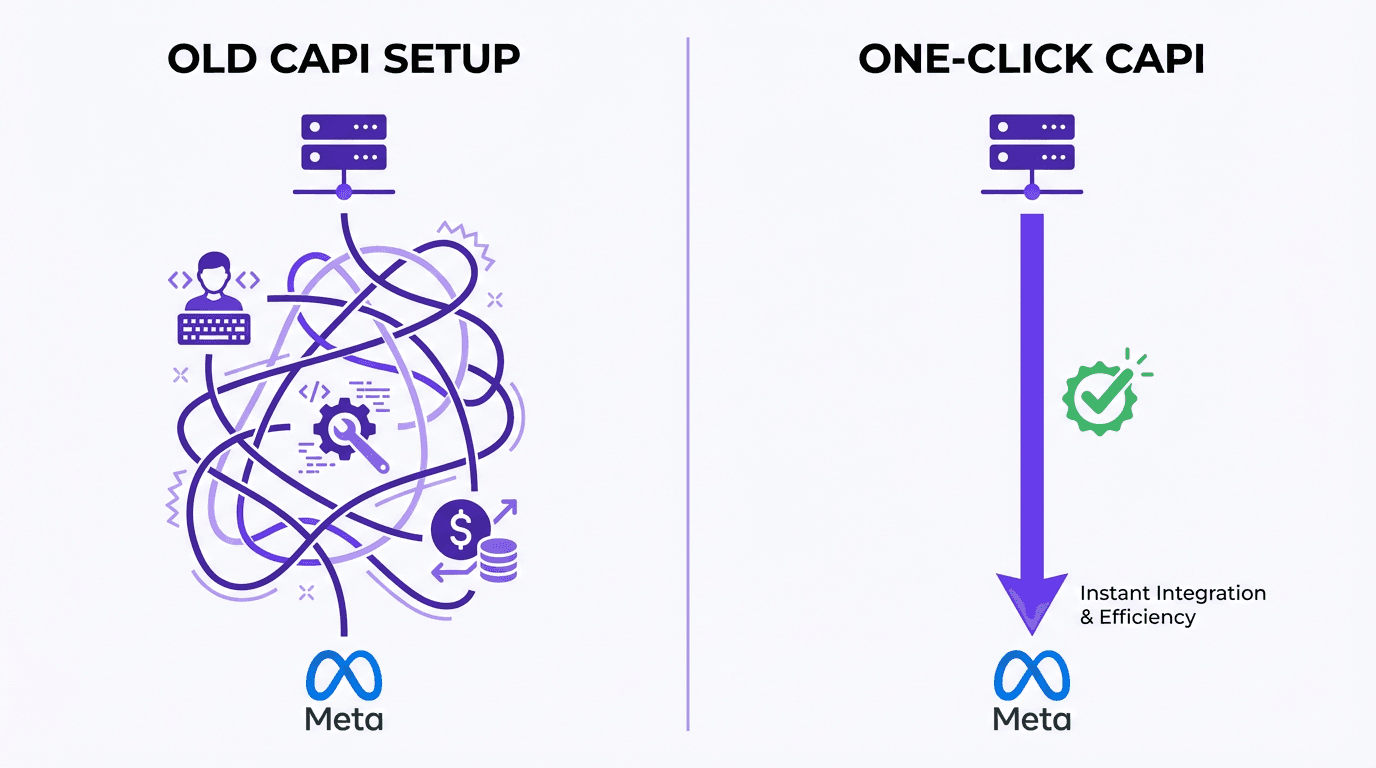
If you’ve ever zoned out in a meeting at the mention of “server-side tracking,” you’re in good company. For years, setting up Meta’s Conversions API (CAPI) was a notoriously complex and expensive project, often reserved for brands with developers on speed dial. This left many small businesses and e-commerce stores with less reliable, browser-based tracking, knowing they were missing a piece of the performance puzzle.
On April 15, 2026, Meta announced a pair of updates that could finally change this. The company is rolling out a “one-click” setup for CAPI and a new AI-powered feature for the Meta Pixel. Together, these changes are designed to level the playing field, making robust ad tracking accessible without needing a computer science degree. For anyone trying to get a clear picture of their ad performance in an era of ad blockers and privacy restrictions, this is a significant development.
What This Guide Covers
We'll explore what these changes mean for advertisers in practical terms, from the old frustrations with CAPI to the new promise of a 'one-click' setup. We will also look at how the AI-assisted Pixel works, why better data quality can lead to more efficient ad spend, and what your next steps should be in Events Manager to prepare.
The Elephant in the Room: Why CAPI Has Been a Headache
To appreciate why this update is a big deal, you need to understand the old process. The Conversions API was Meta's answer to a growing problem: browser-based tracking via the Pixel was becoming less reliable. Between Apple's iOS updates, standard ad blockers, and browsers like Safari cracking down on cookies, a significant chunk of conversion data was simply disappearing. Some estimates suggest pixel-only setups miss 10-30% of conversions, if not more.
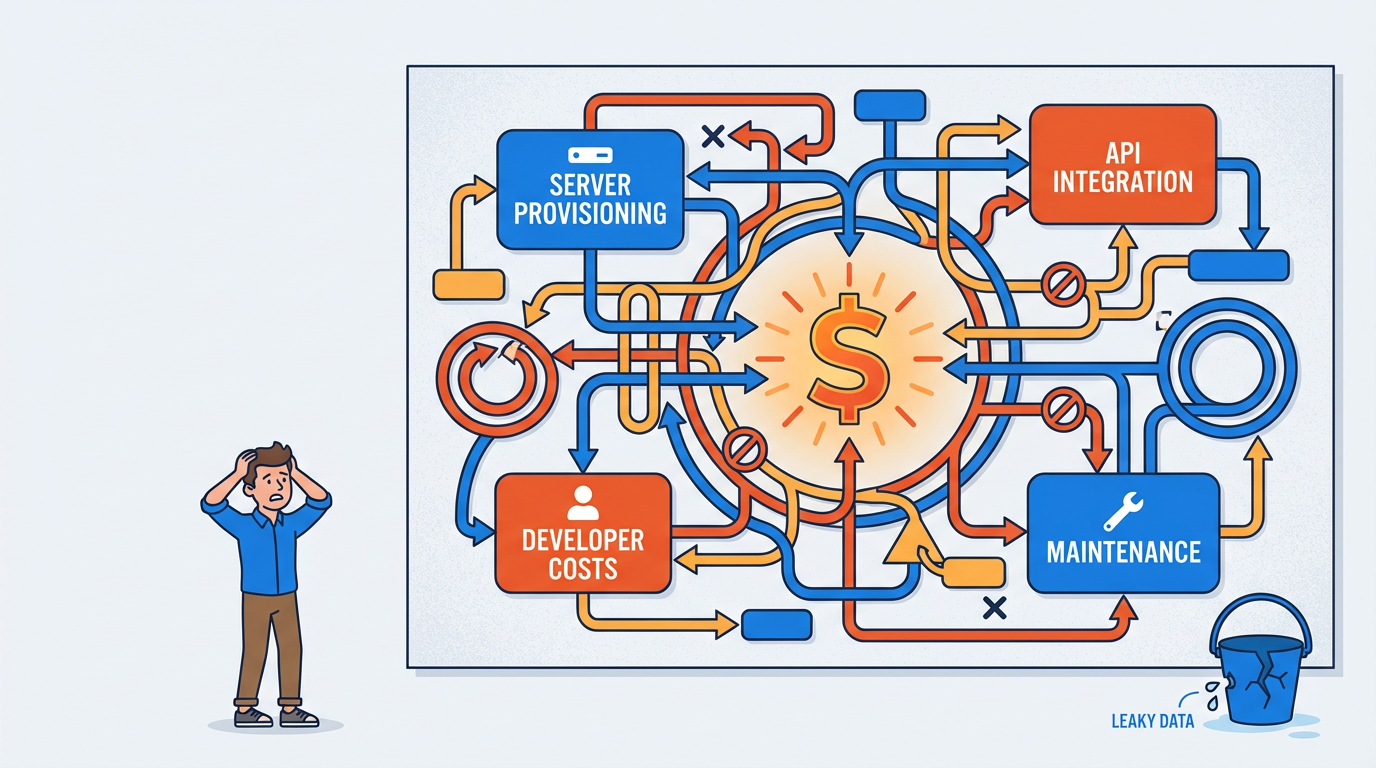
CAPI solved this by sending data directly from your server to Meta's, bypassing the browser entirely. While the solution was brilliant, its implementation was a beast. You had to provision a server, hire a developer, manage the code, and ensure it was maintained. I've seen teams spend weeks and thousands of dollars to get a basic server-side setup running. For a small e-commerce brand, that was a non-starter. They were stuck with a leaky bucket of data, aware their attribution was incomplete but without a practical way to fix it.
Enter 'One-Click' CAPI: What's Actually Changing?
Meta's April 15th announcement directly tackles this friction. The new “one-click” CAPI setup is a Meta-enabled option, meaning Meta itself handles the server infrastructure. This removes the biggest hurdles that kept small businesses on the sidelines. According to Meta, this new path requires no technical expertise, comes with no additional costs, and needs no ongoing maintenance. The claim is that you can set it up in minutes.
This is a significant shift, democratizing access to a more durable form of measurement. Instead of choosing between a complex project and poor data, businesses get a third, much more accessible option. Meta has a clear incentive here: the more advertisers send high-quality data, the better their ad algorithms perform. The company stated that advertisers who adopted CAPI for web events saw an average of 17.8% lower cost per result compared to those using only the Pixel. By removing the setup barrier, they can extend that performance lift to a much wider advertiser base.
| Aspect | Traditional CAPI Setup | New 'One-Click' CAPI Setup |
|---|---|---|
| Infrastructure | Advertiser must provision and manage their own server. | Handled by Meta; no server management required. |
| Technical Expertise | Requires developer resources for API integration and coding. | Designed for non-technical users; setup in Events Manager. |
| Cost | Involves server hosting fees and developer costs. | No additional costs, according to Meta. |
| Maintenance | Requires ongoing monitoring and code updates. | No ongoing maintenance required by the advertiser. |
| A comparison of the resources required for the traditional versus the new Meta-enabled CAPI setup. |
Your Pixel is Getting an AI Upgrade, Too
The second part of the announcement focuses on the classic Meta Pixel. It’s receiving an AI-based feature designed to automatically enrich the event data it sends. Previously, sending detailed information with an event, like a product's name and price with a ViewContent event, often required a developer to manually configure those parameters in your site's code.
The new feature uses AI to automatically detect and include this information from the page. For an e-commerce store, this means the Pixel could start sending richer data for ViewContent, AddToCart, and Purchase events without you touching a single line of code. This enhanced data helps Meta's ad system better understand which products are popular and who is interested, leading to smarter ad delivery.
This AI feature could soon make complex Google Tag Manager setups for passing basic product data a thing of the past for many businesses. While GTM remains powerful for advanced tracking, this update may handle the fundamentals, simplifying the initial setup dramatically. Meta has been clear that users will be in control; you will receive a notification to review the feature before it is enabled and can disable it at any time in the Events Manager settings.
Why This Isn't a 'Set It and Forget It' Solution
While these updates are a huge step forward in accessibility, they don't eliminate the need for a sound tracking strategy. A 'one-click' setup is fantastic, but it's not a magic wand. Advertisers still need to think critically about what they're tracking and why.
Here are a few things to keep in mind:
- Strategy Still Rules: These tools simplify implementation, but you still need to define your goals. Which user actions are most important to your business? A tool can't answer that for you.
- Validation is Crucial: Don't assume everything is working perfectly just because you clicked a button. Use the 'Test Events' tool in Events Manager to verify that events are firing correctly and that the data is accurate. Garbage in, garbage out still applies.
- Attribution Isn't Solved: CAPI improves the data signal, but it doesn't single-handedly solve the attribution puzzle. You still need to analyze your customer journey and use multiple data points to make budget decisions.
- Rollout Will Vary: As with any major platform update, the rollout may not be immediate for everyone. Keep an eye on your Events Manager for notifications.
Think of these updates as Meta giving you a much better engine. You still have to steer the car.
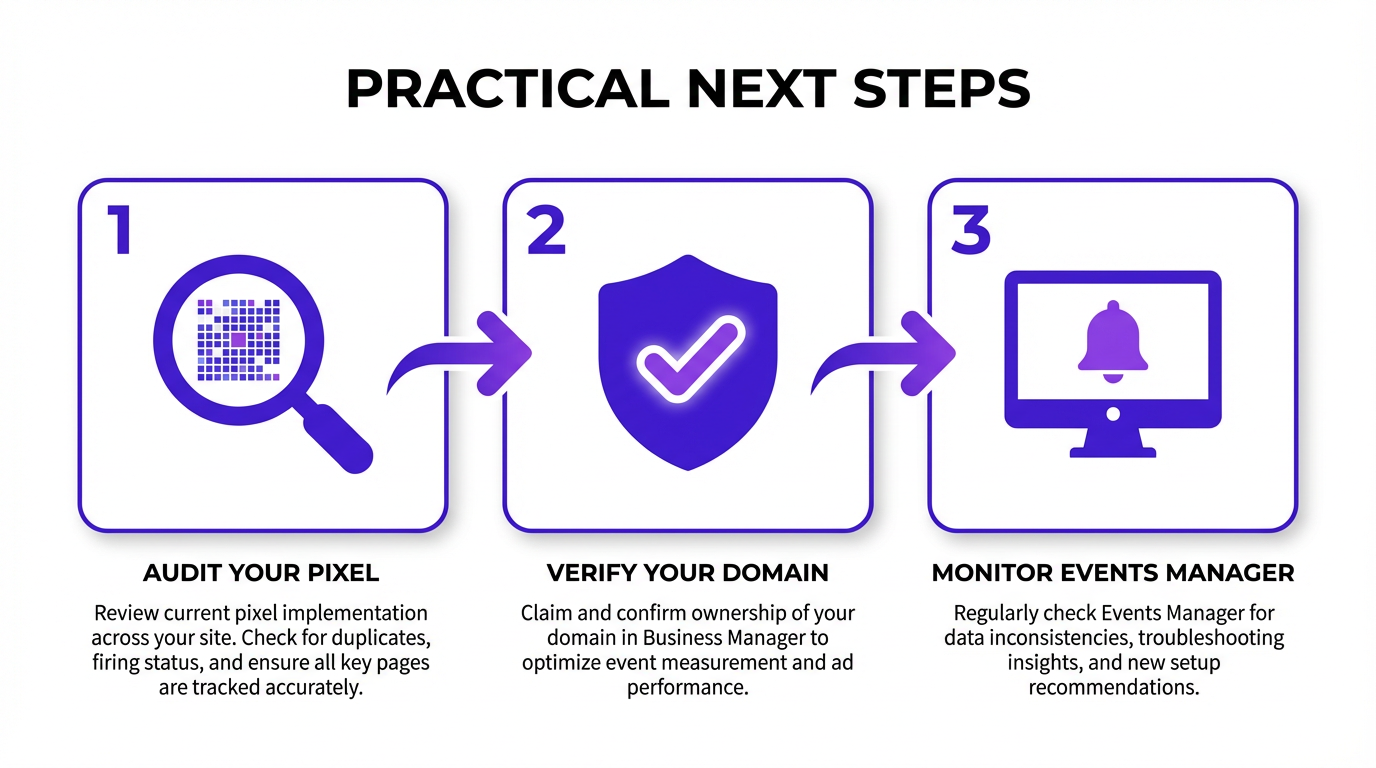
Practical Next Steps: What to Do Now
You can take action now to get your account in order and be ready for these changes. Here’s a simple checklist to get started.
Frequently Asked Questions
Why has CAPI adoption been difficult until now?
The main barriers were technical complexity and cost. The traditional setup required advertisers to provision and manage their own server infrastructure, which involved developer resources for API integration and ongoing maintenance. This was a significant hurdle for businesses without dedicated technical teams.
What could 'one-click' CAPI change for advertisers?
It could dramatically lower the barrier to entry for server-side tracking. By having Meta manage the server infrastructure at no extra cost, small and medium-sized businesses can get the benefits of more reliable data without the upfront investment. This should improve data quality across the board, potentially leading to better ad performance.
How does the smarter Pixel feature work?
The new feature uses AI to automatically scan web pages and extract details to send with your events. For example, on a product page, it can identify the product's name and price and include that information with the ViewContent event, making the data richer without manual coding.
Why does richer event data matter for ad performance?
Richer data gives Meta's ad delivery system more context about user behavior. When the system knows not just that a user viewed a product, but which product, it can make smarter decisions about ad optimization and audience targeting. This can lead to a lower cost per result and higher return on ad spend.
What should advertisers do next in Events Manager?
The most important action is to regularly monitor Events Manager for notifications about the rollout. In the meantime, you should audit your existing Pixel setup, clean up any errors, and ensure your domain is verified. When the features become available, use the 'Test Events' tool to validate that everything is working as expected.
Conclusion: A Welcome Change, But Not a Magic Bullet
Meta's move to simplify its tracking tools is a genuinely positive development for most advertisers. It acknowledges a real-world pain point and provides a practical solution. Removing the technical and financial barriers to CAPI adoption should lead to better data and, hopefully, better results.
However, it's crucial to see these updates for what they are: powerful tools, not a replacement for sound strategy. Your success still depends on understanding your customers, defining conversion goals, and validating your data. The good news is that you can now spend more time on that strategy and less time wrestling with server configurations. Keep an eye on your Events Manager, and get ready to put these new tools to work.
