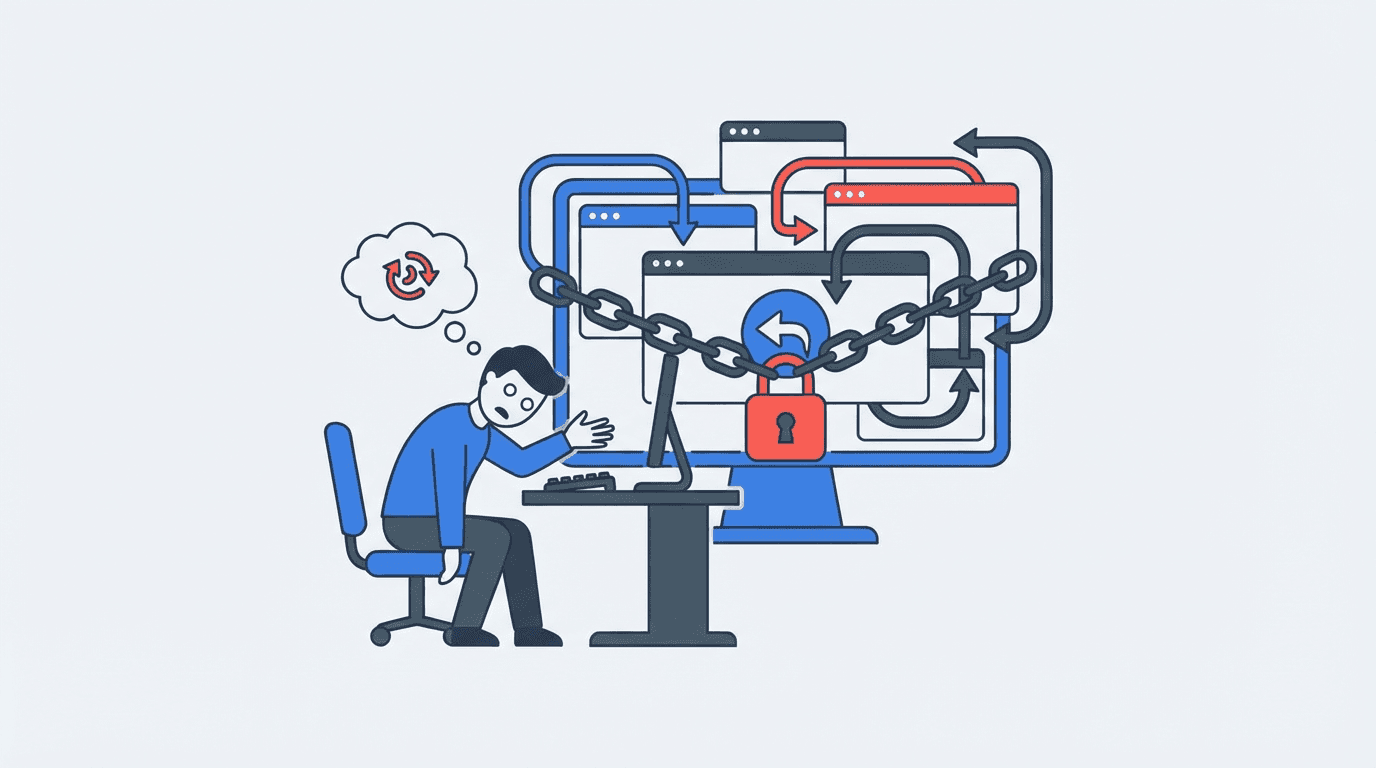
You’ve been there. You click a link, land on a page that isn’t what you wanted, and hit the back button. Nothing happens. You click again. You’re still stuck. Or worse, you’re sent to another unwanted page. This infuriating experience is called back button hijacking, a manipulative practice that breaks the fundamental navigation of the web.
For years, it was a grey-area tactic used by shady affiliate marketers and low-quality content farms. But with Google’s recent spam policy updates, it’s now an explicitly punishable offense. If you’ve ever wondered what’s happening under the hood or why Google is cracking down now, you’re in the right place. We’ve seen this tactic evolve for over a decade, and the new rules change things significantly.
So, What Exactly Is Back Button Hijacking?
Back button hijacking is a technique where a website manipulates a user's browser history to prevent them from leaving the site by using the 'back' button. Instead of returning to the previous page (like a search results page), the user is either kept on the current page or redirected to another page within the same site or a different unwanted destination. It’s a classic bait-and-switch that disrespects user intent.
This isn't some high-level, sophisticated hack. It’s usually accomplished with a few lines of JavaScript that add multiple entries to the browser's session history. When you try to go back, you’re just cycling through these fake entries instead of actually leaving. The goal is simple: keep you on their property long enough to generate an ad impression, get a click, or push a sale.
How It Works: The Grimy Mechanics
The most common method involves the history.pushState() JavaScript API. This function was designed for a legitimate purpose: to allow modern web applications (like Gmail or Trello) to change the URL in the address bar without a full page reload. This makes for a smoother user experience in complex apps.
Hijackers abuse this. When you land on their page, a script runs in the background, rapidly pushing multiple new, often identical, states into your browser’s session history. The browser thinks you’ve navigated through several pages on that site, even though you haven't moved.
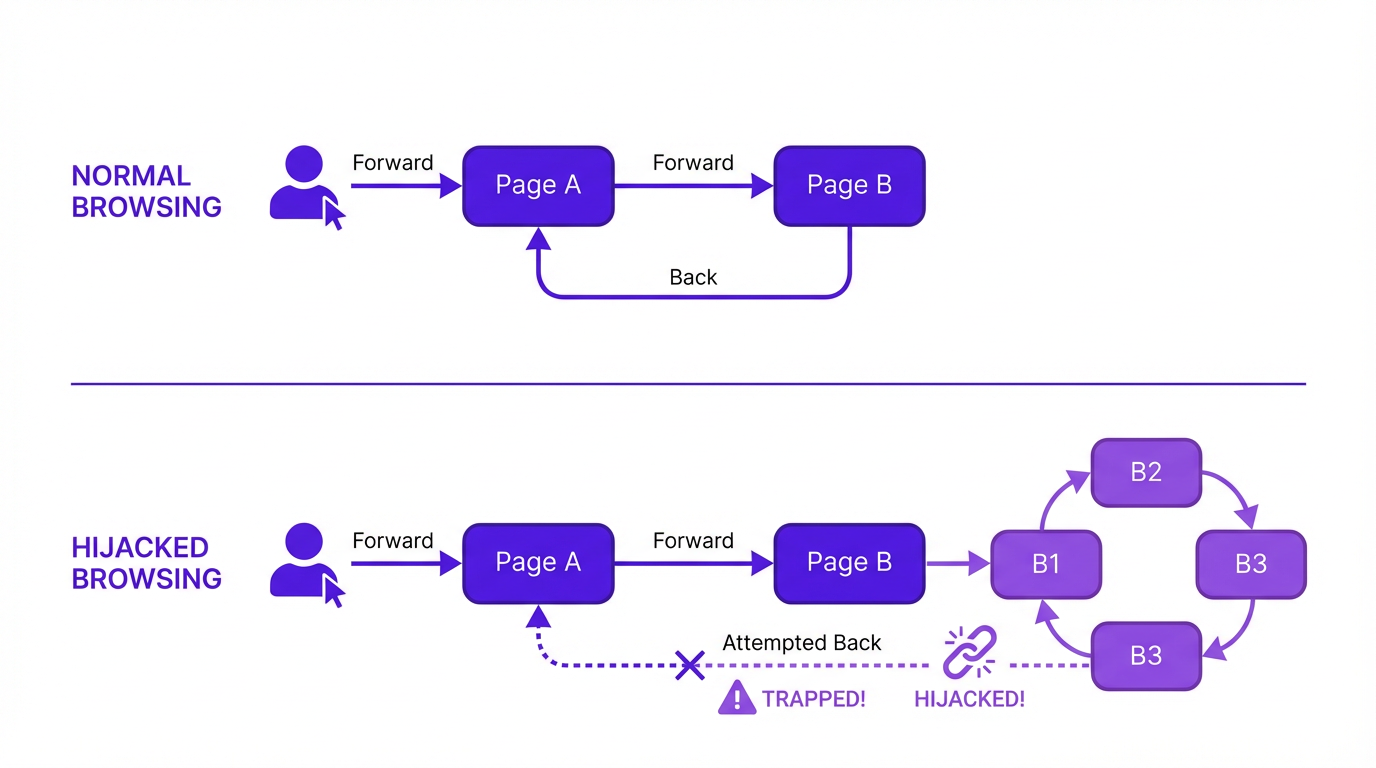
Imagine your browser history is a stack of cards. Normally, when you go from Google to a blog post, you add one card to the stack. Hitting 'back' removes that card. With hijacking, the blog post sneakily adds five extra cards on top. Now you have to hit 'back' five times just to get rid of the junk before you can get back to Google. It’s deceptive and deeply user-hostile.
Why Google Finally Drew a Line in the Sand
For a long time, this was just considered a 'bad user experience'. Annoying, but not something Google explicitly penalized sites for on a large scale. That has changed. In its latest spam policies, Google now classifies this as a form of spam. Why the change of heart?
- It Deceives Google's Own Systems: Hijacking inflates on-site time metrics. A user might spend 30 seconds trying to escape a page, which looks like 'engagement' to a naive algorithm. Google is getting smarter about spotting this fake engagement.
- It Degrades SERP Quality: If a user clicks a result, hates it, and can't get back, they lose trust in the search results. Google's entire business model relies on users trusting that a click will lead to a relevant, usable page. Hijacking breaks that trust.
- It's a Gateway to Other Spam: Sites that use back button hijacking rarely stop there. They are often associated with aggressive pop-ups, malicious ads (malvertising), and phishing attempts. It's a red flag for a whole host of bad behaviors.
The crackdown is part of a broader push you might have seen in the Google March 2026 Core Update to reward helpful, user-first content and demote pages built on manipulative tricks. According to Google's own documentation on spam policies, techniques that are intended to manipulate search rankings and deceive users are a direct violation. Back button hijacking fits that description perfectly.
What It's NOT: Common Misconceptions
The term gets thrown around a bit, so let's clear up what doesn't count as back button hijacking.
1. Legitimate 'Are You Sure?' Prompts
If you've filled out a long form and try to navigate away, a little pop-up asking, 'You have unsaved changes. Are you sure you want to leave?' is not hijacking. That's good UX. It's preventing you from accidentally losing work. The key difference is that it gives you a clear choice to leave or stay. Hijacking removes the choice.
2. Single-Page Applications (SPAs)
As mentioned, modern web apps use the History API to create a seamless experience. When you navigate inside your Gmail inbox, the URL changes but the page doesn't reload. The back button correctly takes you to the previous state within the app. This is the intended use of the technology and is perfectly fine.
3. A Simple Redirect
A standard 301 redirect that sends you from an old URL to a new one is not hijacking. That's just basic website maintenance. The problem arises when redirects are chained or used in a deceptive loop specifically to trap the user when they try to go backwards.
How to Protect Your Site (And Your Users)
First, the obvious: don't do it. Ever. It's a short-sighted tactic that will get your site penalized. The risk of a manual action or algorithmic suppression from Google is not worth the few extra ad impressions.
Second, be careful with third-party scripts. This is where I see most well-meaning site owners get into trouble. A shady ad network or a sketchy third-party widget can inject this behavior onto your site without your knowledge. Audit every script you add to your site. Ask yourself: do I absolutely need this? What is it doing? Run your site through Google's PageSpeed Insights and look at the JavaScript being loaded. If you don't recognize something, investigate it.
If you find this behavior on your site, remove the offending script immediately. If you've been hit with a manual action, you'll need to fix the issue and then submit a reconsideration request in Google Search Console, explaining what you found and how you fixed it.
Key Takeaways
Here’s the bottom line on back button hijacking:
- It's a Deceptive Practice: It manipulates browser history to trap users on a site.
- Google Now Penalizes It: It's explicitly listed as a violation of Google's spam policies.
- It's Usually Done with JavaScript: The
history.pushState()API is the common tool of abuse. - Audit Third-Party Scripts: Unknowingly adding a malicious script is the biggest risk for legitimate sites.
- Focus on User Trust: Any tactic that breaks a user's fundamental expectation of how the web works is a bad long-term strategy.
Frequently Asked Questions
Can back button hijacking harm my SEO?
Yes, absolutely. Google now considers it a form of spam. A site found using this tactic can receive a manual action or be algorithmically demoted, leading to a significant loss in organic traffic.
Is this the same as a redirect virus?
Not exactly, though they can be related. A redirect virus is typically malware on your computer that forces your browser to go to unwanted sites. Back button hijacking is code that runs on the website itself. However, a site that hijacks the back button is more likely to also host malicious downloads or ads.
How can I test if a website is hijacking my back button?
The easiest way is to simply visit the page and try to click back. If you get stuck in a loop or can't return to your previous page after 2-3 clicks, the site is likely using this technique. You can also right-click and hold the back button in most browsers to see the list of recent history entries; a hijacked page will show multiple, often identical, entries from that one site.
My developer says we use pushState for our app. Is that bad?
Not necessarily. Using history.pushState() for navigation within a single-page application (SPA) is a legitimate and common practice. The issue is abuse. If the back button logically takes the user to a previous state within your app, that's fine. If it traps them and prevents them from leaving your entire site, that's hijacking.
What should I do if I suspect my site was penalized for this?
First, check Google Search Console for any manual actions. If there is one, it will tell you the problem. If not, it may be an algorithmic issue. In either case, your job is to find and remove the script causing the behavior. Thoroughly audit all third-party JavaScript. Once fixed, if you had a manual action, submit a reconsideration request detailing your fix.
