
Is your Google Ads return on investment shrinking, even though your strategy hasn't changed? You're not alone. The 2026 advertising landscape is shaped by AI-driven campaigns and opaque automation, leaving many PPC managers and business owners feeling like they're flying blind. As Google continues to limit query visibility in reporting, identifying who you're really competing against, and why you're losing impressions, has become a serious challenge. Google Ads Auction Insights is one of the few places left where you can still see who is showing up in the same auctions and how your visibility compares.
This is where the Google Ads Auction Insights report becomes your most valuable competitive intelligence tool. It offers a direct window into competitor behavior inside the ad auction, without exposing sensitive details like bids or keyword lists. Below, you'll learn how to interpret each metric with a 2026 lens, find competitive signals even within Performance Max, and respond decisively when a rival makes a move. If you want a faster way to turn these observations into testable actions, keep a running playbook in your account notes and pair it with a repeatable workflow like Vizup's PPC prompt library.
Why Google Ads Auction Insights Is Your Last Window into Competitor Behavior
For years, the Search Terms report was a goldmine. You could see the exact queries triggering your ads, find negative keywords, and develop a clear picture of user intent. Over time, query reporting has become less complete, which reduces its diagnostic value for many accounts. Combined with automated campaign types like Performance Max, advertisers have less direct control and visibility than earlier eras of the platform.
Auction Insights is the exception. While it won't reveal competitor keywords or bids, it does show which domains are bidding against you and how their visibility compares to yours. In a world where automation makes many granular bidding and targeting decisions, this report is one of the most practical ways to keep tabs on who is actively competing for your customers' attention. The strategic shift is clear, it's not only about keyword tuning. It's about monitoring auction pressure and responding with better ads, better landing pages, and cleaner measurement. If you need help translating Auction Insights into concrete experiments, Vizup's marketing and analytics tools hub is a good starting point for building repeatable workflows.
The 6 Key Metrics in Google Ads Auction Insights: What They Mean for Your Wallet
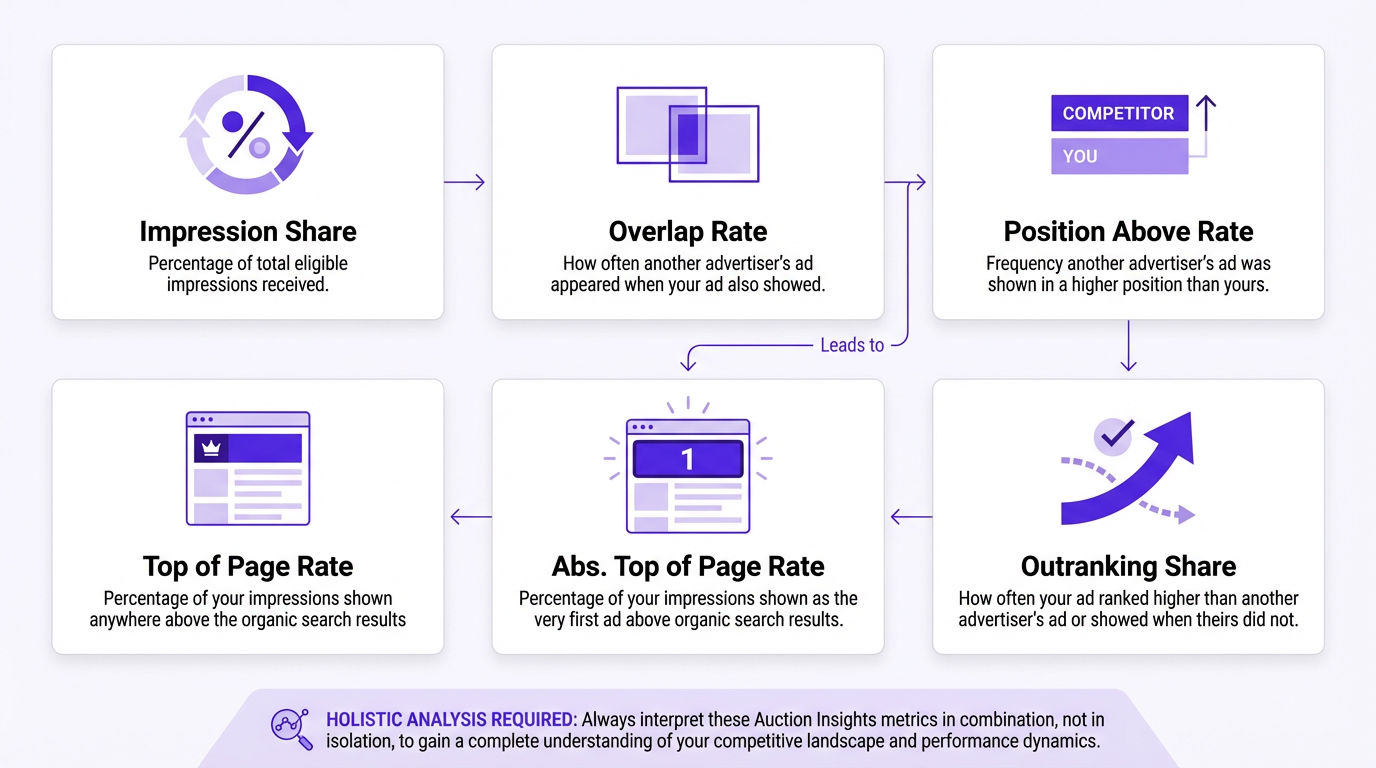
The Auction Insights report for Search campaigns contains six core metrics. Understanding them individually is useful, but the real value comes from reading them together so you can separate budget limits from Ad Rank limits, and separate "more competitors" from "stronger competitors."
| Metric | What It Measures | Strategic Implication |
|---|---|---|
| Impression Share | The percentage of total eligible impressions your ads received. | A declining Impression Share signals you're losing visibility, either due to budget constraints or poor Ad Rank. |
| Overlap Rate | How often a competitor's ad appeared alongside yours in the same auction. | A high Overlap Rate identifies your most direct competitors, the ones fighting for the same audience. |
| Position Above Rate | How often a competitor's ad appeared in a higher position than yours when both ads showed. | This reveals who is consistently beating you in Ad Rank (bid x Quality Score). |
| Top of Page Rate | How often your ad appeared at the top of the search results page. | Tracks your premium placement. Compare this against competitors to gauge relative ad strength. |
| Abs. Top of Page Rate | How often your ad appeared in the very first ad position. | The ultimate visibility metric. If a competitor's rate is climbing while yours drops, they are aggressively targeting the top spot. |
| Outranking Share | The percentage of auctions where your ad ranked higher than a competitor's, or where your ad showed and theirs did not. | Your single best head-to-head performance indicator. A declining Outranking Share against a specific rival is a clear call to action. |
Tip: Key Takeaway: Don't analyze these metrics in isolation. A competitor with a high Overlap Rate and a high Position Above Rate is an active threat. A competitor with a high Overlap Rate but a low Position Above Rate is present but not winning. The combination tells the story.
Finding Competitor Data in the Performance Max (PMax) Black Box
Performance Max campaigns are opaque, but they aren't a complete black hole for competitive data. While keyword-level Auction Insights are not available, Google provides Auction Insights at the campaign level for eligible inventory where the report is supported. Knowing where to look and what to watch for can give you a meaningful strategic advantage.
Here's how to extract the most value:
- Find the Report: Navigate to your Performance Max campaign, click on "Insights," and locate the "Auction Insights" section. You can toggle between Search and Shopping inventory to review the competitive landscape for each channel.
- Segment by Channel: The competitors you face on Shopping can be different from those on Search. Analyze these views separately. A competitor might dominate Shopping through pricing and feed quality, while you hold an edge in Search through stronger messaging and landing pages.
- Watch for Trends: With PMax, focus on strategic shifts rather than keyword detail. Is a new competitor suddenly appearing with a high Impression Share? Did a rival's Overlap Rate drop unexpectedly? These signals often correlate with changes in budget allocation, product focus, or creative testing.
Tip: Pro Tip: Don't let Performance Max cannibalize your branded search traffic. PMax often prioritizes easy wins by bidding on your brand name, which can inflate reported ROI. Run a separate, dedicated brand Search campaign to protect this traffic and get clearer performance data.
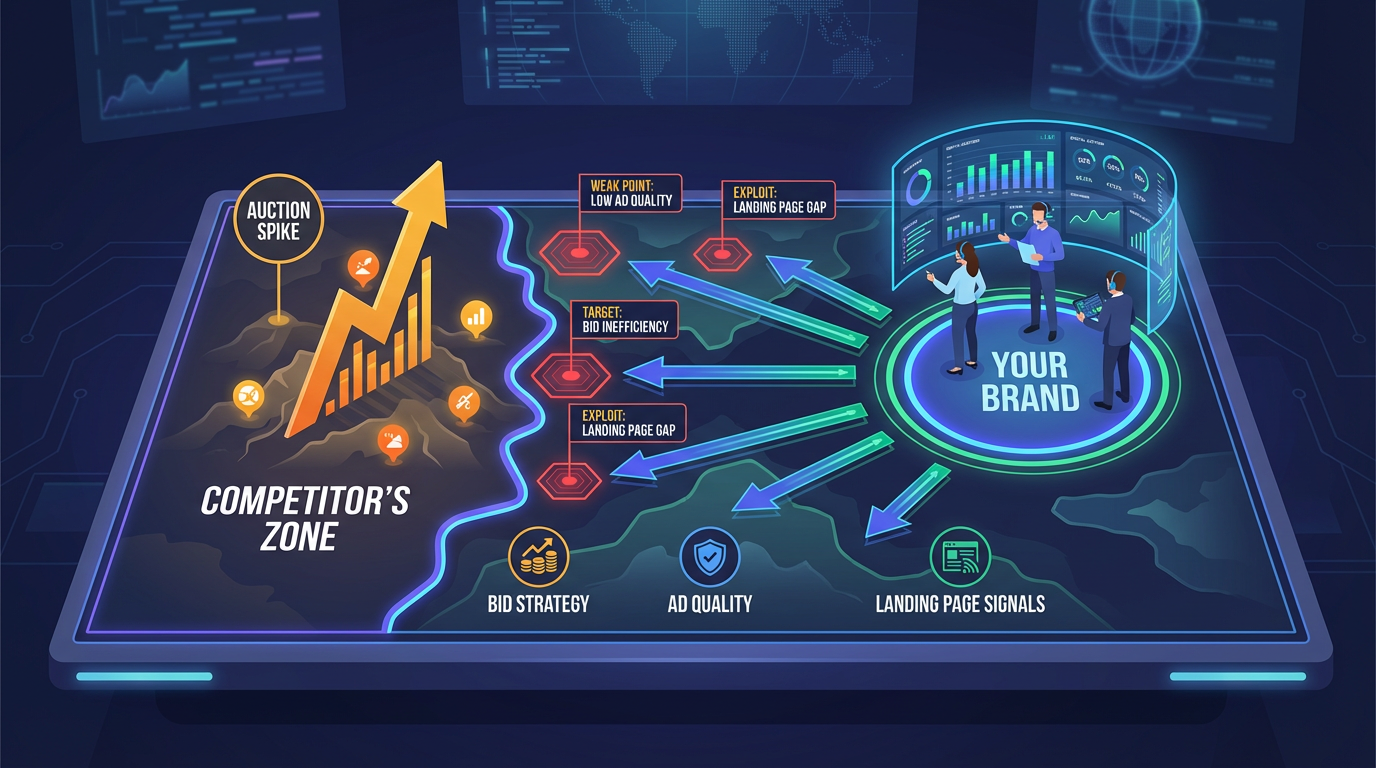
Your Battle Map: How to React When a Competitor's Outranking Share Spikes
A sudden spike in a competitor's Outranking Share is an alarm bell. It means they are actively and successfully pushing you down in the auction results. The right response isn't panic. It's a structured investigation that ties auction metrics to what the user sees, what your account is eligible to show, and what your landing page experience is doing to conversion rate.
Step 1: Investigate Their Offer (The "Why")
Your first move isn't inside Google Ads. It's on their website. A higher Outranking Share is often supported by stronger expected CTR, stronger landing page experience, or a better offer that improves conversion rate. Manually search your top terms and review the competitor's ad message and landing page with a critical eye.
- Promotions: Are they running a new sale, offering a different free trial structure, or promoting a bundle that changes perceived value?
- Landing Page: Have they updated their landing page for a better user experience? Is it faster, more focused, or does it feature a clearer call to action?
- Ad Copy: Are they using more compelling language or reflecting new product features? A powerful Google Ads copy prompt can help you brainstorm stronger angles and test new messaging.
Step 2: Assess Your Ad Rank Components (Bid, Quality, and Eligibility)
Ad Rank is driven by your bid, ad quality signals, and the expected impact of assets and formats. If a competitor consistently outranks you, they are beating you in one or more of those areas. Use Auction Insights to spot the head-to-head pattern, then validate the cause inside your own account diagnostics.
Check your Impression Share lost due to rank. If this number is high, your bids or quality signals are not competitive for the auctions you're entering. While you don't want to start a bidding war, a strategic increase on your most profitable terms can help reclaim lost ground. More importantly, audit Quality Score inputs through the lens of relevance and landing page experience. Improving alignment between query intent, ad copy, and the landing page often improves position at a lower cost per click. If you want a structured way to document hypotheses and tests, use a repeatable template like Vizup's PPC experimentation prompts.
Step 3: Make a Strategic Counter-Move (Without Guesswork)
Armed with this intelligence, you can make a strategic move. This isn't only about raising bids. It's about improving relevance, offer clarity, and measurement so your account earns better auction outcomes.
- Differentiate, Don't Imitate: If they launched a discount, you don't have to match it. Offer a value add they can't replicate, like faster onboarding, better support, or a stronger guarantee. Update your ad copy to highlight the difference.
- Expand Intelligently: Build new ad groups around adjacent intent themes you already serve well, then use negatives to keep traffic clean. If you need help generating tightly themed keyword sets and negatives, start with Vizup's Google Ads workflow prompts.
- Monitor and Adapt: After making changes, monitor Auction Insights weekly. Did your Outranking Share improve? Did their Position Above Rate decrease? This feedback loop keeps your response grounded in auction outcomes, not assumptions.
Tip: Action Checklist: When a competitor's Outranking Share spikes: (1) Search your top keywords and review their ads and landing pages. (2) Check your Impression Share lost to rank and budget. (3) Audit your Quality Score components. (4) Differentiate your offer and update ad copy. (5) Set a weekly review cadence to track results.
Frequently Asked Questions
How often should I check my Google Ads Auction Insights report?
For active campaigns, checking weekly is a strong cadence. This lets you spot trends and competitor moves before they significantly impact performance. For larger, more stable accounts, bi-weekly or monthly checks can be sufficient, but weekly reviews are recommended during competitive periods or after launching new campaigns.
Can I see my competitors' bids or Quality Score in Auction Insights?
No. The report does not expose bids, budgets, or Quality Score. It only shows auction outcomes like Impression Share and Outranking Share. You can infer that a competitor with a high Position Above Rate likely has a strong combination of bid and ad quality signals, but you cannot see the underlying numbers.
Why don't I see any data in my Auction Insights report?
The report requires enough auction activity to populate. If your campaign, ad group, or keyword has too few impressions over the selected date range, the report can be empty. Try extending the date range, or check at a higher level (campaign instead of ad group).
Is a high Overlap Rate always a bad thing?
Not necessarily. A high Overlap Rate means you are appearing in the same auctions. If you also have a high Outranking Share against that competitor, you are often winning those head-to-head matchups. The concern is a high Overlap Rate combined with a high Position Above Rate for the competitor, which means they frequently beat you when you both show.
How does this relate to AI's role in search?
Automation changes how targeting and bidding decisions get made, but the auction still produces measurable outcomes. Auction Insights helps you monitor visibility and competitive pressure as campaign types and user behavior shift. If you want practical ways to turn those signals into tests, keep a swipe file of hypotheses and use a structured prompt workflow like Vizup's AI marketing prompts.
Can I filter Auction Insights by specific keywords?
Yes. You can view Auction Insights at the campaign, ad group, or keyword level. Filtering by keyword gives the most granular view, showing which domains appear against you on specific terms. This is useful for identifying rivals targeting your highest-value queries.
How does Auction Insights differ from competitor ad spy tools?
Auction Insights shows who is competing and how visibility compares. To understand what messaging is working, pair it with manual SERP reviews and your own ad testing logs. If you want a repeatable way to generate and track new ad angles, use Vizup's Google Ads copy prompt as a starting point.
Conclusion: Turn Google Ads Auction Insights Into Weekly Action
In 2026, managing a Google Ads account is less about constant manual tweaks and more about strategic oversight. With automation obscuring much of the underlying decisioning, Google Ads Auction Insights provides the competitive context needed to make smart decisions about budget allocation, bidding strategy, and market positioning. For the official definitions of Auction Insights metrics and where they are available, use Google's primary documentation: Google Ads Help, Auction Insights.
Don't just look at the data, turn it into a weekly operating rhythm. Track the competitors that overlap most, watch Position Above Rate and Outranking Share for sudden shifts, and tie those shifts to concrete tests in ads, landing pages, and offer framing. By turning Google Ads Auction Insights into action, you can defend your market share and stop competitors from eating your lunch. For more advanced measurement and competitive workflows, read Vizup's benchmark visibility for competitors and browse the Vizup blog for additional playbooks.
Primary sources used for platform definitions and policy context: Google Ads Help, Auction Insights, Google Ads Help, About Quality Score, Google Ads Help, About Ad Rank, Google Ads Help, About Performance Max campaigns.
