If you've ever had to walk a client through local SEO performance while juggling two dashboards, you already know the routine. "Here's your Google Business Profile data... and here's Google Analytics... sorry, different tabs." That split has been a low-grade annoyance in local SEO reporting for years.
Google is finally tightening that up. A native integration now lets you connect Google Business Profile to Google Analytics, so GBP signals show up in GA4 next to your website data. It's not a new theory of measurement, but it is a real quality-of-life upgrade. Below is what it does, how to turn it on, and the places where it still doesn't deliver.
What Has Changed?
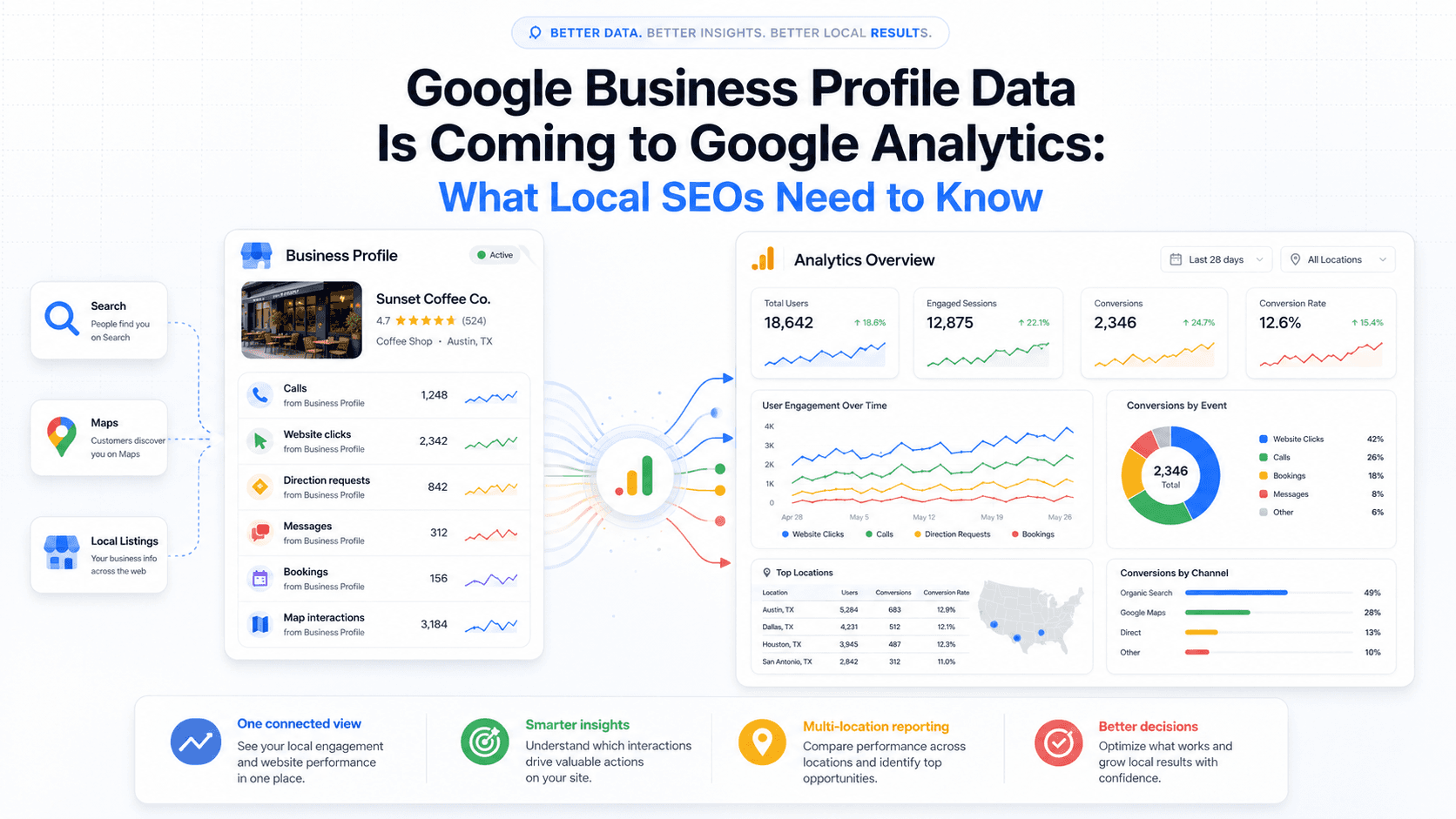
Google has documented a native integration that links Google Business Profile directly with Google Analytics. After you connect them, GA4 adds a dedicated Google Business Profile section to reports, showing interactions like website clicks, calls, and direction requests alongside your usual web analytics.
Until now, most teams relied on the classic workaround: UTM parameters on the website URL in your profile. It did the job for site visits, but it couldn't see what happened on the profile itself. Calls and direction requests lived outside GA4 entirely. With the new integration, those off-site GBP actions can show up in Google Analytics without manual tagging.
Why This Matters for Local SEO
Local SEO has always had an awkward measurement seam. GBP could tell you about impressions and some engagement. GA4 could tell you what happened after someone landed on the site. But the high-intent stuff people do straight from Search or Maps, before they ever click through, sat in its own silo. This integration stitches part of that seam together, providing a more complete view of the customer journey.
Connecting Local Actions to Business Outcomes
Seeing GBP interactions next to on-site conversions helps separate visibility problems from conversion problems. A location generating 400 direction requests a month but converting poorly on its landing page is a very different situation than a location with weak profile engagement across the board. That distinction was harder to surface when the data lived in two different places.
For multi-location brands, this means aggregated performance across all linked profiles is available in one spot. It also makes it easier to measure the true impact of local SEO efforts. When someone finds your profile and taps to call, requests directions, or clicks through to the website, you can read those actions in the same environment as on-site conversions. This helps prove the value of keeping your profile optimized and can show correlations between marketing spend and local engagement.
What Data Can You Expect to See?
Once the connection is live, a new "Google Business Profile" report collection will show up in GA4. This isn't just a rehash of the old UTM click data. It brings in aggregated metrics for actions that happen directly on your profile from all linked Business Profiles.
- Interactions
- Website clicks
- Calls
- Directions
- Messages
- Bookings
- Menus
A few things to know about this data. First, it only goes back six months, so GA4 won't show you GBP data older than that, even if your date range is longer. Second, GA4 shows all possible metrics regardless of your business type, which is different from the GBP dashboard that hides irrelevant ones (like 'Menus' for a law firm). So don't be alarmed if you see metrics that don't apply to you.
| Interaction Type | Previously Trackable in GA4? | Now Available via Integration? |
|---|---|---|
| Website clicks from profile | Yes (with UTM parameters) | Yes (natively) |
| Phone call actions | No | Yes |
| Direction requests | No | Yes |
| Messages | No | Yes |
| Bookings | No | Yes |
| Menu clicks/views | No | Yes |
| *Based on Google's documented integration details, June 2026. * |
How to Connect Google Business Profile to Google Analytics
Setup happens in GA4, not in Google Business Profile. Google's help documentation lays out the flow like this:
- Open Google Analytics and go to Admin (the gear icon in the bottom left).
- In the Property column, click "Product Links."
- Choose "Google Business Profile" from the available product links.
- Select the Business Profile account you want to connect.
- Finish the setup and confirm. Once data starts flowing, the GBP section will appear in your reports.
Before you connect anything, take a hard look at the health of your GA4 property. Plugging a new data source into a messy setup usually just creates more confusion. If it's been a while, it's worth running through a GA4 data cleanup checklist first.
How to Disconnect the Integration
If you need to stop the data flow, whether for troubleshooting or because a business relationship has ended, the process is straightforward. You'll manage this from the same area in Google Analytics where you set it up. In the Admin section, navigate back to 'Product Links' and select 'Google Business Profile links'. You'll see a table of all active connections. Find the one you want to remove, click the three-dot menu on the right, and select 'Delete'. This will stop new GBP data from appearing in GA4.
What This Means for Multi-Location Brands
Franchises, clinic networks, restaurant groups, and regional service businesses are the obvious winners. Once you're managing 20, 50, or 200 locations, comparing visibility and engagement has typically meant exporting GBP data, cleaning it up, and then lining it up with GA4 by hand. It's tedious work, and it's easy to get wrong.
There is a limitation you should know going in: the integration aggregates data across all linked profiles. You can't filter to an individual location inside GA4. If you need location-level detail, you'll still be living in the GBP dashboard for that. GA4 gives you the roll-up view, which is helpful for trends, less helpful for diagnosing a single underperforming store.
How Marketers Should Use This Data
The cleanest use case is linking local search engagement to what happens on the site. If GBP drives a lot of website clicks but those sessions bounce or never convert, that's a landing-page issue, not a visibility issue. With the integration, you can make that argument using one set of reports instead of two.
A few other ways this tends to show up in day-to-day local SEO analytics:
- Compare GBP engagement with website conversions to flag locations where profile traffic isn't converting, then audit the local landing pages.
- Track call and direction trends over time to see whether local SEO work is translating into high-intent actions.
- Report local SEO impact more clearly by putting GBP interactions next to revenue-related events in a single report view.
- Spot locations with strong visibility but weak conversion, which often points to a mismatch between the profile promise and the landing page experience.
If you're already working on optimizing your Google Business Profile, this makes it easier to prove which changes correlate with real engagement. And if your team is testing advanced GBP optimization techniques, tighter measurement helps separate "interesting idea" from "repeatable result."
Limitations to Keep in Mind
Treat GBP data in GA4 as an add-on, not a replacement. The GBP dashboard still covers areas the integration doesn't: review trends, photo performance, Q&A activity, and the location-level breakdown mentioned earlier.
It also doesn't magically fix attribution. Someone can see you on Maps, call, hang up, search again days later, and then convert on the site. That's still a multi-touch path, and GA4 is still GA4. Use the integration to understand local engagement patterns, not to overclaim precision about the full customer journey.
Also worth keeping in view: local search isn't only Google. If you're serious about measuring local visibility, why SEOs need to look beyond Google should be part of the internal conversation. Bing Places and Apple Maps are smaller, but they aren't noise, especially for certain audiences.
Final Thoughts
The Google Business Profile Google Analytics integration won't rewrite your local SEO strategy. What it will do is remove a bunch of friction: profile actions and website behavior can finally live in the same reporting space. For multi-location brands in particular, that clarity pays off in day-to-day optimization and in stakeholder reporting.
Turn it on, give it a few weeks to collect enough signal, then use it to pressure-test your assumptions. Which locations generate calls but few site visits? Where is profile engagement strong but conversion weak? Those are actionable questions, and this integration makes them easier to answer without a spreadsheet detour.
Frequently Asked Questions
What is the Google Business Profile GA4 integration?
It's a native product link in Google Analytics that connects your Google Business Profile to GA4, so GBP metrics like calls, direction requests, and website clicks appear alongside your website data.
Do I still need UTM parameters on my GBP website URL?
If the native integration is active, you don't need UTM parameters just to track website clicks from your profile in GA4. That said, if you rely on UTMs for campaign segmentation or to separate GBP traffic from other organic sources, keeping them is still reasonable.
Can I see Google Business Profile data in GA4 broken down by individual location?
Not right now. The integration rolls data up across all linked profiles, so GA4 doesn't let you filter to a specific location. For location-level performance, you'll still need the Google Business Profile dashboard.
How does connecting Google Business Profile to Google Analytics help with local SEO reporting?
It cuts down the split-brain reporting that local SEO has lived with: GBP engagement (calls, directions, website clicks) shows up in the same place as on-site behavior and conversions. That makes it easier to explain the path from Search and Maps visibility to measurable outcomes.
Is this integration useful for small businesses with a single location?
Yes. The payoff is bigger for multi-location brands, but single-location businesses still benefit from having call and direction request trends next to website data without bouncing between platforms. It simplifies reporting and gives a more complete view of how local search drives real-world actions.
