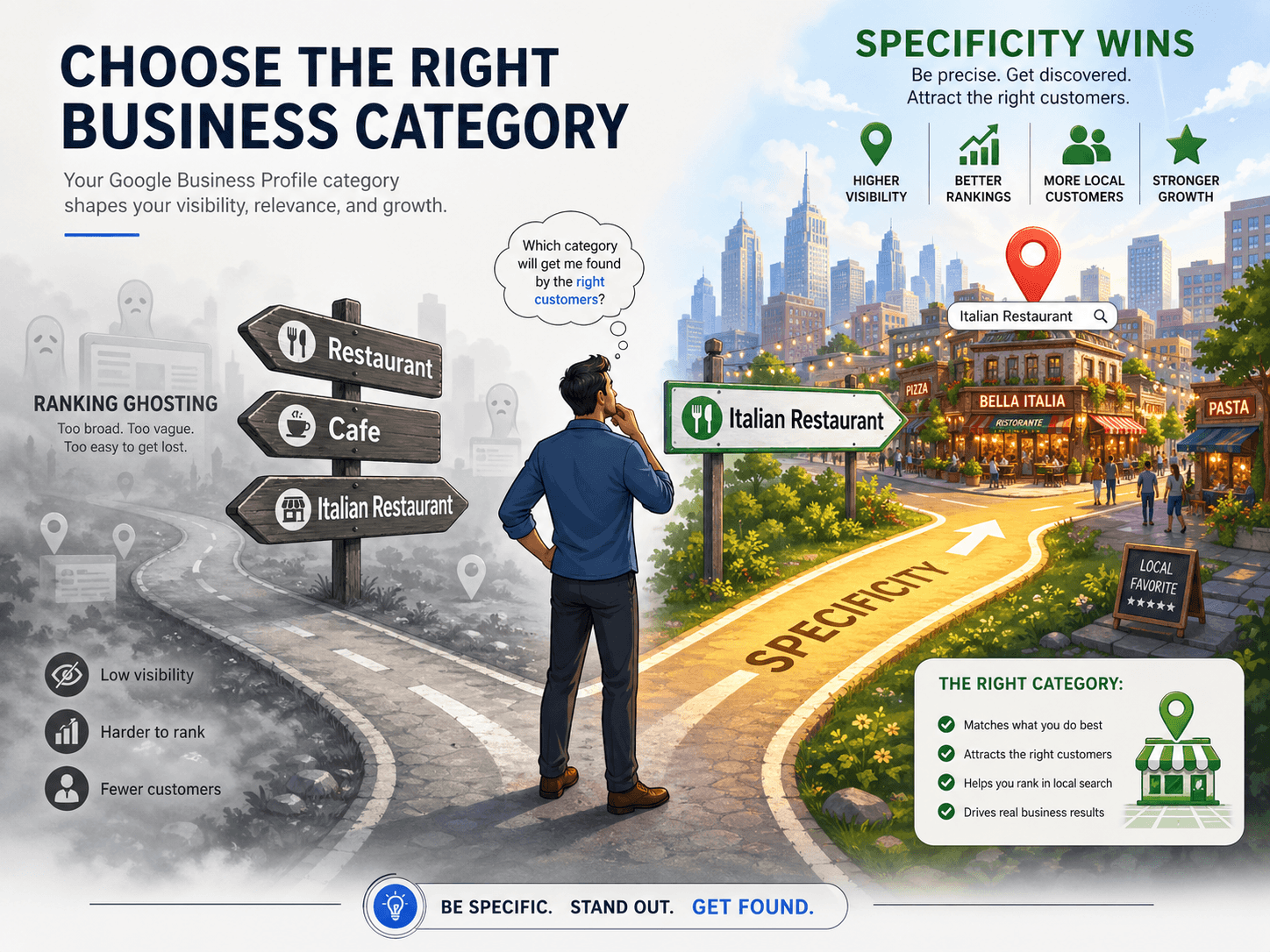
In local search, your Google Business Profile (GBP), formerly known as Google My Business, is your digital front door. Google Business Profile Categories are one of the strongest relevance signals you control. Many business owners fall into a costly trap by choosing categories that are too broad, inaccurate, or padded with extra options. Categories are not just labels; they shape which searches you are eligible for, how Google interprets your services, and which profile features you can turn on. When your categories match what you actually sell, you show up for higher intent searches and convert more of that visibility into calls, direction requests, and bookings.
This framework will help you select and maintain categories for 2026, with a focus on precision, feature eligibility, and policy safety. You will also get a competitor free process for validating category choices using Google surfaces and your own performance data. If you want a repeatable workflow for tracking category changes against outcomes like calls and website clicks, pair this with Vizup's measurement approach in Marketing & Analytics Tools and your existing GBP insights.
Google maintains a list of approximately 4,000 Google Business Profile categories, which it updates frequently. While Google doesn't publish a simple, official list for the public, you can see all available options when you edit the category section of your Business Profile. The category you choose is a primary factor in local search rankings. Below are some of the most common categories, organized by industry, to help you find the best fit for your business.
Primary vs. Secondary Google Business Profile Categories: How to Choose Without Diluting Relevance
Google lets you pick one primary category and up to nine secondary categories. The temptation is to fill every slot, but that is where many listings lose focus. Your primary category is the clearest statement of what your business is, and it anchors how Google groups you against other businesses in the same market.
Treat the primary category as your core positioning, then use secondary categories only for distinct, customer facing offerings. For example, if your primary is "Italian Restaurant," adding "Pizza Delivery" as a secondary can clarify a major service line without changing your identity. If you are auditing multiple locations, standardize the primary category where the core business is the same, then localize secondaries based on what each location actually provides. To operationalize this across a franchise, build a location level checklist and track before and after performance in a single reporting view, which is the kind of workflow Vizup supports in local SEO reporting and measurement.
For 2026, the practical strategy is simple. Choose the most accurate primary category available, then add two or three secondary categories that represent other major services you actively market, staff, and fulfill. If you cannot explain a category with a matching service page, signage, and customer expectation, do not add it. This keeps your relevance tight and reduces the risk of policy issues.
The Specificity Rule for Google Business Profile Categories: Match Intent, Not Just Industry
Google rewards clarity. The more precisely your category matches what a searcher wants, the easier it is for Google to connect your listing to that intent. This is why a specific category like "Nail Salon" usually outperforms a broad category like "Beauty Salon" for manicure queries, even if both businesses offer similar services.
If a customer searches "gel manicure near me," Google is trying to return listings that are the best fit, not just listings that might offer it. A primary category of "Nail Salon" is a direct match. A primary category of "Beauty Salon" is ambiguous because it can imply hair, waxing, facials, and more. When you choose the most specific accurate category, you reduce ambiguity, filter out irrelevant competition, and increase the chance that your listing is treated as the best answer for that query.
Tip: Always choose the most specific category that accurately describes your main business. If you are a divorce attorney, your primary category should be "Divorce Lawyer," not the generic "Lawyer." This single choice can improve visibility for the service you actually want to sell.
Category Driven Features: What Google Business Profile Categories Unlock in 2026
Categories are not only about rankings. They act like eligibility switches for profile features that drive conversions. Depending on your category, Google can enable menus, booking, service lists, attributes, and other interactive elements. The right setup reduces friction for customers and makes your profile more complete, which supports better engagement signals over time. For a broader workflow that ties GBP improvements to on site content and measurement, see Vizup's AI-powered SEO strategy.
| Category Group | Unlocked Features |
|---|---|
| Food & Drink (e.g., Restaurant, Cafe, Bar) | AI-generated menus, online ordering & reservation buttons, 'More Hours' for takeout/happy hour. |
| Health & Medical (e.g., Doctor, Dentist, Clinic) | Appointment booking buttons, links to health insurance info, display of accepted insurance providers. |
| Services & Appointments (e.g., Salon, Spa, Repair Shop) | Direct booking buttons (integrates with scheduling software), service catalog with pricing. |
| Hospitality (e.g., Hotel, Motel) | Class ratings (stars), detailed amenities lists (Wi-Fi, Pool, Pet-friendly), booking links. |
| Selecting an accurate primary category gives you access to industry-specific tools on your profile. |
For example, a "Restaurant" can display a menu and enable ordering or reservations, features that do not appear for many retail categories. A "Dentist" can often activate appointment actions that connect to scheduling. These features are controlled by Google and can change, so your best defense is accuracy and consistency across your website, your GBP services, and your real world operations. Google documents how business information and categories affect your presence across Search and Maps in Google Business Profile Help, 2026.
Common Mistakes: Category Stuffing, Policy Risk, and Ranking Drops
A frequent and damaging mistake is category stuffing, which is adding marginally related or inaccurate categories to try to appear for more searches. A common example is a general handyman selecting categories that imply licensed trades they do not actually provide. Google is better at detecting mismatches through on profile content, reviews, photos, and on site signals.
The fallout is usually the opposite of what you want. Stuffing dilutes relevance, confuses what you should rank for, and can trigger enforcement actions. Google states that categories should describe what your business is, not everything it does, and that misrepresentation can lead to removal or suspension. Use Google's primary guidance as your baseline in Google Business Profile guidelines, 2026. If you need a structured way to audit categories against service pages and conversion tracking, connect the audit to your broader plan for improve your search ranking.
How to Validate Google Business Profile Categories Without Competitor Tools
You do not need third party competitor tools to pressure test your category choices. You need a repeatable validation loop that uses Google surfaces, your own site content, and performance data. The goal is to confirm that your primary category aligns with your highest value service, and that secondary categories map cleanly to real offerings.
A simple validation loop for category selection:
- Use Google Business Profile editing suggestions as a signal: In your GBP dashboard, review the category picker suggestions Google provides. If Google repeatedly suggests a different primary category, treat that as a prompt to re-check your on site wording, service pages, and signage consistency.
- Run intent checks in Search and Maps: Search your core services using non-branded terms (for example "gel manicure near me"), then compare the results you see in Maps versus organic results. If your listing appears for broad terms but misses the exact service terms, your primary category or service definitions are often too generic.
- Map categories to pages and conversions: Every secondary category should have a matching service page or section on your site, and you should track whether that service produces calls, bookings, or form fills. Vizup's approach to tying content to outcomes is covered in organic marketing beyond SEO.
- Audit quarterly for new category options: Google adds and refines categories over time. A quarterly review is enough for most businesses unless your offerings change.
When you track changes, treat categories like a controlled test. Change one thing, document the date, then monitor GBP insights and lead volume for two to four weeks. If you are also responding to volatility from algorithm updates, keep your category work aligned with your broader update response plan in Google's latest core update.
Frequently Asked Questions about Google Business Profile Categories
How many categories should I use for my Google Business Profile?
You can add up to 10, but most businesses perform best with one highly specific primary category and only 2 to 3 secondary categories that represent other core services. Use categories that you actively market and fulfill, and that you can support with on site content and real world proof.
What if my specific business category isn't available?
Choose the closest accurate option. If an exact match is not available, pick the next most specific category that is still true. Do not pick an inaccurate category just to chase visibility, because it increases policy risk and can weaken relevance for the services you actually provide.
How often should I change my GBP categories?
Change your primary category only when your core business changes, because it can reset how Google classifies you and cause short term volatility while systems re-evaluate your listing. Update secondary categories when you add or remove major service lines, and audit quarterly to see if Google has introduced a better match.
Can I use different categories for different business locations?
Yes. For franchises and multi-location brands, each location should reflect what that specific branch offers. Standardize what is truly consistent, then customize secondary categories for location-specific services. This is also where consistent measurement matters, so you can compare locations fairly in one reporting view.
Will adding more categories help me rank for more keywords?
No. Adding irrelevant categories usually hurts more than it helps. It dilutes relevance, confuses what you should rank for, and can increase the chance of enforcement actions. Focus on strong relevance for your core services, then build supporting content and conversion paths around those services.
Conclusion: Win Local Visibility by Treating Google Business Profile Categories as a Relevance System
Google Business Profile Categories work best when they are specific, accurate, and supported by your website and operations. Pick the most precise primary category for your main revenue driver, add only a few secondary categories for real service lines, and avoid stuffing. Then measure changes like a controlled test so you can scale what works across one location or a full franchise network.
Complete List of Google Business Profile Categories by Industry
Google provides nearly 4,000 options for business categories. Choosing the right one is a critical Local SEO ranking signal that helps Google match your business to relevant customer searches. While you cannot create custom categories, you can select one primary category and up to nine additional ones. Below are some of the most common categories organized by industry to help you get started.
Automotive
- Car dealer
- Car rental agency
- Car repair and maintenance service
- Car wash
- Auto parts store
- Tire shop
- Car detailing service
- Car inspection station
Food & Beverage
- Restaurant
- Cafe
- Bar
- Bakery
- Grocery store
- Coffee shop
- Pizza restaurant
- Ice cream shop
Retail & Shopping
- Clothing store
- Electronics store
- Book store
- Furniture store
- Sporting goods store
- Jewelry store
- Department store
- Pet store
Health & Wellness
- Doctor
- Dentist
- Hospital
- Pharmacy
- Gym
- Yoga studio
- Massage therapist
- Chiropractor
Home & Professional Services
- Plumber
- Electrician
- Lawyer
- Accountant
- Real estate agency
- Marketing agency
- Locksmith
- Landscaper
Food & Beverage
- Restaurant
- Bakery
- Bar
- Cafe
- Caterer
- Coffee Shop
- Grocery store
- Pizza delivery
- Wine bar
Retail & Shopping
- Clothing store
- Bookstore
- Electronics store
- Furniture store
- Hardware store
- Jewelry store
- Pet store
- Sporting goods store
Health & Wellness
- Dentist
- Doctor
- Gym
- Hair salon
- Massage therapist
- Optometrist
- Pharmacy
- Physical therapist
- Veterinarian
Home & Professional Services
- Accountant
- Electrician
- General contractor
- Insurance agency
- Landscaper
- Lawyer
- Locksmith
- Marketing agency
- Plumber
- Real estate agency
- Roofing contractor
