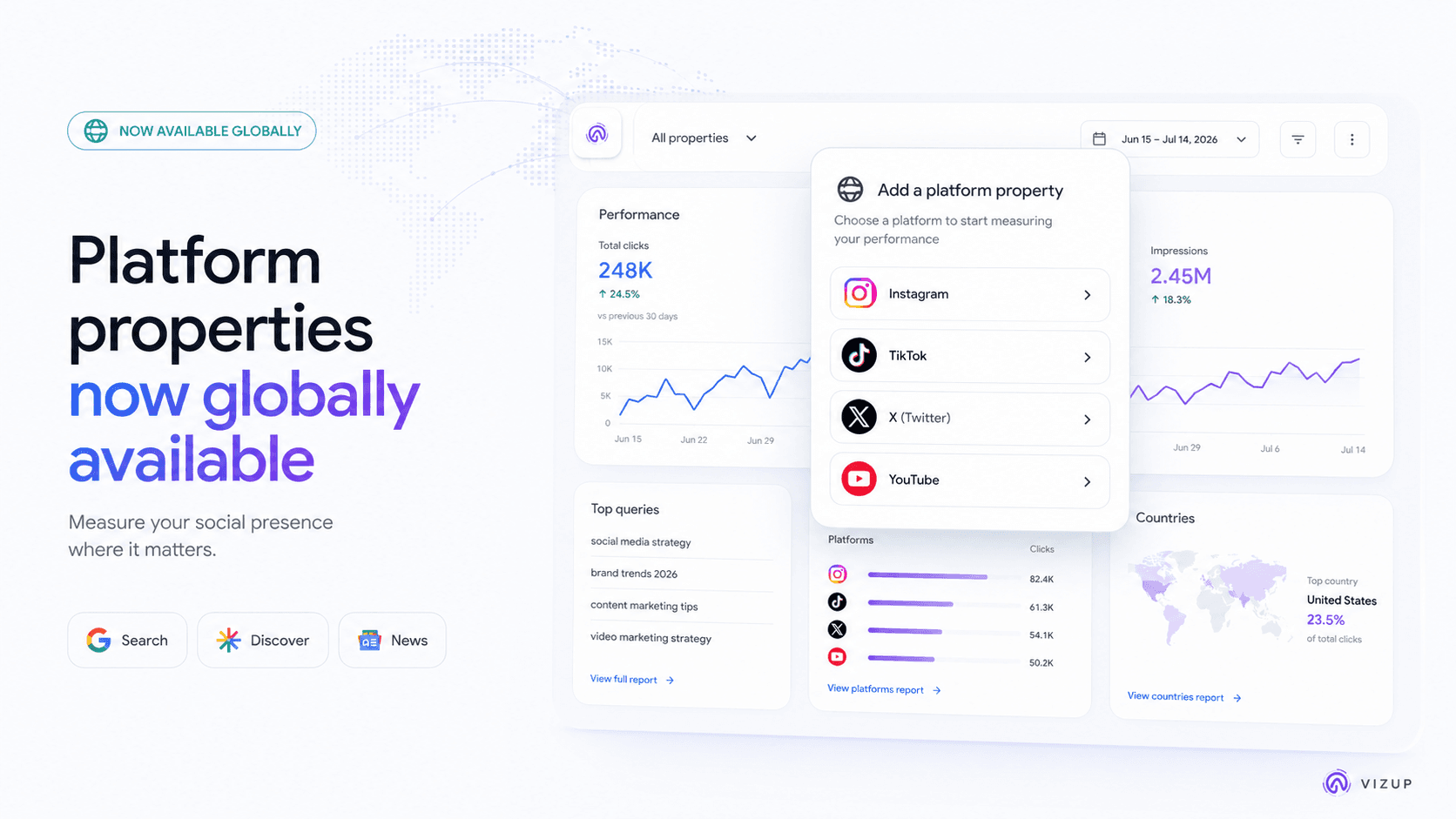
For years, social and search have been treated like separate departments with separate dashboards. Post a TikTok or an Instagram Reel, and you watch the numbers inside the app. Publish a blog post, and you camp out in Google Search Console to see whether it climbs. The data stayed boxed in, the playbooks rarely touched, and a lot of useful signal never made it into the same conversation. That split is ending.
Google has now made its platform properties feature in Search Console globally available as of July 29, 2026, and the implications are bigger than the label suggests. You can measure how content from Instagram, TikTok, X, and YouTube shows up across Google Search, Discover, and Google News. This is not a new way to count likes. It is a way to see the search queries that lead people to your social posts on Google, with clicks and impressions attached. We'll break down what platform properties are, how to add them, and how to turn the query-level data into sharper content decisions.
What Are Platform Properties in Google Search Console?
A platform property is Search Console's new unit of measurement for a social profile or channel. Instead of verifying a site you control (like www.yourbrand.com), you connect an Instagram account or a YouTube channel. From there, Google reports how content from that specific account performs when it appears in Google's results.
This expands Search Console reporting beyond websites and gives creators visibility into content hosted on supported third-party platforms. For plenty of creators and brands, the "site" that matters most is a channel page, not a homepage. What Search Console is reporting here is visibility that starts on Google. It will not tell you how a TikTok performed inside TikTok. It will tell you what happened when that TikTok showed up in Google Search, Discover, or News: impressions, clicks, and the queries behind them. Each social account is added as its own property in GSC.
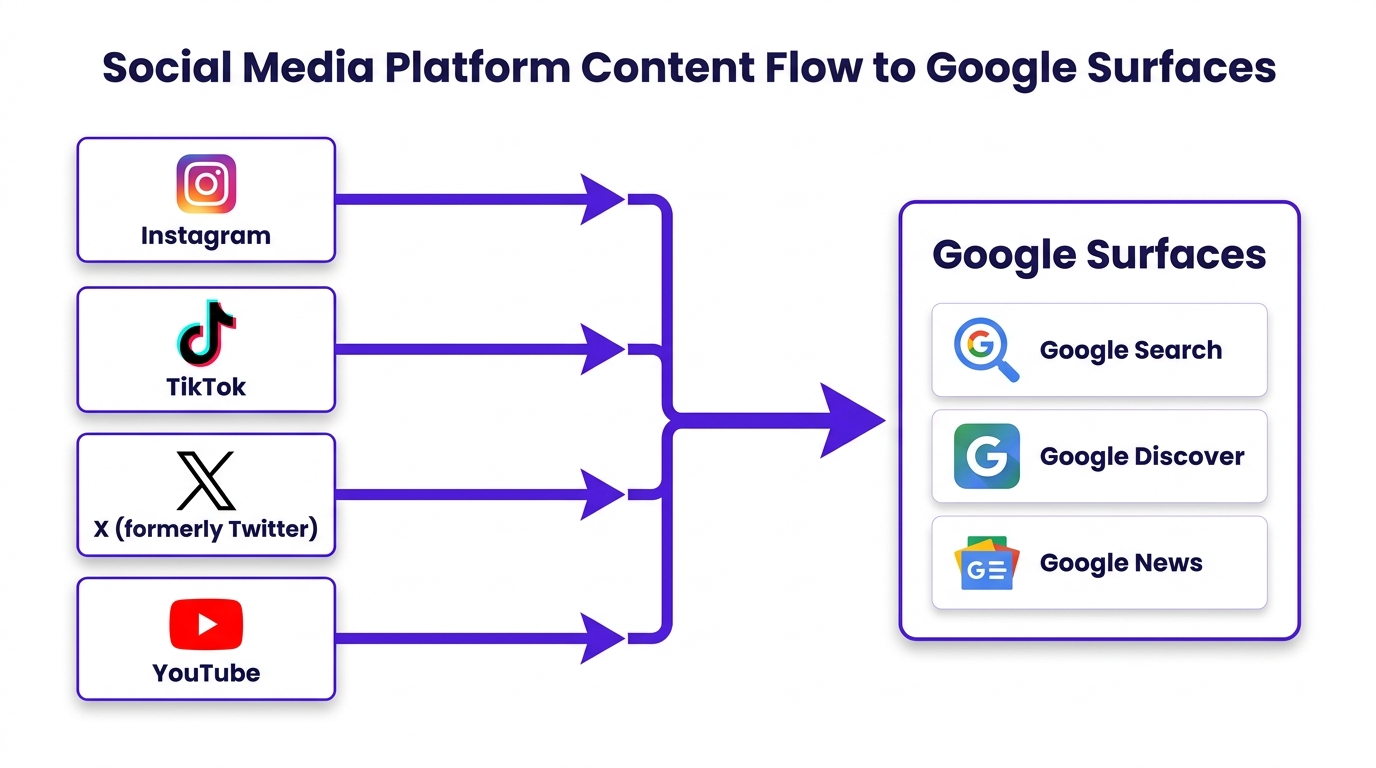
Platform properties track content from major social and video sites as it appears across Google's discovery products.
Supported Platforms & Surfaces
At launch, platform properties focus on the biggest social and video destinations. You can connect accounts from:
- TikTok
- X (formerly Twitter)
- YouTube
Search Console rolls up traffic from Google Search, Google Discover, and Google News anywhere your content is eligible to appear. The result is a clearer view of organic discovery that is not limited to classic keyword searches.
The Rollout: What Just Changed?
Google did not flip this on overnight. Following the July 7 announcement, Google gradually rolled out platform properties over the following weeks. On July 29, Google confirmed that the feature was globally available to everyone.
If you manage brand accounts across regions, that timing matters. You can finally pull the same kind of reporting across the whole lineup instead of explaining why one market has the new view and another does not. Google also published a dedicated guide explaining how creators, social media managers, and SEO professionals can analyse the new data.
It is also worth separating this from the old "property sets" feature from 2016. Property sets were a workaround for grouping multiple versions of a site (HTTP vs. HTTPS, subdomains, and so on) and eventually gave way to domain properties. Platform properties are a different idea entirely: reporting built for the creator economy, where the content people find often lives on someone else's domain.
How to Add Your Social and Video Accounts
Unlike a standard website property, platform properties do not normally require manual DNS or HTML-file verification. Ownership may be verified through a direct platform login or an automated connection with an existing verified property. Accounts already verified through a claimed Search Profile may also appear automatically in Search Console. Here is the flow.
Start by accessing the property selector in your Search Console dashboard.
- Step 1: Open Google Search Console. Head to Google Search Console. In the top-left, open the property selector dropdown.
- Step 2: Add a New Property. Scroll to the bottom and click "+ Add property".
- Step 3: Choose Your Platform. In the dialog, you will see platform options (such as YouTube or Instagram) instead of a domain field. Pick the one you want to connect.
- Step 4: Authorize the Account. Search Console will send you to the platform to sign in and grant permission. That authorization is the verification.
- Step 5: Repeat and Wait. Each profile or channel is added separately. If you manage five Instagram accounts and three YouTube channels, that is eight properties. After verification, give it time; reports can take a few days to populate.
Already claimed your Google Search Profile?
Google says that accounts verified through a claimed Search Profile may already be automatically added as platform properties. Open Search Console and check the property selector before reconnecting each account manually.
What Data Can You Actually See?
Once Search Console starts collecting, you get a smaller set of reports than you would for a full website property. Platform properties currently focus primarily on performance reporting and traffic insights. Google groups the experience into three main report areas.
| Report Name | What It Shows | Best For |
|---|---|---|
| Insights Report | A high-level view of traffic trends, top-performing content, queries, countries, and performance across Google Search, Discover, and Google News where applicable. | A quick weekly pulse check and spotting broad trends. |
| Performance Report | The familiar GSC metrics: total clicks, impressions, CTR, and average position, with filters for query, content URL, country, and device. | Digging into specific questions, comparing formats, and finding query-level opportunities. |
| Achievements | Highlights milestones, such as reaching a new threshold for total Google Search clicks during the previous 28 days. | Keeping tabs on progress and sharing wins with the team. |
The Performance report is where things get interesting. Filters and sorting let you tie a specific query to a specific post or video, which is exactly the connective tissue social teams and SEO teams have been missing.
How to Analyze Your Social and Video Search Performance
Once your accounts are connected and the graphs stop being empty, the question becomes: what do you do with this? The point is not to create a new set of vanity charts. The point is to pull out decisions you can act on. The following sections outline our recommended approach for using the data.
1. Find Out What Your Search Audience Cares About
Your followers are not automatically the same people who find you through Google. Open the Performance report and scan the top queries. Those are the exact phrases people searched before Google showed them your post. We recommend clustering them into themes: tutorials, reviews, comparisons, brand navigation, whatever shows up. Then use those themes to shape what you publish next, from video topics to caption language, and even which subjects deserve a longer piece on your main site.
2. Compare Short-Form vs. Long-Form Video
This is where the feature starts paying rent. In a YouTube property, use the Performance report and filter by URL. Google's own guidance points to comparing /watch (long-form) against /shorts/. Instagram has a similar split: /p/ for posts and /reels/ for Reels. The question is not which format "wins" overall, but which format shows up in search for the topics you care about, and which earns the click once it appears. Now you can answer that with query and CTR data instead of vibes.
3. Find Your Accidental SEO Wins
Every social team knows the feeling: a post you barely sweated suddenly starts pulling attention from somewhere. Platform properties let you see the "somewhere." Look for queries driving impressions that have little to do with your caption or hashtags. Those are the accidental rankings you did not plan for, and they are valuable because they reveal demand you might not have guessed. Treat them as prompts for more intentional follow-ups on the same topic.
4. Compare Performance Across Platforms
Cross-platform comparison still takes some elbow grease. Export performance data from your YouTube, TikTok, and Instagram properties into one spreadsheet and line things up by topic and timeframe. Then you can ask more useful questions: for a given subject, which platform earns the most Google impressions, and which converts those impressions into clicks? You may find, for example, that how-to content consistently surfaces via YouTube, while Instagram pulls more clicks from people searching your brand and looking for context.
5. Revive Old Content That's Trending Up
Here's a method we find effective: set the date range to the last 90 days and sort by impressions or clicks. You are looking for older posts that have started moving again. Sometimes it is seasonality; sometimes it is a news hook; sometimes Google has simply decided your video is newly relevant. Once you spot it, you have options: pin it, repost with updated framing, cut a "Part 2," or expand the subject into a full article. The point is to respond to renewed interest while it is visible in the data.
6. Measure the Impact of Your Changes
Platform properties also make iteration easier to evaluate. If a YouTube video has strong impressions but weak CTR, the query list tells you what people expected to see. Adjust the title and description to better match that intent, then add an annotation in Search Console on the day you made the change. After enough data has accumulated, compare performance before and after the change. Treat any improvement as a useful signal, while accounting for seasonality, demand changes, and other external factors.
A Simple Weekly Workflow
You do not need to babysit these reports daily to get value out of them. A disciplined 30-minute review once a week is usually enough to catch shifts, spot opportunities, and assign one or two concrete fixes. Here is a workflow we recommend that stays lightweight.
- 1. Review the Insights Report: Start with the overview. Is traffic up or down? Did anything new show up in the top content list?
- 2. Dive into the Performance Report: Identify meaningful movement in clicks and impressions. Did one platform spike or slide compared to last week?
- 3. Connect Queries to Content: Pick a top post and inspect the queries driving it. Do the caption and title match what people are actually searching?
- 4. Compare Platforms/Formats: Do a quick format check: Reels vs. static posts, Shorts vs. long-form, and how those splits look for a priority topic.
- 5. Create One Action Item: Keep it focused. Turn one insight into one task: update a YouTube title, make a TikTok that targets a rising query, or cross-promote a post that is already earning Google visibility. If you want a structured way to slot that into planning, a social media calendar prompt can help translate the data into a calendar.
- 6. Annotate Your Change: When you ship an update or publish something based on the data, add an annotation in GSC. Future-you will thank you when you are trying to explain a chart.
What This Means for SEO and Content Strategy
Treating this as "another report" misses what Google is signaling. Google Search Console platform properties expand what teams can measure as an organic discovery surface. Social posts and videos are not just promotional fuel for the website; they are measurable organic assets in their own right when Google is the discovery layer.
It also forces an overdue organizational reset. SEO and social cannot stay in separate lanes if the same query data can inform both. When a TikTok is pulling impressions for a topic with clear demand, that is a strong candidate for a deeper blog post, and now the SEO team can point to evidence instead of intuition. Our perspective is that platform properties give teams a shared dataset that can anchor one organic strategy across multiple publishing channels.
Finally, it is a reminder that discovery is no longer a single "ten blue links" experience. People find content through classic search, through Discover, through News, and through increasingly blended interfaces. Getting a handle on how your content is found is becoming as important as tracking how it ranks, which connects to broader work on AI search performance analytics.
Conclusion: Your Social Content Is Now a Search Asset
For years, social media's impact on SEO was mostly argued in proxies: "brand awareness," "engagement," "referral traffic." Even when a video went viral, it was hard to quantify what that meant inside Google. Platform properties remove a lot of that fog by tying social posts to search queries, impressions, and clicks across Google's own surfaces.
Now the work is operational. Add every eligible social and video account to Search Console and start collecting data while the baseline is still clean. The sooner you do, the sooner you can spot what is working, what is drifting, and where search demand is trying to tell you something. This is less about a shiny new feature and more about finally treating all your content, wherever it lives, as part of one measurable organic presence.
Frequently Asked Questions
What is a platform property in Google Search Console?
A platform property is a Search Console property for a social profile or video channel. It reports how content from platforms like Instagram, TikTok, X, and YouTube performs when it appears on Google Search, Discover, and News.
Which social media platforms can be connected to Search Console?
Right now, platform properties support Instagram, TikTok, X (formerly Twitter), and YouTube. Google could expand the list over time, but those are the available options today.
Does Search Console show views received inside social media platforms?
No. Platform properties only cover performance on Google's surfaces. You will see clicks and impressions from Google Search, Discover, and News, not in-app views or engagement inside TikTok, Instagram, X, or YouTube.
Can I track YouTube Shorts separately from long-form videos?
Yes. In the Performance report, use URL filters to separate formats. URLs containing '/shorts/' correspond to Shorts, while '/watch' indicates standard long-form videos, making it possible to compare how each shows up in search.
Can creators without a website use Google Search Console platform properties?
Yes. Platform properties are built for creators and brands that primarily publish on social and video platforms. You do not need a website to add a platform property and see Google performance data.
