If you’ve ever stared at Meta Ads Manager and tried to coax it into a clean, top-to-bottom funnel view, you’re in familiar company. For years, performance marketers have leaned on a grab bag of campaign naming conventions, manual sorting, and spreadsheet exports just to answer a basic question: how is the funnel doing? The whole routine feels clunky, and it shows its age.
That may finally be loosening up. A handful of advertisers are reporting a new option in Ads Manager that promises a much tidier way to read full-funnel performance. It’s a small UI change, but it could reshape how people scan accounts day to day.
What is the new Meta Ads Manager table grouping update?
Some advertisers are seeing a new “Group table by” option inside the Breakdown menu, available at both the campaign and ad set levels. Meta hasn’t documented it as a broad release, which makes it feel like a familiar Meta test or phased rollout. The feature was first flagged by digital marketing consultant Bram Van der Hallen.
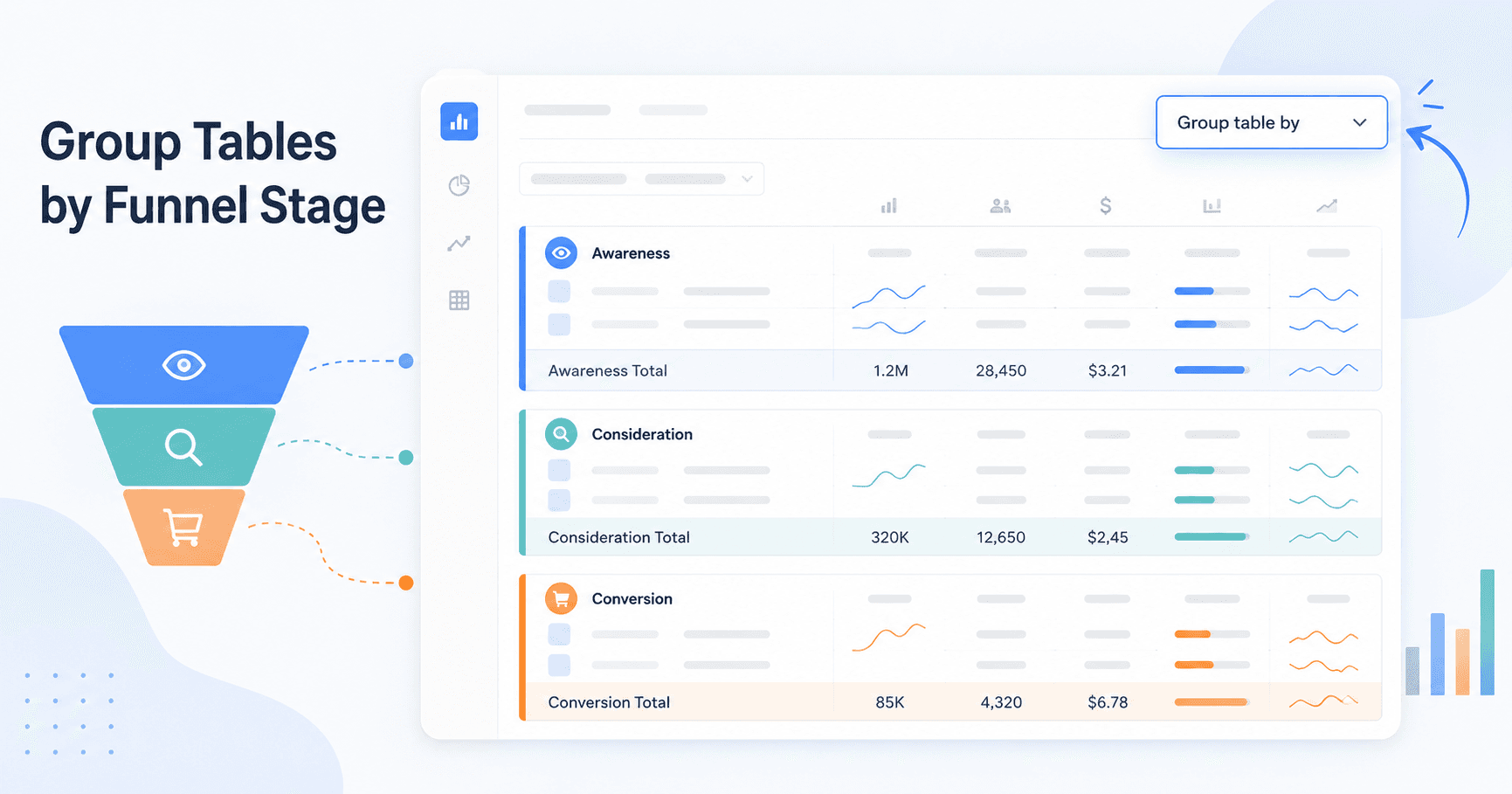
Flip the toggle and the main campaign or ad set table can be reorganized into collapsible sections based on whatever dimension you choose. Instead of a single, endless list, Ads Manager becomes a grouped view you can expand and collapse as you scan for what matters.
What can advertisers group tables by?
Funnel stage is the attention-grabber, but it’s not the only grouping on offer. The test includes several ways to reframe an account’s data without resorting to a basic column sort.
The visible grouping categories include:
- Ad settings: Group by campaign name, delivery status, start date, end date, or special ad category.
- Attribution: Group by attribution setting, conversion event, or conversion location. This can be useful for auditing your Facebook conversion tracking setup.
- Budget and bidding: Group by bid strategy, budget strategy (e.g., Campaign Budget Optimization vs. Ad Set Budget), buying type, or spending limits.
- Business goals: Group by funnel stage, objective (e.g., Awareness, Sales), or performance goal.
Why funnel stage grouping matters
The other groupings are useful, mostly as cleanup. Funnel stage is the one that changes how people actually run full-funnel accounts. Until now, the standard playbook has been strict naming conventions like “TOF - Awareness - Video Views” or “BOF - Sales - DPA,” because that was the only reliable way to get Ads Manager to mirror a customer journey. It worked, but it was always a workaround.
A native Meta Ads Manager group table by funnel stage option would make that workaround feel unnecessary. Instead of betting everything on naming discipline, you could click once and see campaigns bucketed into Awareness, Consideration, Conversion, or Retention. That makes it much easier to compare spend, ROAS, and other key metrics across the journey without exporting a CSV. In other words, if rolled out broadly, Meta Ads funnel stage reporting could move from a spreadsheet-heavy task to a cleaner in-product view.
How this connects to existing Meta breakdowns
This doesn’t look like Meta reinventing reporting so much as polishing the surface of what already exists. Meta Ads Manager breakdowns already let advertisers slice performance by dimensions like time, demographics, placement, and more. You can create and customize reports in Meta Ads Reporting, filter heavily, and use tools to view aggregated data by breakdown in Ads Manager to get a more detailed read on performance.
The catch is that those tools tend to reward precision: you usually need to know what question you’re asking before you start. Table grouping feels aimed at a different moment in the workflow. It’s for organizing the default view quickly, then using the existing Meta Ads Reporting features with less friction once you’ve found the area you want to dig into. The existing system supports a wide range of breakdowns, metrics, and filtering, and you can navigate to breakdowns in Meta Ads Manager to segment your data.
What this means for performance marketers
If Meta ships this broadly, it’s not just a nicer interface. It changes the daily mechanics of analysis. Teams routinely burn hours in spreadsheets replicating the kind of rollups this promises in a single click. A few practical uses stand out right away.
| Use Case | The Old Way (Manual) | The New Way (With Funnel Grouping) |
|---|---|---|
| Compare Spend by Funnel Stage | Export data to a spreadsheet. Build a pivot table based on campaign names containing 'TOF', 'MOF', 'BOF'. | Group table by 'Funnel Stage'. See total spend for Awareness, Consideration, and Conversion as grouped subtotals. |
| Audit Budget & Bidding Choices | Scan the 'Bid Strategy' and 'Budget' columns across dozens of campaigns and try to spot mismatches by eye. | Group table by 'Bid Strategy'. Campaigns using 'Highest Volume' or 'Cost Per Result Goal' appear together for a faster audit. |
| Review Attribution Settings | Open ad sets one by one to confirm the attribution window, or add the column and scroll through a long table. | Group table by 'Attribution Setting'. Quickly spot which ad sets use a 7-day click window versus 1-day click. |
| Analyze Objective Performance | Sort by the 'Objective' column, then manually piece together how all 'Sales' campaigns performed. | Group table by 'Objective'. Get a cleaner view with subtotals for each objective you’re running. |
The throughline is simple: less spreadsheet labor, more time spent on actual analysis. Better Meta Ads campaign reporting inside Ads Manager means fewer exports and fewer homegrown pivots. It also makes it easier to sanity-check things like your Meta Ads budget requirements against real funnel-stage spend.
Is this update available to everyone?
Caution is warranted. Seeing screenshots online doesn’t mean it’s live in your account. As of May 2026, Meta hasn’t published an official announcement for this specific feature. That matters, because “spotted in the wild” usually translates to a limited test across a small slice of accounts. It might expand, it might change shape, or it might disappear.
Before you redesign your team’s reporting workflow around it, confirm you can actually turn it on.
How to check if you have access
Checking is straightforward. It only takes a minute:
- Open Meta Ads Manager.
- Navigate to the main Campaigns or Ad Sets tab.
- Look at the top-right row of buttons just above your data table and click the Breakdown dropdown.
- At the top of the Breakdown menu, look for a section labeled Group table by with a toggle switch.
- If it’s there, toggle it on and test the grouping options available in your account.
Final takeaway
If Meta is testing this, it’s a good signal: the company is paying attention to how performance marketers actually work when they’re managing full-funnel accounts. Native campaign grouping by funnel stage could meaningfully speed up analysis for accounts that have access and make strategy reviews feel less like cleanup work.
Still, until Meta documents it or announces it, treat this for what it is: a rollout someone happened to spot. It’s a glimpse of a cleaner reporting workflow, not something to anchor your entire process to just yet. Check your account; if you have it, experiment. If you don’t, the unglamorous naming conventions are still doing the job for now.
Frequently Asked Questions
What is the Meta Ads Manager “group table by funnel stage” feature?
It’s an unannounced feature that some ad accounts are seeing in Ads Manager. It lets you reorganize the campaign or ad set table into collapsible groups under Business goals, including funnel stage (for example, Awareness or Conversion).
How does funnel stage grouping help with Meta Ads campaign reporting?
It streamlines full-funnel analysis inside Ads Manager. Instead of relying on campaign-name prefixes or exporting data to aggregate it elsewhere, you can view rolled-up metrics for top-, middle-, and bottom-of-funnel activity directly in the interface.
Is this different from the existing Meta Ads Manager breakdowns?
Yes. Breakdowns segment performance by adding rows (for example, splitting results by age). Grouping reorganizes the table itself into separate, collapsible sections, which is a different way to read and compare performance.
Why can’t I see the “Group table by” option in my Ads Manager?
As of May 2026, it appears to be limited to a test or partial rollout. Meta hasn’t officially announced it, and it isn’t present in every ad account. Availability can vary by account and region.
What should I do if I don’t have this feature for Meta Ads funnel stage reporting?
Stick with the current workaround: use a clear, consistent naming convention (such as 'TOF-Awareness' and 'BOF-Sales') so funnel stages are easy to sort or filter. If you need rollups, export the data and analyze it in a spreadsheet.
