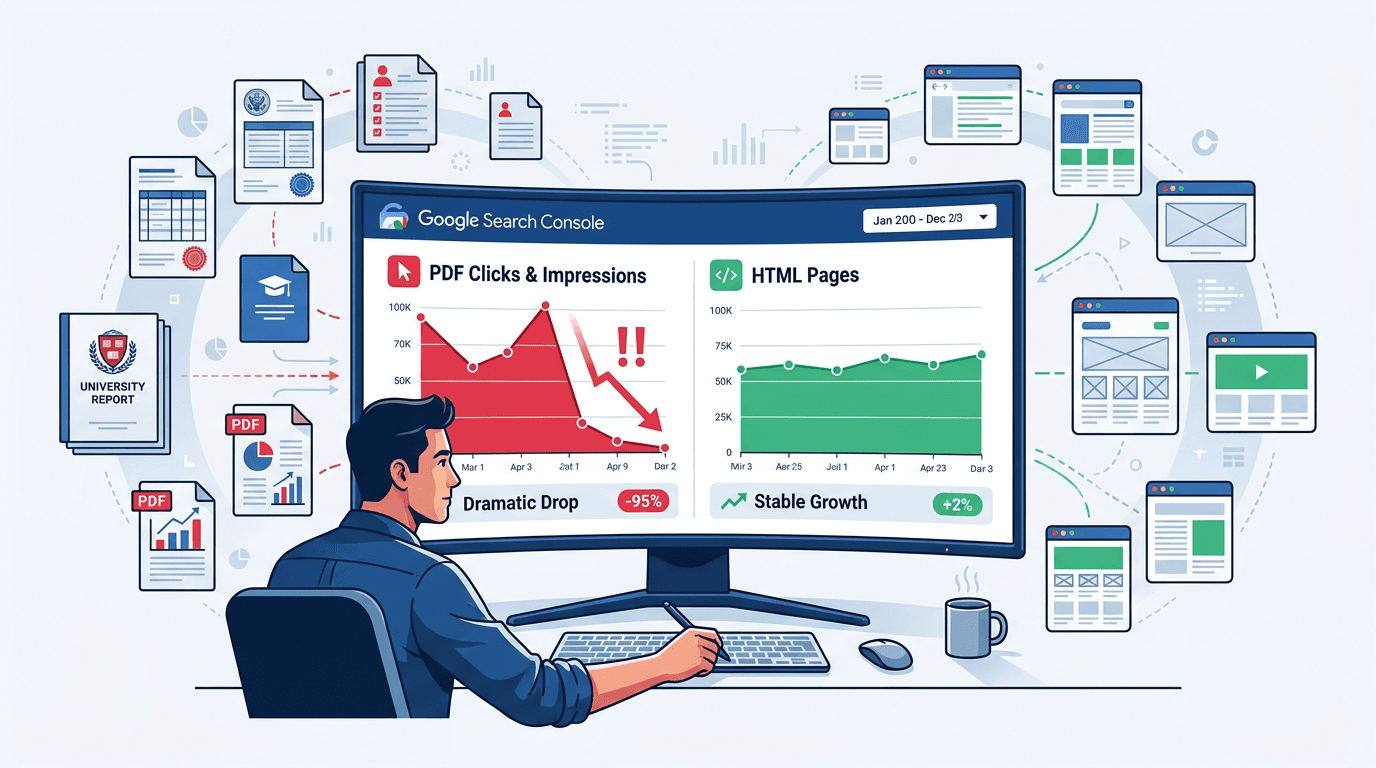
Reports of PDFs disappearing from Google search results have become an urgent problem for government, education, and corporate publishers. Search Console can show collapsing PDF clicks and impressions even when files remain accessible, carry no manual action, and appear technically indexable.
Google has confirmed nothing, which makes migrating an entire document library the wrong first move. The smarter path is to measure the actual visibility change, protect traffic that still has value, and reserve PDF-to-HTML conversion work for assets with proven search demand.
How to respond to falling PDF visibility:
- Diagnose the loss by isolating PDF URLs in Search Console.
- Audit and prioritize documents using historical clicks, impressions, links, and business value.
- Choose an HTML landing page vs PDF strategy for each asset.
- Build gateway pages that satisfy search intent and retain downloads.
- Consolidate indexing signals with redirects, noindex headers, or canonicals.
What's happening to PDFs in Google Search?
SEO practitioners reported sharp PDF impressions decline patterns beginning around August 2026. The Search Engine Roundtable report on fewer PDF results describes lost clicks, lost impressions, and cases where Google appeared to replace direct PDF results with the HTML pages hosting those files. Some operators also saw Google return fewer PDF results when testing the filetype pdf search operator.
The PDF indexing discussion remains based on industry observation rather than a confirmed Google ranking or indexing update. There is also evidence that at least some affected PDF results began returning later in August, so publishers should treat this as an active visibility issue to diagnose rather than proof that Google has permanently deprioritized PDFs. HTML may be easier to present on mobile, connect to site navigation, measure, and reuse in AI-driven results, but AI Overviews causing the shift is only a theory. Google's indexable file type documentation still lists PDF, so distinguish reduced visibility from complete deindexing. Broader factors such as the rise of zero-click searches can also reduce clicks without removing URLs from the index.
Step 1: Complete a PDF traffic loss diagnosis
You need Search Console performance access, analytics, server header access, and a spreadsheet. Open Performance > Search results, select New > Page, and apply URLs containing.pdf. Compare the latest three months against the previous period and the same period last year. A six-to-twelve-month view helps pinpoint where the trend first broke.
Export the Pages and Queries tabs, then record:
- Clicks, impressions, click-through rate, and average position before and after the drop.
- Whether affected PDFs remain indexed using URL Inspection and a site search.
- Device, country, search appearance, and query-level changes.
- HTTP status, robots directives, internal links, sitemap inclusion, and file accessibility.
- Historical backlinks, conversions, downloads, and statutory importance.
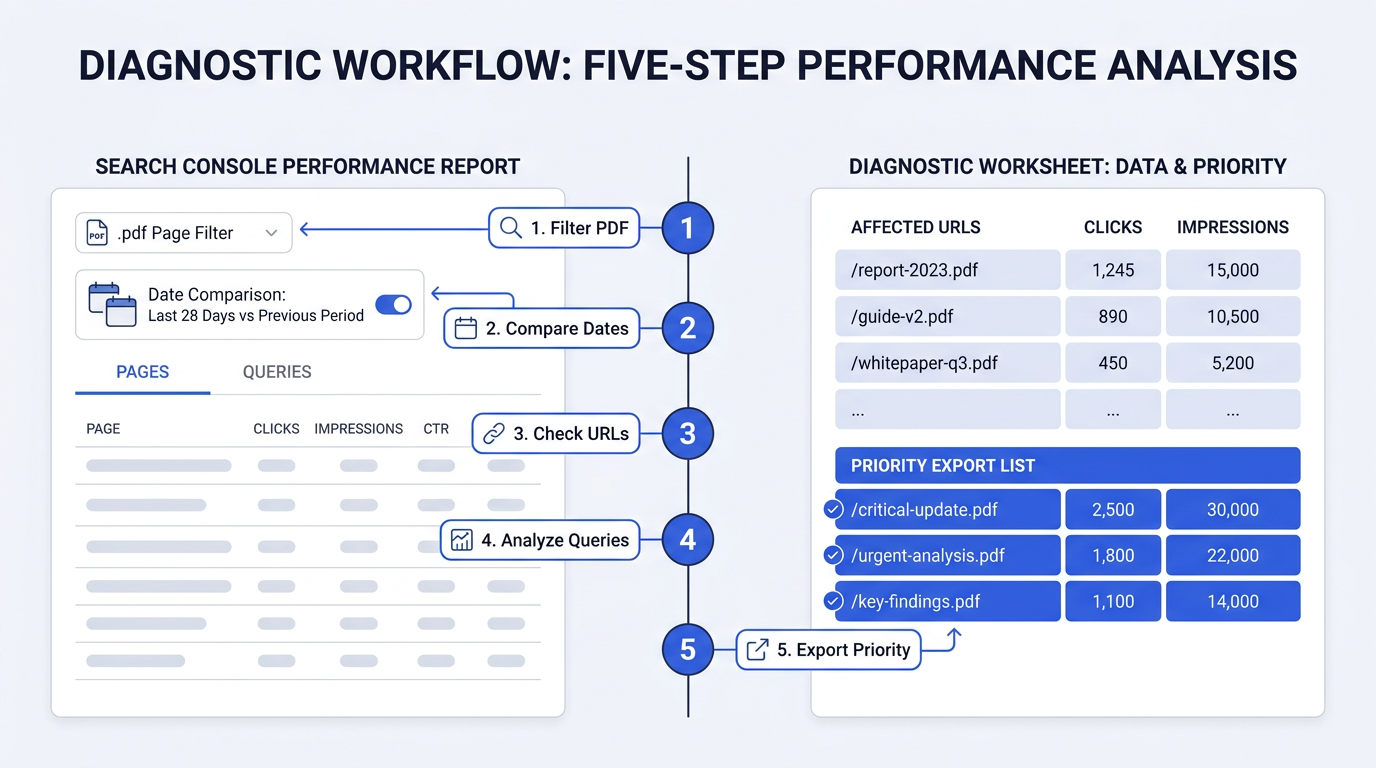
When HTML and PDF URLs both declined on the same date, investigate demand, seasonality, reporting anomalies, and sitewide technical changes before touching any document settings. Vizup's process for diagnosing an impressions drop in Search Console provides a broader control check worth running first.
Warning: Warning: Do not use the filetype operator as your only index count. Search operators are diagnostic clues, while URL Inspection, performance exports, crawl data, and server logs provide stronger evidence.
Step 2: Choose an HTML landing page vs PDF strategy
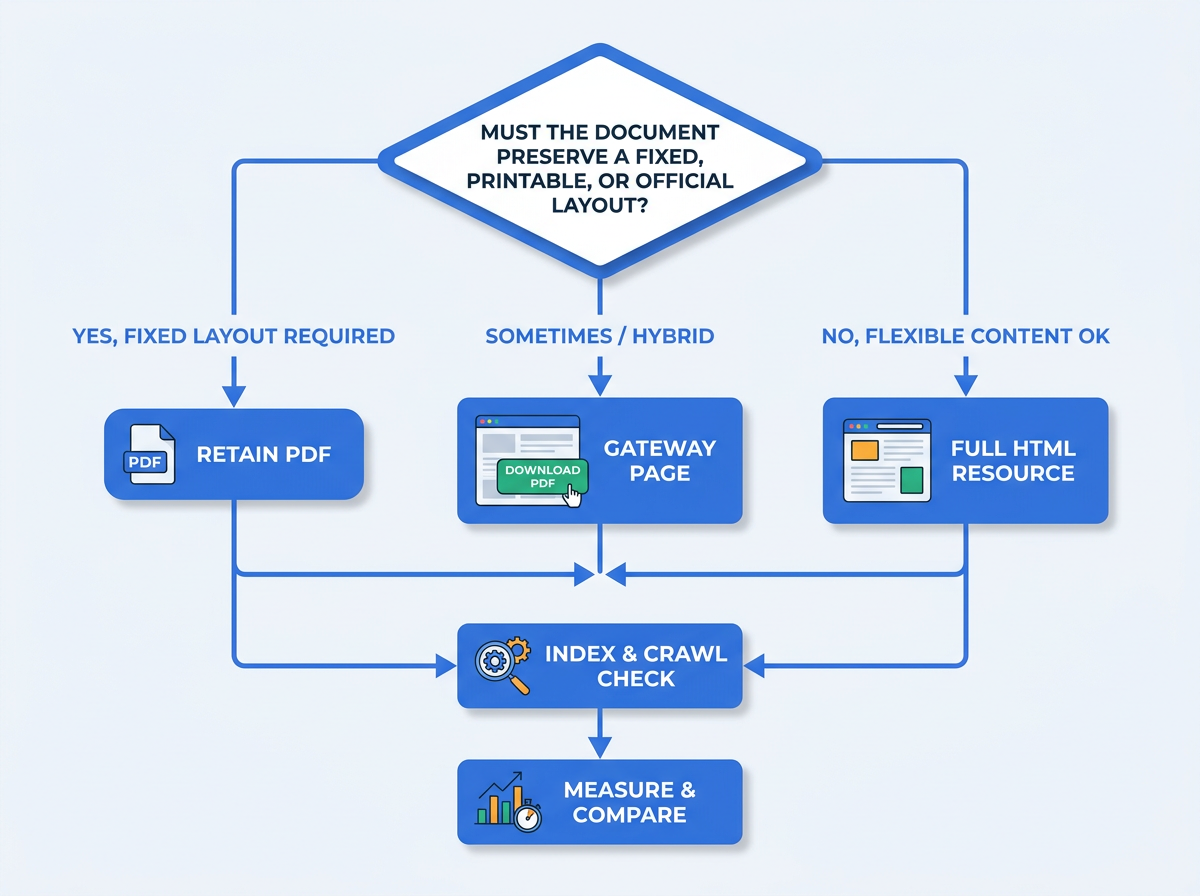
Keep PDFs when the file itself is the product: printable forms, signed notices, certificates, archival records, fixed-layout manuals. Prioritize HTML for reports, policies, course information, research summaries, and documentation that answers search queries. Rank candidates by lost traffic, conversion value, backlinks, freshness, and accessibility impact.
| Attribute | HTML Page | PDF File |
|---|---|---|
| SEO potential | High, with full on-page controls | More limited |
| User experience | Responsive and navigable | Often download-oriented |
| Mobile-friendliness | High with responsive templates | Depends on document layout |
| Trackability | Detailed events and journeys | Limited without extra setup |
| Maintainability | Easy to update centrally | Requires file replacement |
| HTML usually wins for discoverability, while PDFs remain useful for fixed-format distribution. |
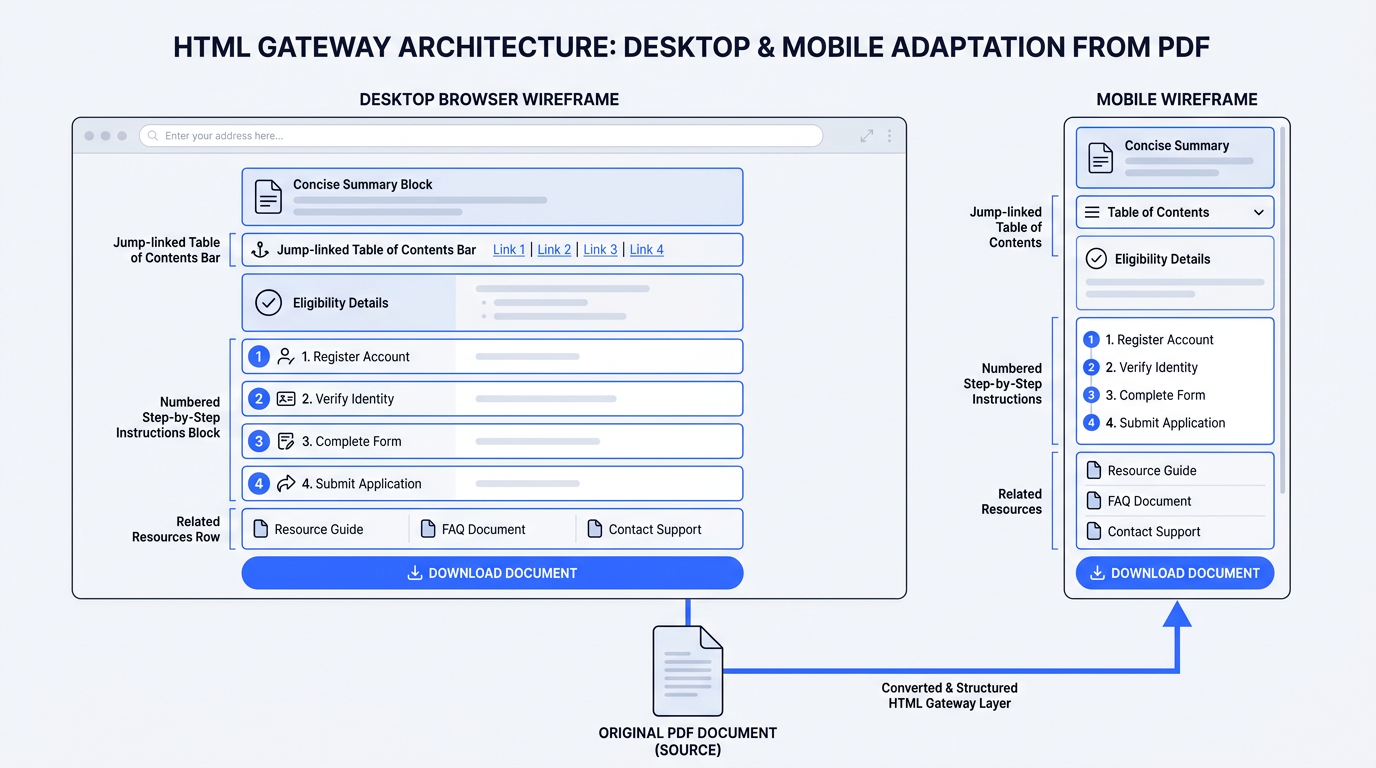
A gateway page is the practical middle ground: it answers the query in HTML, explains what the document contains, and gives users a prominent file link. Start with the top 10 to 20 declining assets, then compare recovery against an unchanged control group before scaling further.
Step 3: Build HTML pages and consolidate signals
Pasting an entire document into a web template without editing it is not a migration strategy. Extract the document's purpose, summary, eligibility rules, deadlines, instructions, and the details users most frequently request. Apply descriptive headings, short paragraphs, lists, accessible images, a jump-linked table of contents, related resources, and a clearly labeled Download PDF link.
Apply these PDF SEO best practices:
- Give the HTML page a unique title, meta description, primary heading, and self-referencing canonical.
- Link the page through navigation, relevant content, and an XML sitemap.
- If replacing the old URL, move the downloadable file to a new URL and 301 redirect the old PDF URL to HTML.
- Send X-Robots-Tag: noindex on the new download URL when it should not compete in search.
- Test the redirect, headers, download, analytics events, and accessibility before release.
What about a canonical tag for PDFs?
A PDF cannot contain an HTML canonical element, but the server can send a Link: <HTML-URL>; rel=canonical HTTP header. Google's canonicalization documentation for non-HTML files supports this as a strong signal. Use a canonical tag PDF header when both versions must remain indexable and a redirect is not feasible. A 301 is the cleaner choice when HTML permanently replaces the indexed PDF. Google combines signals for document indexing, so contradictory canonicals, sitemap entries, redirects, and internal links will work against you.
Common mistakes and troubleshooting
- Migrating everything immediately: test a valuable subset and monitor it for several weeks.
- Redirecting every PDF to one library page: map each file to its closest equivalent HTML destination.
- Noindexing before HTML is ready: this creates a visibility gap with no replacement result.
- Publishing thin gateway pages: provide enough standalone value to satisfy the original query.
- Calling a click decline deindexing: inspect impressions, rankings, index status, and SERP replacements separately.
Where Vizup fits: PDF visibility changes are a good example of why organic discovery should not be monitored through a single metric or surface. Vizup acts as an Organic Autopilot for modern discovery, helping brands monitor, create, optimise, publish, and learn across Search, Social, Communities, AI Answer Engines, and Local Discovery. Its AI agents, human experts, and live SEO, pSEO, AEO, and GEO workflows help teams identify whether a visibility change is isolated to Google Search or part of a broader discovery trend, then prioritise the content and technical actions worth taking. Paid media can be added separately when amplification is needed.
Frequently Asked Questions
Should I noindex all my PDFs?
No. Keep official, printable, or uniquely valuable PDFs indexable unless an HTML page should replace them. Apply noindex URL by URL, based on duplication and search intent.
What if I can't convert all my PDFs to HTML right away?
Start with files that had the largest historical traffic, strongest backlinks, highest conversion value, or greatest public importance. Build concise gateway pages for those first, then expand them over time.
Will Google stop indexing PDFs completely?
There is no confirmation of that. Google's current documentation still identifies PDFs as indexable, so plan around reduced visibility rather than assuming universal removal.
How do I add a noindex tag to a PDF file?
Configure the web server or CDN to return X-Robots-Tag: noindex in the PDF's HTTP response. Verify the live header with an HTTP testing tool and request recrawling.
Is this PDF visibility drop a bug or a permanent change?
Google has not said. Keep before-and-after data, monitor affected and control URLs, and avoid irreversible bulk changes until the pattern holds across several reporting cycles.
