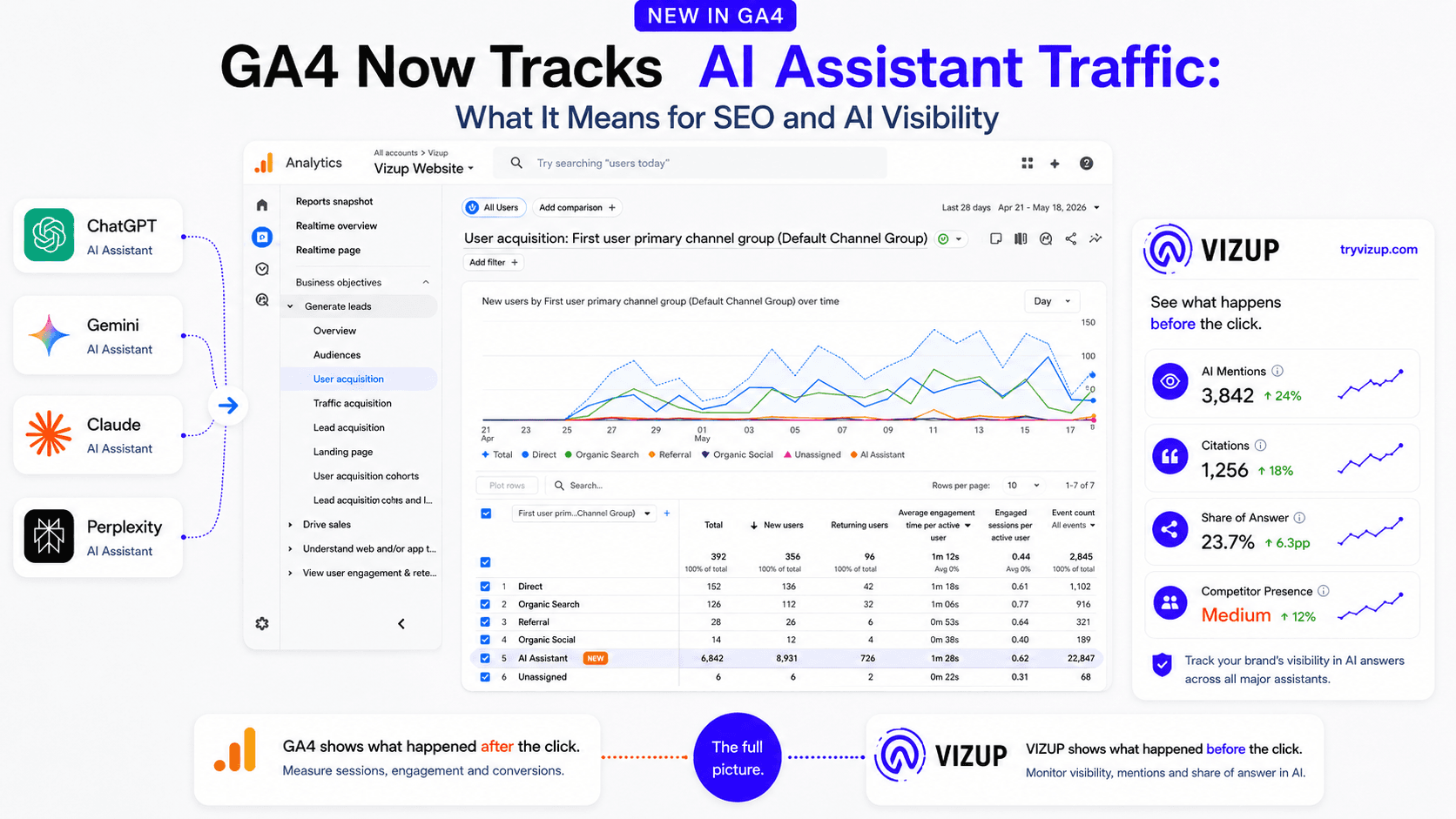
For years, we’ve treated traffic from tools like ChatGPT as a measurement headache. It was a jumbled mess, often dumped into the ‘Referral’ bucket or, worse, disappearing into ‘Direct’ traffic. You knew it was happening, but you couldn’t cleanly isolate it, measure it, or build a strategy around it. That just changed.
Google Analytics has officially recognized that AI assistants are now a legitimate source of traffic, not just an anomaly. But this new visibility inside GA4 is a double-edged sword. It shows you what happens after a user clicks a link in an AI-generated answer. It tells you nothing about the most important part: where and how your brand appeared inside that answer in the first place.
What changed in GA4?
As of May 2026, Google Analytics now automatically classifies traffic from recognized AI assistants. Before this, if you wanted to track AI traffic in GA4, you had to build custom channel groups using regex, a clunky workaround that most teams never bothered with. Now, it’s automatic.
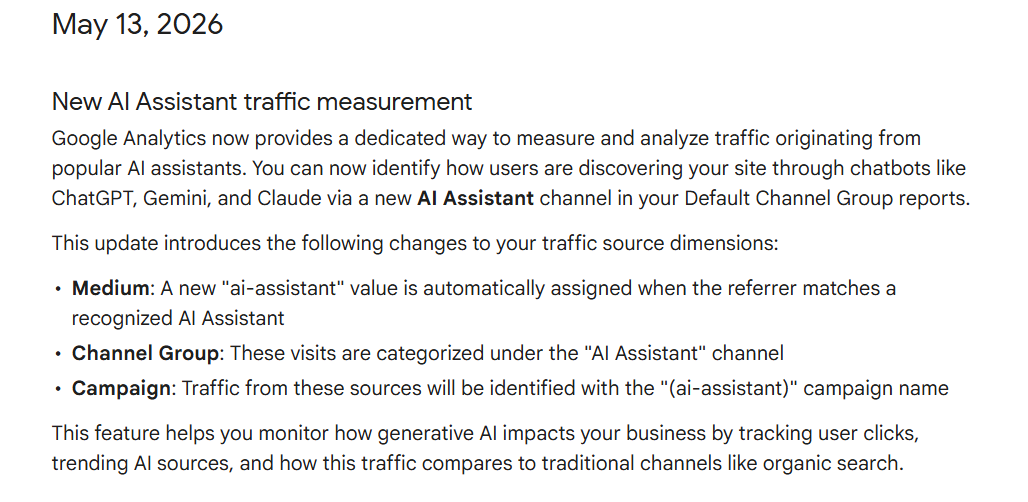
According to Google’s official Analytics documentation, GA4 now includes a dedicated AI Assistant channel in Default Channel Group reports to help marketers identify traffic from AI assistants such as ChatGPT, Gemini, and Claude. Google also clarifies that this channel excludes traffic from Google AI Overviews and AI Mode, which are still grouped under Organic Search.
When GA4 detects a click from a known AI tool, it assigns these values:
- Medium:
ai-assistant - Channel Group:
AI Assistant - Campaign:
(ai-assistant)
This finally gives GA4 AI Assistant traffic a proper seat at the analytics table.
Understanding the Default Channel Group
To appreciate this change, you need to understand how GA4 organizes traffic. The Default Channel Group is GA4's rule-based system for sorting your traffic into high-level categories. Instead of just giving you a raw list of sources and mediums, it bundles them into familiar buckets like 'Organic Search', 'Direct', and 'Referral'. The addition of 'AI Assistant' to this list is significant because these default groupings are the foundation for top-level performance analysis in GA4.
Here are some of the core channels defined by Google, including the newest addition.
| Channel | Description |
|---|---|
| AI Assistant | Traffic from sources like ChatGPT or Gemini. It excludes Google's AI Overviews and AI Mode. |
| Direct | Users who arrive by typing your URL directly or using a bookmark. |
| Organic Search | Users who arrive from non-ad links in search results, including Google's AI Overviews. |
| Organic Social | Users arriving from non-ad links on social media sites like Facebook or Twitter. |
| Paid Search | Traffic from clicking ads on search engine results pages. |
| Referral | Users who arrive via non-ad links on other websites (e.g., blogs, news sites). |
| Display | Traffic from display ads, including those on the Google Display Network. |
Why this update matters for marketers
This isn’t just a small tweak to your reports. It’s a signal that AI tools are no longer just fringe discovery platforms; they are becoming measurable acquisition sources. For the first time, you can compare AI Assistant traffic side-by-side with your other core channels: Organic Search, Paid Search, Referral, and Direct.
This is a fundamental shift. For over a decade, the digital marketing playbook has revolved around a few key default channel groupings. Now, a new one has officially entered the arena. The New AI Assistant traffic measurement, announced by Google on May 13, 2026, means we can finally stop guessing and start measuring the real impact of being mentioned in an AI response. It moves the conversation from “Is AI sending us traffic?” to “How valuable is that traffic?”
What questions can marketers now answer?
With the new AI Assistant channel in GA4, a whole new set of performance questions becomes answerable. You can now pull real data to find out:
- Which AI assistants send traffic? By adding 'Session source/medium' as a secondary dimension, you can see if your traffic is coming from
chatgpt.com,gemini.google.com, or others. - Is AI traffic growing month over month? You can trend the AI Assistant channel over time, just like any other channel, to see if your AI search visibility optimization efforts are paying off.
- Which landing pages get AI-driven visits? The Landing Page report, filtered for the AI Assistant channel, shows you exactly what content the AIs are citing.
- Do AI assistant visitors convert better than organic search visitors? This is the big one. You can now compare conversion rates and revenue per user between AI Assistant and Organic Search to understand intent and quality.
- Which content formats attract AI-driven traffic? Are AI tools citing your blog posts, your product pages, or your documentation? The data will tell you what content is seen as most authoritative by the models.
This level of AI traffic attribution was impossible without manual, often fragile, setups. Now, it’s a standard feature.
What GA4 still cannot tell you
Here’s the catch. GA4 tells you what happens after the click. It’s an attribution tool, and it does its job well. But it is completely blind to everything that happens before the click, inside the AI chat itself. This is the part that I’ve seen trip up countless brands who think analytics tells the whole story.
GA4 can show you a visit. It cannot show you:
- Where and how your brand appeared in the AI answer.
- Whether competitors were recommended above you, or instead of you.
- Which specific user prompts triggered your brand's mention.
- Whether you were cited with a link or just mentioned by name (a zero-click mention).
- How often your brand was missing from relevant AI answers where you should have appeared.
- The total number of AI impressions where no click happened.
Seeing a trickle of traffic from ChatGPT, Gemini, Claude, or Perplexity in Google Analytics is nice, but it’s a vanity metric if you don't know the context. Are you the top recommendation, or a footnote in an answer that primarily features your biggest competitor? GA4 has no idea. This is the visibility gap, and it's where most of the strategic value lies.
Why this changes SEO reporting
For two decades, SEO reporting has been built on a foundation of rankings, clicks, impressions, and click-through rate (CTR). That model is breaking. AI search doesn't have ten blue links on a page. It has one answer. Being included in that answer is the new 'ranking'.
This means traditional SEO reports are now incomplete. They need another layer: visibility inside AI-generated answers. Your monthly reports should still include organic traffic, but they must now be supplemented with new metrics for AI search traffic tracking. Teams need to start reporting on AI mentions, citations, share of answer, sentiment, and, of course, AI-driven conversions. This is a crucial step in understanding why visibility metrics matter more than just traffic alone.
How to check AI Assistant traffic in GA4
Finding the new report is straightforward. Here’s the quick path:
- In your Google Analytics property, navigate to Reports → Acquisition → Traffic acquisition.
- The main table defaults to the
Session default channel groupdimension. Look for a new row labeled AI Assistant. - Click the blue
+sign to add a secondary dimension. Choose Session source / medium to see which specific AI platforms are sending traffic. - Add other secondary dimensions like Landing page + query string to see which pages are being linked to, and Key events to compare conversion actions against Organic Search.
This simple report is your new starting point for analyzing AI referral traffic.
How Vizup fits into this new workflow
This is where you connect the dots. GA4 tells you what happened after someone clicked. Vizup is designed to tell you what happened before that click.
While GA4 can confirm you got a visit from Gemini, Vizup shows you the exact answer Gemini generated, including which of your competitors it mentioned right next to you. While GA4 shows you which landing page got the click, Vizup helps you benchmark LLM visibility to see where you're not getting mentioned at all. It provides the pre-click context that analytics alone will always miss, moving you from just tracking traffic to actively optimizing LLM referral traffic.
Final takeaway
The new AI Assistant channel in GA4 is a welcome and long-overdue sign that AI search is becoming a real, measurable acquisition channel. It’s a solid first step. But traffic is only one part of the story. It's the end result, not the cause.
To understand and influence your performance in this new landscape, you need to combine post-click attribution from GA4 with pre-click monitoring of the AI answers themselves. One tells you what happened; the other tells you why. And in my experience, the brands that understand the 'why' are the ones that end up winning.
Frequently Asked Questions
What is the GA4 AI Assistant traffic channel?
It is a new default channel group in Google Analytics 4 that automatically categorizes traffic coming from recognized AI chatbots like ChatGPT, Gemini, and Claude. It uses the ai-assistant medium to separate this traffic from general Referral or Direct traffic.
How do I track AI traffic in GA4?
You can find it in the Reports > Acquisition > Traffic acquisition report. Look for 'AI Assistant' in the 'Session default channel group' dimension. No special setup is required as of May 2026.
Does this include traffic from Google's AI Overviews?
No. According to Google's documentation, traffic from AI Overviews and AI Mode in Google Search is still categorized as 'Organic Search', not 'AI Assistant'. The new channel is specifically for referrals from standalone chatbot tools.
Why don't I see any traffic in my AI Assistant channel yet?
The feature began rolling out in mid-May 2026 and may take several weeks to appear in all GA4 properties. Also, it only applies to traffic from the date it's enabled on your property forward; it is not retroactive. Finally, if you receive no traffic from recognized AI assistants, the channel will not show data.
What's the difference between AI visibility and AI traffic?
AI traffic is the click that lands on your site, which GA4 measures. AI visibility is your brand's presence within the AI-generated answers themselves (mentions, citations, and comparisons) which happens before a click. True AI search visibility optimization requires monitoring both.
