Be honest: scrolling a grid of a thousand near-identical images was never a great way to find anything. It’s visual overload. Type a broad query like “modern kitchen ideas,” and you get a wall of white cabinets and quartz countertops that all start to look the same. Bing seems to agree, and its latest change is a direct attempt to fix that.
Microsoft is calling it an evolution of Bing Image Search, and it has now officially rolled out a new AI-guided Image Search experience. The pitch is simple: make visual discovery feel less like chaos by having AI impose some order. Instead of dumping a grid on the screen and calling it a day, Bing tries to steer you through the options. If you work in SEO, marketing, or publishing, that’s not just a UI refresh; it’s a hint about where search results are going.
So, What Is Bing AI Image Search?
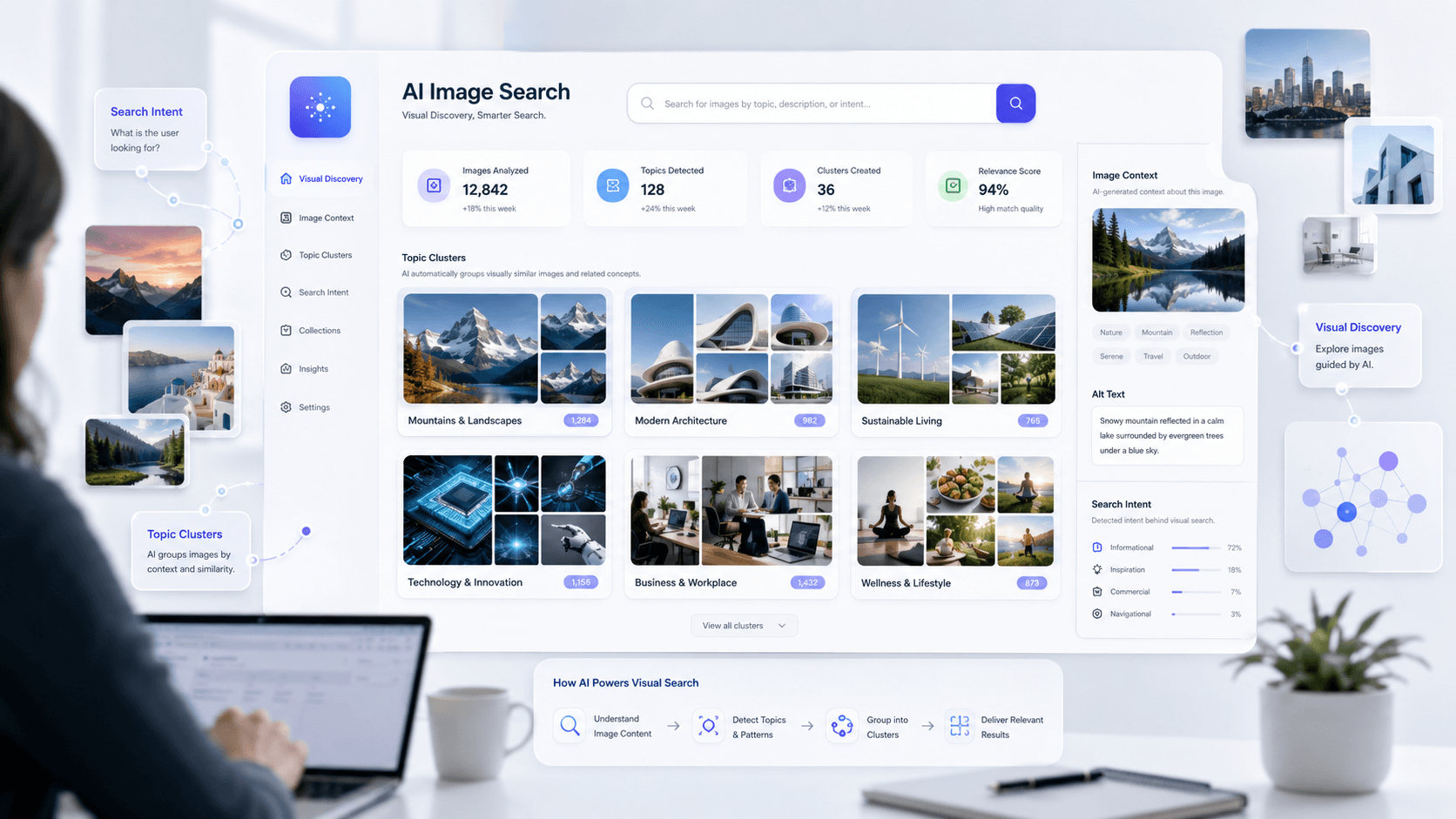
Bing AI Image Search adds an intelligence layer on top of the familiar image results page. Rather than the endless, uniform grid, Bing uses AI to group images into categories and pair them with short, generated summaries. The idea is to turn mindless scrolling into something closer to browsing with direction.
Microsoft announced the rollout in May 2026, with the new AI-guided Bing Image Search experience available for Bing users in the United States across desktop and mobile web, and broader rollout expected over time. Run a broad search and the system may cluster results by themes, styles, or concepts. With “home office setup,” that can look like groupings for “small spaces,” “minimalist designs,” or “dual monitor setups.” It’s a more curated flow, and eligible users can access it through the “New Version” toggle in Bing Image Search.
What Has Actually Changed?
The real shift is from showing to guiding. For years, image search has mostly been a digital photo dump. The new AI image search experience changes the relationship between the user and the results. Here’s what’s different on the page:
- AI-Organized Exploration: Instead of doing all the mental sorting yourself, you get an AI first pass at organizing the results.
- Clearer Visual Groupings: Themed collections make it easier to spot patterns and narrow the search without starting over.
- Less Cluttered Browsing: Grouping similar images reduces the repetitive, copy-paste feel of many results pages.
- Easier Discovery: Broad queries now come with suggested directions you might not have tried, turning image search into more of a discovery tool.
I’ve spent a decade watching search engines wrestle with the paradox of choice. More results don’t automatically mean better results. This update is Bing admitting that, for visual queries, context matters as much as the pictures themselves. It’s not just presenting images; it’s trying to explain what you’re looking at.
Why Is Bing Doing This? The Bigger Picture
This doesn’t happen in isolation. It fits Bing’s broader bet on generative search: using AI to build richer, more contextual layouts that go beyond a plain list of ten blue links. We’ve already seen that direction with Bing generative search and how it ties into Copilot. Updating image search is the next step in the same playbook.
Traditional search largely matched keywords to documents. The newer model, which you can unpack through ideas like Bing AI grounding vs. traditional indexing, is about interpreting intent and assembling an answer. AI-guided image search follows that logic: it’s a constructed visual response, not just a pile of JPEGs.
What This Means for Image SEO
This is where it starts to matter for practitioners. For years, image SEO was a pretty clean game: get into the grid and win the click. That’s no longer the whole job. When an AI system is acting as the curator, your priority becomes making images easy to interpret, categorize, and trust. That’s the practical meaning of image SEO for AI search.
The emphasis shifts from raw ranking to contextual fit. It’s not only the pixels; it’s the surrounding signals. Your image has to make sense as part of the page it lives on.
Think about the signals you're sending:
- Descriptive File Names:
modern-oak-dining-chair.jpgcarries meaning.IMG_8452.jpgis noise. - Clear Alt Text: This isn’t just an accessibility formality anymore. It’s a primary input for how the AI understands what’s in the frame.
- Strong Surrounding Content: A chart image becomes more useful when the nearby text explains what the chart shows.
- Helpful Captions: Captions are a chance to add context that isn’t obvious at a glance.
- Structured Page Context: Is it a product page, a recipe, or a news article? Schema markup helps make that explicit.
- Topical Relevance: A golden retriever photo belongs on a page about dog breeds, not car insurance. Obvious, yes, but still routinely ignored.
- Originality: AI systems group and organize; they also notice sameness. If your page uses the same stock photo as everyone else, you’re giving it nothing distinctive to surface.
The old best practices haven’t disappeared; they’ve become the minimum for being legible to an AI system. The work of improving brand visibility in AI search now includes making sure your visual assets read cleanly to machines, not just humans.
How This Changes Things for Brands and Publishers
For brands and publishers, visuals just moved up the priority list. AI-guided discovery changes how people stumble into products, destinations, recipes, and visual explainers. Images aren’t mere decoration in that flow; they can be the front door.
A useful gut-check: are your visuals easy for an AI to classify? If a travel blog posts a beach photo from Thailand, is there enough context for Bing’s AI to sensibly file it under “quiet beaches,” “family-friendly resorts,” or “budget travel destinations”? The sites that send the clearest signals are the ones most likely to get surfaced inside these curated groupings. That’s a core part of a modern AI search visibility optimization strategy.
Bing AI Image Search vs. Bing Generative Search vs. Bing Visual Search
The naming gets messy fast, so it’s worth separating the terms. They’re related, but they’re not the same thing.
| Feature | Primary Function | User Action |
|---|---|---|
| Bing AI Image Search | Organizes and categorizes image results so they’re easier to browse. | User types a text query and explores AI-curated groups of images. |
| Bing Generative Search | Builds AI-generated search result layouts with summaries and added context. | User types a query and gets a dynamic, magazine-like SERP rather than a simple list of links. |
| Bing Visual Search | Searches the web with an image as the input. | User uploads or snaps a photo to find similar products, identify landmarks, and more. |
| Clarifying the different AI-powered search functions within Bing. |
Put simply: AI Image Search reorganizes what Bing returns, while Bing visual search changes what you start with by letting an image be the query. Both are separate from Bing generative search, which reshapes the entire results page. It mirrors what’s happening elsewhere too, including Google's AI-powered search and how AI mode changes SEO more broadly.
A Practical Checklist to Prepare Your Website
Vague advice won’t help anyone. Treat this as a checklist you can actually run against your site, page by page.
- Use Original Images: Don’t lean entirely on stock. Original photography, diagrams, and charts are assets AI systems can’t just find on every other site.
- Write Natural Alt Text: Describe what’s there the way you would to a person. If it’s a chart, state the main finding. Skip the keyword stuffing.
- Add Helpful Image Captions: When the image needs more context than alt text can carry, use a caption. It’s prime space for relevance signals.
- Place Images Near Relevant Text: The text around an image is a strong contextual cue. Don’t strand visuals at the bottom of the page.
- Avoid Thin Pages: A gallery with little or no supporting text is a black box for AI. Give it substance to interpret.
- Use Structured Data: Use Schema.org markup for Products, Recipes, Articles, and any other relevant types so the page’s purpose is explicit.
- Ensure Crawlability: Don’t block images with robots.txt, keep to supported file formats, and make sure image URLs stay stable and accessible.
Final Takeaway
Bing’s update isn’t just a Bing story. It’s another marker that search is moving from simple lists toward guided, AI-organized experiences. The era of only “ranking” is giving way to an era of being “understood.”
For SEO teams and marketers, the job description is shifting with it. We’re not only optimizing for crawlers scanning for keywords; we’re optimizing for AI curators trying to judge context, quality, and relevance. The more clear, useful, and well-framed your visual content is, the better positioned you’ll be as these interfaces become the default.
Frequently Asked Questions
What is Bing AI Image Search?
Bing AI Image Search is Bing’s AI-guided image discovery experience. It groups visual results into categories so people can browse with less clutter and more context.
Is Bing AI Image Search officially launched?
Yes. Bing announced the AI-guided Image Search experience on the official Bing Search Blog in May 2026 and rolled it out as an opt-in feature.
Does this affect image SEO?
Yes. The update points image SEO for AI search toward clearer context: solid alt text, useful captions, relevant surrounding copy, and strong page-level relevance, not only traditional ranking signals.
Is Bing AI Image Search the same as Bing Visual Search?
No. Bing AI Image Search focuses on AI-guided exploration of image results. Bing Visual Search is the feature that lets you search with an image as the query, such as a photo from your phone.
How can websites prepare for AI image search?
Prioritize high-quality original images, write descriptive alt text, add relevant captions, keep images close to explanatory text, use structured data when it fits, and make sure images are crawlable.
