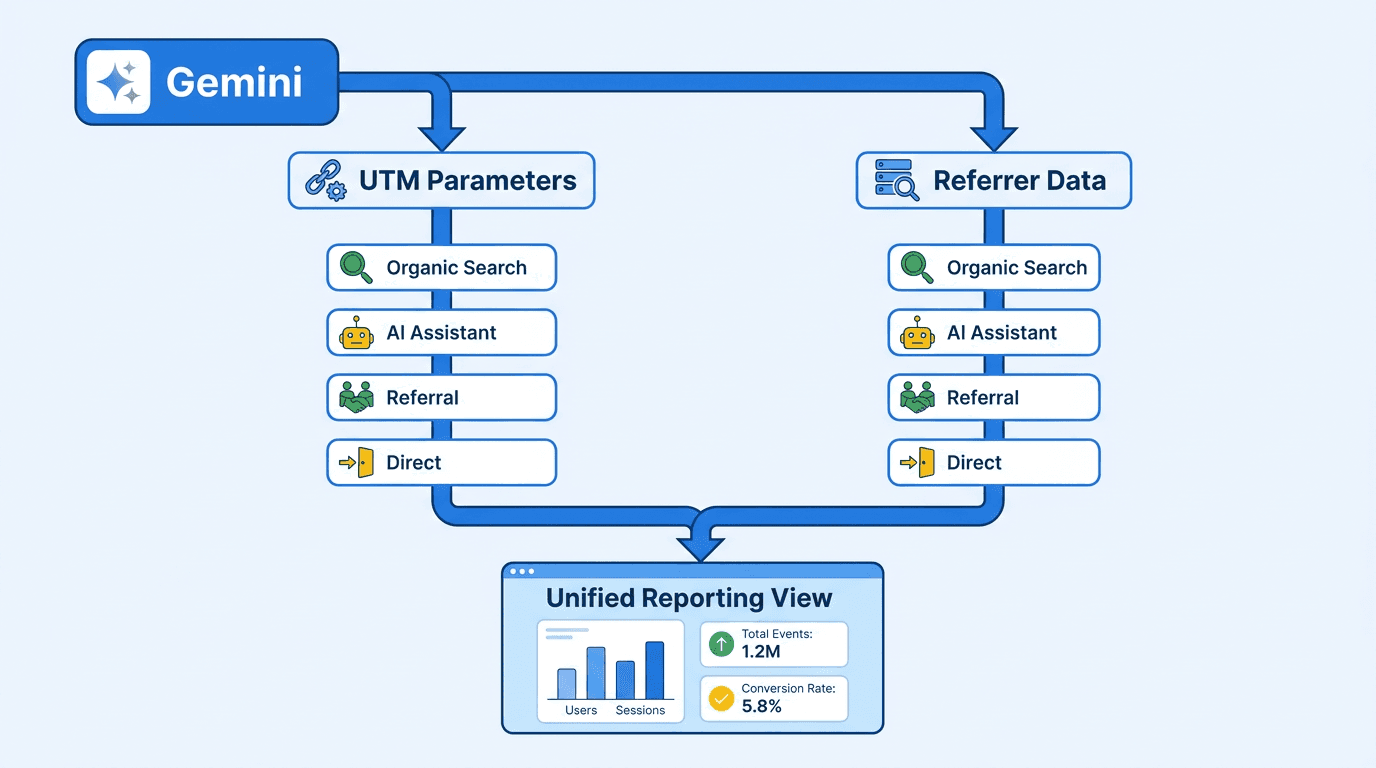
You see a sudden increase in sessions carrying Gemini UTM parameters. Is Gemini actually sending more visitors, or did attribution just get more reliable? That distinction matters before growth, SEO, or marketing operations teams report the spike as a performance win.
Google's tagging improves AI visit attribution, especially where mobile apps previously stripped referrers. It does not fix fragmented channels, undocumented coverage, or broken historical comparisons. The process below shows how to build a defensible reporting view.
How to measure Gemini traffic in GA4:
-
- Isolate UTM-tagged and referrer-based Gemini sessions.
-
- Compare both signals with the default AI Assistant channel.
-
- Create a Unified AI custom channel group.
-
- Annotate tracking changes and report coverage limitations.
Prerequisites and reporting scope
You need GA4 property access, permission to create Explorations, and Editor or Administrator access for channel groups. Pick a reporting start date and record when Gemini tagging first appears in your property. That annotation is what separates genuine acquisition changes from improved detection.
Step 1: Isolate Gemini UTM parameters and referrals
Earlier Gemini visits commonly appeared as gemini.google.com / referral, bard.google.com / referral, Direct, or Referral. GA4 added its native AI Assistant channel on May 13, 2026 for traffic from recognized AI assistants, but lost referrers still caused AI traffic undercounting.
Around October 2026, Google began adding utm_source=gemini and utm_medium=organic to some outbound links. Search Engine Journal's Gemini attribution report explains that mobile traffic was particularly prone to losing referrer data and falling into Direct. These tags make utm_source Gemini tracking more persistent across app and browser transitions.
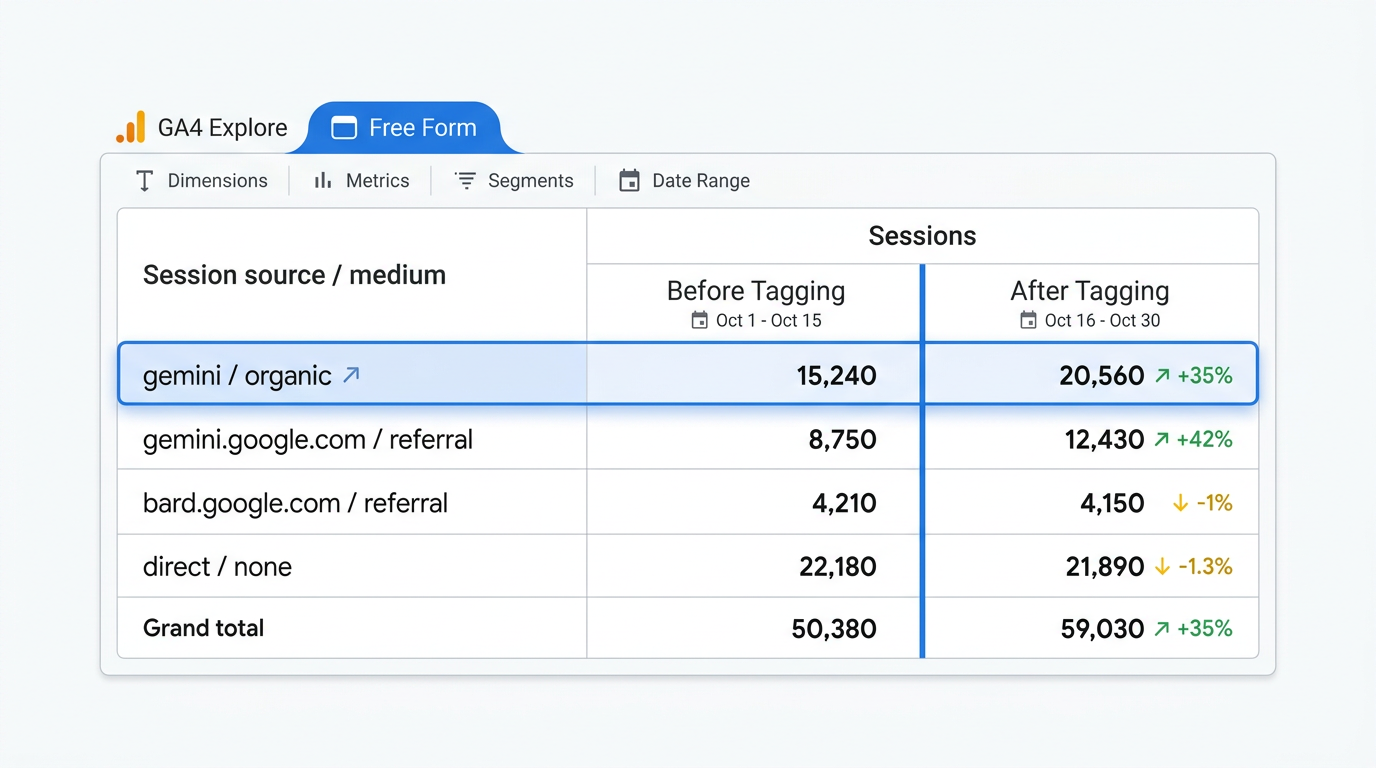
Build the Exploration:
- Open Explore, choose Free form, and set a date range spanning the tagging change.
- Add Session source / medium and Session default channel group as dimensions.
- Add Sessions, Engaged sessions, Conversions, and Total revenue as metrics.
- Filter Session source with a regex such as
gemini|bard, then comparegemini / organicwith referral rows.
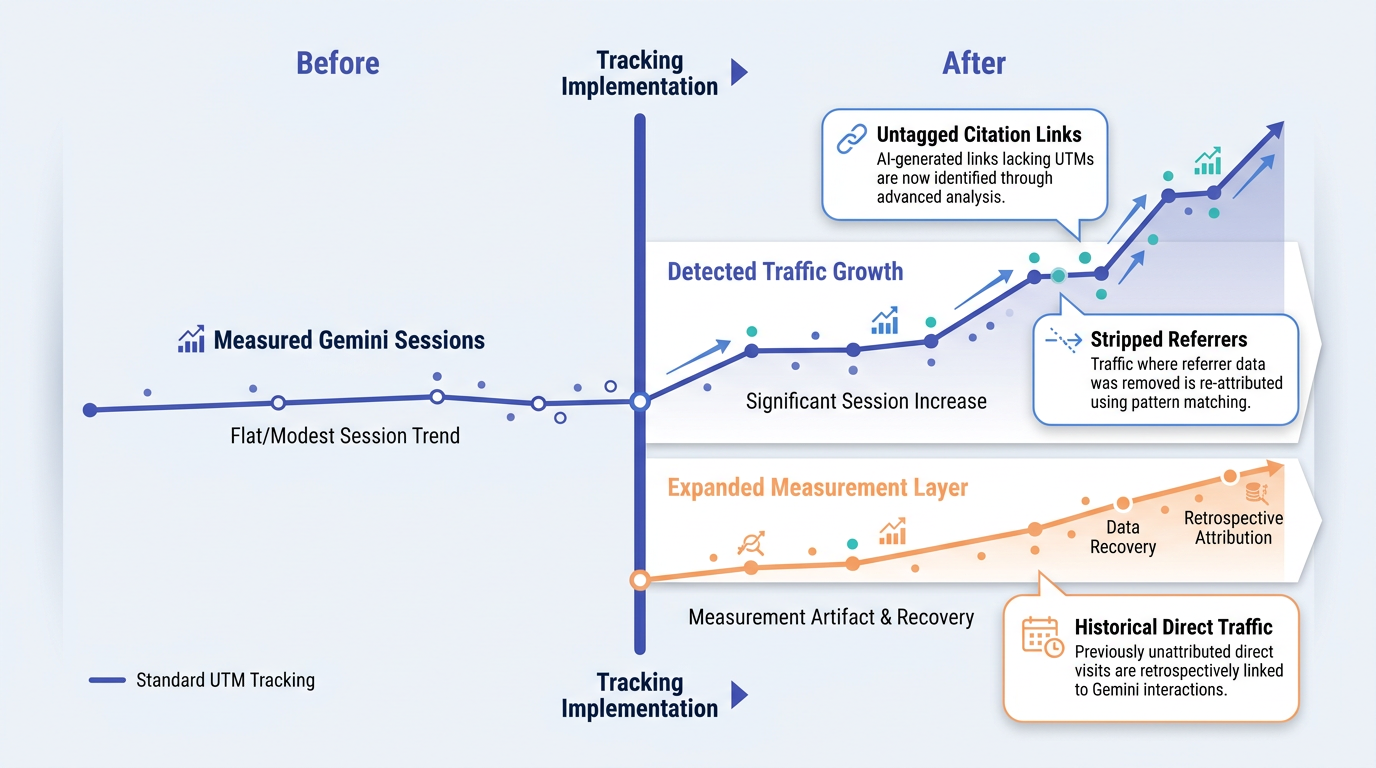
Warning: Do not compare raw Gemini sessions before and after tagging without an annotation. Improved detection can resemble acquisition growth.
Step 2: Reconcile UTMs with the AI Assistant channel
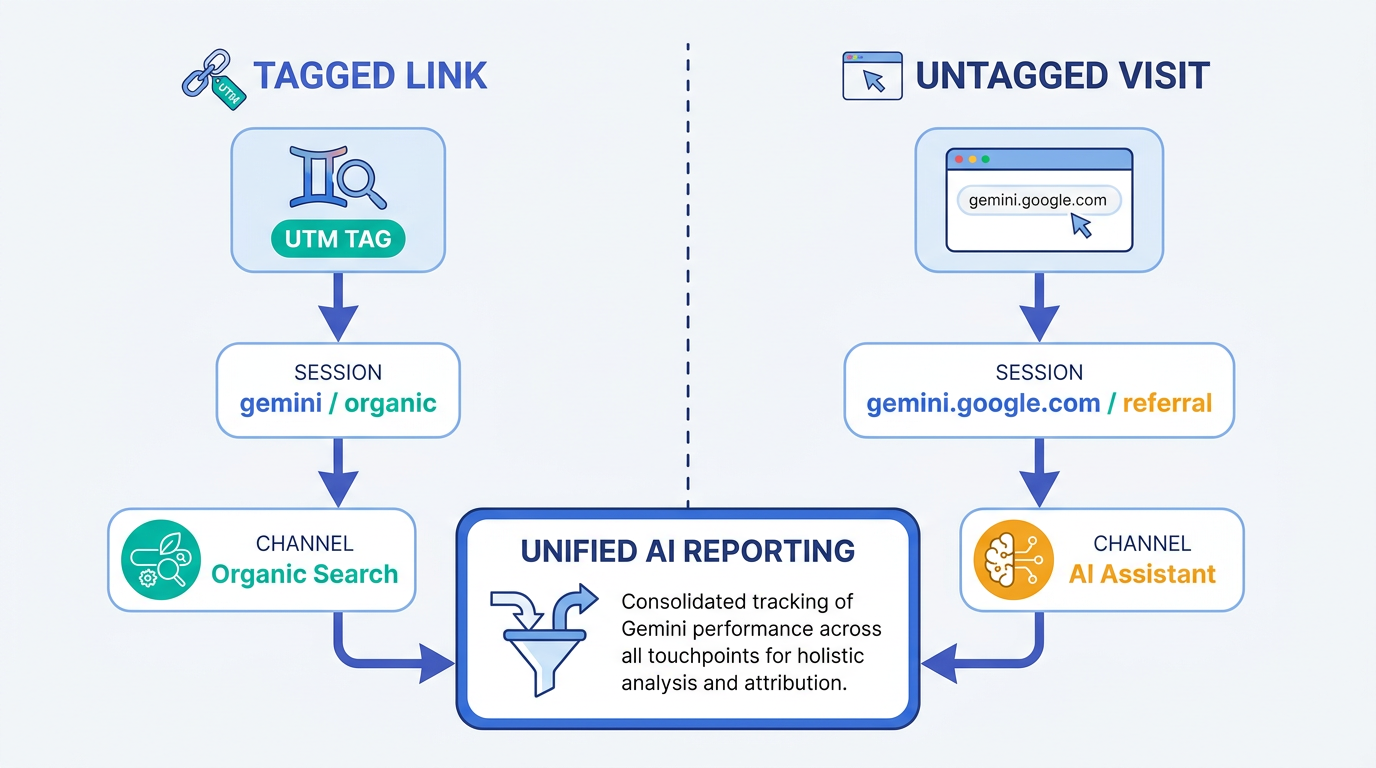
GA4 generally prioritizes explicit campaign parameters over the browser referrer. A session tagged gemini / organic can therefore land in Organic Search, while an untagged visit with gemini.google.com as its referrer lands in AI Assistant. GA4's AI Assistant channel provides more context on how that native classification works.
UTM-Based Signal (utm_source=gemini) | Referrer-Based Signal (gemini.google.com) |
|---|---|
Default classification: Commonly Organic Search because utm_medium=organic. | Default classification: AI Assistant when GA4 recognizes the domain. |
| Pros: Survives more app and browser transitions and supports dependable source reporting. | Pros: Identifies untagged visits and preserves the referring host. |
| Cons: Coverage is undocumented and can inflate measured Organic Search after rollout. | Cons: Referrers can be stripped, creating Direct sessions and AI referral measurement gaps. |
Where visible: Session source / medium as gemini / organic. | Where visible: Session source / medium as gemini.google.com / referral. |
| Neither signal alone provides complete Gemini analytics tracking. |
Because of this referrer versus UTM tracking conflict, neither channel gives you a canonical total. For reporting, keep the raw dimensions, calculate a combined Gemini total, and show how much came from each signal. That preserves diagnostic detail without sacrificing AI visit attribution accuracy.
Step 3: Build a Unified Gemini custom channel group
Create a GA4 custom channel group AI view that catches both classifications. Go to Admin > Data display > Channel groups, create a group, and add a channel named Unified AI.
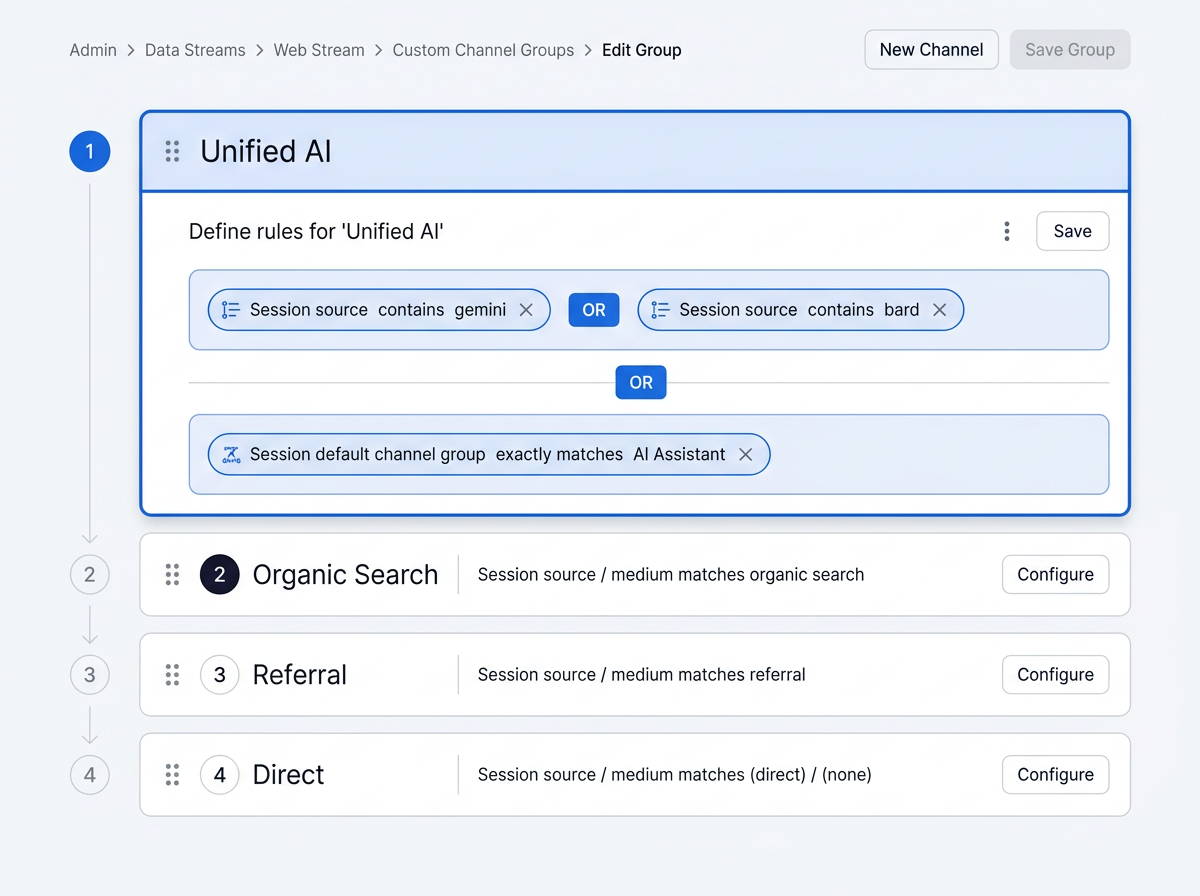
Configure and validate the channel:
- Set Session source contains gemini OR Session source contains bard.
- Add OR Session default channel group exactly matches AI Assistant to include other recognized assistants if that matches your reporting scope.
- Move Unified AI above Organic Search, Referral, and Direct because GA4 evaluates rules in order.
- Save the group, open a report with the custom group, and reconcile totals against your Exploration.
Tip: A broad AI Assistant condition combines Gemini with other assistants. If the report must be Gemini-only, use source and referring-host rules instead, then maintain a separate all-assistant channel.
Troubleshoot blind spots before reporting growth
Check these common failure modes:
- Assuming universal coverage: Google has not publicly documented every Gemini surface or when UTM tags are appended. Some Gemini links may therefore remain untagged.
- Treating channels as sources: Organic Search describes classification, not necessarily a traditional search result.
- Rewriting the baseline: Historical Direct traffic cannot be reliably reassigned after referrer data was lost.
- Ignoring measurement gaps: Some mobile AI app visits can lose referrer data and appear as Direct traffic, so GA4 can still undercount AI-driven sessions.
- Combining every Google AI surface: Audit Google AI traffic sources separately. Gemini chat, AI Overviews, and other products do not automatically share one measurable path.
For AI traffic attribution 2026 reporting, publish three numbers: tagged Gemini sessions, referrer-detected sessions, and the unified total. Add a coverage note and compare engagement or conversions only within consistently measured periods. Teams should also keep Gemini referral sessions separate from Google-GeminiNotebook fetcher activity, since fetcher activity is not the same as a human visit recorded in GA4.
Summary and next steps
Gemini UTM parameters are a stronger attribution signal, not a complete measurement system. Isolate both source patterns, reconcile them with AI Assistant, create an ordered Unified AI channel, and annotate the rollout before claiming growth.
Traffic reporting explains which AI visits reached your site, while visibility monitoring helps explain why those visits happened. Vizup works as an Organic Autopilot for modern discovery, helping brands monitor, create, optimise, publish, and learn across Search, Social, Communities, AI Answer Engines, and Local Discovery using AI agents, human experts, and live SEO, pSEO, AEO, and GEO tools. Use AI search monitoring across answer engines to connect Gemini citations and brand visibility with GA4 traffic and outcomes. Paid ads can be added separately when amplification is needed.
Frequently Asked Questions
Why does my Gemini traffic appear under 'Organic Search' instead of 'AI Assistant' in GA4?
Explicit utm_source=gemini and utm_medium=organic values take precedence over the referrer. GA4 then classifies the session as Organic Search rather than AI Assistant.
What is the difference between gemini / organic and gemini.google.com / referral in my reports?
The first is a UTM-based campaign value appended by Google. The second comes from the browser referrer. Both can represent Gemini referral traffic in GA4, but they follow different classification paths.
Will creating a GA4 custom channel group for AI traffic change my historical data?
No. Creating a custom channel group does not rewrite the underlying source or campaign data that GA4 collected. However, custom channel groups can be applied retroactively in supported reports, so historical sessions may appear under the new classification when you use that custom group. Keep the implementation date annotated and avoid comparing earlier reports with newly classified views without validation.
How can I track which specific Gemini links, such as citation links versus general links, are driving traffic?
GA4 cannot infer link type from utm_source=gemini alone. Analyze landing pages, page paths, timestamps, server logs, and any additional campaign parameters Google supplies, then correlate those visits with monitored citations.
Is utm_source=gemini applied to all links from Google's AI experiences?
No complete public specification confirms universal use. Treat the parameter as positive evidence of a Gemini referral, not proof that untagged sessions originated elsewhere.
