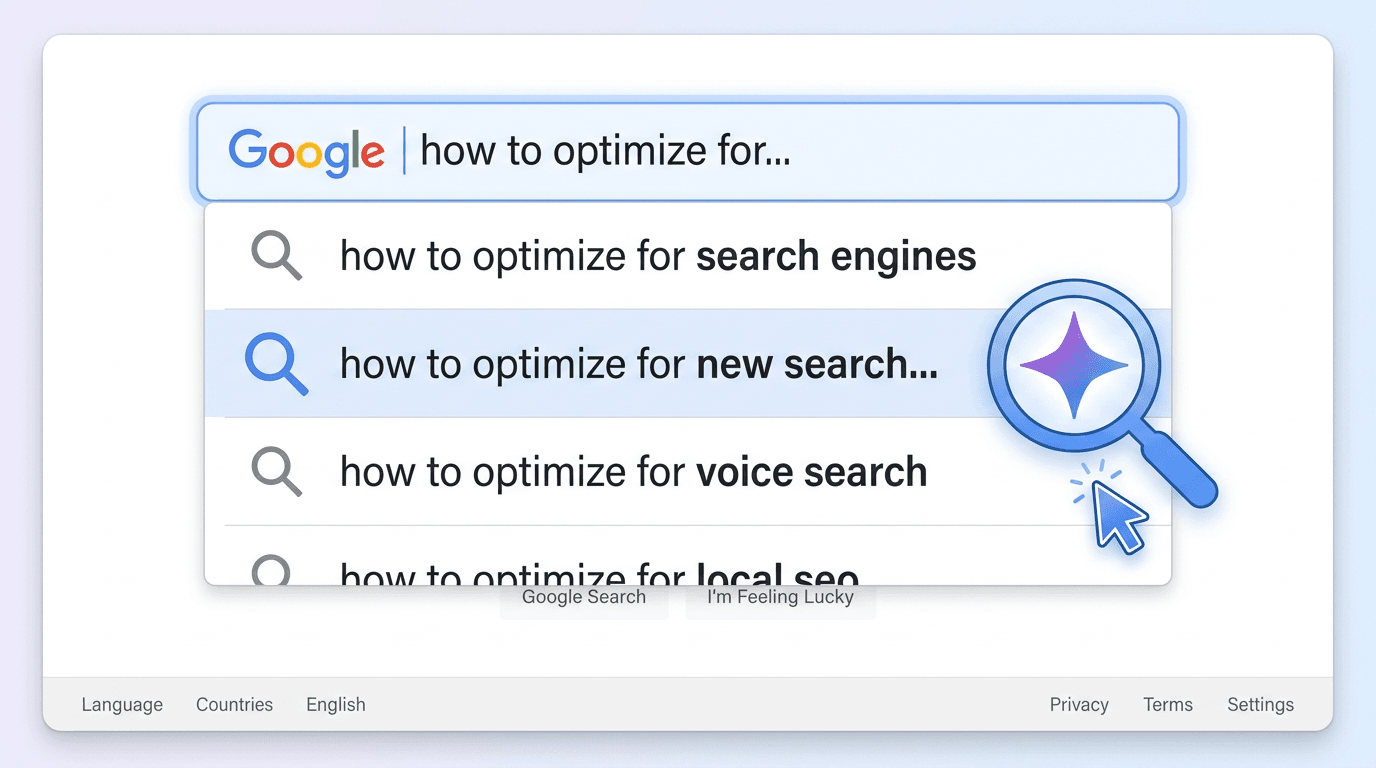
Google has started surfacing a new autocomplete AI Overview icon: a magnifying glass stamped with the Gemini logo inside the suggestion list. Click it, and Google jumps straight to a Search results page with the AI Overview already expanded, skipping the usual "ten blue links" moment. That’s more than a cosmetic tweak. It’s a reroute in the search journey that puts an AI-synthesized answer in front of the user before any traditional result even has a chance.
If you build, optimize, or measure digital content, this tiny glyph is doing a lot of work. Google is actively testing this feature in autocomplete dropdowns (Search Engine Roundtable, 2026), and the direction is clear: more searches are being steered toward AI-first experiences. Here’s what the icon is, how this new path differs from the standard one, and what it changes for marketing teams.
What Exactly Is the Google Autocomplete AI Overview Icon?
The Google autocomplete Gemini icon is a small magnifying glass with the Gemini star symbol inside it. It shows up inside the autocomplete dropdown only for certain suggestions, specifically, queries Google considers a good fit for an AI Overview. Most suggestions won’t get the icon. The ones that do tend to be longer and more specific, where a synthesized answer built from multiple sources is likely to be more useful than a simple keyword match.
Functionally, it’s a shortcut baked into the search bar. Instead of pressing Enter and landing on a standard results page (where an AI Overview might be collapsed, or not appear at all) clicking the icon loads the SERP with the AI Overview already open and visually dominant. The first thing the user sees is the AI-generated response, not a list of links. Google has said AI Overviews are powered by a customized Gemini model built for complex questions (Google, 2024).
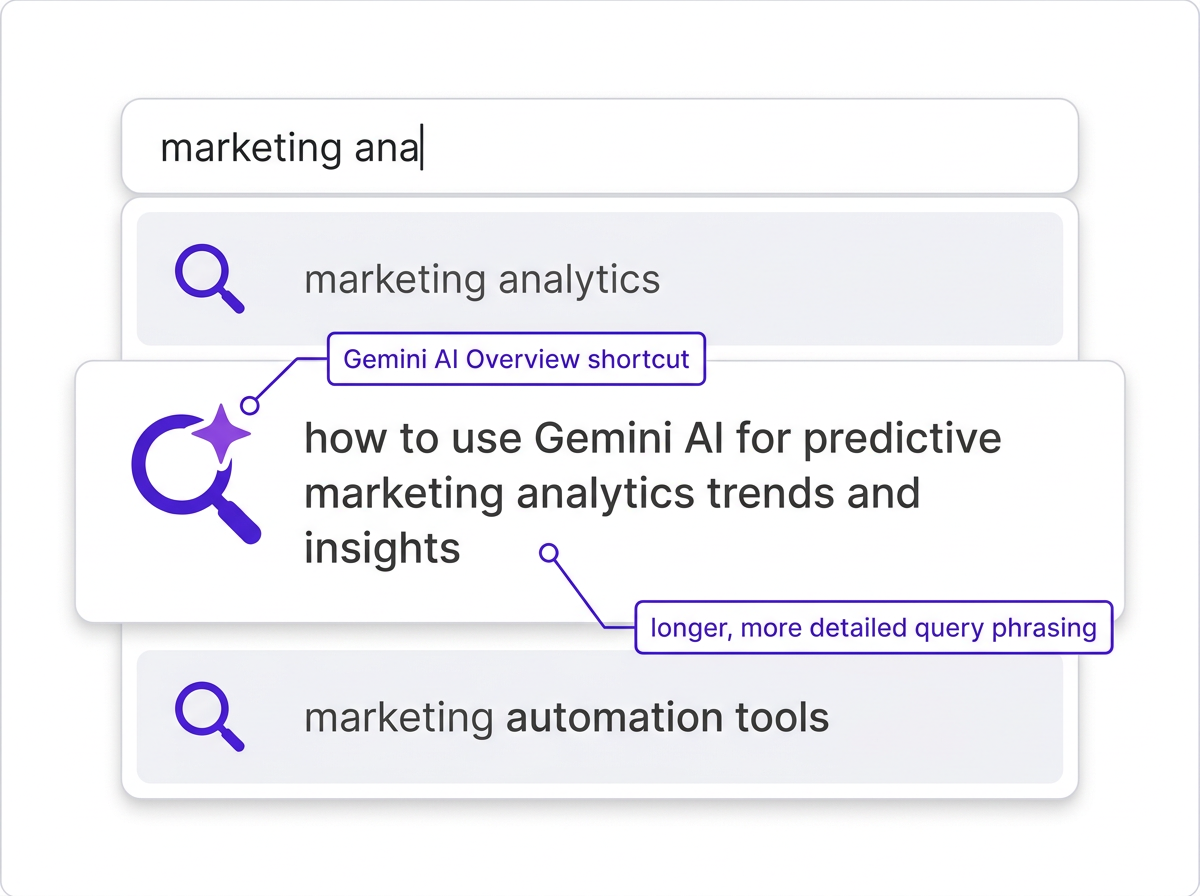
Industry observers have also pointed out a pattern: the icon tends to appear next to longer, more detailed suggestions that are likely to trigger a comprehensive AI Overview (SEO Observer, 2026). In other words, Google isn’t merely offering a faster click. It’s nudging users toward query shapes that play nicely with AI-generated answers.
How Does This New Search Path Actually Work?
The real shift here isn’t speed; it’s the signal the user sends. Clicking the Gemini-marked suggestion is effectively opting into a synthesized answer as the primary interface. Hitting Enter, by contrast, still implies you want a set of options to evaluate, even if an AI Overview appears somewhere on the page.
Standard Search vs. the AI Overview Shortcut
| Step | Standard Search Path | AI Overview Shortcut Path |
|---|---|---|
| 1 | User types a query in the search bar | User types a query in the search bar |
| 2 | User presses Enter | User notices the Gemini icon on a suggestion and clicks it |
| 3 | SERP loads with AI Overview collapsed (or not shown) | SERP loads with the AI Overview already fully expanded |
| 4 | User can expand the AI Overview or scroll to blue links | The AI-generated answer becomes the immediate focal point |
| 5 | User chooses between the AI answer and organic results | User consumes the AI answer first; organic results sit below the fold |
| The shortcut path removes at least one decision point and places the AI answer front and center from the start. |
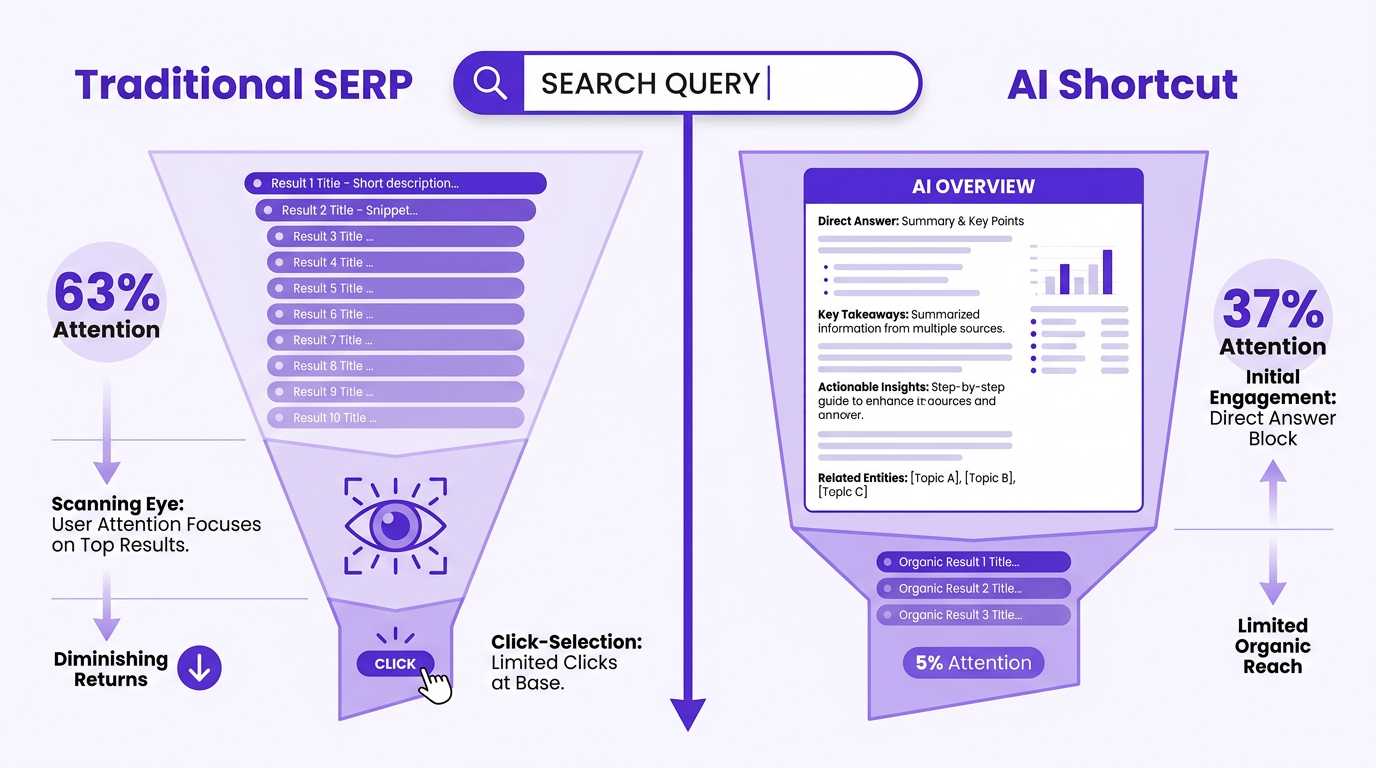
By pre-expanding the AI Overview, this path compresses the journey: fewer interactions, fewer choices, and an answer panel that dominates the viewport. For users who go this way, organic listings aren’t the main event, they’re secondary content that many won’t reach.
Why This Matters for Marketers and SEOs
A 2026 study found that 37% of consumers now start their search process with AI tools rather than traditional search engines (Eight Oh Two, 2026). The autocomplete icon pulls that same behavior into Google’s own UI. Users don’t have to switch tools to get an AI answer. Google is placing the on-ramp directly inside the dropdown.
Three immediate implications for search professionals:
- Answer Engine Optimization (AEO) becomes essential. If your content isn’t structured to be cited by AI Overviews, you’re effectively invisible on this path. Start improving brand visibility in AI search now.
- Organic click-through rates face more pressure. Clicking the icon lands users on an expanded AI answer. If that satisfies the intent, they may never scroll, shrinking exposure for positions 1 through 10.
- A new behavioral metric shows up. The split between users who press Enter and users who choose the AI shortcut becomes a measurable signal. That distinction should feed back into content planning and performance reporting.
This icon also fits a broader pattern across Google’s ecosystem. Moves like Google's AI Mode and experiments around AI search on YouTube all point the same way: the interface is shifting from lists of links to synthesized answers as the default way people retrieve information.
What It's NOT: Clearing Up Common Misconceptions
It’s not a replacement for all search. The icon is selective. Users can ignore it, press Enter, and still get a traditional SERP. For navigational searches ("Facebook login") or quick lookups, the icon often doesn’t appear. Google’s documentation also frames AI Overviews as a feature for complex questions, not every query (Google, 2024).
It’s not limited to informational queries. Early sightings include commercial-intent searches, like product comparisons and "best X for Y" queries. That puts it on the radar for e-commerce teams and lead gen programs, not just publishers chasing informational traffic.
Info: The look, placement, and trigger conditions for the Google autocomplete Gemini icon will evolve. Google is actively testing variations. What you see today may differ from what rolls out broadly. Treat current observations as directional, not final.
Preparing for an AI-First Search World
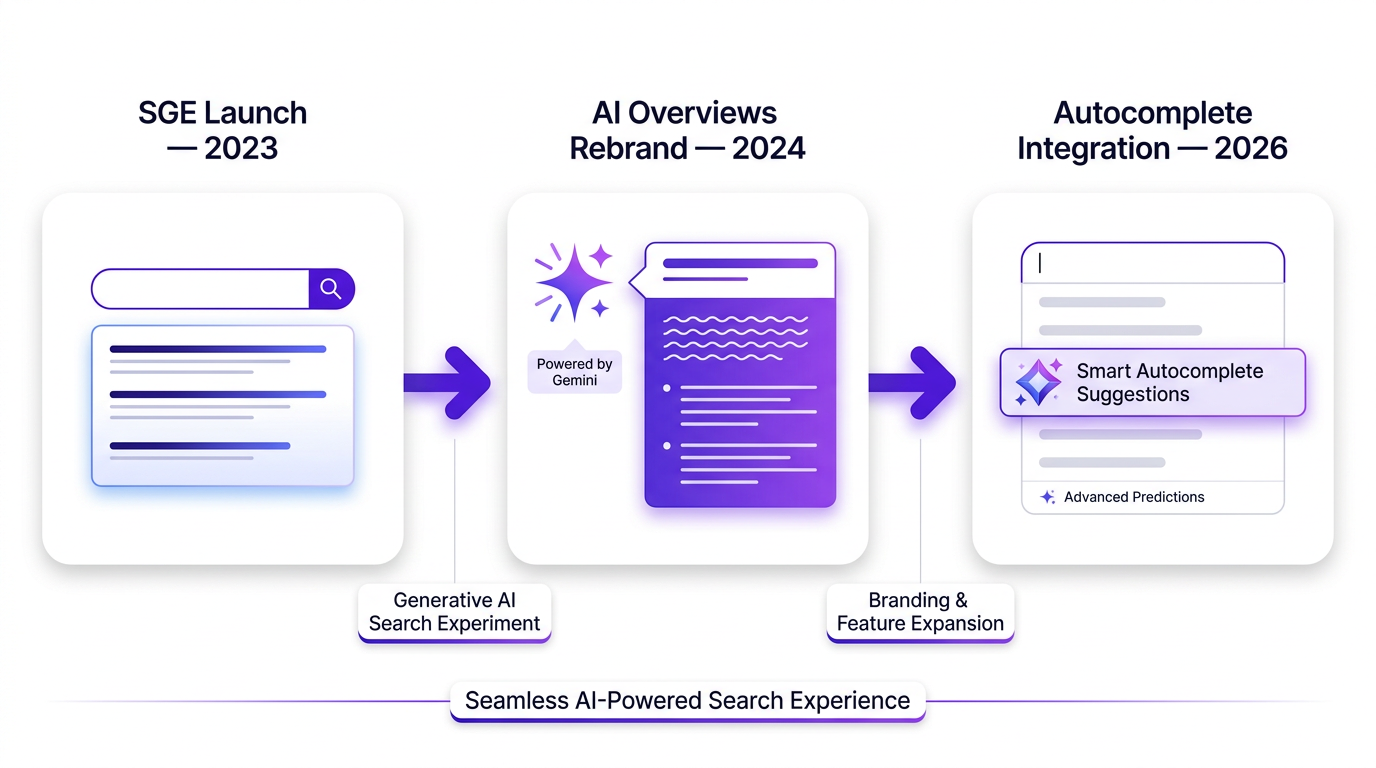
Autocomplete AI Overview 2026 isn’t really about a single year; it’s a marker for where the product is headed. AI Overviews launched in the U.S. in May 2024 as a rebrand of the Search Generative Experience (Wikipedia). Since then, updates have steadily widened their footprint. The autocomplete icon is just the latest step, and, given recent Google updates that keep reshaping the SERP, it’s unlikely to be the last.
Actionable steps to future-proof your strategy:
- Invest in structured data. Schema markup (FAQ, HowTo, Product) makes it easier for Google’s AI systems to parse and cite your content reliably.
- Build topical authority. Sites that cover a subject thoroughly across connected pages are better positioned to be treated as citable sources in AI Overviews.
- Monitor your AI visibility. Vizup helps teams monitor digital presence and answer engine visibility, so they can track whether their brand appears in AI-generated responses and how that changes over time.
- Optimize for the question, not just the keyword. The Gemini autocomplete search suggestions skew longer and more conversational. Your pages should answer those exact questions plainly and early.
Key Takeaways for Your Strategy
- The Google autocomplete AI Overview icon creates a direct route from the search bar to a fully expanded AI-generated answer, effectively skipping the traditional results-first experience.
- This shortcut makes Answer Engine Optimization (AEO) a core marketing responsibility, not a side project.
- Users who click the icon are explicitly choosing a synthesized answer, which reduces initial exposure for organic blue links.
- Search behavior is being trained in real time: people are learning to expect instant, AI-curated responses from the autocomplete dropdown.
- Teams should respond by publishing content AI can cite, implementing structured data, building topical authority, and monitoring brand visibility in AI Overviews.
Frequently Asked Questions
When did Google add the Gemini icon to autocomplete?
Google started testing the Gemini-branded magnifying glass icon in autocomplete suggestions in 2026. Search Engine Roundtable and other observers reported it as a test, not a universal rollout.
Does the AI Overview icon appear for every search?
No. It appears only for queries Google deems suitable for an AI Overview. Navigational searches, simple lookups, and many short-tail keywords generally don’t trigger it. It shows up more often on complex, multi-part questions.
How can I get my website featured in an AI Overview triggered by this icon?
Prioritize structured data, comprehensive coverage of a topic, and direct answers to specific questions. Google’s AI pulls from sources it considers authoritative, so topical authority matters. Monitoring your presence with tools like Vizup’s answer engine monitoring helps you see where you’re showing up and where you’re not.
Will this new icon kill SEO?
No, but it widens the job. Traditional ranking factors still matter for users who press Enter and browse the standard SERP. The icon creates a parallel path that rewards AI-citable content, so SEO teams need to optimize for both: organic rankings and AI Overview inclusion.
Can I turn off the Google autocomplete AI Overview icon?
There’s no dedicated user setting to disable the icon itself. You can ignore it and press Enter to run a standard search. Some users report that disabling "AI features" in Google Search settings reduces AI Overview appearances, but the autocomplete icon can still vary by region and account.
