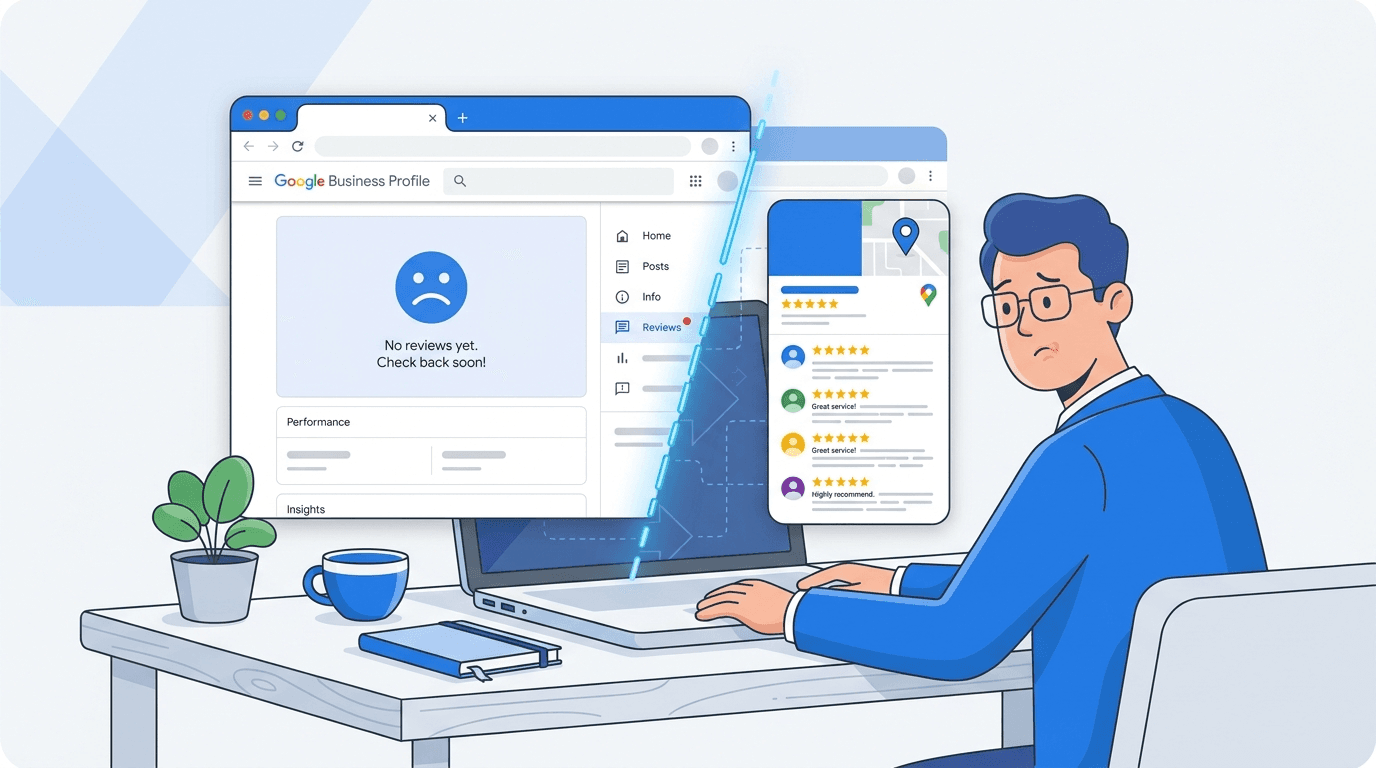
The Google Business Profile "No Reviews Yet" error is a dashboard issue in which the review-management area appears empty even though reviews remain visible on the public profile in Google Search and Maps. If your public review count and individual reviews are still visible, the issue is likely limited to the management interface rather than an actual loss of reviews.
If you opened your review manager around July 9 or 10, 2026, and saw a blank panel where reviews normally load, you were in good company. Google Product Expert Amy Toman documented one profile showing 916 reviews at the top of the listing while the reply section underneath insisted, "no reviews yet." The public count was right; the management tool was the part that broke. In almost every case, the reviews are still there.
So, What Exactly Is Happening with My GBP Reviews?
What you are seeing is an inconsistency between the public listing and the Google Business Profile management interface. Public profiles may continue to display their reviews normally while the review-management area returns an empty-state message. This pattern indicates a dashboard-side display or data-retrieval issue, although Google has not publicly explained the precise technical cause.
The practical impact is that affected businesses may be unable to view or reply to reviews through the standard dashboard. In the cases documented by Search Engine Journal, public listings continued to display their review counts even while the management interface showed an empty review panel. Check the public listing before assuming that any reviews have been removed.
It also does not behave consistently, which is a clue on its own. Some profiles in an account will load reviews normally; others will show the empty screen, even for similar locations. That uneven pattern points to a platform glitch, not something about your business or a sudden change in standing. One location going blank while another looks fine is exactly how a rendering bug shows up.
Is This the Same as the 'Missing Reviews' Bug from Early July?
No, and mixing them up leads people to take the wrong steps. Early-to-mid July 2026 saw two separate problems, with very different symptoms.
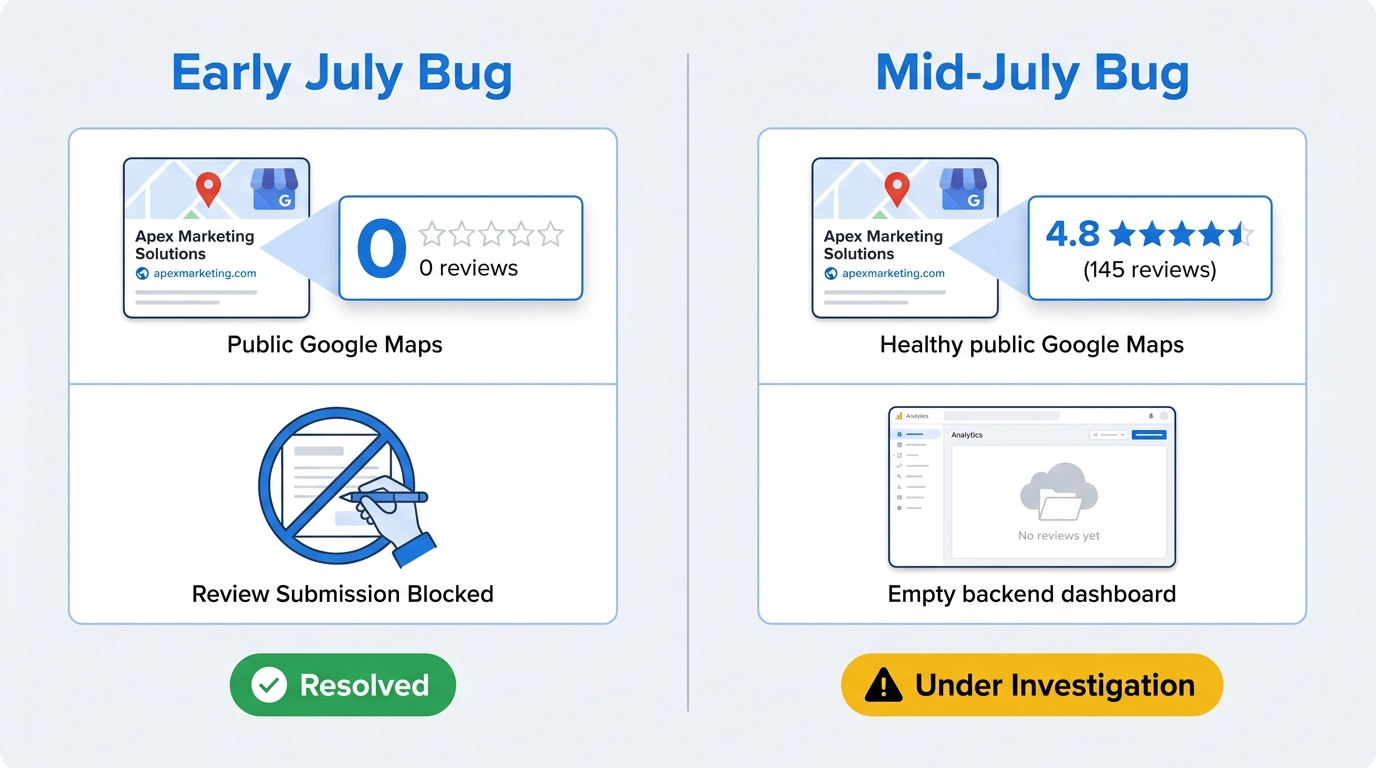
Here is the quick side-by-side:
Early July bug (around July 3, 2026):
- Symptom: Review counts disappeared from live public listings; some profiles could not accept new reviews.
- Where it appeared: The public-facing Google Search and Maps listing.
- Google's status: Acknowledged and marked as resolved. Toman relayed on July 9 that Google considered it fixed, with reviews expected to reappear within a day or two.
Mid-July bug (first widely reported around July 9–10, 2026):
- Symptom: The dashboard shows "You have no reviews yet" while the public listing continues to display the expected review count.
- Where it appeared: The Google Business Profile management interface.
- Google's status: Google later acknowledged that an issue was temporarily preventing some merchants from seeing reviews in their dashboards. It said the reviews remained published on Search and Maps and would begin reappearing in the dashboard over the following days, although it did not disclose the underlying technical cause. See the Google statement reported by Search Engine Roundtable.
If your reviews are visible on the public listing right now, you are dealing with the second bug. That changes both the urgency and the fix: the first issue was about public availability, while this one is the dashboard failing to render what already exists. It is also not unusual. Other recent Google bugs have looked similar: the interface breaks, the underlying data stays put, and the correction rolls out quietly.
How Can I Be Sure My Reviews Are Safe? A 3-Step Check
Before you start changing settings or opening tickets, do a quick verification pass. Five minutes is usually enough to tell a display glitch from something that needs escalation.
Step 1: Check Your Public Listing in Incognito
Open an incognito or private window, search for your business name and city, and inspect the Business Profile shown in the results. If the expected review count appears and individual reviews can still be opened, the reviews remain publicly available. For this specific dashboard issue, the public listing is the most useful reference point because it shows what customers can currently see on Google Search and Maps.
Step 2: Check Other Profiles You Manage
Flip to another location or client in the same account. If one profile shows reviews and another shows the empty state, you are looking at a sporadic platform issue. That pattern also makes a policy or account-specific problem much less likely. For multi-location managers, this is the fastest sanity check you can run.
Step 3: Check a Third-Party Tool or the API
Save screenshots of the public listing, review count, rating and dashboard error, including the date, time and affected location. This creates a reliable record while Google restores the review-management interface.
A temporary dashboard issue also shows why brands should not depend on one platform interface for their entire visibility strategy. Vizup's Organic Autopilot helps brands monitor, create, optimise, publish and learn across Search, Social, Communities, AI Answer Engines and Local Discovery. It combines AI agents, human experts and live SEO, pSEO, AEO and GEO tools, with paid ads available as an optional amplification add-on.
Info: If the expected reviews remain visible on the public listing, the reported problem is likely limited to the management interface. If reviews have also disappeared from the public listing, investigate it as a separate missing-review or policy issue.
What You Should NOT Do While This Bug Is Active
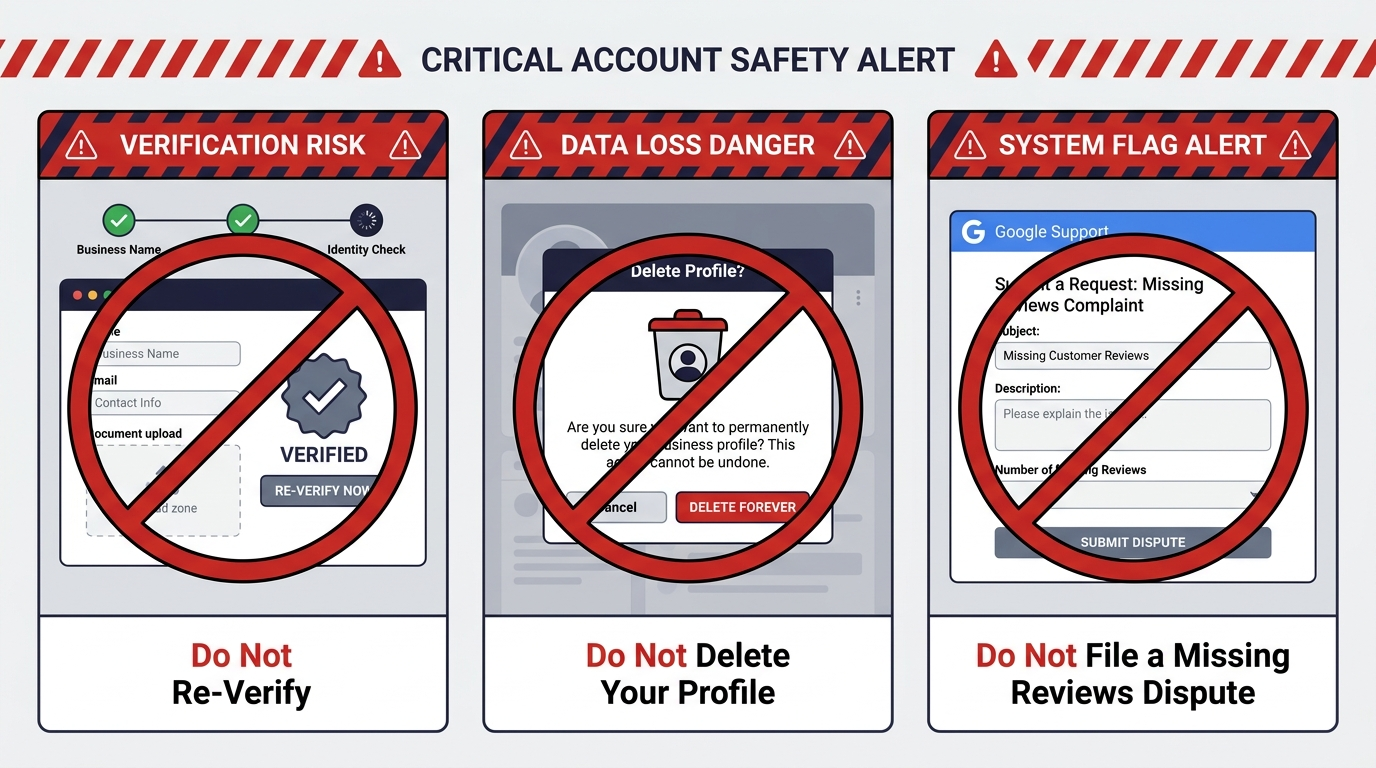
A blank review dashboard makes people want to "fix" something immediately. Hold off. None of the moves below will repair a rendering bug, and a couple can create problems that do not go away when Google flips the switch back on.
Actions to avoid:
- Do not re-verify your listing. Re-verification can trigger a profile review and introduce complications that outlast the original glitch. It also will not fix a rendering issue.
- Do not delete and recreate your profile. That is irreversible. You will lose your review history, your Q&A, your photos, and your ranking history. No display bug is worth that.
- Do not file a 'missing reviews' dispute if your reviews are publicly visible. Dispute and support processes are intended for reviews that are genuinely missing or removed. For more context on compliant review practices and the risks of incentivising customer feedback, read Vizup's guide to Google review rewards and incentive policies.
- Do not ask customers to re-submit reviews. Duplicate attempts can trip spam filters and lead to real removals.
To follow this incident, monitor the Google Business Profile community and the specific Search Engine Roundtable incident report. Recheck the status before publishing or updating this article because restoration may occur at different times across affected profiles.
Key Takeaways: Navigating the 'No Reviews Yet' Error
If you see the Google Business Profile "No Reviews Yet" error, first confirm whether the expected reviews remain visible on the public listing. Avoid re-verifying, deleting or substantially changing the profile in an attempt to repair a temporary dashboard issue. Once access returns, review your listing setup and use Vizup's guide to optimising Google Business Profile categories to strengthen your local-discovery relevance.
Summary:
- This is a display bug in the GBP management backend. Your public reviews are almost certainly intact.
- Verify by checking your live listing in an incognito window. That is the real source of truth.
- This is a different issue from the early July bug where reviews disappeared from public listings. That one was resolved.
- The bug affects some profiles but not all, even within the same management account.
- Do not re-verify, delete, or dispute your way out of a rendering problem. Wait for Google to fix the backend.
- Track resolution via the GBP community forum and local SEO publications.
Frequently Asked Questions
Will I be able to reply to reviews once the "No Reviews Yet" issue is fixed?
Google said that affected reviews remained published and would begin reappearing in the dashboard over the following days. Once access returns, check the review history before replying and start with the newest unanswered reviews. During the disruption, save draft responses separately so they are ready to publish without duplicating replies.
Does this Google Business Profile issue affect search rankings?
There is no published evidence that this dashboard-only visibility issue directly changes rankings. When the review count, rating and review content remain visible on the public profile, the problem appears to affect management access rather than the customer-facing listing. Continue monitoring the public profile for any separate changes.
Where can I follow updates about this issue?
Check the Google Business Profile community for reports affecting similar businesses and follow the incident-specific Search Engine Roundtable report, which includes Google's acknowledgement. Because the incident is time-sensitive, verify the latest status before taking action.
Can I reply to reviews through another Google interface?
Availability may differ by account and interface. Try the normal owner-management options available to you, but avoid repeatedly submitting the same response. If the reviews do not load, draft the replies offline and publish them after dashboard access returns.
Could the missing-review message be related to a policy issue?
When the expected reviews remain visible on the public listing but the dashboard shows an empty state, the pattern is more consistent with the reported interface issue than with the removal of specific reviews. If reviews have also disappeared publicly, investigate policy filtering or removal separately. Vizup's guide to Google review rewards and incentive policies explains practices that may place genuine reviews at risk.
A temporary Google dashboard issue should not stop your broader discovery programme. Vizup's Organic Autopilothelps brands continuously monitor, create, optimise, publish and learn across Search, Social, Communities, AI Answer Engines and Local Discovery. Vizup combines AI agents, human experts and live SEO, pSEO, AEO and GEO tools to turn visibility insights into ongoing organic execution. Paid advertising is available as an optional amplification add-on.
