For a long time, organic visibility had a center of gravity: your website. You published posts, tuned pages, watched rankings, and tried to win on Google's home field. That field has gotten bigger. Visibility now spills well beyond your domain, showing up in TikTok clips, Instagram Reels, YouTube Shorts, X threads, and even the AI-generated answers people increasingly treat as the destination.
Google acknowledged that reality this week with a low-key announcement dated July 7, 2026. Search Console now supports platform properties, a new way to measure how content from certain social and video platforms performs in Google Search and Discover. Google's update signals that off-site creator content is becoming easier to measure inside Search Console, not just through native social analytics. If you work anywhere near organic marketing, you will feel the implications quickly.
What Did Google Announce?
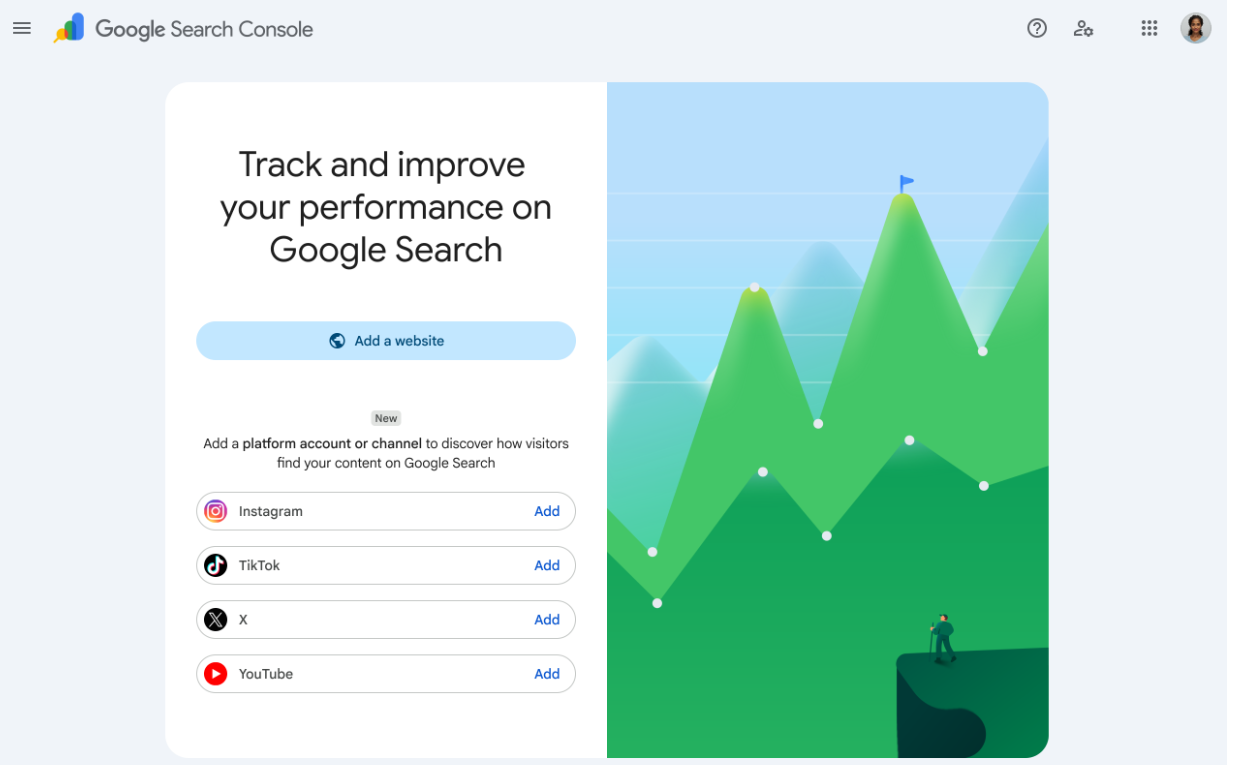
Here is the plain-English version: Google added a new Search Console property type called "platform properties." It gives creators, publishers, and brands visibility into how their social and video posts show up on Google Search and Discover. Instead of proving you control a website, you connect and authorize an account you control on a supported platform.
The first wave covers four platforms that dominate modern publishing: Instagram, TikTok, X, and YouTube. If you have an active presence on any of them, you can link that account to Search Console and start seeing performance data that used to be, for most teams, guesswork.
What You Can Track
The reporting goes beyond feel-good numbers. It is detailed enough to answer the questions teams actually argue about in planning meetings:
- Which search terms are people using on Google that lead them to my TikTok videos?
- How many clicks and impressions are my Instagram posts getting from Google Search?
- How are audiences discovering my YouTube channel outside of YouTube itself?
- What are my recent traffic trends from Google to my X profile?
- Am I hitting new growth milestones from search traffic to my social content?
Why This Matters for SEO and Social SEO
I've spent over a decade in this field, and this reads as more than an incremental update. Search Console has long been Google's closest thing to a canonical record of how your site performs on Google. Bringing social platforms into that same interface is a clear message: the boundary between SEO and social distribution has effectively dissolved. Social posts are not just engagement bait; they are search inventory now.
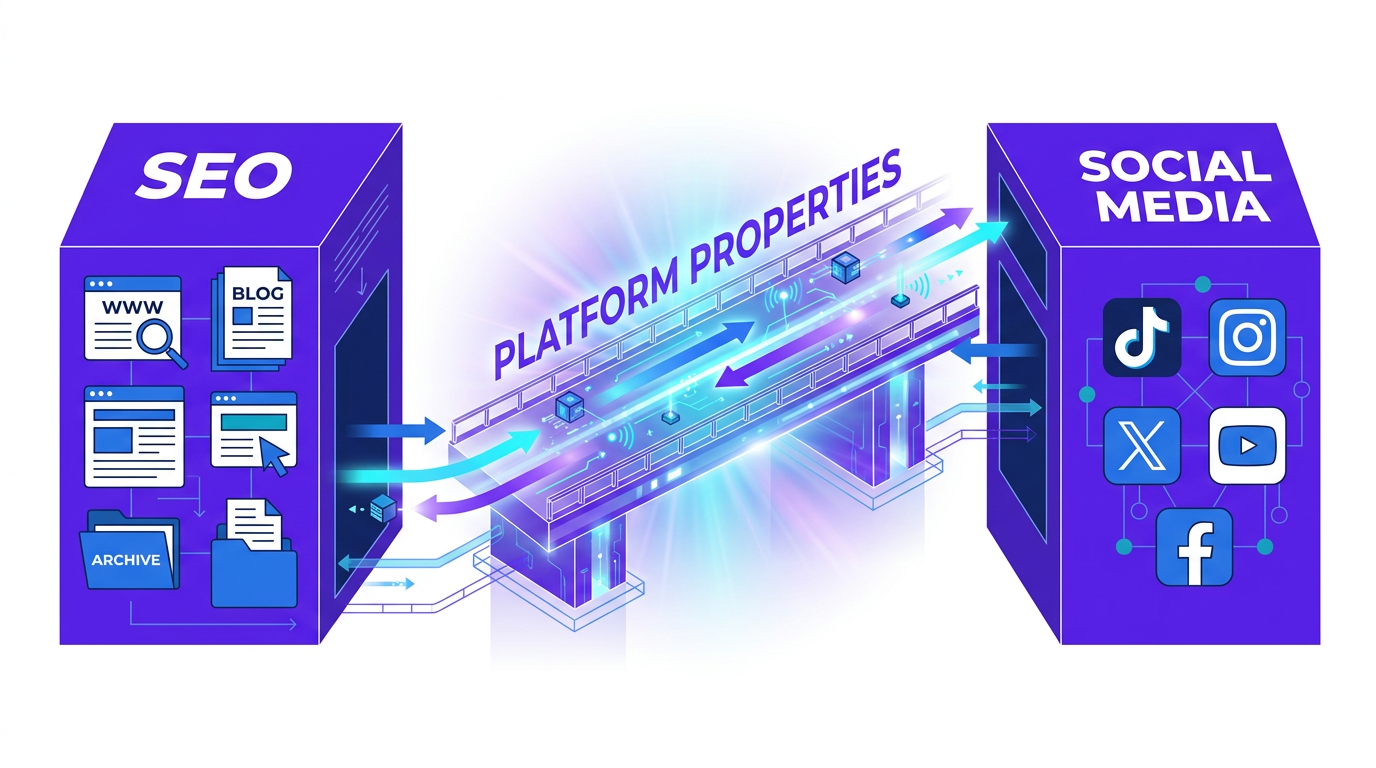
More importantly, it gives teams a shared dataset to connect social production to search demand. Social teams have historically chased what is trending inside the app; SEO teams have chased what keyword research says people want. Platform properties create a bridge between those worlds. You can see which posts are showing up across Google's surfaces, then feed that back into what you make next. In practice, it also changes the org chart: your social media manager just became part of the SEO workflow, whether the title changes or not.
What Are Platform Properties in Search Console?
Platform properties are simply a new kind of property you can add in Google Search Console. Instead of verifying a domain via DNS or a URL prefix by uploading a file, you confirm ownership by authorizing Google to connect to your account on a third-party platform.
The distinction matters. With a website, you prove you control the asset (the domain). With a platform property, you prove you control the account. Google's stated goal is to give creators and publishers, including people without a traditional website, a consolidated view of how their content gets discovered on Google. It is also a pragmatic move: pull more of the creator economy into Google's measurement layer, and you make Google harder to ignore.
Which Platforms Are Supported?
At launch, there are four: Instagram, TikTok, X, and YouTube. It is a sensible starting set that maps to the dominant formats people publish today. Google says access will roll out gradually, so if the option is missing in your account, the fix may just be time.
For Instagram, this can help brands understand how their visual content is being discovered through Google surfaces, instead of relying only on Instagram Insights.
TikTok
TikTok has functionally become a search engine for a lot of people, especially for quick how-tos and local recommendations. With platform properties, brands can see how those short, informational clips surface on Google's main results page. That is the kind of evidence that makes "search-first" TikTok pitches easier to defend when budgets get tight.
X
If you use X for topical authority, commentary, or real-time updates, this is the measurement you've been missing. You can see which threads and posts Google is pulling in for timely or niche queries. It is a cleaner way to quantify the search value of what is often filed away as "thought leadership."
YouTube
YouTube already has deep analytics, but this adds a Google-specific lens. You can isolate how your tutorials, reviews, explainers, and Shorts perform when they appear in Google Search rather than inside YouTube itself. That context helps clarify how YouTube content appears in search and gives you another dataset to refine titles and descriptions for people who never opened the YouTube app in the first place.
What Reports Are Available?
After you set up a platform property, Search Console surfaces a set of familiar reports, adjusted for off-site content. Google frames it as three core areas to look at.
Performance Report
This is the main dashboard, just like it is for websites. You get clicks, impressions, and other performance metrics such as CTR and average search position where applicable. The real prize is the Queries tab: the exact terms people searched before clicking through to a TikTok video or Instagram post. You can also drill down by individual post to see what is carrying your visibility. For content planning, this is the kind of signal teams usually have to infer.
Insights Report
Insights is the higher-level view, meant to surface what matters without forcing you to live in filters and export files. It highlights recent trends, top-performing posts, and a broad sense of how people are finding your account on Google. Call it an executive summary if you need a label, but the point is speed: it is designed to show you what changed.
Achievements
Achievements tracks growth milestones geared toward creators. You might see a note when you hit a new click threshold from Google Search over the last 28 days, or when a post starts picking up traction. It is lightly gamified, but it can also function as a quick alert that something is working.
How to Add a Platform Property in Search Console
Setup is mercifully simple. If you have added a website to GSC before, this will feel familiar, with the main difference being that verification happens through account authorization rather than DNS or files.
- Step 1: Open Google Search Console.
- Step 2: Click the property selector dropdown in the top-left corner and choose Add property.
- Step 3: In the 'Select property type' dialog, you'll now see a 'Platforms' section. Choose one of the supported platforms: Instagram, TikTok, X, or YouTube.
- Step 4: Follow the on-screen authorization flow. This will typically involve logging into your chosen platform account and granting Google permission to access performance data.
- Step 5: Once authorized, the connection is verified securely. You do not need to add code or upload files.
- Step 6: Data will start to populate. Like with new website properties, it may take a few days for the initial data to appear.
How Marketers Should Use This Data
Seeing new charts is fun for about five minutes. The payoff comes when you turn the numbers into decisions. A few practical ways to put platform properties to work:
Find Search Queries Behind Social Discovery
Start with the obvious: open the Performance report for your platform property and head straight to the Queries tab. That list is a direct read on what people were trying to solve on Google when your post showed up. Look for clusters and repeats, not one-off oddities. You will likely find terms you never intentionally targeted, along with themes that deserve a more deliberate series of posts.
Turn Winning Social Posts Into Blog Content
When a 60-second TikTok pulls meaningful impressions for a high-intent query, it is a hint that the topic has legs. Use that as your triage system: pick the social posts already earning search visibility and expand them into heavier SEO assets like blog posts, landing pages, or longer-form guides. The benefit is compounding: the social post keeps doing what it does, and the site asset gives the same demand a more durable home.
Improve Video and Social Titles
Your posts now serve two audiences at once: the native platform feed and Google Search. Search Console query data shows the exact phrasing people used on Google, which is often different from platform-native slang. Use it to adjust titles and descriptions so they line up with search intent, while still reading like something a person would actually click inside the app.
Build a Cross-Channel Organic Strategy
The bigger shift is cultural: stop treating channels like sealed compartments. A query that shows up for TikTok can shape a YouTube video, which can then turn into a pillar page on your site. And if you want to analyze platform-property data alongside your website and other marketing signals, you can connect Google Search Console to other tools and bring it into the same reporting flow.
What This Means for Brands
For brand marketers and agency strategists, this should land as a wake-up call. Website rankings still matter, but they are no longer the whole story. A growing share of what people encounter on Google is content that lives somewhere else, and your visibility is increasingly tied to how well those off-site assets travel.
It is especially good news for creators and brands that do not have a massive site but have built real presence on Instagram or TikTok: they can finally quantify what Google is sending their way. For bigger organizations, it is a coordination problem. SEO and social need to look at the same numbers and plan against the same goals. An effective content marketing strategy for search visibility now has to include these off-site properties, because "organic" is no longer synonymous with "website sessions."
Limitations to Keep in Mind
Before anyone declares victory, a few constraints are worth keeping in view.
| Limitation | What it Means for You |
|---|---|
| Limited Platform Support | For now, the list is Instagram, TikTok, X, and YouTube. Pinterest, LinkedIn, and Facebook are not included. |
| Gradual Rollout | You might not see it yet. Google says access will arrive over the coming weeks. |
| Google-Centric Data | The reports cover how your content performs on Google Search and Discover, not inside the platform's own feed or search. |
| Not a Replacement for Native Analytics | Treat this as additive. You still need YouTube Studio, TikTok Analytics, Instagram Insights, and the rest to understand on-platform performance. |
In other words, platform properties belong in the same stack as your existing measurement: your site's Search Console data, GA4, native social analytics, and whatever you use to monitor AI answer engine visibility. It is a new signal with real weight, but it is still one signal.
Vizup Angle: From SEO Tracking to Organic Discovery Tracking
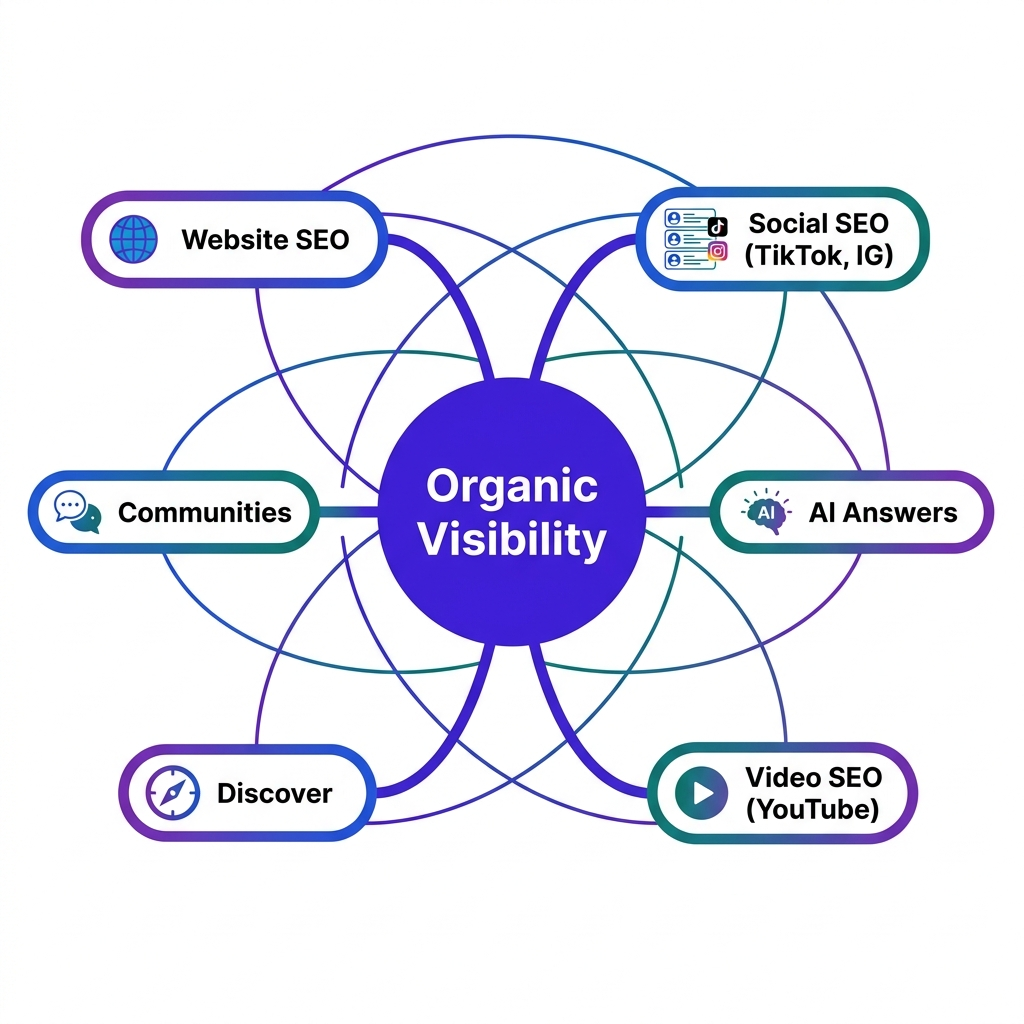
Google did not just ship a new toggle in Search Console; it validated a shift that has been building for years. Organic visibility is no longer a website-only problem. It is the composite of how your brand appears across classic search results, AI-powered answers, social feeds, video platforms, and the communities where people trade recommendations.
That fragmentation is the hard part for modern marketing teams: the signals are everywhere, and the workflows rarely connect. This is why we built Vizup. It helps teams pull those inputs into a single organic growth workflow, from spotting opportunities across discovery channels to creating, publishing, and monitoring performance. Search Console's new platform properties fit neatly into that model, because they turn off-site visibility into something you can measure and act on.
What Brands Should Do Next
If you want to move quickly without overthinking it, start with this checklist.
- Add your platforms: As soon as you have access, add your supported Instagram, TikTok, X, and YouTube accounts as platform properties in Search Console.
- Schedule a weekly review: Make it routine to check top queries and top posts for each platform property, and flag the surprises.
- Compare query data: Put your website's top queries next to your platform-property queries. Where do they overlap, and where do they diverge?
- Start repurposing: Pick one social post already earning search impressions and map it to a dedicated SEO page on your site.
- Update your content calendar: Bring search-backed insights from social performance into your next planning session.
- Expand your reporting: Report on brand visibility beyond website traffic, and include platform-property metrics alongside your usual SEO numbers.
The Future is a Single Organic System
Platform properties make a new idea explicit inside Google's most important measurement tool: valuable content does not have to live on your domain to matter in search. For years, creators and brands have published off-site and then squinted at indirect signals to guess whether it showed up on Google at all. That guessing game is finally getting replaced with first-party reporting.
The teams that do well from here will be the ones that stop managing SEO, social, and video as separate fiefdoms with separate scoreboards. Treat it as one organic discovery system, and the work starts to compound across channels. Google just handed you a clearer map. What you do with it is the difference.
Frequently Asked Questions
What are platform properties in Google Search Console?
Platform properties are a new Search Console property type that lets you measure how content from supported social and video platforms (Instagram, TikTok, X, and YouTube) performs when it appears in Google Search and Discover.
Which social platforms are supported in Search Console?
Right now, platform properties support Instagram, TikTok, X (formerly Twitter), and YouTube.
Can I track Instagram performance in Google Search Console?
Yes. Add your Instagram account as a platform property and you can see how posts and Reels perform on Google, including clicks, impressions, and the queries that led people to your content.
Can I see TikTok search queries in Google Search Console?
Yes. In the Performance report for a TikTok platform property, the Queries view shows what people typed into Google before they discovered and clicked through to your TikTok videos.
Does this replace YouTube Studio or social platform analytics?
No. Platform properties show performance on Google's surfaces (Search and Discover). Native tools like YouTube Studio and TikTok Analytics still matter for understanding what happens inside each platform. For a complete picture, you need both.
