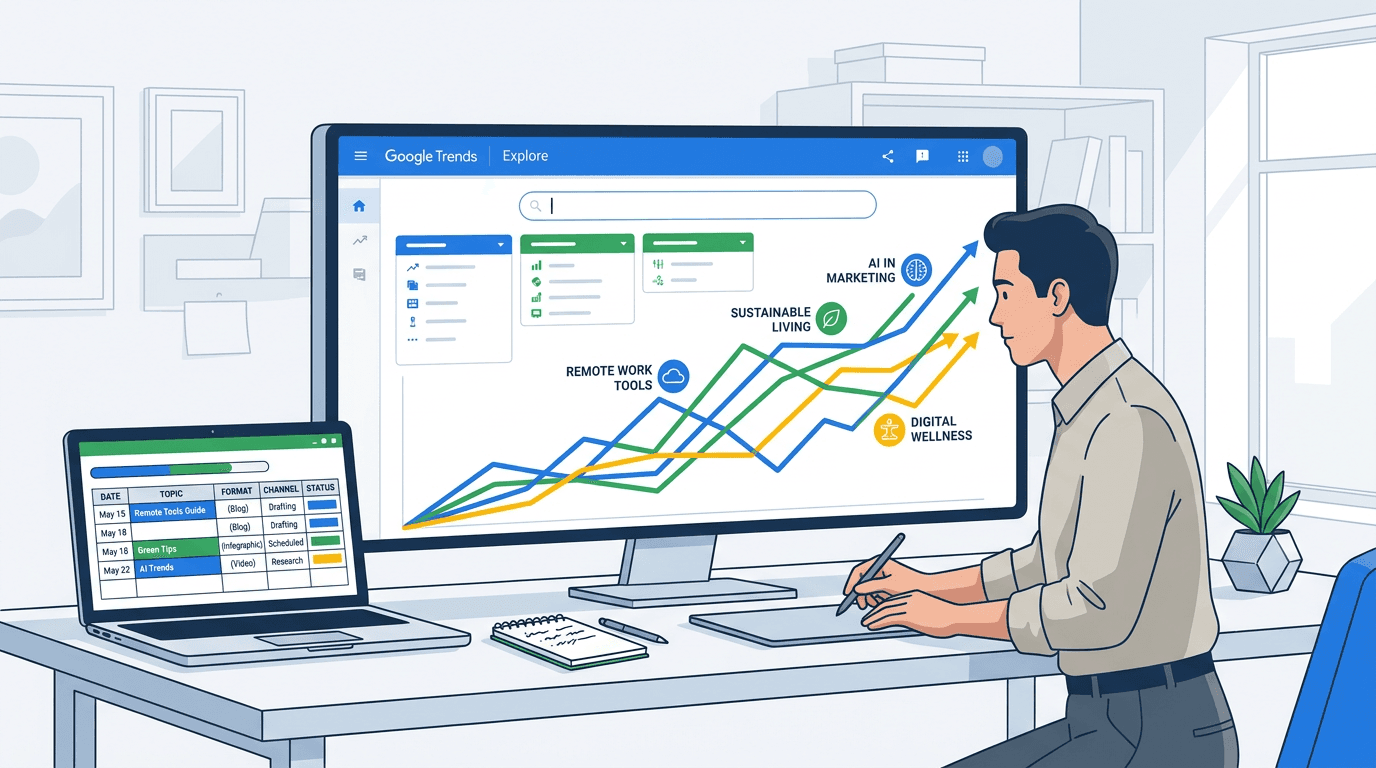
Keyword research usually begins with a seed term. That creates an obvious blind spot: topics you have not thought to search for. In early September 2026, Google updated the Google Trends Explore page so users can apply category filters without entering a query. Search Engine Land (2026) reported the update. Pick a category, region, and timeframe, and Trends returns the top and rising queries across that topic space.
The practical change is significant. Content strategists, SEO managers, and editorial planners can inspect category-level demand before narrowing to a keyword. The five steps below turn that view into a repeatable route from signal to publishable brief.
The workflow, at a glance:
- Step 1: Open the Google Trends Explore page and leave the search bar empty.
- Step 2: Select a category and analyze rising queries and topics.
- Step 3: Refine your view with regions and timeframes.
- Step 4: Translate the insight into a content brief using the Identify-Validate-Brief framework.
- Step 5: Automate the cycle with an agentic monitoring layer.
Step 1: Open the Explore Page and Skip the Search Bar
Go to Google Trends and choose "Explore" from the top navigation. The familiar search field is still there, but it is no longer mandatory. Leave it empty.
That blank field is the basis of seedless keyword research. Explore previously needed at least one query before it showed data. Now a category alone populates the interest-over-time chart and related-query panels. Instead of a single term, you are looking at aggregate search behavior for a whole subject area.
Tip: The blank-search method works on the new Gemini-powered Explore page. The classic Trends interface still requires a query before its category dropdown will work. Confirm that you are using the updated version before proceeding.
Step 2: Choose Your Category and Uncover Hidden Demand
With no query entered, open the "Categories" dropdown below the search field, beside the country and timeframe controls. Google presents a two-level taxonomy: parent categories such as Arts & Entertainment, Sports, and Finance, each with subcategories. Choose the closest match for your editorial vertical.
The page then loads an interest-over-time chart plus "Top" and "Rising" query panels. Top reflects the highest sustained volume; Rising captures the fastest growth from a query's baseline. For editorial discovery, start with Rising. A "Breakout" label means growth of more than 5,000 percent, according to Google Trends Help (2026). It is often tied to a new cultural event or viral moment that rewards speed.
Example: Finding Google Trends Content Ideas in Books and Literature
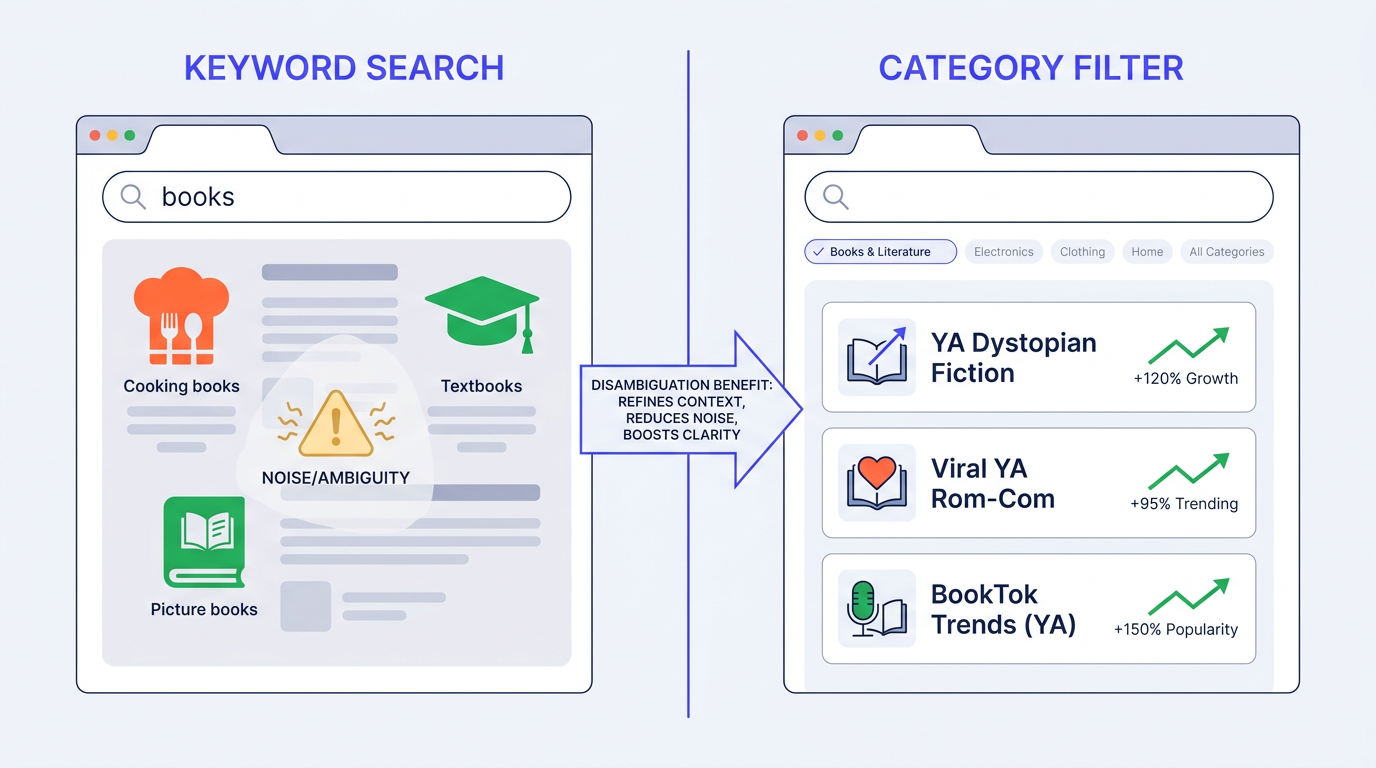
Choose "Arts & Entertainment," then choose the Books & Literature subcategory. Rising queries might include "dystopian YA series," an author's new release, or a title with a newly announced streaming adaptation. Starting with a broad "books" search would muddle those signals with accounting books, recipe books, and textbooks.
That is the value of category-level topic discovery in Google Trends. A publishing desk can scan the category each Monday, see what readers are beginning to seek out, and move before competing coverage lands.
Example: Solving Ambiguity with Google Trends Disambiguation
Search "Jaguar" without a category and the result blends the car brand, animal, and NFL franchise. No single use case gets a legible trendline. Set "Autos & Vehicles" first, again without typing a query, and Rising shifts to automotive searches: EV range comparisons, model-year announcements, and dealer inventory. Category-level disambiguation makes the resulting demand analysis materially more dependable.
Step 3: Refine with Google Trends Regions and Timeframes
A category initially uses the default geography and timeframe settings. Refine the view using Google Trends' region and timeframe filters. Switch to a market or metro area and rising queries can change sharply. A publishing trend leading the US may trail by two months in the UK, leaving time for localized coverage.
For seasonal planning, select "Past 5 years" and look for recurring peaks in the interest-over-time chart. An October spike around a Home & Garden query tells you when to publish and when production needs to begin. That is firmer footing for an editorial calendar than instinct alone. The Vizup guide on comparing trends over time explains how to compare those peaks with MoM, WoW, and YoY analysis.
Info: According to Google Trends Help (2026), Google Trends does not report absolute search volume, and its 0-to-100 index marks relative popularity. A value of 100 represents the category's peak in the selected time and location. Use the index to identify momentum, not raw traffic.
Step 4: From Trend to Content Brief
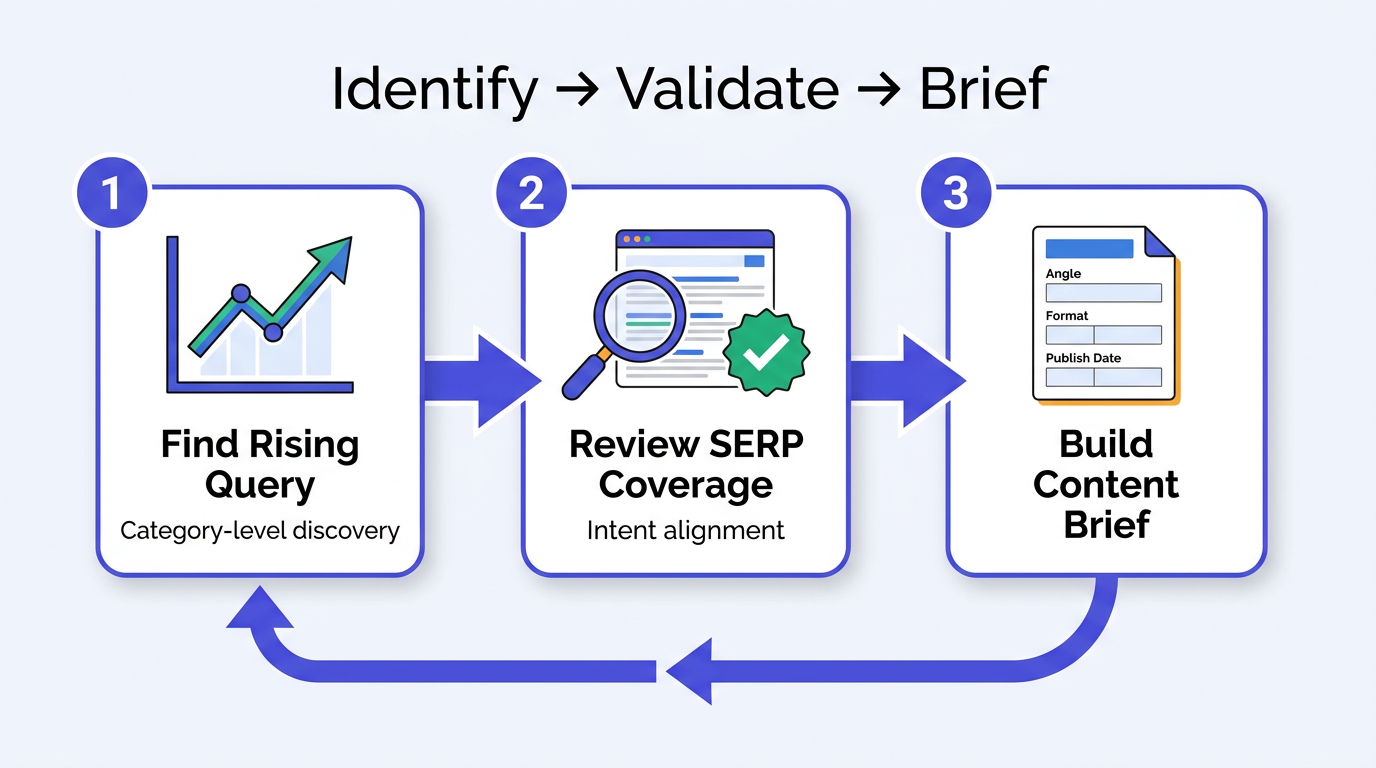
A rising query is not yet a content plan. Use the three-stage Identify-Validate-Brief workflow to turn a Trends observation into an assignment a team can produce.
| Step | Action | Tool / Method |
|---|---|---|
| Identify | Find a rising query such as 'dystopian YA series' in Books & Literature | Google Trends category filter (no keyword) |
| Validate | Review the SERP for thin, outdated, or intent-misaligned results | Manual SERP review or keyword gap analysis |
| Brief | Set the angle, target keyword, format (listicle, review, explainer), and publish date from seasonal peak data | Your CMS, content planner, or Vizup Strategist agent |
| Run the cycle weekly to keep the editorial calendar aligned with emerging demand. |
Validation is the step teams most often rush past. A Breakout query with no established SERP coverage can be a real opening. One already covered comprehensively by three authoritative publishers is a tougher proposition. Check the results before you write the brief.
Teams that need this cycle running continuously can use Vizup as an Organic Autopilot for modern discovery. Its agents can monitor emerging signals across Search, Social, Communities, AI Answer Engines, and Local Discovery, then turn those signals into prioritized content opportunities. From there, Vizup supports the broader workflow by helping teams monitor, create, optimize, publish, and learn across modern discovery channels, with AI agents and human experts working together where judgment is needed. Vizup's analysis of Google's AI search guidance also places AEO and GEO alongside traditional SEO, a useful framing when briefs must serve AI-powered discovery surfaces.
Common Mistakes to Avoid
Keep these failure modes out of the weekly routine:
- Treating Breakout as always actionable. A 5,000% spike can still come from a very small baseline. Validate the opportunity with an absolute-volume or demand-estimation source before assigning significant production resources.
- Ignoring subcategory depth. Parent categories such as 'Sports' are noisy. Go down to subcategories such as 'Tennis' to surface more useful and relevant rising queries.
- Skipping the timeframe filter. The default 'Past 12 months' view can conceal multi-year seasonal patterns that matter when using Google Trends for editorial planning.
- Conflating Rising with Top. Top is consistently popular; Rising is accelerating now. Trend-led content usually belongs in Rising.
- Publishing without a clear angle. A rising query is a signal, not a headline. The Brief stage should identify the reader question the piece answers.
Next Steps: Build the Habit
Set aside 15 minutes this week: open Google Trends Explore, leave the search bar blank, and choose a category relevant to your industry. Capture three rising queries, validate them, then draft one brief. One session can reveal more about category-level demand than a month spent iterating seed keywords.
Once the manual rhythm is established, decide which parts belong on autopilot. Vizup's Watcher agent scans multiple categories and channels at once, feeding the Strategist agent prioritized topic signals each day. For the broader direction of keyword research, how AI could replace keyword search provides useful context. Start with a category, then follow the process.
Frequently Asked Questions
Can I use Google Trends category filters on mobile?
Yes. Google Trends Explore works in mobile browsers, and the category dropdown functions the same way. The compact interface makes subcategory navigation easier on desktop, but mobile is sufficient for a quick category scan.
How is this different from just searching for a broad topic like 'books'?
A search for 'books' measures that query string and blends distinct intents: fiction, textbooks, accounting, and children's books. A category filter with no query draws from every query Google classifies under the topic, offering a broader view of category-level demand without one ambiguous term's noise.
What does a 'Breakout' query mean in the category filter results?
Breakout means the query grew more than 5,000 percent from its earlier baseline in the selected timeframe. It often reflects a recent event, viral moment, or new release. Treat it as a fast-turnaround candidate, but confirm that the underlying volume warrants production resources.
How far back can I look at historical data for a category?
With "Custom time range," Google Trends goes back to January 2004. For seasonal planning, five years is usually the practical window: enough history to verify annual patterns without leaning too heavily on outdated search behavior.
Is the data from Google Trends category filters available via the API?
Google now offers an official Google Trends API in limited alpha access, but it is not yet generally available. Teams without alpha access still need to rely on the Trends interface or other supported workflows for production research.
