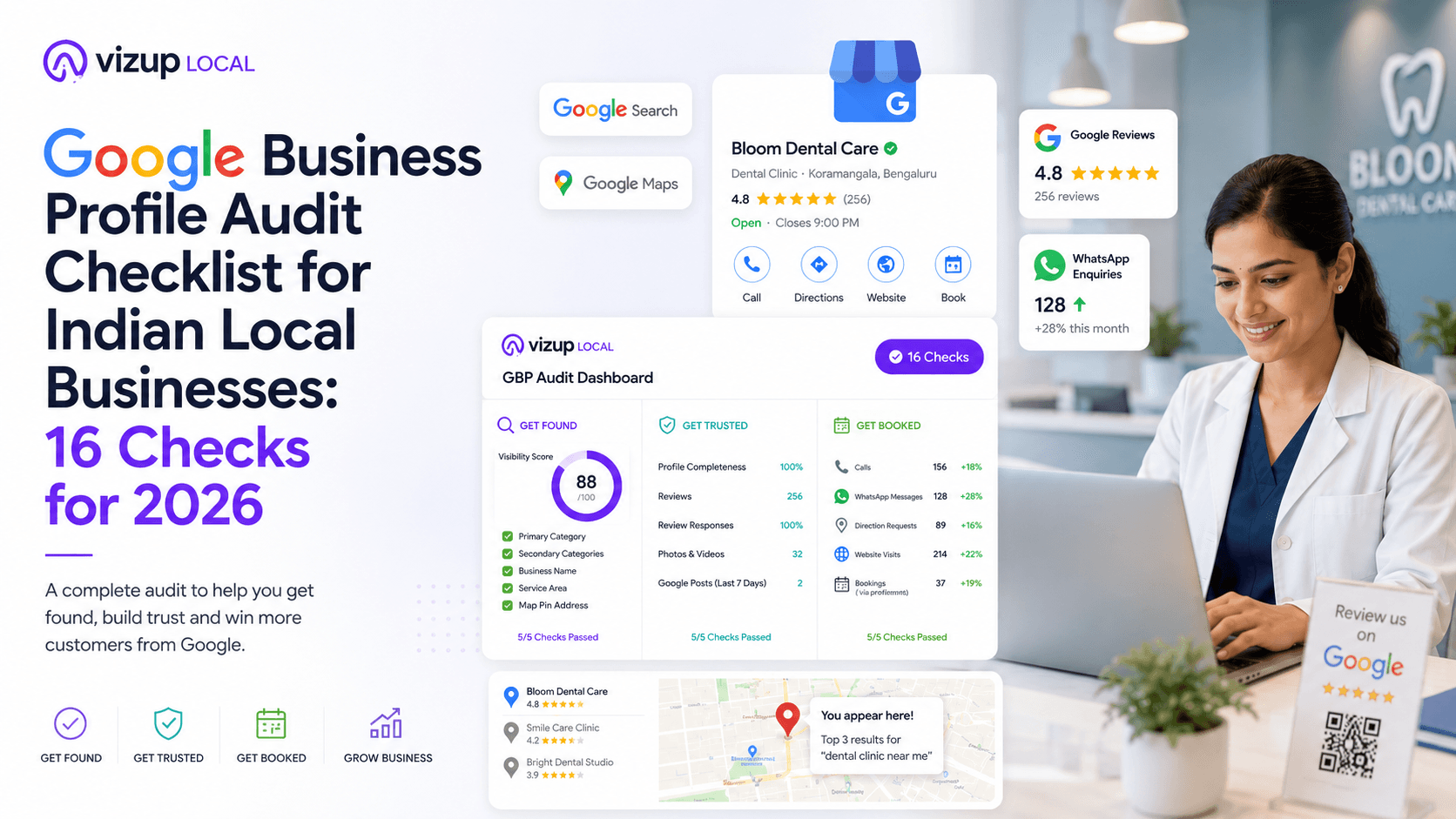
You already know your customers. You know your products. You know your service is solid, and when people walk in or call you, they usually trust you. The real question is what happens before that moment: when hundreds of nearby customers are searching on Google right now. When someone types a clinic, salon, furniture store, or your exact service into Search or Maps, do they see you first or the competitor down the road? For local businesses, that one result decides a big chunk of your calls and walk-ins. Your Google Business Profile (GBP) is your digital front door, and a regular Google Business Profile audit keeps that door easy to find and easy to enter.
This is not a technical lecture full of SEO terms. It's a working checklist built for Indian business owners who care about outcomes: more calls, more WhatsApp enquiries, more appointments, and more revenue. The 16 checks below follow a simple flow you can actually use: Get found. Get trusted. Get booked.
Part 1: Get Found. The Findability Audit
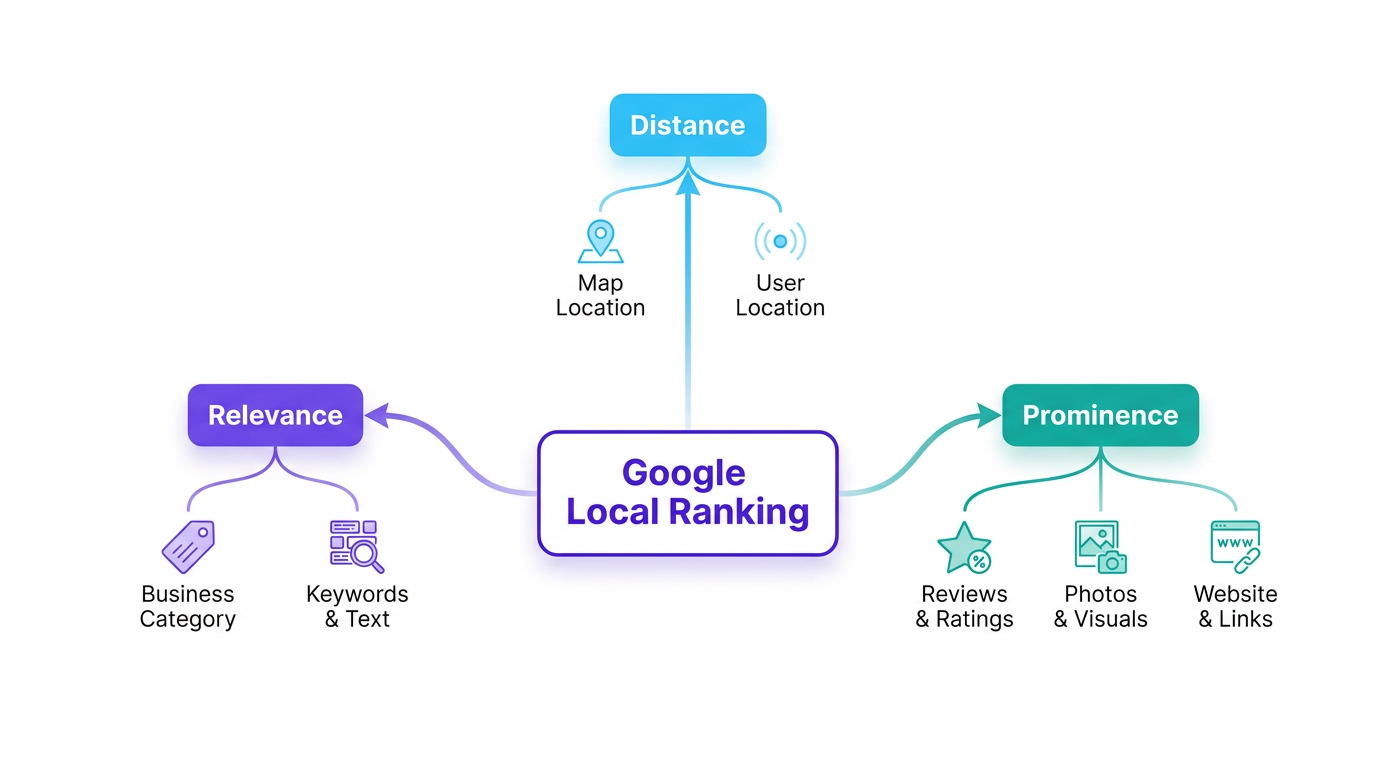
Trust and bookings come later. First, customers have to find you. Google Search and Google Maps are where most local decisions start, and if you are missing from the right 'near me' searches, you are effectively invisible to your highest-intent customers. Google generally looks at relevance, distance, and prominence for local rankings. These first checks make sure your profile gives Google enough clarity to show you for the searches that matter.
The Findability audit checks if your profile is set up to appear in the most valuable local searches.
- 1. Primary Category: Is your main business category the most specific and accurate choice? Choosing 'Women's Clothing Store' instead of just 'Clothing Store' tells Google exactly who you are. This is the single most important factor for your Google Business Profile ranking.
- 2. Secondary Categories: Have you added all other relevant categories? A dental clinic might add 'Cosmetic Dentist' and 'Emergency Dental Service' to capture more specific searches. This broadens your reach.
- 3. Business Name Accuracy (No Keyword Stuffing): Is your business name exactly as it appears on your physical signboard? Adding keywords like 'Best Salon in Koramangala' to your name is a policy violation and can get your profile suspended.
- 4. Service Area Definition: If you are a business that travels to customers (like a plumber or an interior designer), are your service areas correctly defined? This helps you appear in searches from all the localities you serve, not just where your office is.
- 5. Map Pin & Address Accuracy: Is your map pin dropped in the exact location? A wrong pin can send customers to the wrong place, creating frustration and costing you a visit. This is a simple but common issue found in a Google Maps business audit.
Info: What most people get wrong: They pick a broad primary category and stop there. It's like telling Google you run a 'food stall' when you actually run a 'Biryani Restaurant'. Specific categories bring the right customers.
Part 2: Get Trusted. The Customer Choice Audit
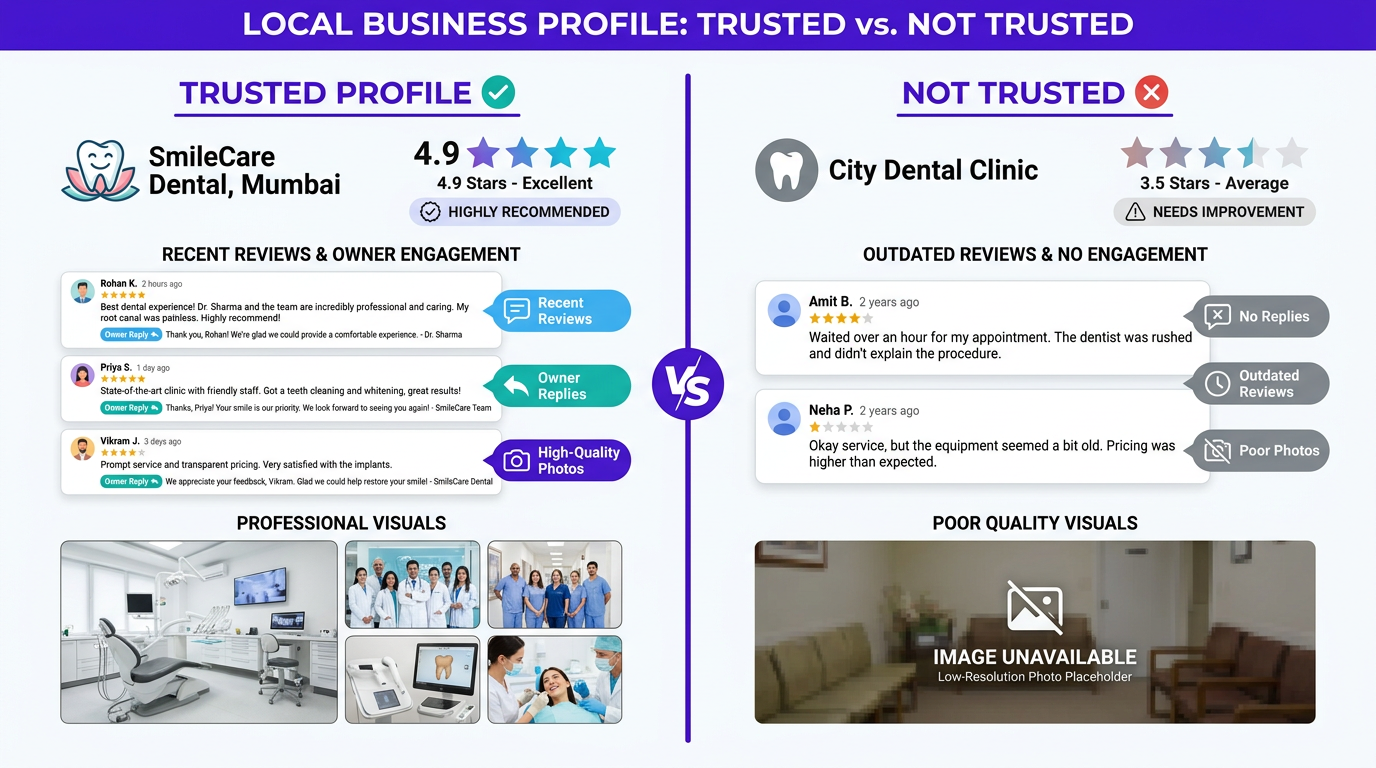
Getting seen is only half the battle. Once a customer lands on your profile, they judge you fast and they usually do it without calling. They look for completeness, review quality, and signs that your business is active right now, not two years ago. An empty or neglected profile creates doubt, even if your service is excellent. Google says businesses with complete profiles are seen as 2.7 times more reputable. This part of the audit focuses on the signals that make a customer choose you over the next option in the list.
The Customer Choice audit checks if your profile builds enough trust to win the click.
- 6. Profile Completeness: Is every relevant section of your profile filled out? This includes your description, opening hours, and attributes. An incomplete profile looks unprofessional and can harm your visibility. The 'Profile Strength' meter in your GBP dashboard is a good indicator of Google Business Profile completeness.
- 7. Review Quantity & Quality: Do you have a healthy number of recent, positive reviews? Reviews are a massive trust signal and a top conversion factor. Profiles with more reviews simply get more business.
- 8. Review Response Rate: Are you replying to all your reviews, both positive and negative? Replying shows you are engaged and care about customer feedback. 88% of consumers are more likely to use a business that responds to all its reviews.
- 9. Photo & Video Quantity: Do you have at least 10-15 high-quality, recent photos? Include pictures of your exterior (to help people find you), interior, team, and products/services. Profiles with photos get more clicks and direction requests.
- 10. Freshness of Activity (Posts): Have you published a Google Post in the last 7-14 days? Regular posts about offers, new products, or events signal to Google and to customers that your business is active and open.
Treat managing Google Business Profile reviews like a routine, not a one-off project. A steady flow of new reviews looks far more natural (and more convincing) than a sudden spike and then silence. If your reviews are not showing properly, problems like the 'no reviews yet' error can quietly block the trust you have earned. This explainer on managing Google Business Profile reviews breaks down what to check so your reputation is actually visible to customers.
Part 3: Get Booked. The Reachability Audit
Now comes the moment that matters: the customer is interested and ready to act. Your job is to make that next step effortless, whether it is a phone call, a WhatsApp message, an appointment booking, or directions to your shop. If anything is confusing or broken here, customers do not wait, they move on. This part of the Google Business Profile audit checklist is about turning search intent into real enquiries and walk-ins.
The Reachability audit checks how easy it is for a customer to contact you and become a lead.
- 11. Primary Call-to-Action (CTA): Is your main CTA button (e.g., 'Call', 'Book', 'Visit') the most important one for your business? A clinic should prioritise 'Book', while a retail store might prefer 'Directions'.
- 12. Phone Number Accuracy: Is the phone number listed correct and, ideally, a local number? This is a basic but critical check for Google Business Profile issues.
- 13. Website Link: Does the website link go to your homepage or, even better, to your appointments or contact page? Make the customer's journey as short as possible.
- 14. Messaging & WhatsApp: Have you enabled messaging? If the feature is available for your business, connecting your WhatsApp Business account allows customers to enquire instantly in a way they are most comfortable with.
- 15. Booking Integration: If you use an online booking system, is it integrated directly with your profile? This allows for seamless appointment scheduling without ever leaving Google.
- 16. Products/Services Listed: Have you listed your key products or services with descriptions? This acts like a mini-menu, answering customer questions upfront and helping you rank for more specific search terms.
If you are serious about Google Business Profile optimisation, start by checking the basics that directly affect enquiries. A wrong phone number, a dead website link, or messaging that is not set up properly is like keeping your shutter half-closed during business hours.
From Checklist to Action: How Vizup Local Helps
These 16 checks are a strong starting point. The headache is doing them regularly, tracking what changed, comparing yourself with nearby competitors, and then actually fixing the gaps. That is where a Google Business Profile audit tool earns its place.
Vizup Local helps local businesses get found on Google, build customer trust, and get more calls, WhatsApp enquiries, bookings and visits. It brings smart technology, AI support and human guidance together in one simple platform—so you can focus on running your business while Vizup Local helps you grow. When your business grows, we grow with you.
When you run our free Google Business Profile audit, you get more than a score. You immediately see:
- Your Visibility Score: A simple 0-100 number showing how you stack up on findability, trust, and reachability.
- Local Business Benchmark: See how your reviews, photos and profile activity compare with leading nearby businesses, and identify the clearest opportunities to improve.
- Prioritised Issues: We don't just list problems; we show you which ones are costing you the most customers, so you know what to fix first.
- Actionable Recommendations: Clear, simple instructions on how to fix each issue, without any technical jargon.
Vizup Local reduces the routine work involved in keeping your local presence accurate, active and ready to convert nearby searches into real enquiries. The system combines software, AI execution, and your control. It can draft review replies, suggest Google Posts, and watch for profile issues, then send you simple notifications for approval. You keep the final say, while the routine work gets handled so your profile stays active and optimised.
The 16-Point Google Business Profile Audit Checklist
Use this table to quickly audit your own profile. If you want a detailed, automated analysis plus competitor comparison, run the free Google Business Profile audit tool.
| Area | Check | Why It Matters for Your Business |
|---|---|---|
| Get Found | 1. Primary Category | Your biggest ranking lever; tells Google what you do. |
| 2. Secondary Categories | Helps you show up for more specific, long-tail searches. | |
| 3. Business Name Accuracy | Protects trust and reduces the risk of suspension. | |
| 4. Service Area | Helps you appear across the localities you actually serve. | |
| 5. Map Pin Accuracy | Stops lost visits caused by wrong directions. | |
| Get Trusted | 6. Profile Completeness | Complete profiles tend to look more reputable to customers. |
| 7. Review Quantity & Quality | Directly influences customer choice; higher ratings build trust. | |
| 8. Review Response Rate | Signals that you are active and you care about feedback. | |
| 9. Photo & Video Count | Helps customers picture your place, which lifts calls and direction taps. | |
| 10. Freshness of Activity | Shows Google and customers that the business is active. | |
| Get Booked | 11. Primary CTA | Pushes customers towards the action that matters most to you. |
| 12. Phone Number Accuracy | The fastest path for urgent enquiries. | |
| 13. Website Link | Sends customers to the right page for the next step. | |
| 14. Messaging / WhatsApp | Gives customers a convenient way to enquire instantly. | |
| 15. Booking Integration | Cuts steps for appointment-based businesses. | |
| 16. Products/Services List | Answers common questions upfront and improves relevance. | |
| A summary of the 16 essential checks for a complete Google Business Profile audit. |
Frequently Asked Questions
How often should I do a Google Business Profile audit?
Do the full 16-point audit at least once every quarter. In between, do a quick monthly check for new reviews, new photos, and basic details like hours and phone number so nothing goes stale or wrong.
Can I improve my Google Business Profile ranking myself?
Yes. This checklist covers plenty you can do on your own: complete the profile, build a steady flow of reviews, and focus on choosing the right Google Business Profile categories. If you want to go beyond basics, you can also look at advanced optimisation techniques.
Will completing my profile guarantee a #1 ranking?
No. Google does not guarantee rankings, and results also depend on distance from the searcher and your overall prominence online. Still, a complete, well-optimised profile is a strong foundation for local SEO and improves your chances of showing up well.
What is the difference between Google Business Profile and local SEO?
Google Business Profile is one major part of local SEO. Local SEO is the overall effort to get found in a specific area, which includes your GBP, your website's local optimisation, and local citations. A strong GBP is often the cornerstone of a local SEO audit in India.
How will AI like Google Gemini affect my business profile?
AI is already shifting local search by giving more direct answers through features like AI Overviews. A complete, well-structured Google Business Profile gives these systems reliable facts to work with. Keeping your profile accurate and active matters even more now. This article on how AI impacts your Google Business Profile explains what is changing.
Take Control of Your Local Growth
Your Google Business Profile is not a one-time listing you set and forget. It is a live sales asset that connects you with nearby customers who are ready to call, message, visit, or book. When you audit it regularly using this 16-point checklist, you stop leaving local demand to chance and start driving it.
Small mistakes on GBP cost real money: missed calls, fewer direction requests, fewer appointments. Most of them are fixable in an hour once you know where to look. Start by checking where you stand, what needs attention first, and how you compare with businesses around you.
Run your free, instant Google Business Profile audit now and see the gaps. Get started at https://www.tryvizup.com/local/gbp-audit.
