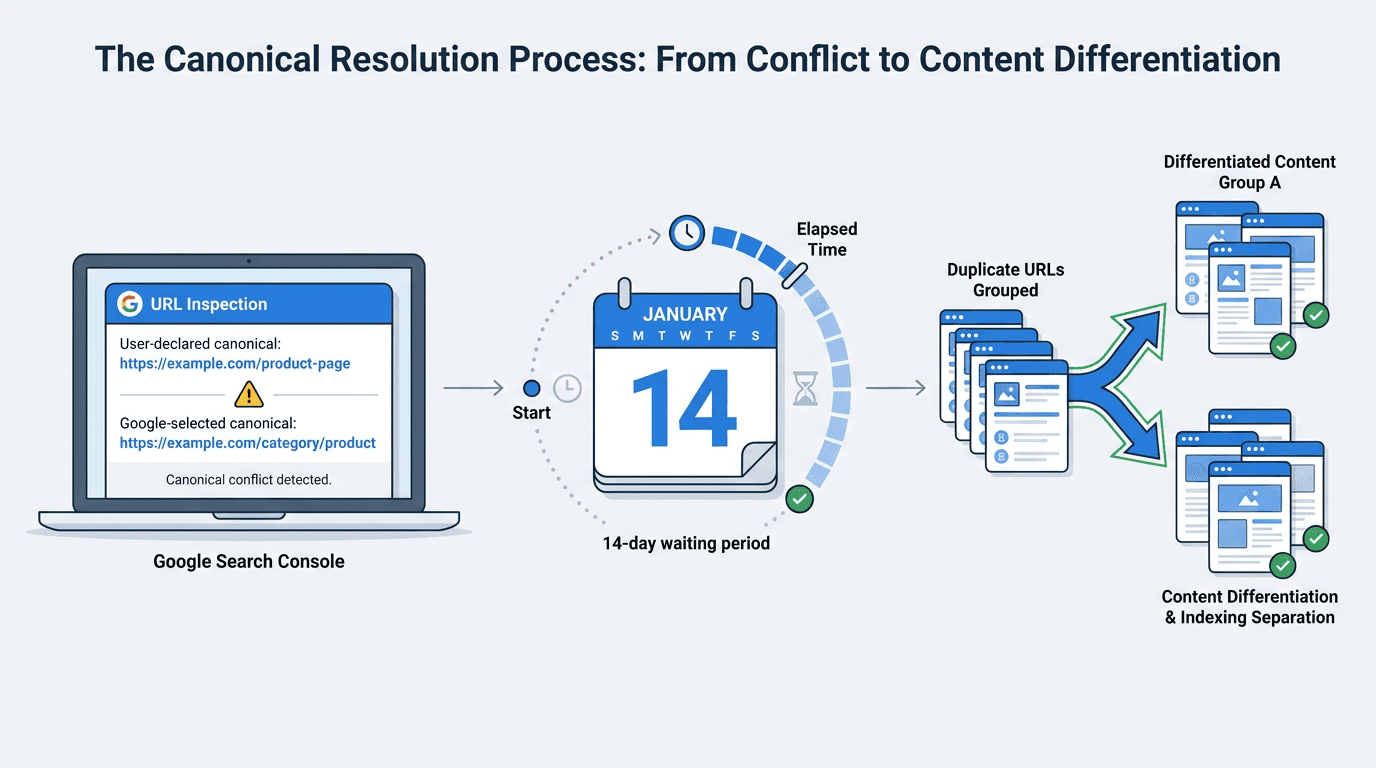
You fixed the duplicate content, corrected the canonical signals, and Google still insists on indexing the "wrong" URL. The most common canonicalization mistake is impatience, and Google just validated that reality with a clearer canonical re-evaluation time expectation.
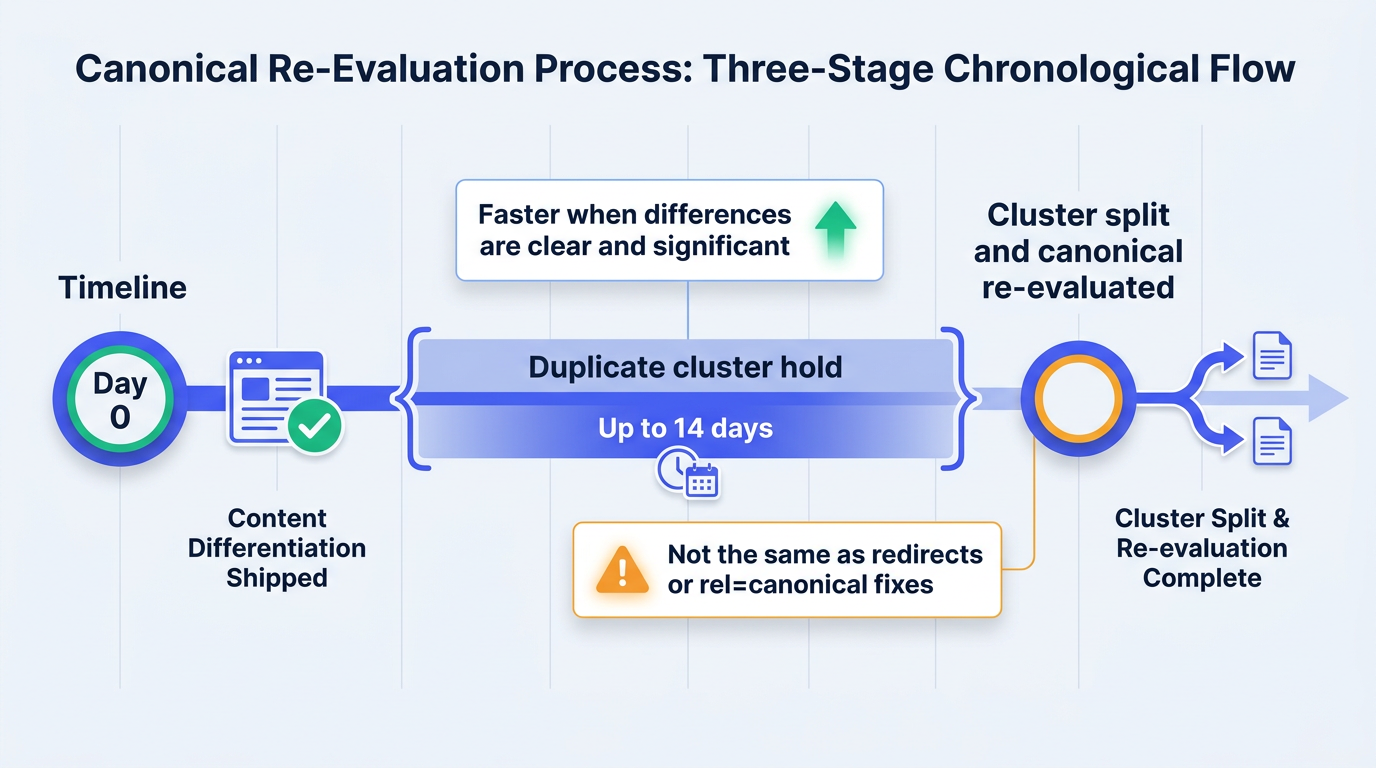
On July 10, 2026, Google updated its documentation to explain that after fixing content issues that caused URLs to be grouped together, pages may remain in a duplicate cluster for up to two weeks before being separated. Clear and significant differentiation can help pages split from the cluster faster. See Google's guidance on fixing canonicalization issues.
A repeatable workflow for stubborn canonical clusters:
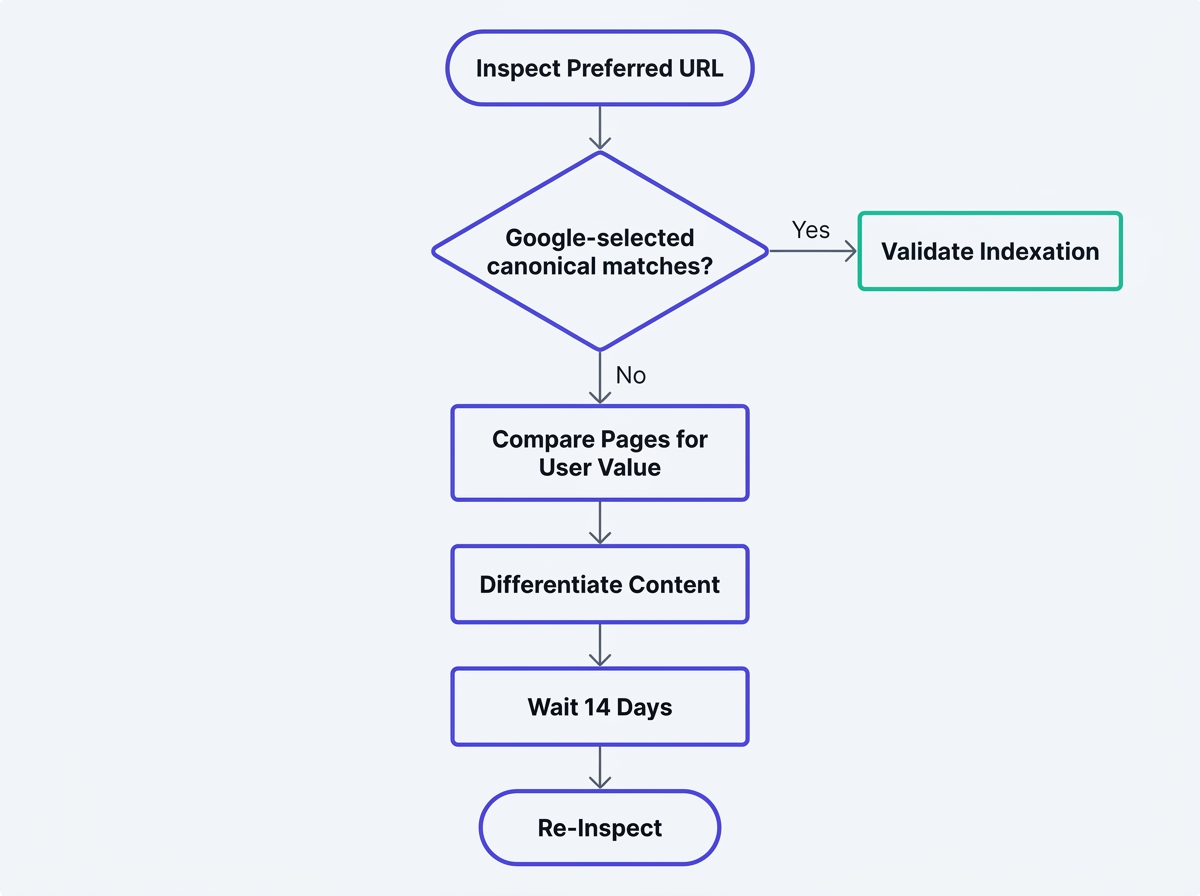
- Inspect your preferred URL in GSC and record the google selected canonical.
- Compare the clustered URLs side by side and decide if Google's choice serves searchers better.
- If not, make the pages meaningfully different (purpose, sections, entities, media), not cosmetically edited.
- Stop touching the pages and wait out the two-week duplicate content fix timeline for content-based clustering.
- Re-check URL Inspection and validate indexation changes in bulk.
Prerequisites: what you need before you start
You do not need new tools, you need clean diagnostics and a change freeze. Have these ready:
- Google Search Console access for the property (URL Inspection is the source of truth for canonicals).
- A list of affected URLs (preferred URL plus the URLs Google clusters with it).
- Ability to edit page templates and on-page content, especially if the pages are programmatic.
- A simple change log: what you changed, when you changed it, and when the two-week window ends.
Step 1: Understand the two-week window (and what it is not)
Google's July 2026 update is easy to misread. The two-week window applies specifically to content-based cluster splitting. When Google has grouped multiple URLs because their primary content is the same or very similar, it may take up to two weeks to re-evaluate the changes and separate the pages. Google also notes that pages generally split faster when their differences are clear and significant. See Google's documentation on troubleshooting canonicalization issues.
Warning: Crucial distinction: this two-week canonical re-evaluation time applies to content fixes on clustered pages. It is not the timeline for a redirect, a rel=canonical correction, or a server misconfiguration. Google lists those as separate canonicalization issues, and they follow different processing patterns.
Why Google added this: to set expectations about how long canonical changes take when the underlying issue is similarity, and to reduce the churn of teams repeatedly editing pages. Re-editing every day often keeps pages in flux, which makes it harder for Google's systems to decide whether the primary content is truly distinct.
Step 2: Diagnose the duplicate cluster in Google Search Console
Start with evidence, not assumptions. For a content-driven duplicate cluster google scenario, two questions need answers: which URLs are clustered together, and which URL did Google choose as canonical?
Check the google selected canonical (your source of truth)
Open GSC, then URL Inspection for the URL you want indexed (your preferred canonical). In the Indexing section, note:
- User-declared canonical (what you signaled, if any).
- Google-selected canonical (what Google actually chose).
- Whether the URL is indexed, and if not, whether it is being treated as a duplicate.
If the Google-selected canonical is a different URL, resist the urge to change the canonical tag immediately. First, assess whether Google's selected URL is genuinely a better match for the search intent. If you are also seeing unusual reporting patterns while investigating the issue, review Vizup's guide to troubleshooting unexpected Google Search Console impression drops.
Honestly assess the clustered pages before changing anything
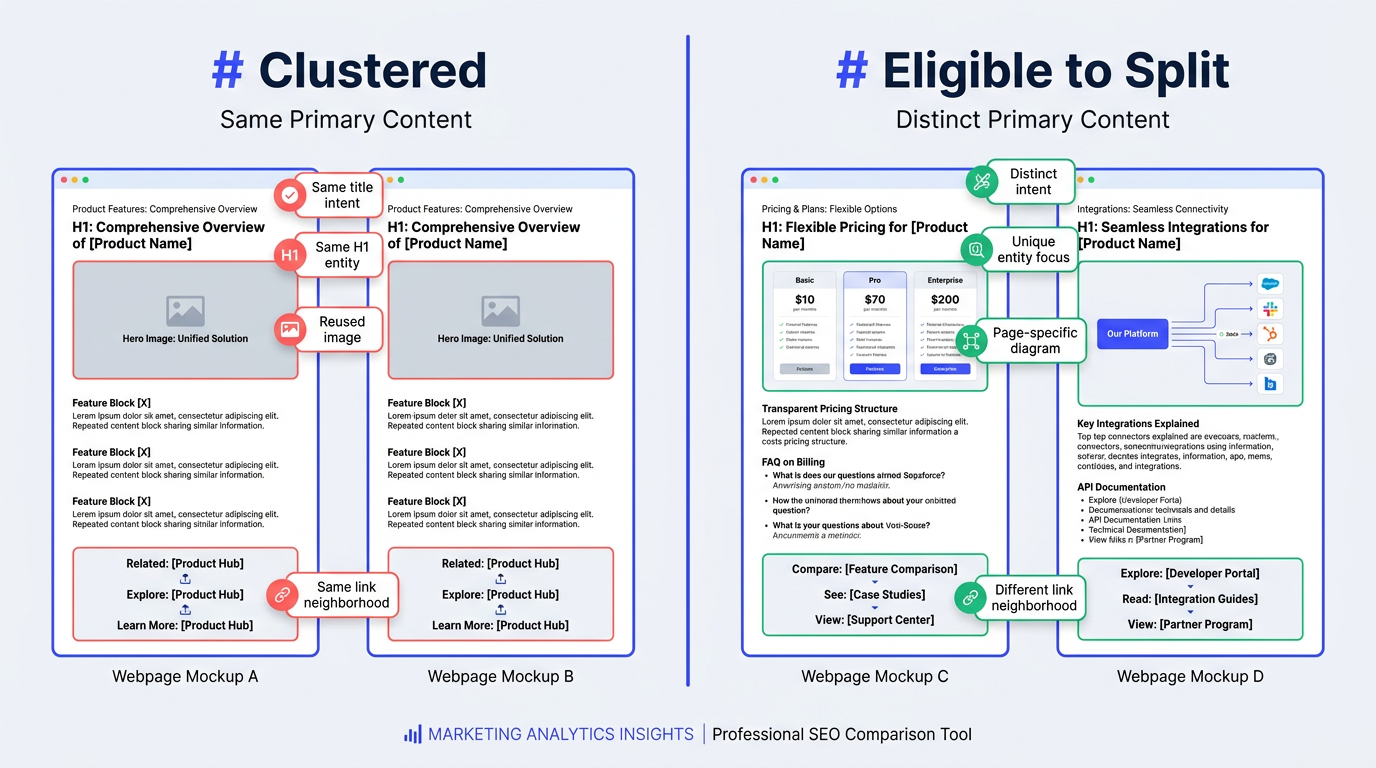
Open the preferred URL and the Google-chosen canonical side by side. Pages with substantially similar primary content, purpose, and value are likely to be clustered, which is common with templated location pages and thin programmatic variants. These conflicts often arise when only a city name, product attribute, or short paragraph changes between pages. Review Vizup's guidance on programmatic SEO trends in 2026 for patterns that can contribute to duplicate clustering.
When Google's selected canonical is genuinely the better page for the query intent, accept the selection and consolidate the duplicate versions. Google explains how redirects, rel="canonical" annotations, sitemap inclusion, and other signals influence canonical selection in its documentation on consolidating duplicate URLs.
Step 3: Differentiate, do not "tweak" (the fastest way to fix canonicalization issues)
When the preferred URL should stand on its own, a marginal rewrite will not move the needle. The fix is unmistakable differentiation in primary content and purpose. This is the part most teams underdo, and then they assume the fix failed because nothing changes the next day.
| Area of Page | Minor Tweak (Won't Work) | Significant Differentiation (Will Work) |
|---|---|---|
| Page Title | Swap word order, add a year | Change the promise and scope to match a distinct intent (pricing vs. reviews vs. setup) |
| H1 Heading | Add a modifier like "best" | Use a different entity and task focus ("Integrations" vs. "Alternatives" vs. "Implementation") |
| Body Content | Edit a few sentences, add filler FAQs | Add unique sections with unique facts, examples, constraints, and workflows specific to that page |
| Internal Links | Add one link to the same hub page | Build a distinct internal link neighborhood that supports the page's unique purpose |
| Images/Media | Reuse the same hero image everywhere | Use page-specific diagrams, screenshots, or data visuals that only make sense on that URL |
| Clarity of differentiation, not volume of edits, is what resolves clustering. |
Duplicate content does not automatically result in a penalty, but duplicate URLs can complicate performance measurement, divide signals between similar pages, and cause Google to spend time crawling versions you do not want surfaced. Google's documentation on canonicalization and duplicate URLs reinforces that canonical conflicts are often symptoms of deeper content, architecture, or template issues.
Step 4: Wait the full canonical re-evaluation time (stop touching it)
Once you ship the differentiation, freeze changes for at least two weeks. Put a calendar reminder on the exact URLs. This is where impatience becomes a technical problem: constant edits keep shifting the similarity profile, and you never give Google a stable target to evaluate.
Note: Practical workflow: check URL Inspection first, ask whether the Google-selected canonical is better for searchers. If not, differentiate substantially rather than marginally, then wait the full window before touching it again. Clarity beats churn.
When you need to communicate this internally, frame it as a processing window for a content similarity system, not a crawl delay. The question is not "did Google crawl it" -- it is "did Google decide the primary content is no longer the same as the other URLs in the cluster".
Step 5: Verify the split in GSC, then check at scale
After the waiting period, re-run URL Inspection on the URL that was previously ignored. You are looking for the moment when the google selected canonical switches to the inspected URL, and the page becomes eligible to be indexed on its own merits.
Verification checklist:
- URL Inspection: Google-selected canonical now equals the URL you inspected.
- Coverage signals: the URL is indexed, or at least no longer treated as a duplicate of the other page.
- Query behavior: impressions and clicks consolidate to the right URL over time.
If the URL still appears as "Crawled – currently not indexed" after the duplicate cluster has split, treat it as a separate content-quality and value problem. Vizup explains how to investigate the issue in Crawled – currently not indexed: the GSC quality warning.
For sites with hundreds or thousands of URL variants, verify indexation in bulk rather than relying only on individual spot checks. Use a repeatable export, segmentation, and sampling process, following Vizup's five ways to check indexed pages in bulk.
Common mistakes that keep pages stuck in a duplicate cluster
These are the patterns that waste the most time when teams try to fix canonicalization issues:
- Editing every day during the evaluation window, which keeps similarity unstable.
- Only changing titles and headings while leaving the primary content and intent the same.
- Forcing rel=canonical to a page that is not actually the best answer for the query intent.
- Publishing large sets of near-duplicate programmatic pages without unique media, examples, or constraints.
- Mixing separate problems: treating redirect, sitemap, and server issues as if they follow the content clustering timeline.
When duplicate pages resemble doorway-style patterns or low-value scaled content, remember that canonicalization can overlap with broader content-quality concerns. Vizup's analysis of how Google plans to identify AI spam at scaleprovides additional context for deciding whether similar pages should be differentiated, improved, consolidated, or removed.
FAQs: Canonical re-evaluation time
How long does it take Google to recognise canonical changes?
For content-based duplicate clustering, Google says pages may remain in a duplicate cluster for up to two weeks after the underlying content issues have been fixed. Pages generally separate faster when their primary content and purpose are clearly and significantly different. See Google's guidance on fixing canonicalization issues.
What is the difference between a rel=canonical fix and a content-based cluster split?
A rel=canonical fix is a signal correction. A content-based cluster split is Google deciding the primary content is no longer the same or very similar, so the URLs should not be grouped. Google treats these as separate canonicalization issue types, and the two-week window applies specifically to content fixes on clustered pages, not tag corrections.
Will resubmitting a URL in Google Search Console speed up the canonical re-evaluation time?
It can prompt recrawling, but it does not replace the evaluation window for content similarity. Changing the page and resubmitting repeatedly often prolongs the decision because the content keeps moving. Ship a clear differentiation, then wait.
What if Google still selects the wrong canonical after two weeks?
Re-examine your premise first: does the Google-selected canonical actually serve searchers better? If not, your differentiation is still too subtle. Change the page's purpose and primary content, not just headings, and make supporting signals consistent (internal links, unique media, and on-page structure). Then wait another stable window before judging results.
Does this two-week window apply to fixing 301 redirects?
No. Redirects are a separate canonicalization signal and do not follow the content-based duplicate-cluster timeline. When investigating redirect issues, also check whether redirected URLs are still included in your XML sitemap. Vizup explains the problem in 3xx redirects in XML sitemaps.
Summary and next steps: patience, then proof
A predictable canonical re-evaluation time workflow comes down to three things done well: diagnose with URL Inspection, differentiate content until the intent is unmistakable, then stop touching it long enough for Google to split the cluster. The pattern holds across stubborn cases: clarity of differentiation resolves clustering, not volume of edits.
Next steps: document the two-week re-evaluation window in your SEO runbook, avoid unnecessary changes while the result is being assessed, and establish a bulk-verification process so you can confirm when the split occurs instead of guessing. Vizup can support this as an Organic Autopilot for modern discovery, helping brands monitor, create, optimise, publish, and learn across Search, Social, Communities, AI Answer Engines, and Local Discovery through AI agents, human experts, and live SEO, pSEO, AEO, and GEO tools. Paid advertising can be added selectively as an amplification layer.
