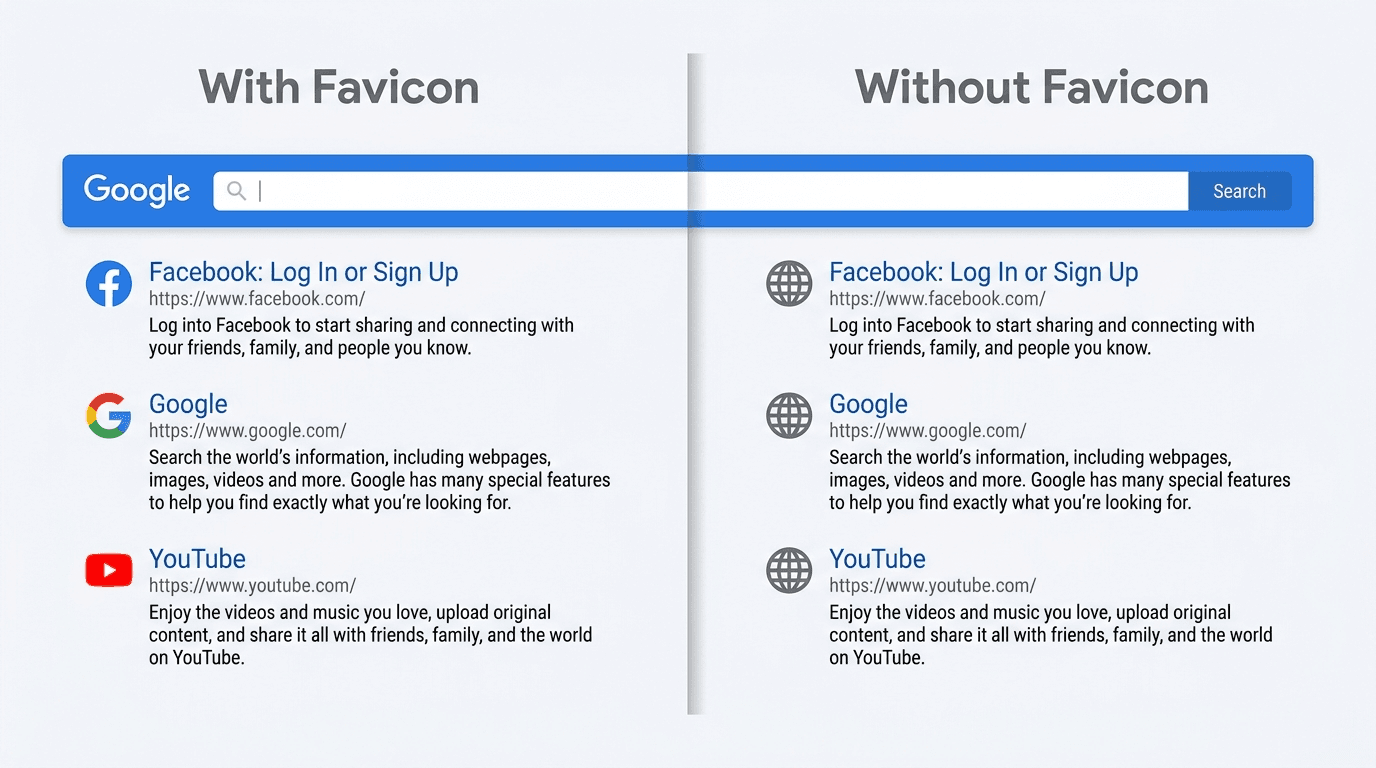
Favicons disappearing from Google Search is a confirmed Google-side bug, not evidence that something broke on your site. It replaces a brand icon with Google's generic globe, including on sites whose favicon setup was previously working.
A grey globe beside your site name is an unnerving sight after the work of building a recognizable presence. If your favicon went missing from Google Search in August 2026, you are far from alone and are almost certainly not responsible. The useful question is whether this is the platform outage or a real configuration problem - and what, if anything, deserves your team's time.
Is the Missing Favicon My Fault or a Google Bug?
Reports began piling up in mid-August 2026: favicons vanished from Google Search and the globe icon appeared in their place. Search Engine Roundtable documented the spike on August 20, 2026, before Google had offered an explanation. The affected sites spanned sectors and sizes, which made a shared site-level failure unlikely.
On August 21, 2026, Rajan Patel, Google's VP of Engineering for Search, publicly confirmed a bug and said the team was working on a fix. That confirmation settled the central diagnosis: this was a Google Search bug August 2026, not a mass outbreak of bad favicon configurations. Google also said the fault was visual only; crawling, indexing, and rankings were unaffected.
Info: If your favicon vanished in August 2026 after displaying correctly, the platform-wide bug is the likely cause - not a penalty or a new technical error. Review what Google actually said before changing anything.
How Can I Tell a Google Bug from a Real Favicon Problem?
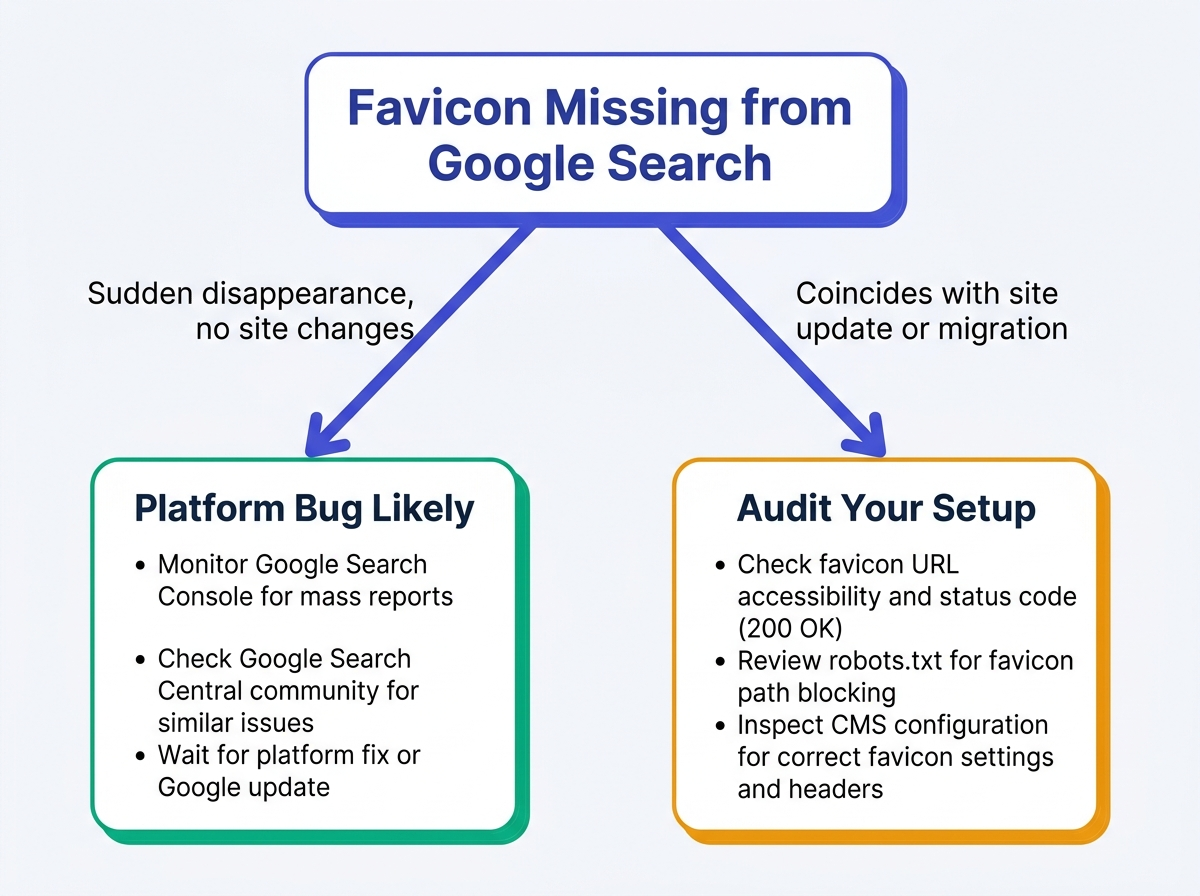
The globe icon looks the same regardless of cause. Most sites caught in the August 2026 incident can reasonably attribute it to Google, but genuine configuration errors still happen. Use the signals below to separate waiting from investigating.
| Signal | Likely Google Bug | Likely Site-Side Issue |
|---|---|---|
| Timing of disappearance | Sudden in mid-August 2026, with no site changes | Follows a site update, migration, or CMS change |
| Scope across sites | Many unrelated domains affected at once | Only your domain is affected |
| Google Search Console errors | No new crawl or indexing errors | Favicon URL fetch errors or robots.txt blocks |
| Favicon URL accessibility | File opens normally in a browser | File returns 404, 403, or redirects |
| Previous favicon history | Icon worked before August 2026 | Icon never appeared, or vanished after a specific change |
| Industry reports | Widespread reports at the same time | No broader reports of the issue |
| Use this framework to decide whether to wait for Google's fix or investigate your own setup. |
A match with the left column points strongly to the platform bug. Signals on the right justify a site audit even while the broader outage is underway. How Google Search is changing offers wider context for these interface shifts and their SEO implications.
Why Does a Tiny Icon Matter So Much Anyway?
A favicon is the small icon associated with a website, seen in browser tabs, bookmarks, and search results. MDN Web Docs traces the standard back to Internet Explorer 5 in 1999. As result pages became denser, that small visual cue became more useful.
On a results page, the favicon does some of the work of a storefront logo. People scan visual signals alongside text to spot names they know. Swap a familiar mark for a generic globe and the result loses an immediate recognition cue. That matters at the click: visual familiarity is consistently associated with higher click-through rates, while an anonymous icon weakens the trust shortcut a known logo supplies. See brand recognition in search snippets for more on how Google presents brand identity.
What Should I Do Now That Google's Fix Has Rolled Out?
Search problems invite immediate action. For this outage, restraint is usually the better operational choice. Verify the basics, monitor the impact, and avoid changes that add work without speeding Google's repair.
Step 1: Don't Panic-Change Your Files
Do not re-upload or replace a working favicon during an active platform bug. A file change can put the icon back into Google's crawl queue, and Google does not fetch favicons on every crawl cycle. That can delay its return once the rendering issue is fixed. Here, patience plus verification beats a reactive upload - and keeps developer and SEO time available for work that can move the needle.
Step 2: Verify Your Favicon Meets Google's Guidelines
Use the pause to check the official favicon specifications Google publishes. Google requires favicons to be square and at least 8x8 pixels, while recommending a higher-resolution favicon larger than 48x48 pixels so it renders well across surfaces.
Google's core favicon eligibility criteria:
- Pixel dimensions: At least 8x8 pixels with a 1:1 aspect ratio; Google recommends using a favicon larger than 48x48 pixels for better rendering across surfaces.
- File format: PNG, ICO, SVG, and GIF are supported; the file must be square
- Stable URL: The URL should not change often and must return a 200 status
- Crawlable by Googlebot-Image: robots.txt cannot block Googlebot-Image from the favicon file
- Brand representation: Use an icon that represents the site, not a generic placeholder
- Consistent domain: Host the favicon on the site's domain or a subdomain
Warning: Google retired its dedicated 'Google Favicon' user-agent in October 2023. Favicon crawling now uses standard Googlebot and Googlebot-Image. If robots.txt allowed only the old agent, confirm that Googlebot-Image is allowed too.
Step 3: Monitor the Situation and Your Metrics
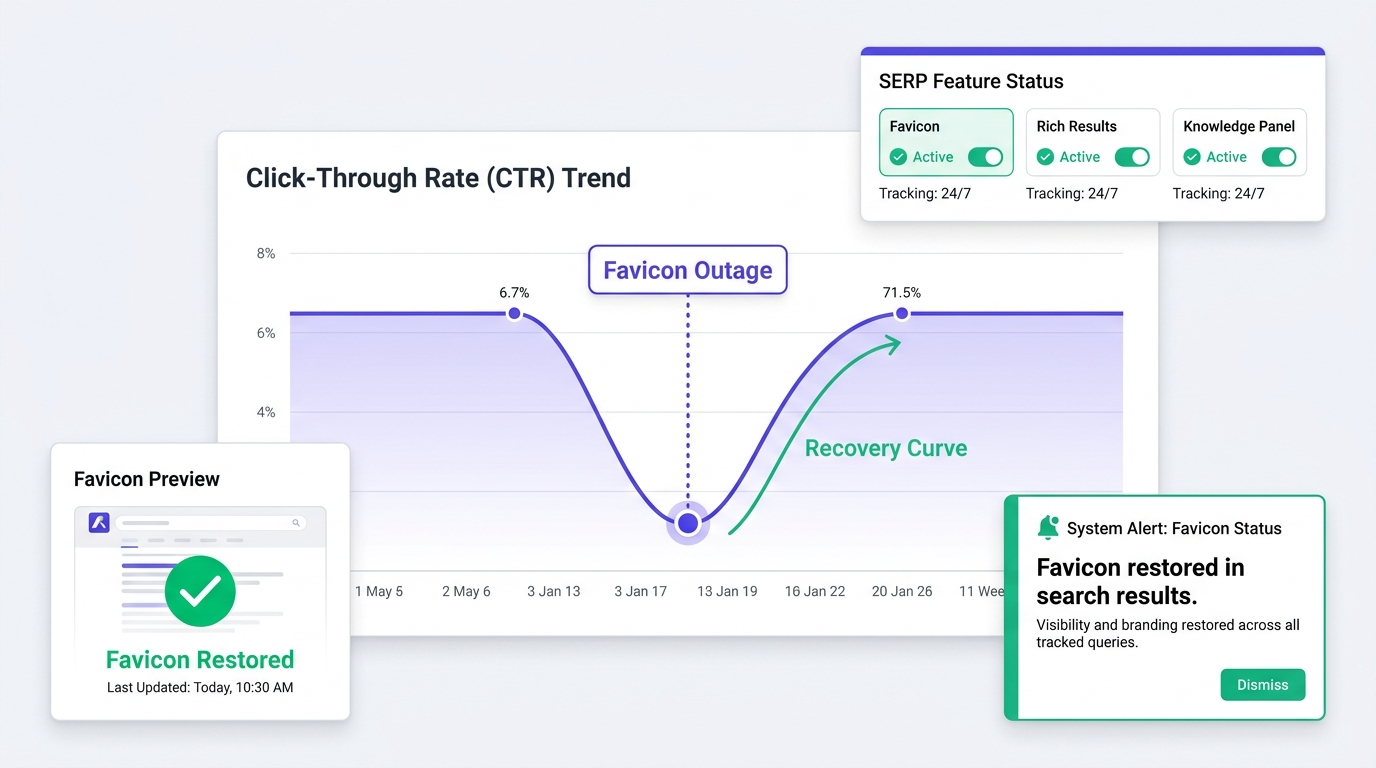
Watch official Google Search Liaison channels and industry reporting for the Google favicon bug 2026 resolution timeline. In Search Console, filter performance by queries where your brand appears. A CTR decline during the outage gives you evidence of the business impact of Google's globe substitution for internal reporting.
This is precisely where automated SERP monitoring earns its keep. Vizup's Watcher agent tracks how your brand appears in results and alerts you when favicons, rich results, or knowledge panels change, including when your icon returns. If Search Console numbers also look odd, troubleshooting Google Search Console bugs from August 2026 may explain simultaneous reporting changes in impressions and CTR.
Key Takeaways: Navigating the Favicon Blackout
What every SEO manager and site owner should know about the August 2026 favicon event:
- The missing-favicon wave is a confirmed August 2026 Google bug, not a penalty or site-side error for most domains.
- Rajan Patel, Google's VP of Engineering for Search, acknowledged the issue on August 21, 2026, and said Google was working on a fix.
- Avoid reactive favicon uploads; they can reset the crawl queue and delay the icon's return.
- Audit the basics: a 48x48px multiple, stable URL, and access for Googlebot-Image.
- Track Search Console CTR, since losing a recognition cue can reduce clicks even though rankings are unchanged.
- Use automated SERP monitoring to know when the favicon returns instead of repeatedly checking devices.
Frequently Asked Questions
How long does Google take to update a favicon?
Under normal conditions, Google does not crawl favicons on every visit. After a valid file change, an updated icon can take days or several weeks to appear. During the August 2026 bug, timing depends on Google's platform-level fix rather than an individual crawl schedule. Google Search Liaison is the best source for progress updates.
Can I use an SVG file for my Google Search favicon?
Yes. Google supports SVG alongside PNG, ICO, and GIF. An SVG still needs to be square, available to Googlebot-Image, and served from a stable URL. Browser support can vary, so test it across environments. The 48x48 multiple applies to raster files; for SVG, square proportions are the primary geometry requirement.
Why does Google show a favicon different from the one I specified?
Google chooses the icon it considers most representative, which is not always the one declared in your HTML. Common causes include an error at the declared URL, dimensions that miss the 48x48 requirement, robots.txt blocking Googlebot-Image, or Google selecting an icon from another page on the domain. Check the official Google favicon documentation against both the markup and file.
Does a missing favicon affect my SEO rankings?
No. Google confirmed the August 2026 bug is a visual rendering issue and does not affect rankings or indexing. It can reduce traffic by removing a brand-recognition cue and lowering click-through rate, but it does not alter how Google evaluates pages. Watch CTR rather than rankings during this event.
How can I force Google to re-crawl my favicon?
There is no direct favicon re-crawl control comparable to URL Inspection for pages. You can request a crawl of the favicon URL in URL Inspection, but Google treats it as a low-priority signal and does not promise a quick update. During the August 2026 bug, it is unlikely to accelerate a rendering-side fix. Confirm the setup meets crawl requirements and wait for Google's fix to propagate.
