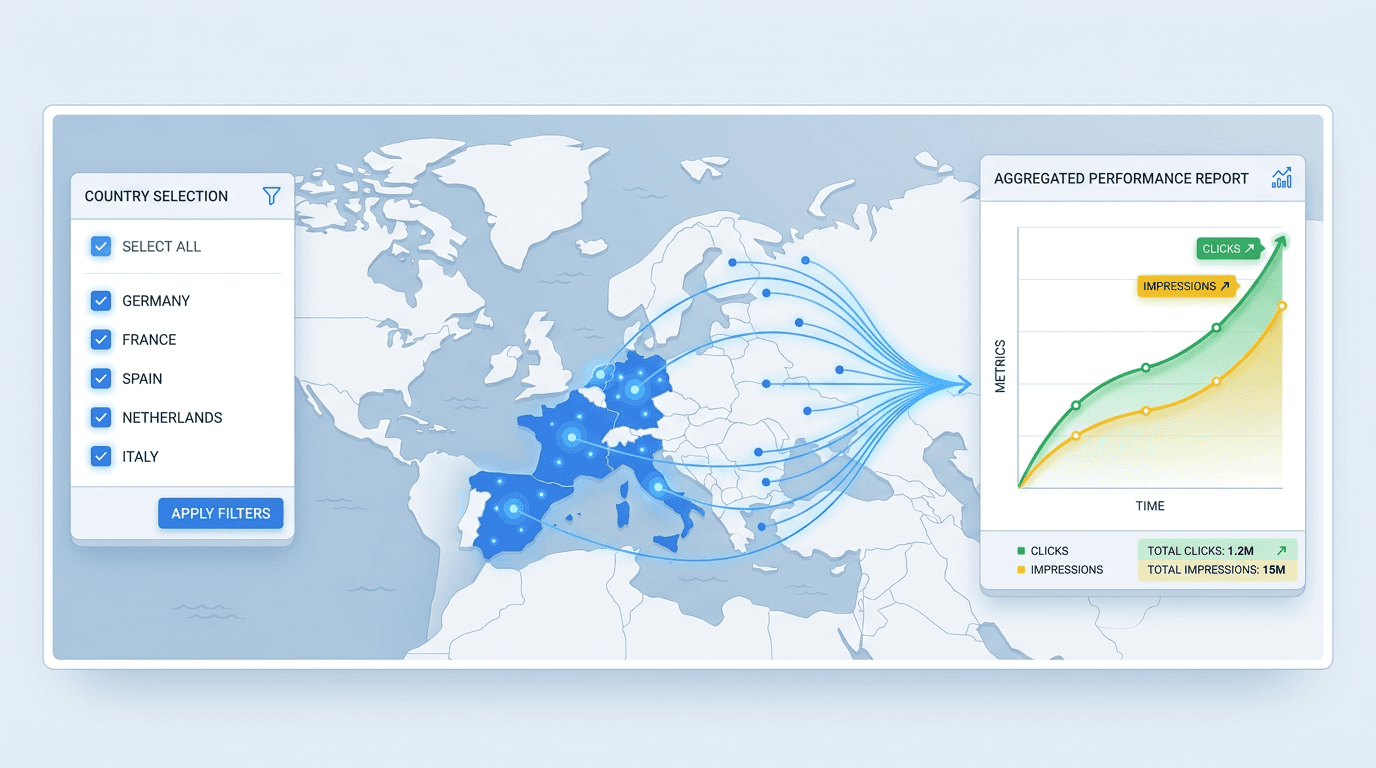
International SEO teams have long exported Search Console CSVs, pasted country rows into a spreadsheet, and built SUMIF formulas to answer a basic question: how is EMEA doing? The process broke whenever a market was added, removed, or renamed. On October 6, 2026, Google shipped a search console multi country filter that lets you select several countries in one Performance report and see their combined data immediately (Search Engine Journal, 2026). The one-country-at-a-time constraint is gone.
Set up the filter, check what the aggregate is actually showing, then export a regional report without the monthly CSV rollup. The process has five steps:
- Open the Performance report and locate the Country filter.
- Select multiple countries to build your market group.
- Read the combined performance data.
- Compare your market group against another region.
- Export or share the grouped report.
Who This Is For and What You'll Need
This is for in-house SEO leads, international SEO managers, and analysts producing recurring reports for blocs such as the EU, APAC, or the Gulf states. You need access to a verified Google Search Console property and a defined list of countries for each reporting group. A Domain property is useful when you want to include multiple protocols and subdomains. Select a reporting period with enough data for a meaningful comparison. The core workflow needs neither API access nor a third-party tool.
Step 1: Open the Performance Report and Locate the Country Filter
Go to Performance > Search results. The bar above the chart includes Date, Search type, and Country pills. Click Country. Where this used to open a single-select dropdown, the google search console country filter now opens a checkbox dialog. Multi-select lives under the Filter tab, not Compare.
Info: Still seeing a single-select dropdown? Try a domain-level property. If the multi-select option is missing, check whether it is available in another verified property or account. Google did not publish a confirmed rollout schedule distinguishing Domain and URL-prefix properties.
Step 2: Select Multiple Countries to Build Your Market Group
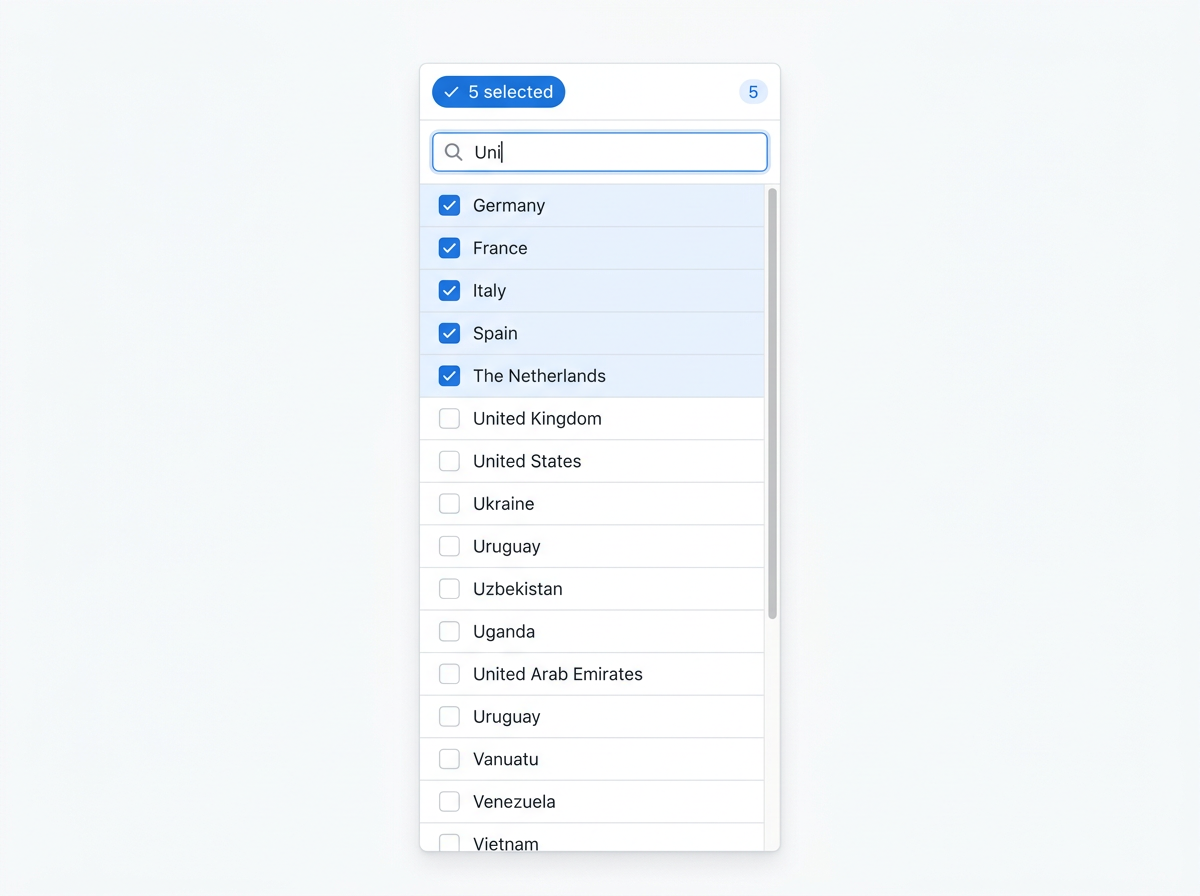
Search or scroll for each country and tick its box. A Western Europe group might include Germany, France, Italy, Spain, and the Netherlands. The badge confirms the count. Check the list before Apply: reopening the dialog clears its search field, although selected countries remain checked. This is native country grouping in Search Console; no exported rows required.
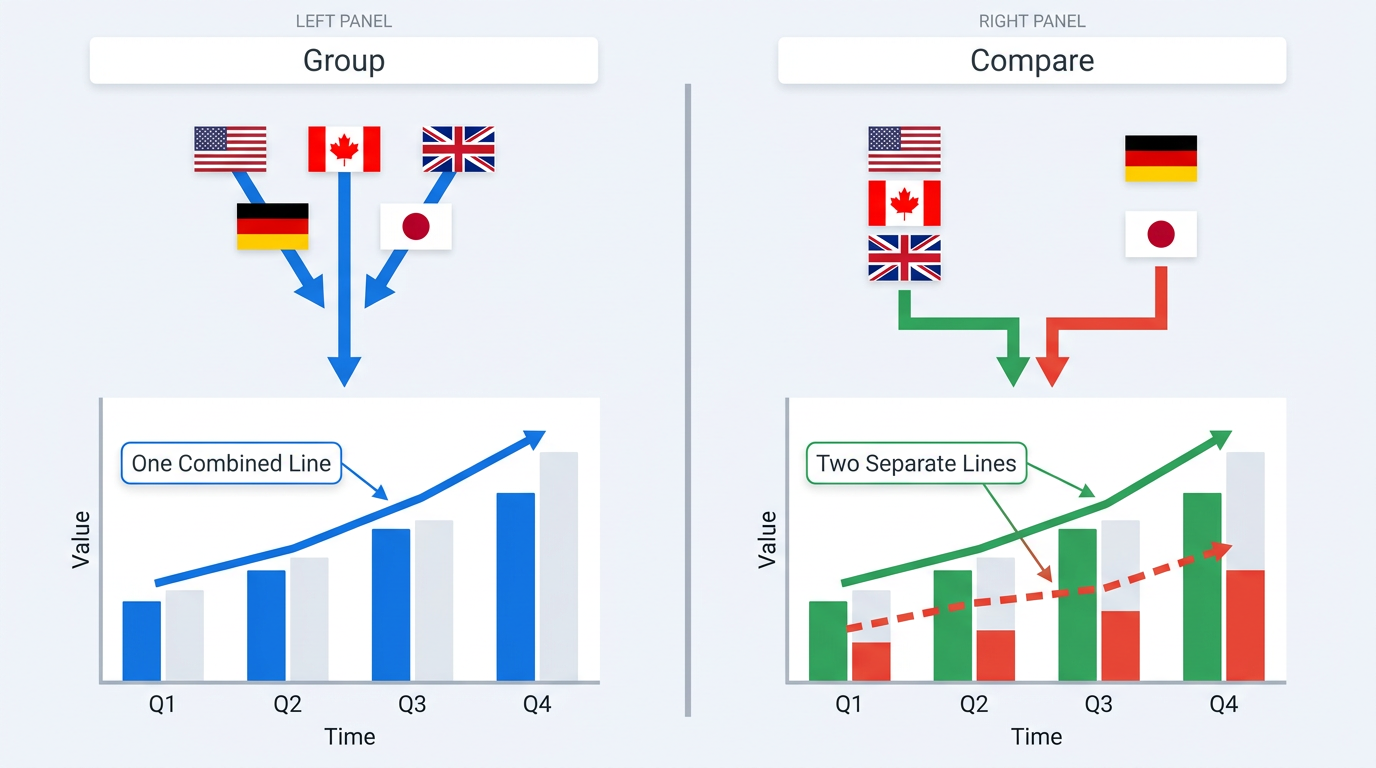
Do not confuse this with Compare. The multi select country filter GSC feature adds selected countries into one line. Compare overlays separate lines for up to two selections. That distinction is where misleading board charts usually begin.
Step 3: Read the Combined Performance Data
After applying the filter, Search Console displays combined performance for the selected countries. Clicks and impressions are aggregated, CTR is calculated from clicks and impressions, and average position reflects impression-weighted ranking data. Table values depend on the dimension selected. Add Pages or Queries below the chart to find the content driving the bloc. The gsc performance report country view is most useful when you then toggle countries individually: a page can work in one sub-region while lagging in another.
Warning: Grouped average position is impression-weighted. A market with 50,000 impressions at position 12 outweighs one with 50 impressions at position 3. Break out countries to sanity-check position when it matters to the report.
Step 4: Compare Your Market Group Against Another Region
Open the Compare tab in the Country filter. Google documents the Compare tab for evaluating two countries side by side, not two custom multi-country regions. To compare larger regional groups, create each grouped view separately with the same date range and search type, then export the results for a side-by-side comparison. The chart overlays two lines and the table presents paired columns. That replaces repeated report runs and spreadsheet reconciliation. You can view combined performance for each regional bloc inside Search Console. Comparing two complete regional blocs may still require separate filtered reports or exported data.
Compare German-speaking markets - Germany, Austria, and Switzerland - with the Nordics: Sweden, Denmark, Norway, and Finland. The split can expose content that travels poorly across language clusters. German-optimized pages might earn strong DACH CTR but impressions and near-zero clicks in Scandinavia, pointing to a localization gap. Vizup's analysis of the zero-click gap across European markets provides broader context on regional organic visibility.
Step 5: Export or Share the Grouped Report
Use Export in the top right to download the filtered view as a Google Sheet, CSV, or Excel file. The export retains the multi-country selection, so its totals are already summed. A Share link gives stakeholders a bookmarkable URL that opens with the same filter state. That removes the Monday-morning filter rebuild.
The Search Analytics API does not document a dedicated multi-country selection parameter equivalent to the new UI checkboxes. Its existing country filters use three-letter country codes, and the includingRegex operator can be used to define a multi-country matching pattern. Validate the resulting data against the Search Console interface before automating reports.
Tools such as Vizup's Operator agent can send grouped snapshots into scheduled dashboards alongside rank-tracker and GA4 metrics. If you manage multiple Search Console properties across international domains, API automation is the practical next step.
Old Workflow vs. New: Time Saved per Report
| Workflow Step | Old Method (single filter + spreadsheet) | New Method (multi-select in GSC) | Time Saved |
|---|---|---|---|
| Filter by country | Run the report five times, once per country | Tick five checkboxes in one dialog | ~8 min |
| Aggregate data | Export five CSVs, paste into a master sheet, write SUMIF formulas | GSC sums on screen | ~15 min |
| Compare blocs | Build a second sheet, repeat for the comparison group, align dates manually | Use Compare with grouped selections | ~12 min |
| Share with stakeholders | Attach a spreadsheet in email or Slack and explain filters | Send a bookmarkable URL with the exact filter state | ~5 min |
| Update when a market is added | Edit formulas and re-check every sheet tab | Add one checkbox | ~10 min |
| Estimated savings for a five-country EU bloc reported weekly: roughly 50 minutes per report cycle. |
Common Mistakes and Troubleshooting
Confusing 'Group' with 'Compare'
Grouping produces one combined line; Compare produces separate lines. Use Compare by mistake and the board deck shows two series rather than the total finance expects. Group for a bloc total. Compare to see where blocs diverge.
Forgetting That Position Is Impression-Weighted
A market at position 3 with 50 impressions barely changes an aggregate that includes a market at position 12 with 50,000 impressions. If average position is a report KPI, validate it by country. Inflated GSC impression counts can further skew multi-market totals.
Silent Errors from Stale Market Lists
The filter will not add a new market or remove a closed one on its own. Keep the market-to-country mapping in a shared sheet so the next analyst knows which boxes belong in the report. Vizup's analysis of GSC data anomalies is a useful reminder that native data still misleads when filters are neglected. That gsc country segmentation hygiene catches errors before a stakeholder finds them.
When to Go Beyond Native GSC Filters
Native search console performance report filters handle roughly 80% of the market-grouping problem. They do not save named groups, schedule pulls, or blend GSC with GA4 and rank-tracker data. Teams managing ten or more markets may need an agentic platform such as Vizup to watch bloc-level traffic shifts and flag anomalies before a board deck. If your international SEO strategy covers search, AI answer engines, and local discovery, centralized monitoring saves more time than a filter alone.
Summary and Next Steps
Search Console can now group countries in a Performance report, compare blocs, and export regional totals without leaving the UI. The CSV-and-SUMIF routine can go. Keep market groups in a shared sheet, audit them quarterly, and consider API automation when reporting on more than three blocs. For multi-site setups, see Vizup's guide to Search Console platform properties. For deeper analysis with AI tools, see automating your GSC reporting.
Frequently Asked Questions
How many countries can be selected at once in the Search Console multi-country filter?
Google's current published guidance does not specify a numeric maximum for country selection. Select the countries required for your report and verify that all intended markets are included before exporting the results.
Can a named country group be saved in Google Search Console for reuse?
Not yet. The filter does not retain named groups between sessions. Bookmarking a URL with the filter applied reloads that selection. For saved groups, use the GSC API or a platform such as Vizup that stores group definitions.
Does the multi-country filter work with the Search Console API?
The Search Analytics API supports country filtering, but Google has not documented the new checkbox interface as a separate API parameter. Developers can use existing country filters, including a regular expression matching multiple country codes, or combine results from separate requests. Verify aggregated metrics before using them in automated reporting.
How does grouping countries affect average position in the performance report?
Average position in a grouped view is impression-weighted, so high-impression markets dominate the aggregate. Break out individual countries when position accuracy is critical.
Is the multi-select country filter available for Discover and Google News reports in GSC?
The October 2026 rollout applies to the Search results Performance report. Google's October 2026 announcement and updated documentation confirm multi-country filtering for the Search results Performance report. The announcement does not establish equivalent support for Discover and Google News reports. Check those reports directly before assuming the same functionality is available.
