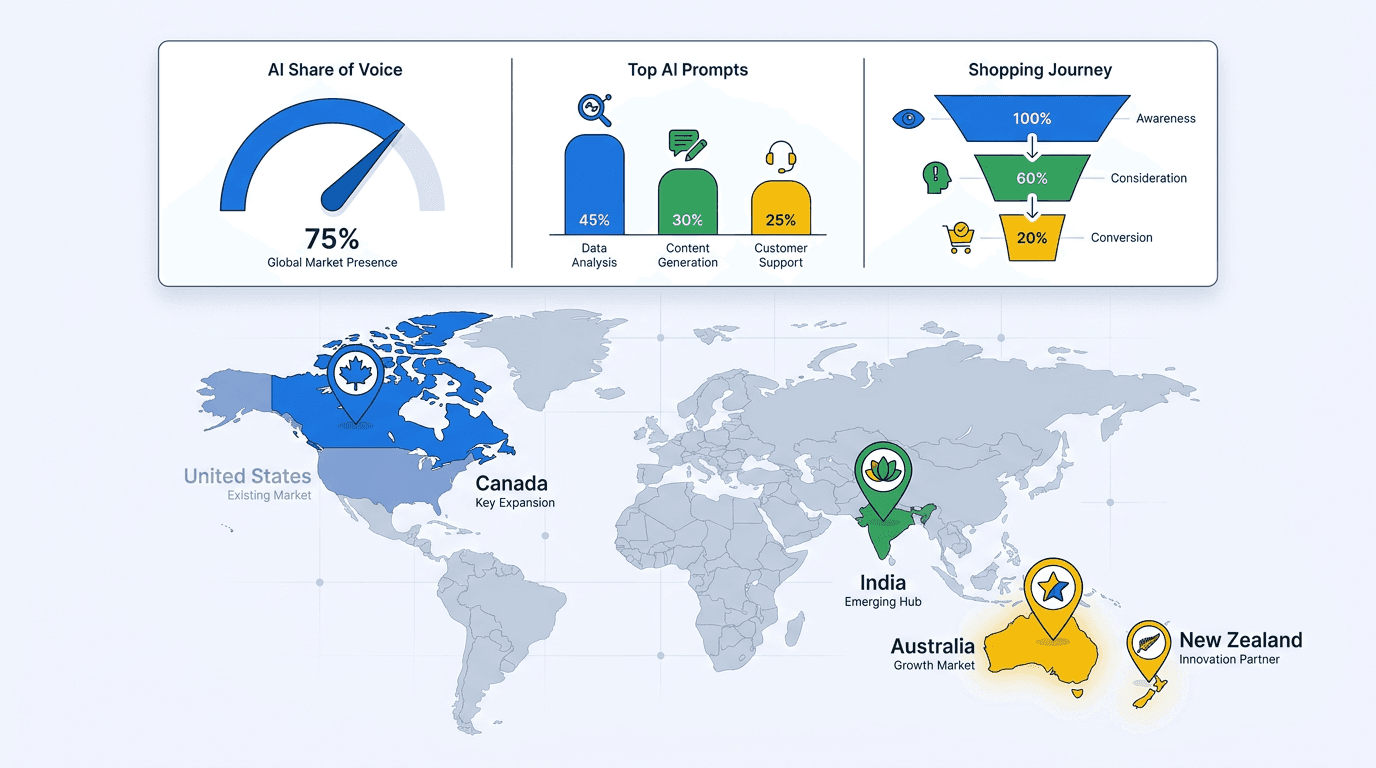
Google has expanded Merchant Center's AI performance insights report to Australia, Canada, India, and New Zealand. Accounts in those markets now have a native view of how products surface in AI Overviews and AI Mode, Google's conversational shopping surfaces. U.S. merchants had the early look, and the report is now available to a wider set of retailers. The current reporting views include Top Terms, Popular Attributes, Top Search Intents, shopping-stage performance, and Share of Voice.
This is not a dashboard to admire. It is an early read on a digital shelf organized by conversational queries rather than blue links. The value comes from tying what it shows back to product-feed work.
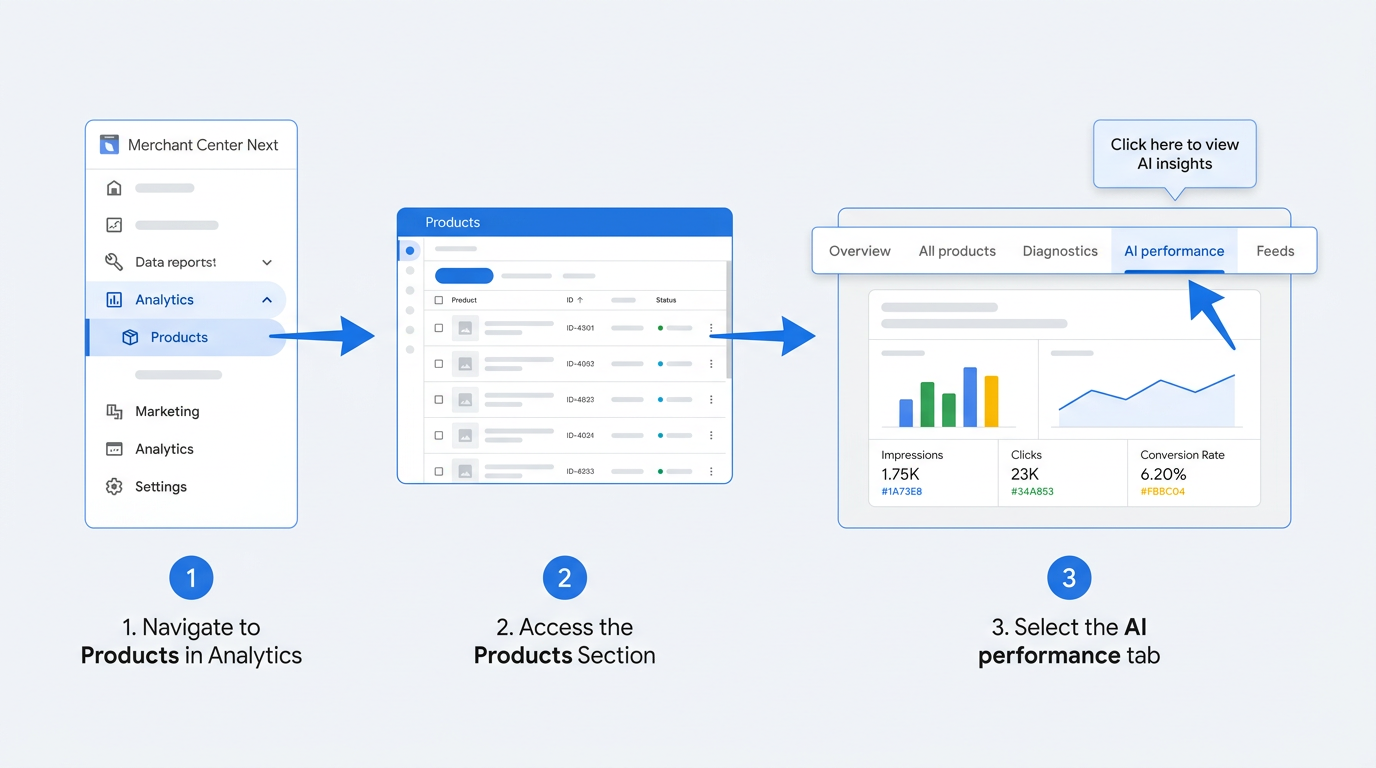
- Find the report in Merchant Center Analytics.
- Read AI Share of Voice, Top Terms, Popular Attributes, and Search Intents.
- Sort performance by shopping-journey phase.
- Convert term, attribute, and intent gaps into feed changes.
- Account for the report's limits before acting.
Before You Start: What You Need
You need an active Google Merchant Center account and approved, in-stock products in your feed. The report is available to accounts in the United States, Australia, Canada, India, and New Zealand and covers English-language queries only. Accounts registered elsewhere will not see the tab.
Tip: Know your feed structure before opening the report. You will compare report terms, attributes, and intents with fields such as title, description, and size. Knowing where those attributes sit saves time.
Step 1: Find the Report in the Merchant Center Analytics Tab
In Merchant Center, open Analytics from the left menu, choose Products, then select AI performance. That tab contains the AI visibility data. It is absent from the default home dashboard, so it is easy to overlook on a first visit.
Step 2: Decode the Core Merchant Center AI Performance Insights
The report combines Share of Voice with Top Terms, Popular Attributes, and Top Search Intents. Read each view correctly before changing the feed.
AI Share of Voice
AI Share of Voice is the headline metric: how often your products appear in AI-generated shopping results relative to competing merchants on relevant queries. It is your AI impressions as a share of impressions across every merchant shown, alongside competitors' average share. This measures visibility, not traffic or conversion. A high number means your catalog is appearing on the AI shelf. For a broader measurement framework, see Google Search Generative AI performance reports.
The competitor benchmarking view reveals the brands that repeatedly appear beside your products across similar areas of demand. Their precise scores are unavailable, but the recurring winners are visible, which makes this a useful research list. It resembles using Auction Insights to outsmart competitors in paid search, applied to organic AI visibility.
Top Terms, Popular Attributes, and Search Intents
Google's current report does not rely on a single view officially labeled "Top AI Prompts." Instead, Top Terms surfaces recurring words and phrases associated with conversational shopping demand. Popular Attributes highlights product characteristics shoppers emphasize, while Top Search Intents organizes demand around the needs or goals behind a search. Together, these views reveal scenarios such as "best waterproof hiking boots for wide feet," "affordable espresso machine for a small kitchen," or "running shoes for knee pain beginners." Each scenario exposes a customer need that should map to accurate product attributes.
Warning: Start with high-value terms, popular attributes, and search intents that your feed does not address clearly. They are the strongest feed-optimization targets.
Step 3: Analyze Performance Across the AI Shopping Journey Phases
The shopping-stage performance view shows where your products appear in the buying process and where they disappear. The report groups shopping needs into Discovery, Evaluation, and Ready to buy. Analyze performance across those three stages. It is also the basis for ecommerce AEO measurement within Google's ecosystem. For context on the surface behind these phases, read how AI Mode changes SEO.
| Journey Phase | Typical User Prompts | Key Product Attributes to Optimize |
|---|---|---|
| Discovery | "What are the best yoga mats for beginners?" / "Types of air fryers explained" | Product title, category, broad descriptive terms, lifestyle use cases in description |
| Evaluation | "Yoga mat vs foam roller for back pain" / "Air fryer with largest capacity under $150" | Specifications, comparison-friendly attributes, price, certifications, material details |
| Ready to buy | "Buy non-slip yoga mat with carrying strap" / "Air fryer with fast delivery and free returns" | Availability, shipping speed, return policy, promotional pricing, GTIN accuracy |
| Mapping journey phases to prompt types and the feed attributes most likely to influence AI Mode product visibility at each stage. |
Step 4: Turn Terms, Attributes, and Intent Gaps into Product Feed Optimizations
A prompt or intent gap becomes actionable when it reveals missing, inaccurate, or incomplete product information. Review relevant Top Terms, Popular Attributes, and Search Intents, then check whether their descriptive language appears in titles, descriptions, or structured attributes. Often, it does not. That missing detail is the work.
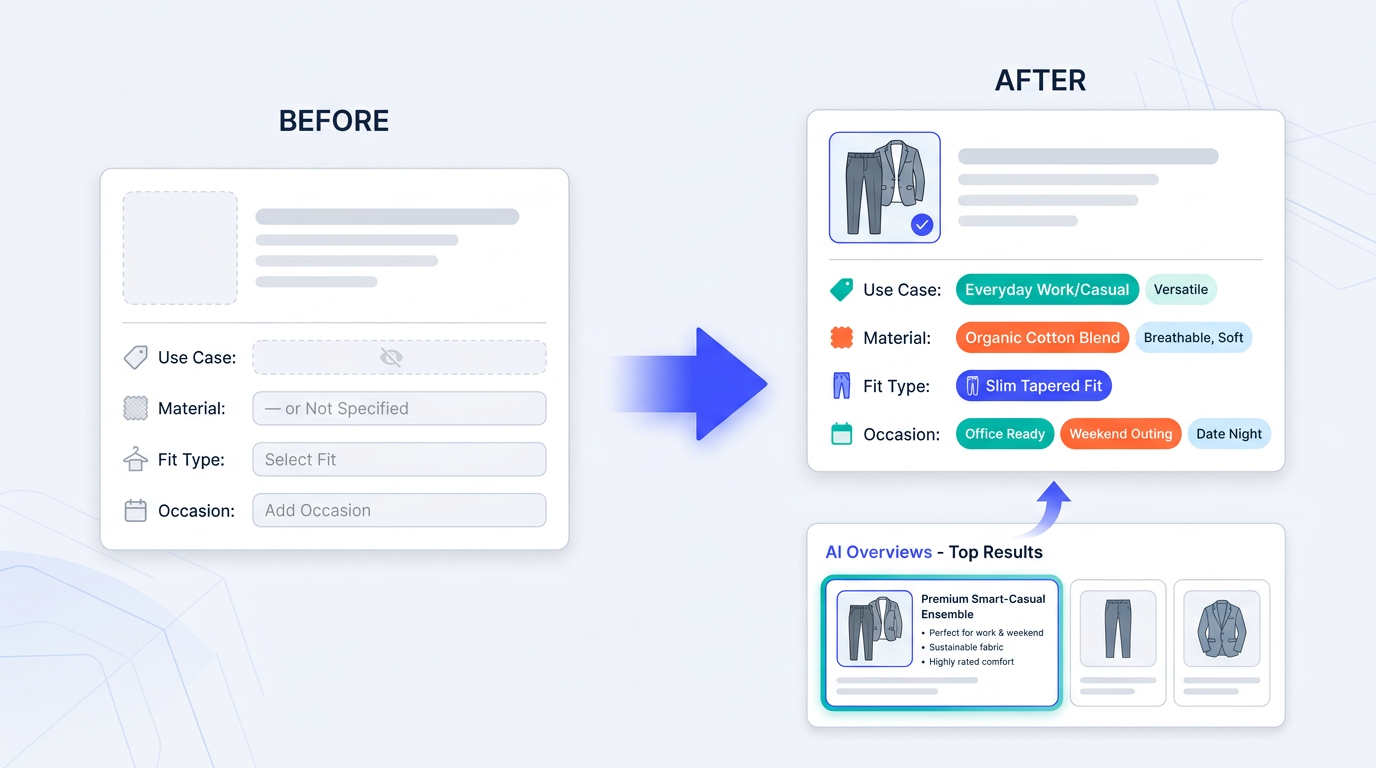
Optimizing product feeds for AI discovery is not about stuffing keywords into product titles. It means adding the language customers use where it accurately describes the item. For "durable hiking boots for wide feet," confirm the description addresses durability and the size attribute specifies "wide." If shoppers look for products "for beginners" or "for sensitive skin," use those as genuine use-case signals in the description, not filler.
Conversational attributes in Merchant Center are the feed fields Google uses to connect natural-language requests with products. Material, age group, occasion, and feature help bridge the question and the result. For the schema work beneath that layer, see optimizing your Merchant Listing schema. Also watch the Search Terms report in AI Mode for adjacent evidence of changing conversational queries.
Know the Report's Limits Before You Act
Merchants in the newly added countries should account for three constraints before drawing conclusions from the numbers. Review the organic scope and data timing of AI performance reporting.
Hard limits to keep in mind:
- Organic only. The report covers AI Overviews shopping visibility from free listings, not Paid Shopping Ads. It cannot show total paid-plus-organic AI share of voice. That requires manually combining this data with Ads reporting.
- English-language query limitation. This matters in multilingual markets. Canadian and Indian merchants serving French, Hindi, or other language audiences receive no query data for those searches. For businesses where English is not primary, it is the report's largest gap.
- Data availability and lag. Some insights may be unavailable when there is insufficient data, so absence from the report should not automatically be interpreted as zero demand. Google says historical data is updated daily with a few days' lag, so the report should not be treated as real-time.
Merchants looking beyond Merchant Center's native reporting need a broader view of organic discovery. Vizup acts as an Organic Autopilot for modern discovery, helping brands monitor visibility, turn emerging prompts and demand signals into content and optimisation opportunities, publish improvements, and learn from performance across Search, Social, Communities, AI Answer Engines, and Local Discovery. Its workflows combine AI agents, human experts, and live SEO, pSEO, AEO, and GEO tools, with paid amplification available when needed.
What to Do Next
Pull the report weekly, not monthly. AI Overviews can move faster than conventional organic rankings, and a weekly review catches shifts in terms, attributes, and search intents before they accumulate. Give merchandising a living brief: each relevant gap is a potential feed-enrichment task. Start with Evaluation needs, where competitor differences and attribute detail carry the most weight for AI Mode visibility.
Merchant Center AI performance insights are directional, but direction is useful when it is connected to systematic feed work. Treat Share of Voice as the visibility benchmark, then use Top Terms, Popular Attributes, Top Search Intents, and shopping-stage performance to decide what to change. Merchants building that habit now will be better positioned as AI shopping surfaces expand.
Frequently Asked Questions
Does the Merchant Center AI performance report include paid Shopping Ads?
No. It reports organic AI visibility from free listings only; Paid Shopping Ads are excluded. To assess paid and organic AI share of voice together, combine Merchant Center data with Google Ads reporting manually. Google does not currently offer one native view for both.
Why is the AI insights report missing from my Merchant Center account?
It is available only to accounts located in the United States, Australia, Canada, India, or New Zealand. Confirm that your account and product data are eligible for AI performance insights. Accounts without active, approved free listings have no data to display.
How often does the AI performance insights report update?
Google says historical data is updated daily with a few days' lag, so the report should not be treated as real-time. Some insights may be unavailable when there is insufficient data, so absence from the report should not automatically be interpreted as zero demand.
My AI Share of Voice is low. What should I change first?
Review Top Terms, Popular Attributes, and Top Search Intents, then compare their language with your titles, descriptions, and structured attributes. Missing elements commonly include use cases, descriptive terms, or specifications absent from the feed. Add them naturally, particularly through conversational attributes in Merchant Center.
Does the report track non-English queries in Canada or India?
No. The current report covers English-language queries across all five supported countries, including Canada and India. French, Hindi, and other languages are not tracked. That leaves a material blind spot for multilingual merchants, and Google has not announced a timeline for broader language coverage.
