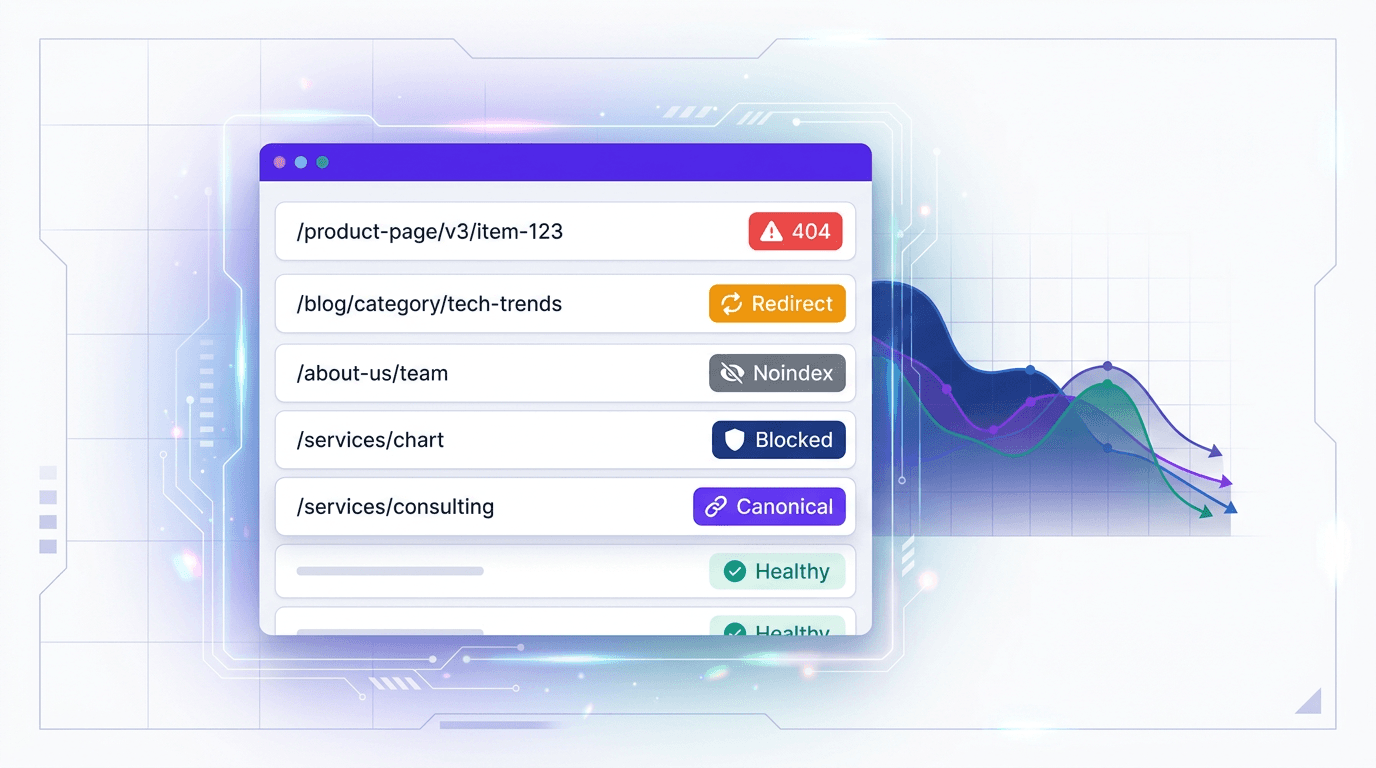
Your XML sitemap is the cleanest signal you can send to Google: these URLs exist, these are the ones that matter, and this is when they changed. The problem is that the signal gets messy fast. Broken URLs, redirect chains, noindexed pages, duplicate entries. A sitemap can be perfectly valid XML and still drag down organic visibility. Every junk URL you ship in there can waste crawl resources and crowds out the pages that are supposed to bring in traffic, leads, and revenue.
A sitemap validator spots those issues before they snowball. It helps you check sitemap XML for the errors that hurt crawl efficiency and indexation, understand what each one means in plain terms, and recognize when a "messy sitemap" is really a symptom of a bigger SEO problem. Start by running your sitemap through Vizup's free Sitemap Checker for an instant health report.
What Is a Sitemap Validator?
xA sitemap validator scans the URLs inside your XML sitemap and verifies they are crawlable, indexable, and worth including. This is more than a syntax check. Google Search Console can confirm sitemap processing, but it may not give you a prioritized cleanup list for every broken, redirected, or non-indexable URL, redirect chain, or noindex tag you accidentally listed. To find those, you're usually stuck bouncing between reports and stitching together the story by hand.
A dedicated XML sitemap validator fills that gap. You paste in a sitemap URL, run the scan, and get a ranked list of issues that can quietly erode search performance. The difference matters: knowing a sitemap exists is table stakes; knowing it is actually helping Google crawl and index the right pages is where the ROI shows up.
Common Sitemap Errors Vizup's Free Checker Helps You Find
Passing XML validation does not mean your sitemap is optimized for SEO. If it contains the wrong URLs, you are feeding search engines clutter. Common sitemap issues include URLs that are broken, redirected, blocked, non-canonical, or not intended for indexing. Below is what each one means, why it matters, and the next move.
| Issue | What It Means | Why It Matters for SEO | What to Do Next |
|---|---|---|---|
| 404 URLs | The page is gone and returns a 404 status | Burns crawl budget on dead ends; signals weak site maintenance | Remove from sitemap or restore the page |
| 3xx Redirects | The URL forwards to another destination | Crawlers have to take extra hops, wasting crawl resources | Swap in the final destination URL |
| Noindex URLs | The page includes a noindex meta tag or header | Conflicting instructions: the sitemap says "index this," the page says "don't" | Remove from sitemap or remove the noindex directive |
| Blocked by robots.txt | The URL is disallowed in robots.txt | Search engines cannot crawl it, so the sitemap entry does nothing | Unblock the URL or remove it from the sitemap |
| Non-canonical URLs | The page's canonical tag points to a different URL | Splits crawl signals; the canonical version might not be getting surfaced | Replace with the canonical URL |
| Duplicate URLs | The same page appears multiple times (trailing slash, www variants, etc.) | Wastes crawl budget and muddies indexation priority | Consolidate to one canonical version |
| Outdated lastmod dates | The lastmod timestamp does not match real content changes | Misleads crawlers about freshness and can reduce crawl frequency | Only update lastmod when content truly changes |
| Orphaned or low-value URLs | Pages with no internal links or thin content | Bloats the sitemap without adding organic value | Improve internal linking or remove from sitemap |
| Each of these sitemap errors can reduce crawl efficiency and delay indexation of your important pages (Digital SEO Land, 2025). |
If you are seeing any of these patterns, run your sitemap through Vizup's free Sitemap Checker for a prioritized list of broken sitemap URLs, redirect issues, and indexation blockers in under a minute.
How to Check Your Sitemap XML with Vizup's Free Tool
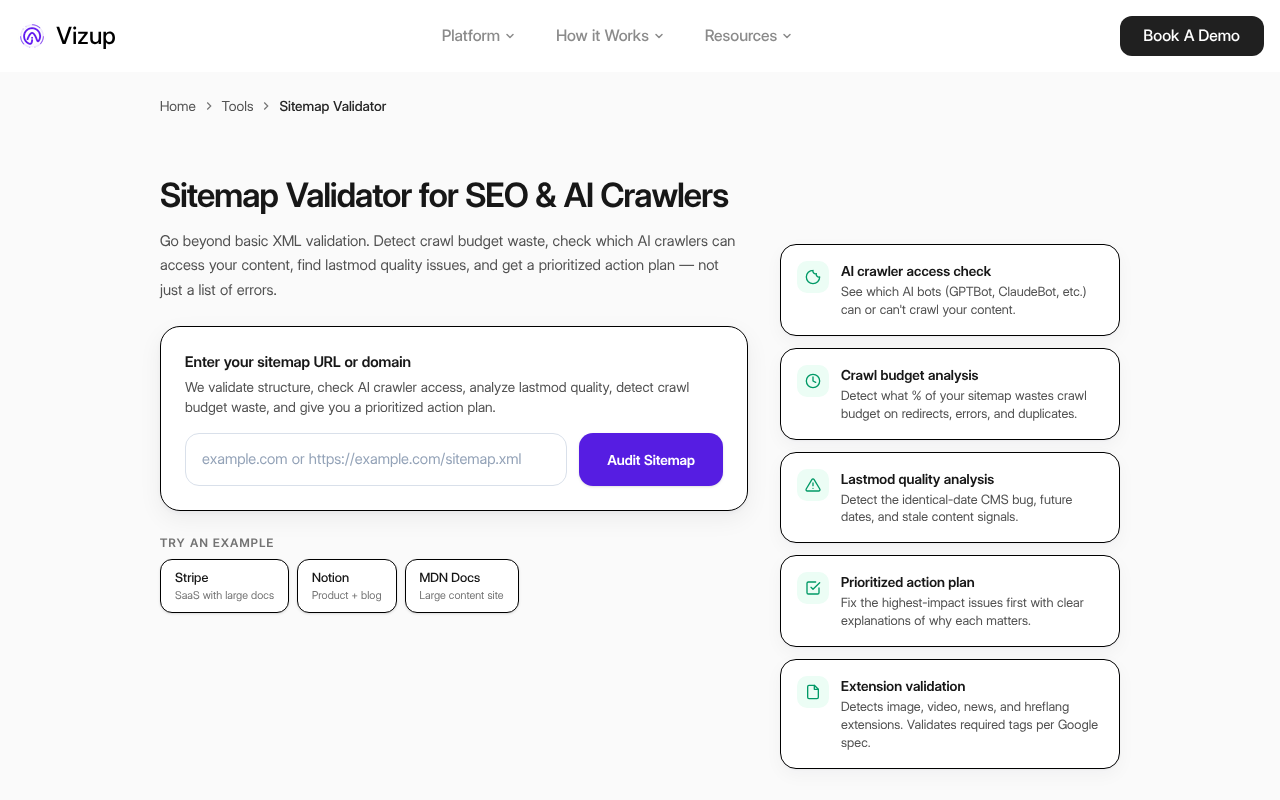
Step 1: Paste Your Sitemap URL and Run the Check
Track down your sitemap URL. Most sites publish it at /sitemap.xml, and you can usually confirm it in robots.txt via a Sitemap: directive. If you use a sitemap index file (required when you exceed 50,000 URLs or 50MB per file, per Google Search Central, 2024), submit the index URL instead; the sitemap URL checker will follow and process the referenced sitemaps. If you want a quick sanity check on structure, these sitemap examples show what "good" looks like.
Step 2: Review Errors and Prioritize Blockers
Start with anything that prevents crawling or indexation outright. 404 URLs and pages blocked by robots.txt are hard stops. After that, clean up 3xx redirects in sitemaps and noindexed pages, which soak up crawl budget without ever contributing to visibility. Non-canonical and duplicate URLs are usually less urgent, but leaving them around keeps your crawl signals noisy. If you want to quantify the damage, you can check your crawl budget separately and see how much allocation is getting spent on dead ends.
Step 3: Fix, Remove, and Re-Validate
Clean the sitemap first by removing faulty URLs. Then fix the root causes: restore deleted pages, point redirects to the right final targets, and resolve canonical conflicts. Re-run the checker to confirm the sitemap is actually clean. To keep it from drifting back into chaos, follow these sitemap best practices. If the error count is huge or the issues look systemic, that is when it makes sense to book a Vizup consultation and diagnose what is driving the decay.
Sitemap Generator vs. Sitemap Validator: What's the Difference?
A sitemap generator produces the list of URLs. A sitemap validator audits what you are about to hand to search engines. One is the invite list; the other is the person at the door checking the list against reality, making sure the addresses are real and the right people are getting in.
| Tool Type | Primary Function | When to Use It |
|---|---|---|
| Sitemap Generator | Builds an XML sitemap from your site's pages | When launching a new site, adding new sections, or rebuilding after a migration |
| Sitemap Validator | Verifies sitemap URLs are clean, crawlable, and indexable | On a schedule, after content changes or migrations, or when Search Console shows indexation issues |
| Both tools serve different stages of the sitemap lifecycle. Most teams need both. |
Warning: A common mistake: generating a sitemap once and never validating it again. Sitemaps decay as pages get deleted, redirected, or de-indexed. Treat validation as routine maintenance, not a launch checklist item.
When Sitemap Validation Should Trigger a Bigger SEO Review
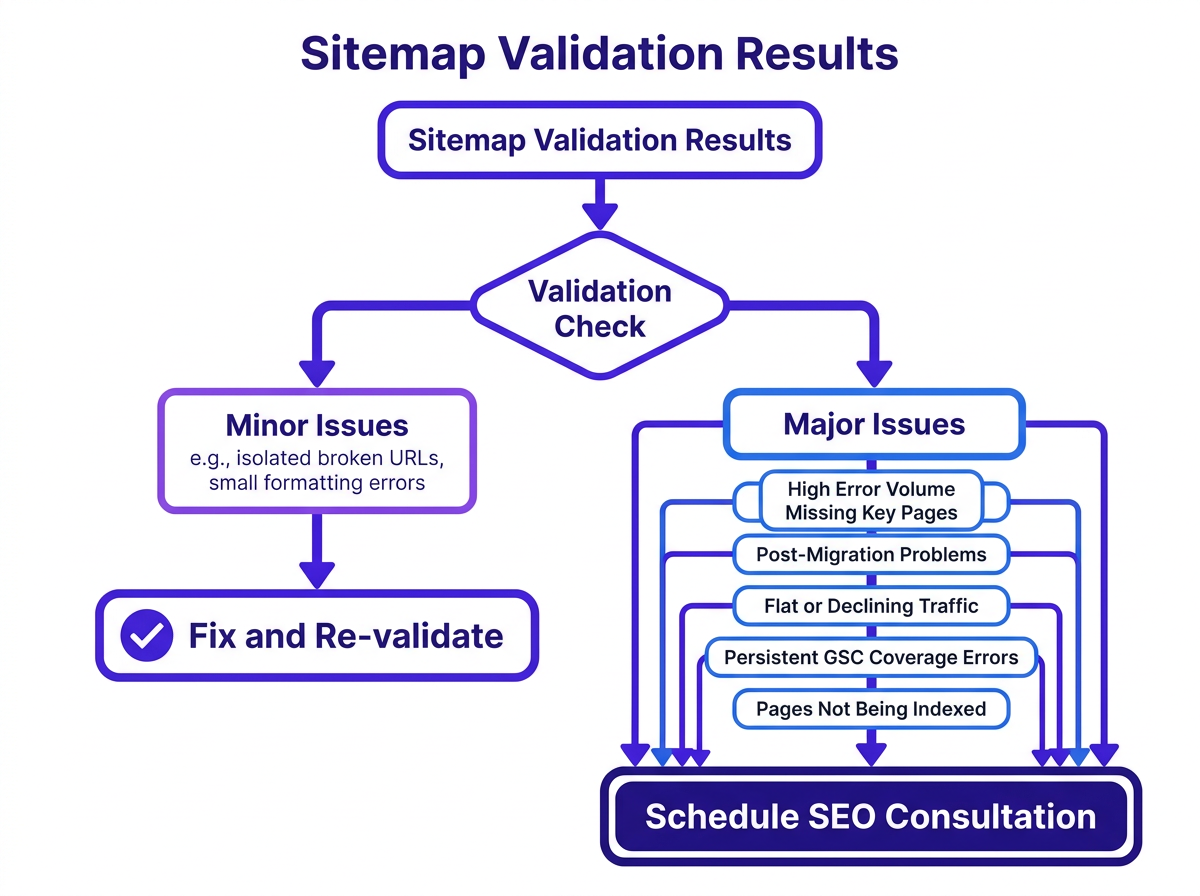
A messy sitemap is usually a symptom, not the root cause. When a validation report shows repeatable patterns instead of a couple of one-off mistakes, you are likely dealing with site architecture, content lifecycle, or broader technical health issues that a simple sitemap cleanup will not fix. The cost of inaction is real, as persistent sitemap errors can lead to significant organic traffic losses when search engines cannot efficiently crawl and index key pages.
Talk to Vizup when any of these apply:
- Your sitemap contains a high volume of broken or redirected URLs
- Important pages (product pages, landing pages, new content) are missing from the sitemap entirely
- Google Search Console shows persistent indexing problems or coverage errors
- Newly published pages are not being discovered or indexed for weeks
- The site has gone through a migration, redesign, or platform change
- Organic traffic is flat or declining despite consistent content publishing
- Your team does not have a repeatable technical SEO monitoring workflow
If even one of these is true, a quick sitemap patch is unlikely to hold. Book a Vizup consultation to get to the root cause and put a sustainable organic growth workflow in place.
How Vizup Helps Teams Move From Technical Checks to Organic Growth
Vizup's free Sitemap Checker is a strong starting point, but sitemap validation is only one layer of organic visibility. If your sitemap contains broken URLs, redirects, blocked pages, or missing high-value pages, the issue is rarely just the XML file. It is usually a sign that your technical SEO, publishing workflow, and visibility monitoring need a more repeatable system.
That is where Vizup's Organic Autopilot fits in.
Vizup helps brands move from one-off technical checks to a modern discovery workflow across Search, Social, Communities, AI Answer Engines, and Local Discovery. The platform combines AI agents, human experts, and live SEO, pSEO, AEO, and GEO tools to help teams monitor visibility, create and optimise content, publish consistently, and learn from performance.
With Vizup, teams can:
- Monitor brand visibility across Search, Social, Communities, AI Answer Engines, and Local Discovery.
- Identify technical SEO blockers that affect crawlability, indexation, and organic visibility.
- Use AI agents and human experts to create, optimise, and publish content.
- Connect technical performance across SEO, pSEO, AEO, and GEO to business outcomes.
- Prioritise fixes and content opportunities based on traffic, lead, and revenue impact.
- Build an AI search visibility strategy that supports modern discovery.
- Use paid ads as an optional amplification layer for organic efforts.
A sitemap validator shows you where the technical problems are. Vizup helps you turn those checks into a repeatable organic growth system. Book a Vizup consultation.
Frequently Asked Questions
How often should I validate my sitemap?
Validate after any major content update, migration, or redesign. If you publish weekly (or more), a monthly check is a good baseline. Monthly validation matters even more when a CMS plugin auto-generates your sitemap, because plugins can miss edge cases like deleted pages, redirects, or canonical changes.
Can a bad sitemap actually hurt my SEO rankings?
A bad sitemap will not cause a manual penalty, but it can absolutely drag performance. Broken URLs, redirects, and noindex pages waste crawl budget and send mixed signals, which can slow indexation of the pages you actually care about. Over time, that shows up as lost visibility, traffic, and rankings.
What's the difference between an XML sitemap and an HTML sitemap?
An XML sitemap is meant for crawlers and is what search engines use for discovery and indexation. An HTML sitemap is a navigation page for people. For technical SEO, the XML sitemap is the one to prioritize. Search engines like Bing also accept RSS and plain text formats.
Should I include noindex pages in my sitemap?
No. A noindex URL in a sitemap is a contradiction: you are asking search engines to crawl and index a page that explicitly says "do not index." Remove noindex URLs from the sitemap, or remove the noindex directive if the page should be indexed.
My sitemap is generated automatically by a plugin. Do I still need to check it?
Yes. Plugins generate sitemaps based on rules, and those rules often miss real-world messiness like redirects, orphaned pages, canonical mismatches, or recently deleted URLs. Use Vizup's free Sitemap Checker to validate what the plugin is actually outputting.
What are AEO and GEO?
AEO (Answer Engine Optimization) focuses on structuring content so AI can use it for direct answers, like in featured snippets. GEO (Generative Engine Optimization) is broader, aiming to make your content a reliable source for AI models like ChatGPT or Google's AI Overviews to cite and summarize. Both are extensions of modern SEO.
Your Sitemap Is a Health Report. Read It.
A sitemap is not a set-it-and-forget-it file. It is a living snapshot of your site's technical health, and every error is a clue that something in your crawl and indexation pipeline needs attention. Treat sitemap validation as a standard part of the SEO workflow, not a one-time task you do at launch and forget.
Start with a fast audit using Vizup's free Sitemap Checker. Catch sitemap errors for free, clear the crawl and indexing blockers, and tighten up technical SEO hygiene before the damage shows up as traffic and lead loss. If the results point to deeper indexation issues or ongoing sitemap decay, book a Vizup consultation to see how the full platform supports repeatable organic growth workflows.
