Let's be honest. The blank social media calendar is one of the most intimidating sights in marketing. It’s a grid of empty boxes staring back at you, demanding creativity, strategy, and a relentless stream of content. For years, filling it meant hours of brainstorming, trend-chasing, and a whole lot of guessing. I’ve been there, fueled by stale coffee at 10 PM, trying to figure out what to post for a B2B SaaS client on a Thursday afternoon.
That old process is quickly becoming obsolete. Using a well-crafted ChatGPT prompt to create a social media calendar isn't about laziness; it's about leverage. It's about trading tedious manual labor for high-level strategic direction. This guide distills years of content experience into a practical workflow for 2026. We're not just dropping a few prompts and calling it a day. We'll break down the why behind the prompt, how to refine the output from generic to genuinely great, and how to avoid the common pitfalls that leave you with a calendar full of robotic fluff. By the end, you'll have a system.
Why Your Old Calendar Workflow Is Costing You More Than Time
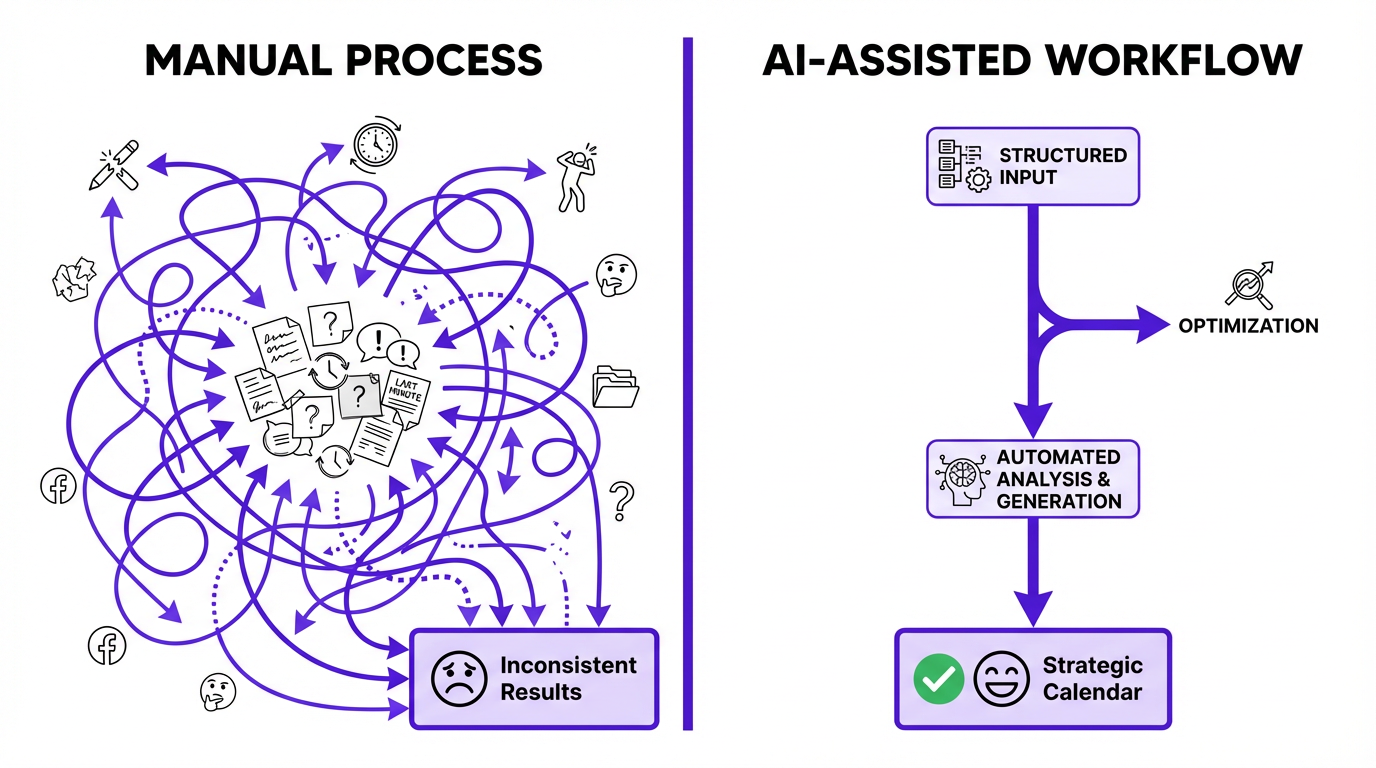
Before we build the new, let's quickly diagnose the old. The traditional approach to building a social calendar is reactive and inefficient. It often involves a frantic scramble at the beginning of each month, pulling ideas from a scattered collection of competitor posts, random articles, and last-minute requests from the sales team. The result? A calendar that lacks cohesion and strategic intent.
The bigger cost isn't just the hours spent. It's the opportunity cost. A disconnected social strategy doesn't build momentum. It just fills space. In Sociality.io’s 2026 survey of social media marketers, 71.1% said time savings was the biggest improvement from using AI, but the real magic is what you do with that reclaimed time: thinking, strategizing, and engaging, instead of just producing. Some market estimates place the AI-in-social-media category in the low single-digit billions in 2026, though figures vary by methodology.
The Foundation: What Makes a Good AI Prompt for a Content Calendar?
Garbage in, garbage out. This has never been truer than with AI. A vague prompt like “make me a social media calendar for a coffee shop” will get you a list of posts about National Coffee Day and latte art. Useless. A great prompt is a detailed creative brief. It gives the AI context, constraints, and a clear definition of success.
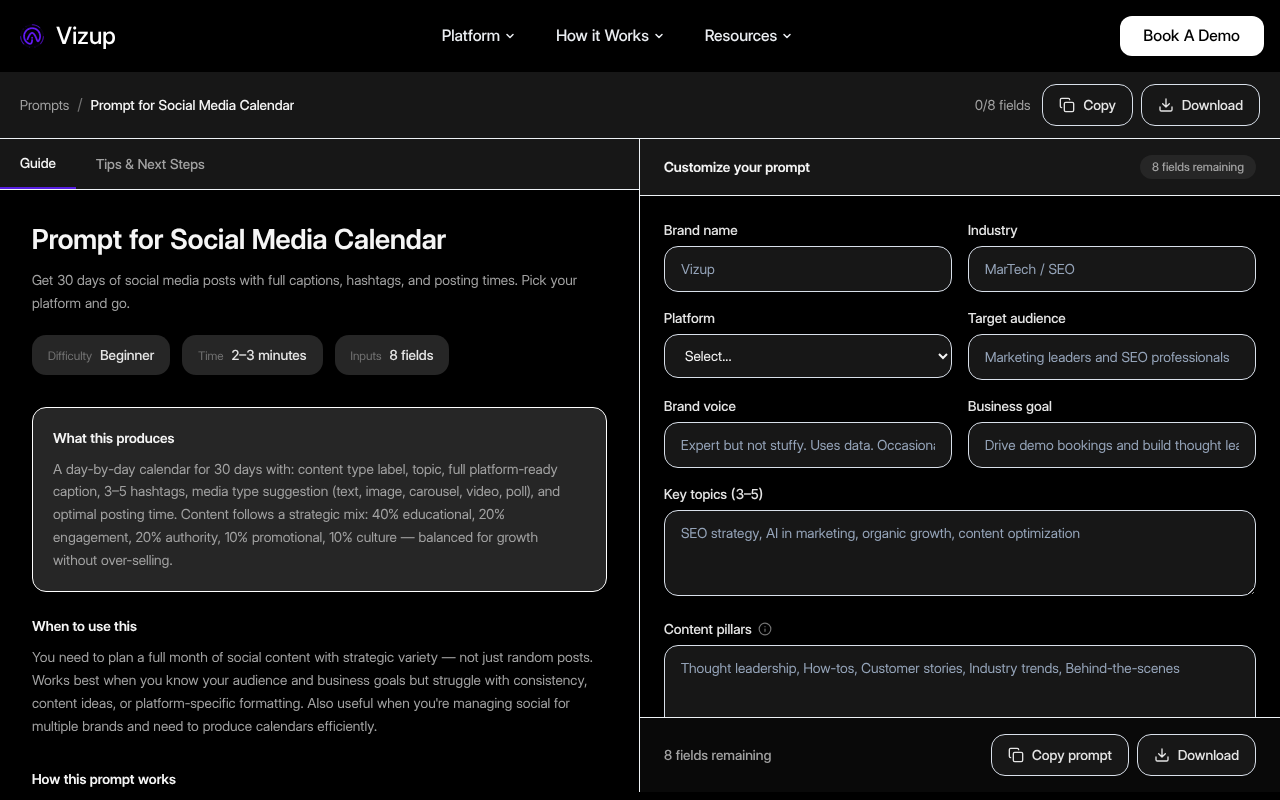
A good prompt gives the AI specific roles, context, and format requirements. We built a free, ready-to-use ChatGPT prompt for a social media calendar at Vizup that has all this baked in. You can grab it and get started immediately. For this guide, we’ll break down the core components of that prompt into a simple framework I call R-C-T-F: Role, Context, Task, Format.
The four pillars of a powerful calendar prompt are:
- Role: Tell the AI who it is. “You are an expert B2B social media strategist specializing in the fintech industry.” This immediately frames the kind of language, topics, and angles it should use.
- Context: This is the most critical part. Who is your audience? What are their pain points? What is your brand’s voice? What are your core content pillars or marketing goals for the month (e.g., drive webinar sign-ups, promote a new case study)?
- Task: Be explicit. “Generate a 4-week social media content calendar for LinkedIn and Twitter.” Specify the platforms, the duration, and the desired posting frequency.
- Format: Don't let the AI guess. Tell it exactly how you want the information presented. “Output the result as a markdown table with columns for: Day, Platform, Post Copy, Visual Idea, and CTA.” This makes the output immediately usable.
Info: Most people skip the 'Context' part. They describe their company but not their customer. The AI can’t generate resonant content if it doesn’t know who it’s talking to. Spend 80% of your prompt-writing time on this section.
Explore dozens of pre-built prompts for every marketing task.
Building Your Master Prompt: A Step-by-Step Example
Theory is nice. Let's get practical. We’ll build a detailed prompt for a social media calendar for a hypothetical SaaS company, ‘DataWeave’, which sells a data analytics platform to e-commerce managers.
Step 1: Define the Role and Goal
We start by setting the stage. We’re not just asking for ideas; we’re hiring a virtual strategist with a specific mission.
Prompt Snippet: Act as a senior social media marketing manager with 10 years of experience in B2B SaaS. Your primary goal for this month is to increase sign-ups for our upcoming webinar on 'Q4 E-commerce Trends'.
Step 2: Provide Rich Context
This is where we feed the AI the crucial details. The more specific, the better. Notice how we include the target audience, their problems, our solution, and our brand voice.
Prompt Snippet: Our company, DataWeave, provides an AI-powered analytics platform. Our target audience is e-commerce managers at mid-sized online retailers. Their biggest pain points are cart abandonment, understanding customer lifetime value, and forecasting inventory. Our brand voice is expert, helpful, and slightly data-nerdy. We avoid corporate jargon. Our content pillars are: Data-Driven Decisions, E-commerce Growth Hacks, and Customer Success Stories.
Step 3: Specify the Task and Constraints
Now for the direct instructions. We define the platforms, frequency, and the mix of content we want. This prevents the AI from just giving us 30 posts all promoting the webinar.
Prompt Snippet: Generate a 2-week content calendar for LinkedIn and Twitter. We post 3 times a week on LinkedIn and 5 times a week on Twitter. The content mix should be 40% value-driven content (tips, stats), 30% webinar promotion, 20% product-related (but focused on benefits, not features), and 10% company culture/behind-the-scenes.
Step 4: Dictate the Format
Finally, we demand a clean, usable output. This simple instruction saves you an hour of copying and pasting.
Prompt Snippet: Present the final calendar in a markdown table with these columns: Week, Day, Platform, Post Type (e.g., Value, Promotion), Headline, Post Body, Visual Suggestion (e.g., Infographic, Quote graphic), and CTA.
From Good to Great: Refining the AI's First Draft
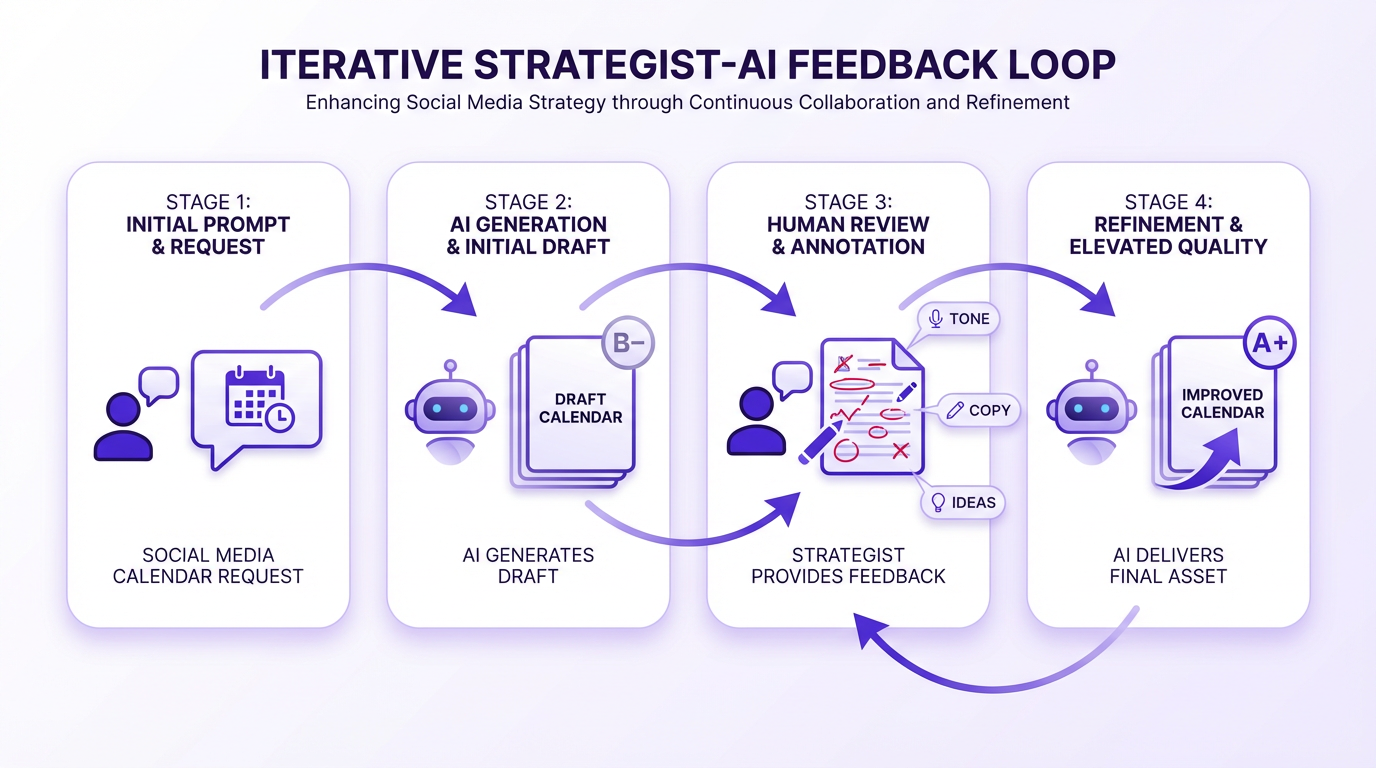
The first output you get will be a solid B-minus. It will follow your instructions, but it will lack nuance and a human touch. Your job as a strategist is to turn it into A+ content. This is where most people fail; they copy, paste, and schedule the generic first draft. We won't.
The process is conversational. Treat ChatGPT as a junior strategist you’re mentoring. Use follow-up prompts to iterate and improve the initial calendar.
Tip: Here's something most guides won't tell you: the best results come from multi-turn conversations. Don't try to get everything perfect in one giant prompt. Get a baseline, then refine. The AI remembers the context from the previous turns.
Here are some of my go-to refining prompts:
- To Punch Up the Copy: “Rewrite the headlines for Week 1 to be more provocative and include a surprising statistic.”
- To Align with Brand Voice: “This is a good start, but the tone is too formal. Rewrite the LinkedIn posts to be more conversational, like an industry expert sharing advice over coffee.”
- To Add Depth: “For the 'E-commerce Growth Hacks' posts, expand on the ideas. For each one, provide three concrete, actionable tips a manager could implement this week.”
- To Diversify Ideas: “The ideas for Twitter are a bit repetitive. Generate 5 alternative ideas for Week 2 that focus on interactive content like polls or 'ask me anything' threads.”
- To Connect to Current Events: “Incorporate the recent news about the 'Global Retail Summit' into two of the posts for next week, framing our solution in that context.”
This iterative process is what separates professional-grade, AI-assisted content from the robotic spam flooding social feeds. It's not about accepting the first answer; it's about guiding the AI to a better one. After you've refined the calendar, you might even use another tool like our prompts for LinkedIn thought leadership to flesh out specific posts.
Advanced Tactics: The 10% That Makes 90% of the Difference
Once you've mastered the basics of prompting and refining, you can start using more advanced techniques. These are the things that will make your AI-generated calendar indistinguishable from one created by a top-tier agency.
Injecting Your Own Data
ChatGPT's knowledge is vast but generic. Your company's data is your unique advantage. Before you even start prompting, pull your own performance metrics. What were your top 5 performing posts from the last quarter? What topics got the most engagement? Feed this information into the context section of your prompt.
Example Prompt Addition: For context, our top-performing LinkedIn posts last quarter were about customer success stories featuring hard data (e.g., 'How Company X reduced cart abandonment by 15%'). Please generate more posts in this style.
Prompt Chaining for a Full Funnel
Don't just create a calendar. Create a campaign. Use a sequence of prompts to build a cohesive, multi-platform funnel. A complete social media calendar should support your other marketing efforts. For instance, after creating your organic social plan, you could use specialized AI prompts for Google Ads to create ad copy that mirrors your organic messaging.
- Prompt 1: Generate the high-level monthly themes and content pillars based on marketing goals.
- Prompt 2: Use the themes from Prompt 1 to generate the detailed weekly social media calendar.
- Prompt 3: Take a specific post idea from the calendar and ask the AI to expand it into a full blog post outline. You can even find great prompts for SEO blog writing in our library.
- Prompt 4: Ask the AI to write 5 email subject lines to promote that blog post to your newsletter list.
Using Negative Constraints
Sometimes, telling the AI what not to do is as powerful as telling it what to do. This helps you avoid generic tropes and overused phrases in your industry.
Example Prompt Addition: Important constraints: Do NOT use the phrases 'game-changer', 'unlock the power of', or 'in today's digital landscape'. Avoid generic stock photo ideas like 'business people smiling in a meeting'.
Ready to build your own? Grab our battle-tested prompt for a social media calendar.
The Human Element: Where You Still Reign Supreme
By mid-2025, ChatGPT was reportedly handling about 2.5 billion prompts/messages per day, so the risk is a sea of sameness. Your job isn't to be a prompt operator; it's to be the editor, the strategist, and the final quality check. The AI is a powerful intern, but you're the editor-in-chief.
Your strategic oversight is irreplaceable in a few key areas:
- Strategic Alignment: Does this calendar actually support our quarterly business objectives? The AI can execute on a goal you give it, but it can't set that goal.
- Authenticity Check: Does this sound like us? Does it reflect our company's unique point of view and culture? AI can mimic a voice, but it can't invent an authentic one.
- Community Nuance: The AI doesn't know that your audience on Twitter loves memes but your LinkedIn followers prefer deep-dive threads. You know the unwritten rules of your community.
- Timeliness and Empathy: The AI can't react to a breaking news story or a shift in public mood with genuine empathy. That requires human awareness and emotional intelligence.
Use AI to eliminate 80% of the grunt work. Use your human expertise to add the 20% of value that makes all the difference. That's the formula for success in 2026. After creating the calendar, you can even use AI to streamline your next steps. For example, you can repurpose your content with AI to turn a single blog post into a week's worth of social content.
Frequently Asked Questions
Can ChatGPT create visuals for the social media calendar?
Yes. ChatGPT can generate and edit images directly, and it can also provide detailed visual briefs for designers or other image tools.
How specific should I be with my target audience in the prompt?
Extremely specific. Instead of 'small business owners,' say 'owners of brick-and-mortar retail shops with 5-10 employees who struggle with local SEO.' The more detailed the persona, the more tailored the content ideas will be.
What's the biggest mistake people make when using AI for content calendars?
Accepting the first draft without any refinement. The initial output is a starting point, not the final product. The real value comes from the iterative process of giving feedback and using follow-up prompts to improve the quality.
How do I ensure my AI-generated calendar doesn't sound like everyone else's?
The key is the 'Context' section of your prompt. Feed it your unique brand voice guidelines, specific customer pain points, internal data on past performance, and negative constraints on what to avoid. Your unique inputs are the best defense against generic outputs.
Can I use this process for any social media platform?
Yes, but you should specify the platforms in your prompt and ask the AI to tailor the content for each one. For example, you can ask for 'professional, in-depth posts for LinkedIn' and 'short, punchy posts with a question for Twitter' within the same prompt.
Stop Brainstorming, Start Directing
Creating a social media calendar is no longer an act of pure, brute-force creation. It's an act of strategic direction. By mastering the art of the ChatGPT prompt to create a social media calendar, you shift your role from a content producer to a creative director. You spend less time on the tedious task of filling boxes and more time on the high-impact work of refining strategy, engaging with your audience, and analyzing performance.
The blank calendar doesn't have to be intimidating anymore. Armed with a well-structured prompt and a critical eye, you can turn it into a powerful strategic asset in a fraction of the time. Welcome to the future of content planning.