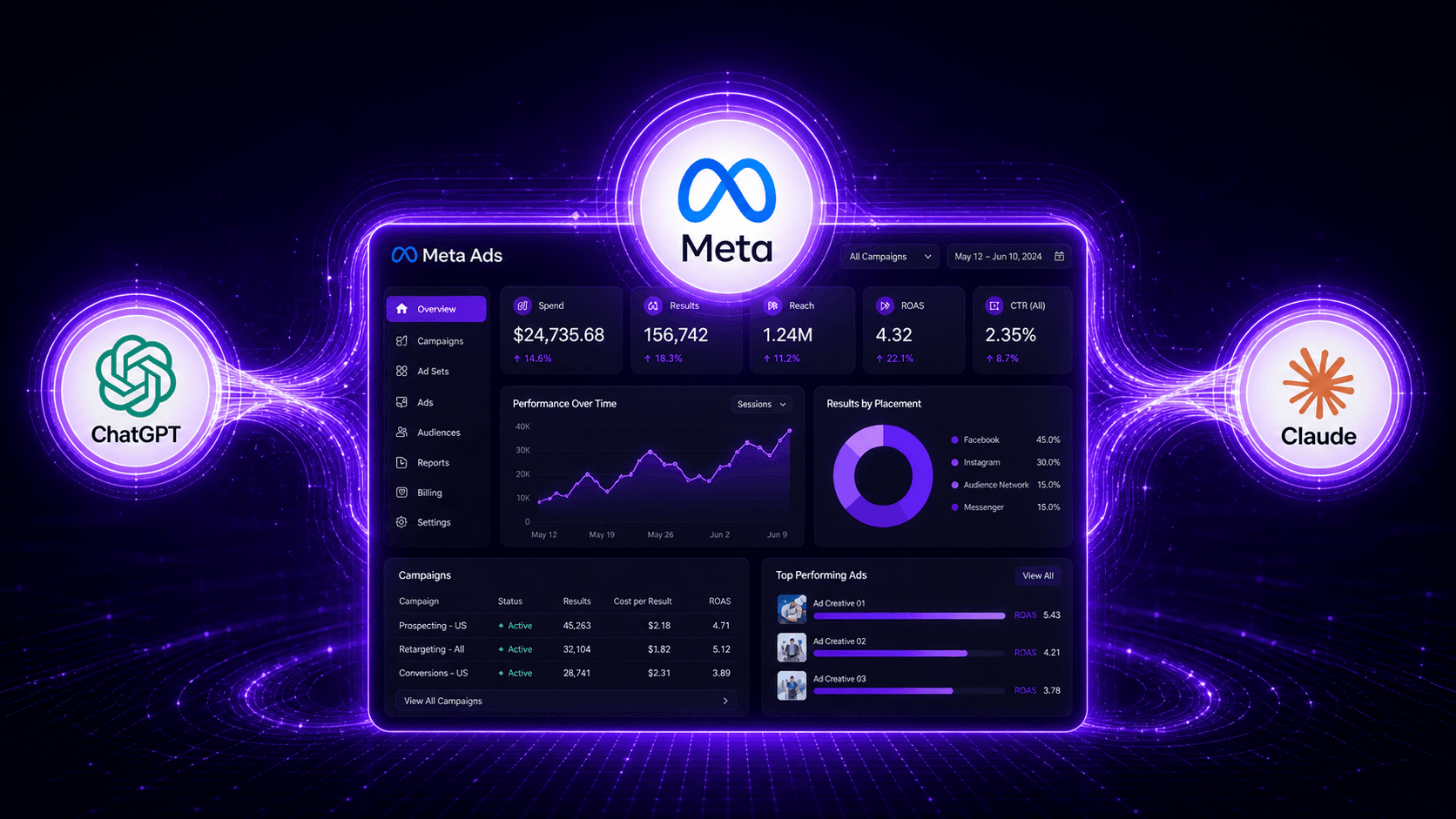
For years, managing Meta ad campaigns meant being tethered to Ads Manager. It's a powerful tool, but notoriously manual, especially when running campaigns at scale. Analyzing performance required exporting spreadsheets, and building campaigns involved clicking through dozens of screens. When large language models (LLMs) like ChatGPT and Claude appeared, we started using them for ad copy and brainstorming, but the workflow remained fragmented. We were still working in one window and pasting the results into another.
That barrier between conversational AI and live campaign management is now gone. In April 2026, Meta announced the open beta of Meta Ads AI Connectors, a new framework allowing advertisers to link their ad accounts directly with third-party AI tools. This isn't just about drafting better headlines. It's about using natural language to manage budgets, analyze performance, and troubleshoot problems, all from within your favorite AI assistant. Here’s a practical look at what these connectors are, how they work, and how you can start using them without needing a developer.
What Exactly Are Meta Ads AI Connectors?
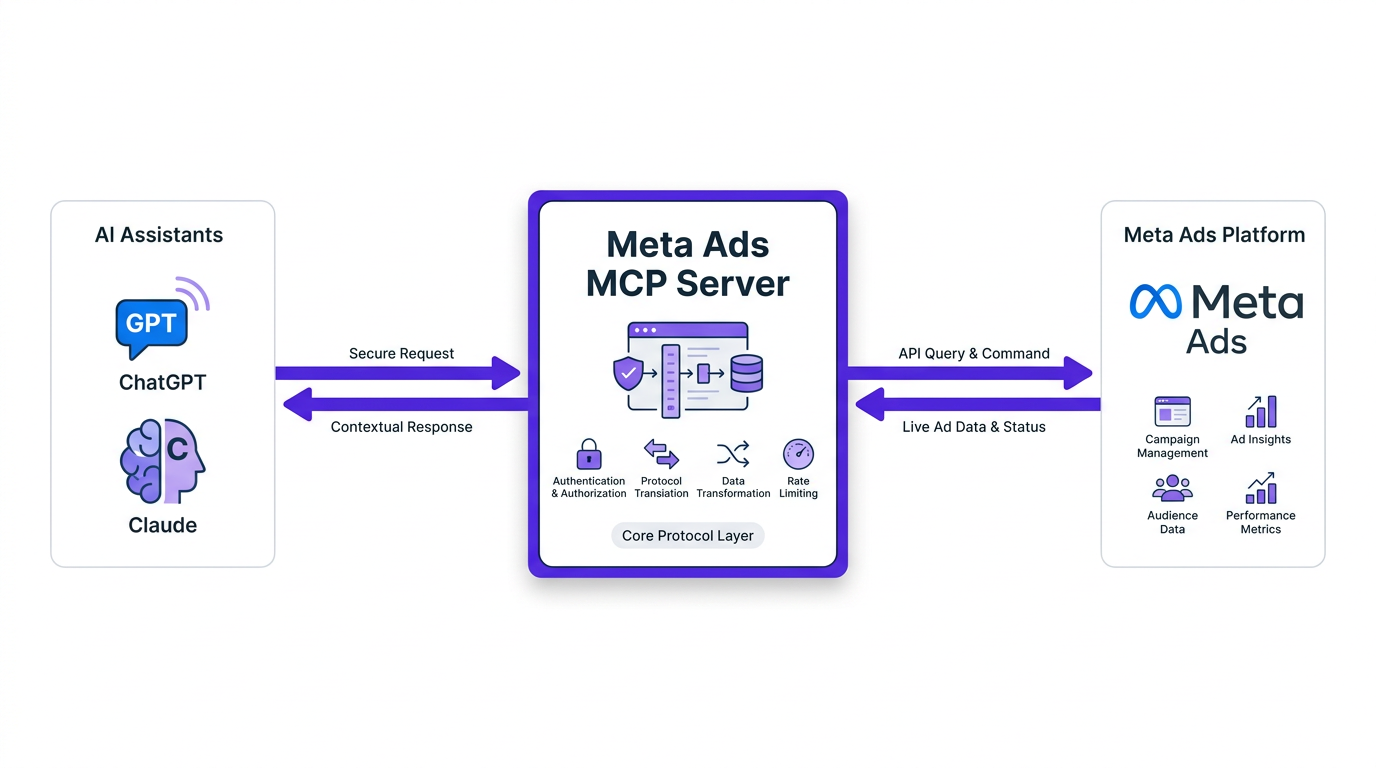
Let's cut through the jargon. Meta Ads AI Connectors are a secure bridge between your Meta Ads account and an external AI like ChatGPT or Claude. Previously, if you wanted an AI to analyze your campaign data, your options were poor: manually export a CSV file and upload it, or build a complex custom integration using the Marketing API. Neither was an elegant solution.
These new connectors solve the problem with an open standard called the Model Context Protocol (MCP). Think of MCP as a universal adapter, like a USB-C cable for AI. It provides a standardized way for an AI assistant to securely plug into an external data source, in this case, your live ad account. Since it's a standard, any AI tool supporting MCP can theoretically connect to Meta Ads without a new, one-off integration.
The best part is that Meta has confirmed using the primary connector requires no developer credentials, no API setup, and no coding. You authenticate through a standard Meta login, and you're ready to go. This lowers the barrier to entry from “hire a developer” to “click a few buttons.”
How to Connect Your Meta Ads Account to ChatGPT or Claude
Getting started is surprisingly straightforward, though the exact steps will depend on your AI tool. The general process involves enabling the connector within your chosen AI's settings. While the UI for each platform might vary slightly, the core steps are consistent.
Step 1: Find the Connectors or Integrations Menu
In your AI tool (such as Claude or ChatGPT), navigate to the settings or profile section. Look for an option labeled “Connectors,” “Tools,” or “Integrations.” This is where you'll manage connections to third-party services. In Claude, for instance, this is typically found under your profile settings.
Step 2: Add the Meta Ads Connector
You should see a list of available connectors. Find the one for Meta Ads. Some platforms may require you to add a “Custom Connector” by pasting in the official Meta Ads MCP server URL. After selecting it, you'll be prompted to initiate the connection.
Step 3: Authenticate with Your Meta Account
This is the most important step. The connector will redirect you to a standard Meta login screen. You are not giving your password to the AI tool; you are authenticating directly with Meta and granting the connector permission to access your ad account data on your behalf. It's the same secure OAuth flow you’ve used for countless other apps. From there, you can select the specific ad accounts you want the AI to access.
Step 4: Grant Permissions and Start Chatting
Once authenticated, you may be asked to approve the types of actions the AI can take, like reading performance data or creating campaigns. After that, you're connected. You can now open a new chat and start asking questions about your campaigns, and the AI will use the connector to pull live data from Ads Manager to answer your prompts. For a more detailed look at the technical setup, you can reference the official documentation from OpenAI or Anthropic.
What Can You Actually Do With These Connectors?
Connecting your account is one thing; knowing what to ask is another. The real power isn't just automation, it's the ability to collapse analysis and execution into a single conversational workflow. Here are some of the most valuable use cases that have emerged.
Key Capabilities:
- On-Demand Reporting: Forget building dashboard widgets. Ask directly: “Show me the ROAS for all active campaigns this month and highlight any below 2.5.” or “Compare spend and conversions for the first week of May versus the first week of April.” The AI fetches the data and presents it, often in a clean table.
- Natural Language Campaign Management: This is the big one. Issue commands like: “Increase the budget of campaign 'Summer Sale - US' by 15%.” or “Pause all ad sets in the 'Q1 Leads' campaign that have a CTR below 1%.” This turns complex, multi-click actions into single sentences.
- Creative and Audience Analysis: Go beyond basic metrics. Ask things like, “Which of my ad creatives are showing signs of fatigue in the 'Retargeting - Last 30 Days' audience?” or “What are the top 5 interest audiences by conversion volume in my 'Prospecting' campaigns?”
- Troubleshooting and Diagnostics: Instead of hunting for a problem, ask the AI to find it. For example: “My overall account CPA has increased by 20% in the last 3 days. What are the most likely causes?” The AI can check for issues like campaign overlaps, audience saturation, or underperforming ads.
This workflow is a significant time-saver, especially for agencies or in-house teams managing multiple accounts. The ability to rapidly test, iterate, and maintain oversight without getting bogged down in the Ads Manager interface is a huge advantage. For more ideas on using AI, exploring how to start using ChatGPT for social media calendars can provide a great starting point.
The Good, The Bad, and The Reality
Having been in this industry for over a decade, I’ve seen countless “next big things” come and go. It’s important to be realistic about what this is and isn't. The hype is high, but the reality on the ground is always more nuanced.
The Good: Speed, Accessibility, and Scale
The efficiency gains are undeniable. What used to take 30 minutes of clicking and filtering in Ads Manager can now be done with a single prompt. This unlocks scale, allowing smaller teams to manage larger accounts and giving everyone more time for strategy instead of busywork. It also democratizes access to data, as you no longer need to be a pivot table wizard to get meaningful insights from your campaigns.
The Bad: The 'Black Box' Problem and Over-Reliance
The biggest risk is over-trusting the AI. Just as Meta's own Advantage+ campaigns can sometimes feel like a black box, these connectors can obscure the ‘why’ behind a recommendation. An AI might suggest increasing a budget, but it won't understand the broader business context, like inventory limitations or margin goals on a specific product. The human strategist remains essential. The AI is a powerful co-pilot, not the pilot.
The ecosystem is also still new. There were early reports of advertisers using unofficial third-party connectors who faced ad account shutdowns, likely due to a high volume of API calls that triggered automated security flags. While using Meta's official connector should be safe, it highlights the risks of moving too fast with unvetted tools.
The Reality: A Hybrid Future
The future of ad management isn't fully human or fully AI; it's a hybrid. The best campaign managers will be those who master using AI as a force multiplier. They'll use connectors for the heavy lifting of data analysis and routine tasks, freeing themselves up to focus on high-level strategy, creative direction, and interpreting the AI’s output through the lens of business goals. This is about augmenting your expertise, not replacing it. It's also critical to have a solid data foundation, which means understanding things like Meta's AI features and CAPI to ensure the AI is working with accurate information.
Comparing the Tools: Official vs. Third-Party Connectors
With Meta's announcement, the landscape of connectors is becoming more defined. You'll primarily encounter two types: Meta's official connector and various third-party offerings that existed before it. Here’s how to think about them.
| Feature | Meta's Official Connector | Third-Party Connectors (e.g., TryProfound, Gushwork) |
|---|---|---|
| Cost | Free during the open beta. | Typically requires a paid subscription. |
| Security & Stability | Official, authenticated, and supported by Meta. The safest option. | Varies. Reputable providers are secure, but unofficial tools carry risk. |
| Core Functionality | Focused on core campaign management, reporting, and analysis within Meta's ecosystem. | Often offer cross-channel analysis (e.g., combining Meta Ads and Google Ads data). |
| Setup | Designed for simplicity; no coding required. | Generally simple, but may vary by provider. |
| A comparison of Meta's official connector and third-party alternatives. |
For most advertisers just starting out, sticking with Meta's official connector is the smartest and safest choice. Third-party tools like AirOps or Search Atlas might offer more advanced, cross-platform features for power users, but always vet their security and official partner status. No matter the tool, a deep understanding of core platform mechanics, like editing forms in Meta Ads Manager, remains non-negotiable.
The Bigger Picture: Why Is Meta Doing This?
Meta's decision to open its ecosystem to external AI tools might seem counterintuitive for a company famous for its “walled garden,” but it's a shrewd strategic play. By allowing advertisers to manage campaigns from their preferred AI environments, Meta keeps them anchored to its platform even as their workflows expand. An analyst at eMarketer described it perfectly as both an opening up and a “subtle lock-in move.”
Meta knows advertisers are going to use AI. The choice was either to fight it, risking that workflows would move away from their ecosystem, or to embrace it and become the foundational data layer for those AI-powered workflows. They chose the latter. This ensures that even if you're working in Claude or a competing tool, you're still spending your ad dollars on Meta's platforms. It positions Ads Manager not just as a tool to be used, but as a data source to be queried. For advertisers, this is a net positive, offering more flexibility and efficiency in how we manage our campaigns and things like lead management for Meta.
Frequently Asked Questions
Is it safe to connect my Meta Ads account to an AI?
Yes, if you use Meta's official Ads AI Connector. It uses a secure OAuth process where you authenticate directly with Meta, not the third-party tool. Be cautious with unofficial or unvetted connectors, as they can pose security risks.
Will using AI connectors replace the need for a media buyer?
No. These tools are assistants, not replacements. They handle data analysis and task execution at speed, but they lack the strategic context and creative judgment of an experienced human manager. The best results come from a hybrid approach where a human directs the AI.
Can I use these connectors to manage ads on Instagram as well?
Yes. The Meta Ads platform is unified, so the connectors can manage campaigns, ad sets, and ads across all of Meta's placements, including Facebook, Instagram, Messenger, and the Audience Network.
Do I need to know how to code to use Meta Ads AI Connectors?
No. For the main connector that links to AI assistants like Claude and ChatGPT, Meta has specified that no coding, API keys, or developer credentials are required for setup. The process is designed for marketers and advertisers, not just developers.
What kind of data is essential for the AI to perform well?
The AI relies on the data within your ad account, but the quality of that data matters. For optimal performance, you need accurate conversion tracking. This makes a robust setup using the Conversions API (CAPI) crucial. You can learn more about using Meta's one-click CAPI to ensure your data is solid.
