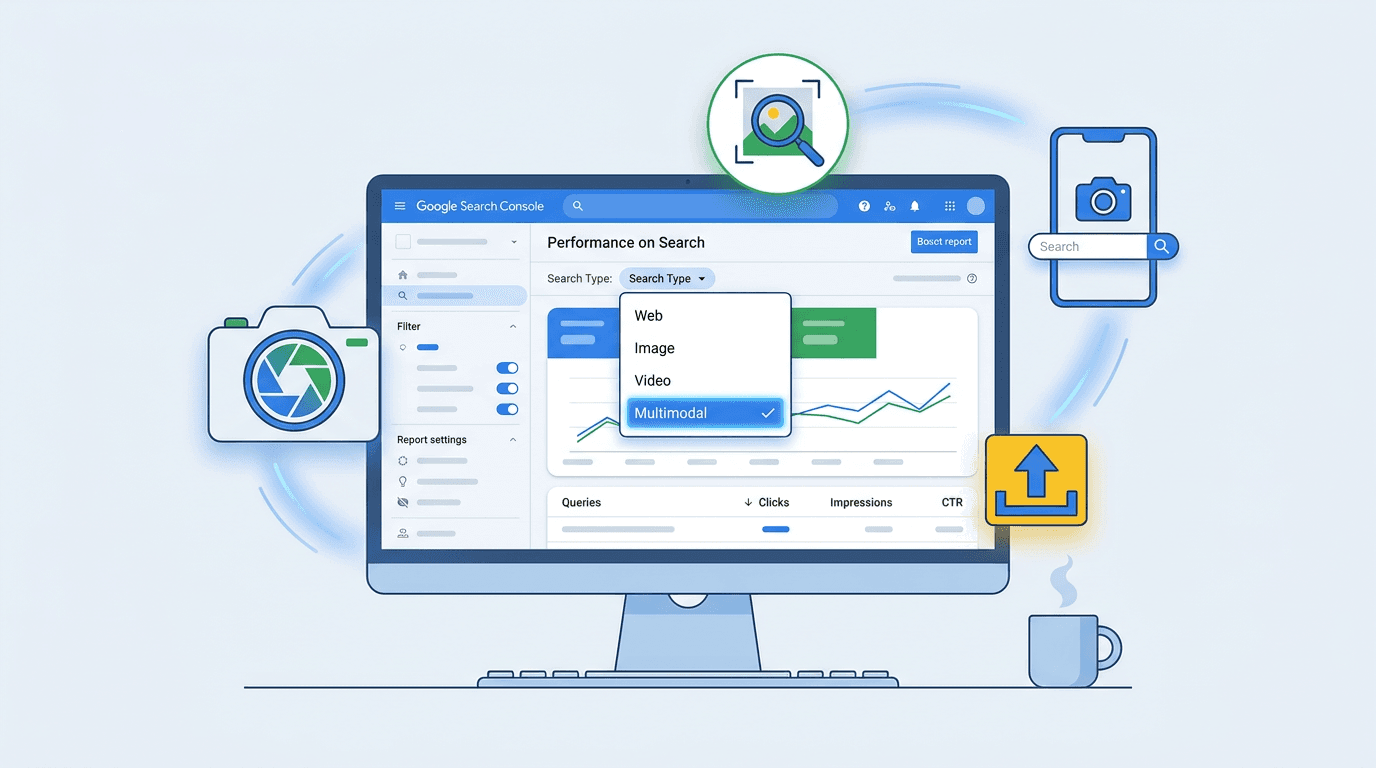
On September 24, 2026, Google added a multimodal search type filter to the Search Console Performance report. SEOs can now isolate traffic from Google Lens, Circle to Search on Android, Chrome's right-click "Search this image" feature, and image-upload searches. There is one major constraint: no query data. The familiar keyword workflow stops here.
For Technical SEO Managers, Analytics Leads, and Ecommerce SEO Specialists, the useful question is no longer what users typed. It is which pages visual searches surfaced. Use the report to isolate multimodal performance, identify the pages earning clicks, and turn those findings into a visual-search plan.
- Define what multimodal search includes and excludes.
- Apply the Multimodal filter in Search Console.
- Check whether the property has reportable traffic.
- Evaluate pages rather than queries.
- Use the results to prioritize visual assets.
First, What Is Multimodal Search (and What Isn't It)?
Multimodal search is not another name for image search. Search Console's existing Image search type records clicks from Google Images results. The multimodal filter covers web results triggered with an image as part of the query: Google Lens, Circle to Search on Android, Chrome's "Search this image," and direct uploads to Google Search.
Google has clarified that multimodal search data was not previously included in Search Console's reported counts. The new filter adds separate reporting for this traffic going forward and does not backfill historical data. Google's documentation labels traditional typed queries "Web: text-based" and image-led queries "Web: multimodal." You can use it in the standard Search results report and the generative AI performance reports.
Step 1: Finding Your Multimodal Search Report in Search Console
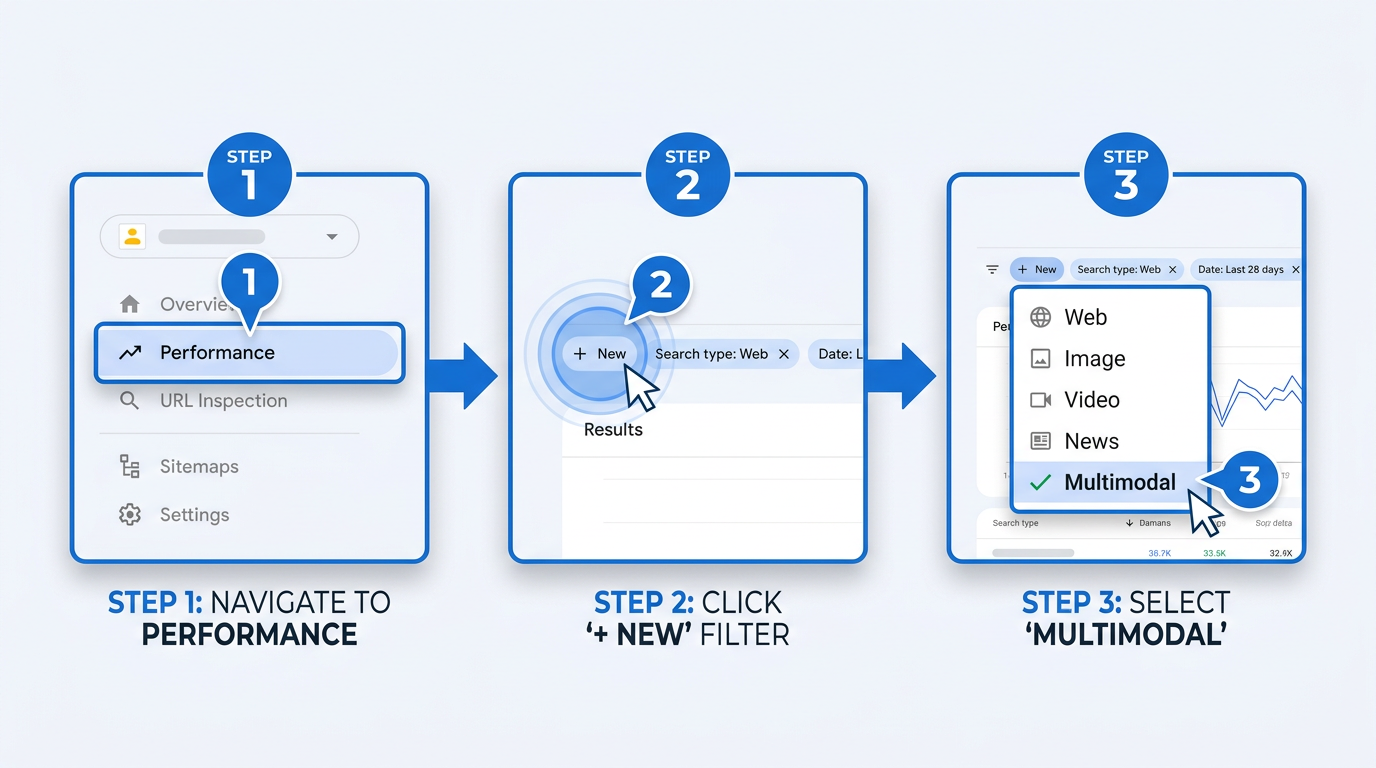
Open Google Search Console, choose a property, then go to Performance > Search results. In the filter bar, click "+ New," select "Search type," then select "Multimodal." The dropdown now sits alongside Web, Image, Video, and News.
Step 2: The Initial Gut Check, Do You Even Have Data?
Start with scale. The filter only returns sites that already receive multimodal traffic. An empty report is not evidence that the filter failed; it means the property has no reportable multimodal traffic for the selected period. That ambiguity is a limitation of the report, not something to debug.
If data appears, compare it with ordinary Web totals. Switch between Web and Multimodal, then record the gap. Compare the Multimodal view with the Web view and record the difference for your own property.
| Filter Applied | Total Clicks (30 days) |
|---|---|
| Web (text-based) | 142,300 |
| Multimodal | 1,870 |
| Illustrative example of how Web and Multimodal click totals might differ. |
Multimodal traffic may represent a smaller share of reported clicks for some properties. Treat the available data as your baseline rather than judging performance by volume alone. What matters is having a number you can track: a baseline for image SEO and for judging whether visual search SEO 2026 work changes performance over time. Anyone who has dealt with anomalies in Search Console query data will recognize the tradeoff: a new filter exposes useful detail and fresh quirks.
Step 3: How to Analyze Performance When There's No Query Data
This is the workflow change. Multimodal reporting does not expose conventional query-level detail, so analysis shifts from typed queries to the pages receiving impressions and clicks. Replace "what did they type?" with "what did they see that made them click?"
Flip to the Pages Tab
With Multimodal active, open the "Pages" tab. It is the report's useful center of gravity. The Queries tab will be empty or nearly so, which is expected. Pages identifies the URLs receiving multimodal impressions and clicks. Pull the top five to 10; those are the visual assets Google is already connecting with searchers.
Ask 'Why This Page?'
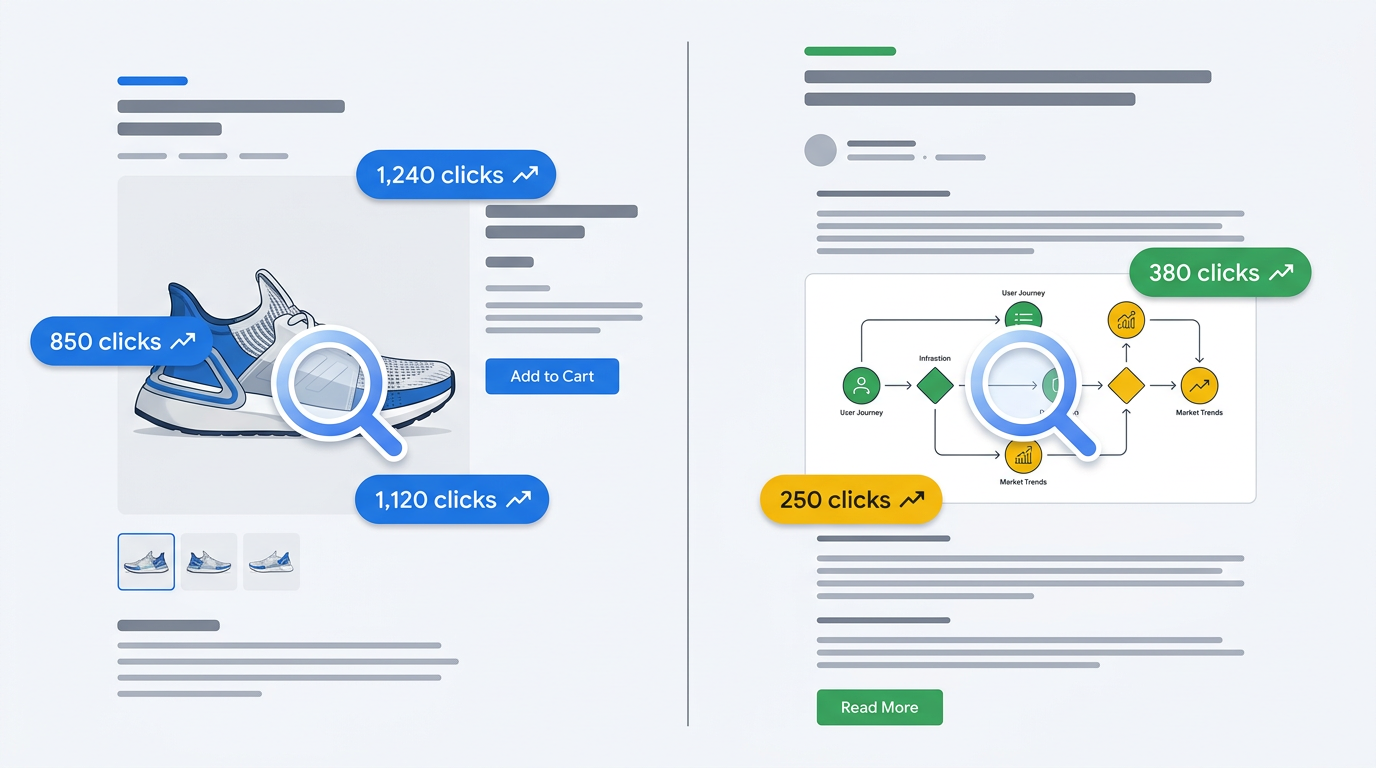
Review each leading URL and its imagery. Is it a distinctive product photo on a clean background, an original infographic, user-generated content, or stock photography? A person might photograph an item in a store and use Lens to find it; another might circle an object in a social screenshot. These images are not proof of intent, but they are the closest available proxy.
Look for Patterns and Outliers
Do product detail pages dominate, or are posts with original diagrams also earning clicks? Compare the list against top pages under the Web filter. The overlap may be limited. A page strong in text search can be absent from multimodal results, and the reverse is also true. Look for shared traits among the outliers: distinctive, high-resolution images that are not widely duplicated. That pattern is a practical starting point for a visual search SEO 2026 roadmap.
Tip: Export your top Web pages and top Multimodal pages to a spreadsheet. Flag URLs that appear in both lists. The overlap, or its absence, shows whether text SEO and visual SEO are working together or separately.
Troubleshooting and Common Pitfalls
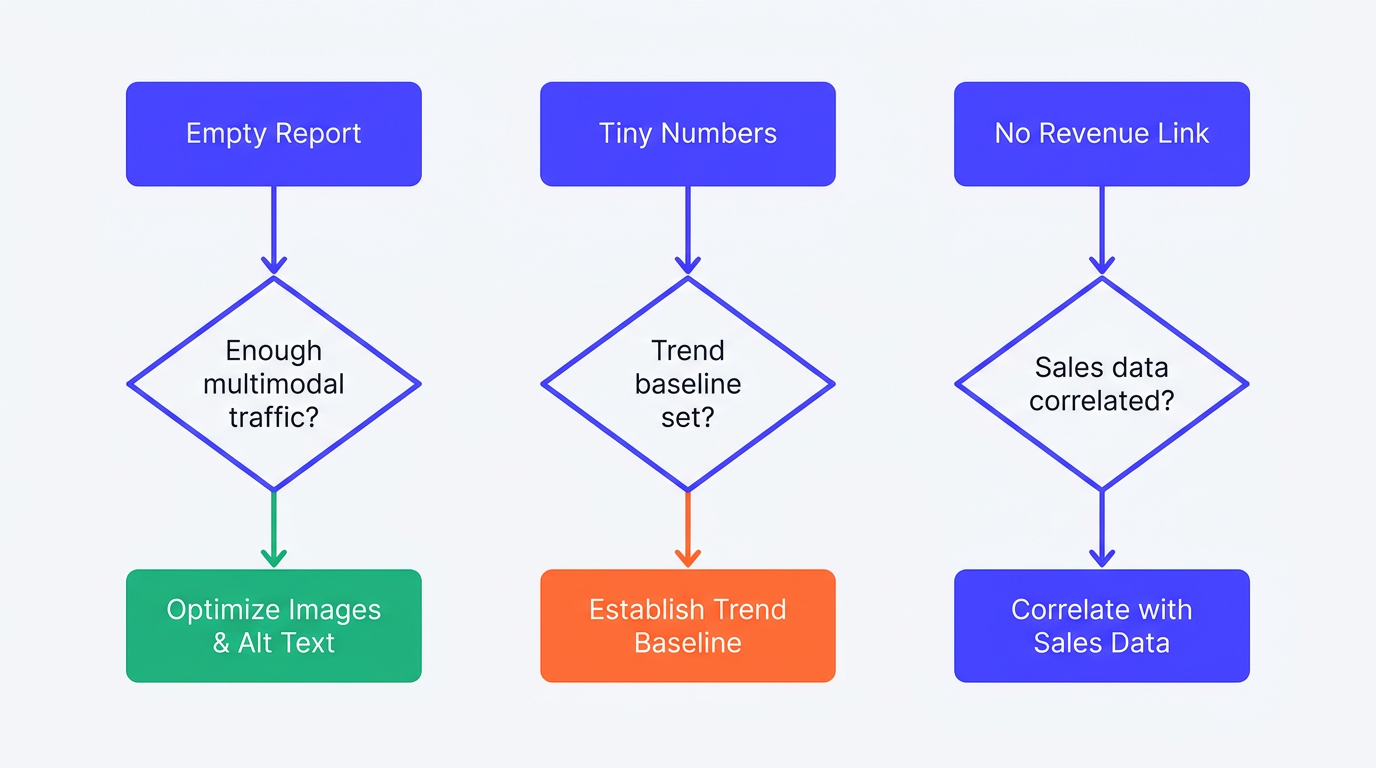
"My report is empty." Common, and not a bug. The site has not generated enough multimodal traffic to register. Improve image fundamentals - unique photography, descriptive file names, relevant alt text - and treat zero as the first benchmark rather than a reason to abandon the filter.
"The traffic numbers are tiny." Do not discard single-digit or low-triple-digit clicks. Early measurement gives you a trend line that teams ignoring the report will lack. Small numbers are still the benchmark against which later ROI claims should be tested.
"I can't tie this to revenue." Direct attribution is difficult. Correlate multimodal spikes on individual product pages with sales for those products, joining Search Console exports to ecommerce-platform data. That is manual and imperfect; the report cannot prove causation. For context on understanding Search Console reports and their limits, study the nuances before assigning credit.
Next Steps: Turning Analysis into Action
Let the leading pages set priorities. If clean, unique product photography dominates, make more of it. If original diagrams earn clicks, add visual content to high-value pages. A "Visual SEO" initiative should require high-resolution images, descriptive file names, and relevant alt text on new assets. Those basics now have a measurable feedback loop through Lens traffic.
The filter is a starting point, not a complete account of visual discovery. It cannot show the original image, whether a user added Lens text, or how your images rank against competitors. For context beyond the basic report, Vizup's AI search performance analytics tracks content across visual-first and AI-driven discovery surfaces. Broader monitoring supplies context the no query data multimodal report cannot.
Google continues to expand visual and multimodal search experiences, including Lens and Circle to Search. Build the measurement habit now, even with small numbers, and you will have a baseline as adoption grows. The same principles in improving brand visibility in AI search - structured imagery, unique visual assets, and consistent monitoring - apply to multimodal search Search Console optimization.
FAQ: Multimodal Search Reporting
Why does Search Console show no query data for multimodal search?
Multimodal searches begin with images rather than typed strings. Google cannot display a photograph or screenshot as a conventional query report, so the Pages tab is the primary place to analyze this traffic.
Does the new multimodal filter change historical 'Web' search data?
No. The filter does not alter historical Web totals. Google has clarified that multimodal search data was not previously included in Search Console's reported counts, so the new filter adds visibility into this traffic going forward.
How do 'Image' and 'Multimodal' search types differ?
Image records clicks from Google Images results at google.com/images. Multimodal records web results triggered when an image was part of the input, including Lens, Circle to Search, Chrome's Search this image, and image uploads.
How can I increase Google Lens and Circle to Search traffic?
Prioritize unique, high-quality images that are not broadly duplicated. Use descriptive file names and alt text, and make product photos clear, well-lit, and multi-angle. Relevant structured data, such as Product markup for ecommerce pages, can give Google additional context about page content. Then monitor the asset types already earning multimodal clicks.
Is visual search the future of SEO?
Visual search is a growing part of SEO, not a replacement for text optimization. Google's work on Lens, Circle to Search, and multimodal interfaces makes image-based performance more relevant. Teams measuring it now will have a baseline as adoption expands through 2026 and beyond.
