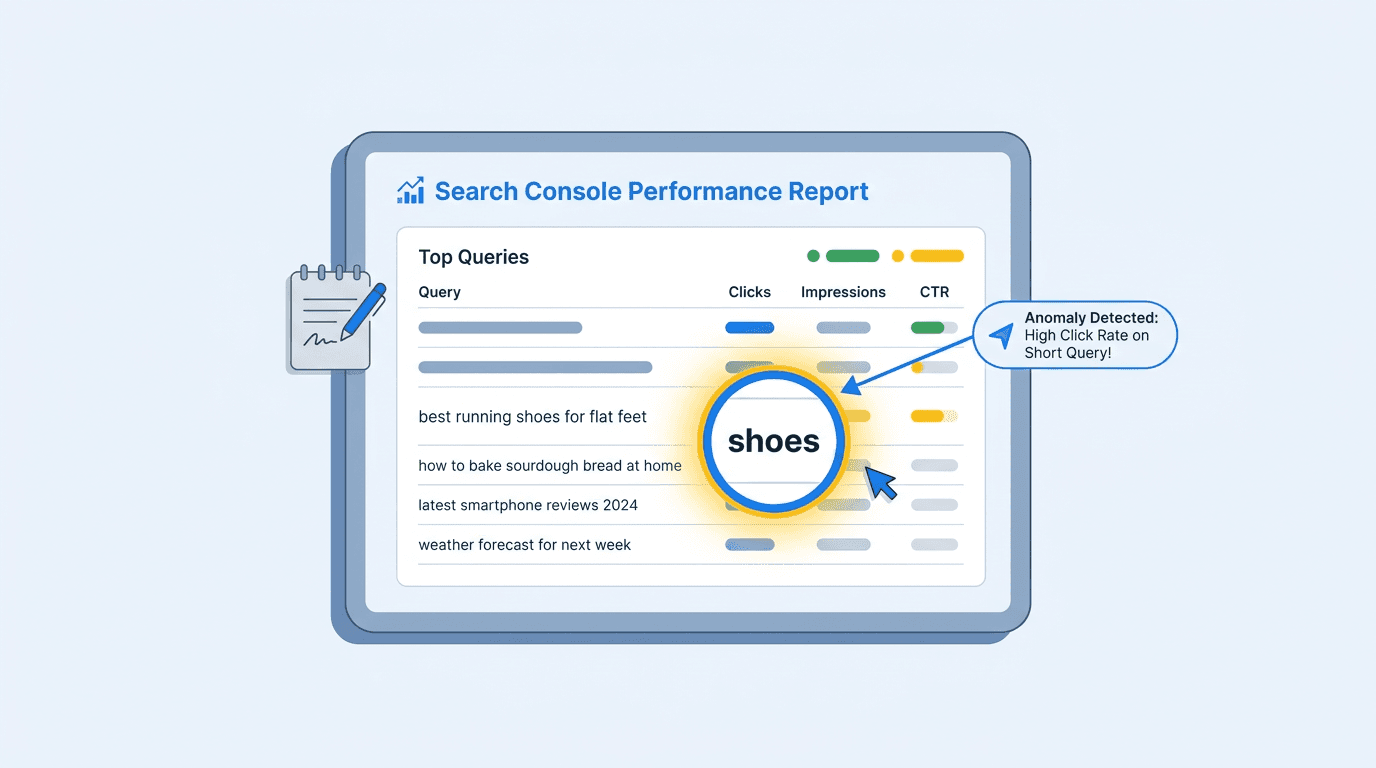
AI Mode queries in Search Console are follow-up strings users enter during an AI Mode session. Google counts each turn as a new query, so 'yes', 'go on', and 'okay which of those are waterproof' can each receive their own impressions, position, and clicks in the main performance report.
A lone 'yes' with a few impressions and almost no clicks is not necessarily corrupted data or a tracking failure. It is likely the trace of an AI Mode conversation, although Search Console does not label individual query rows by AI Mode origin. That distinction changes how a query report should be read. what AI Mode is and how it changes SEO provides the underlying context.
Wait, Aren't AI Queries Supposed to Be in the Generative AI Report?
That assumption is reasonable. Google began rolling out a dedicated Generative AI performance report to a subset of Search Console properties in June 2026. The report provides AI-feature performance insights across dimensions such as pages, countries, devices, and dates, but it does not provide a query-level breakdown. You therefore cannot use the dedicated report to see the individual query strings associated with AI Overviews or AI Mode responses.
Google's John Mueller confirmed in August 2026 that AI Overviews and AI Mode performance data belongs in the general performance report, not the dedicated generative AI section (Search Engine Roundtable, 2026). Follow-ups are counted as new queries, with their own impressions, positions, and clicks. 'Yes' and 'go on' are not misfiled; they are where Google puts them.
Google Search Generative AI Performance Reports: What SEOs Need to Know details the dedicated report's structure. The useful shorthand: Clarify that possible AI Mode queries appear unlabelled alongside ordinary queries.
Warning: Search Console has no official flag for queries originating in AI Mode. Segments based on query shape are inferences, not supported platform filters. Use pattern matching as a heuristic, not a confirmed classification.
What Do These AI Mode Queries Actually Look Like?
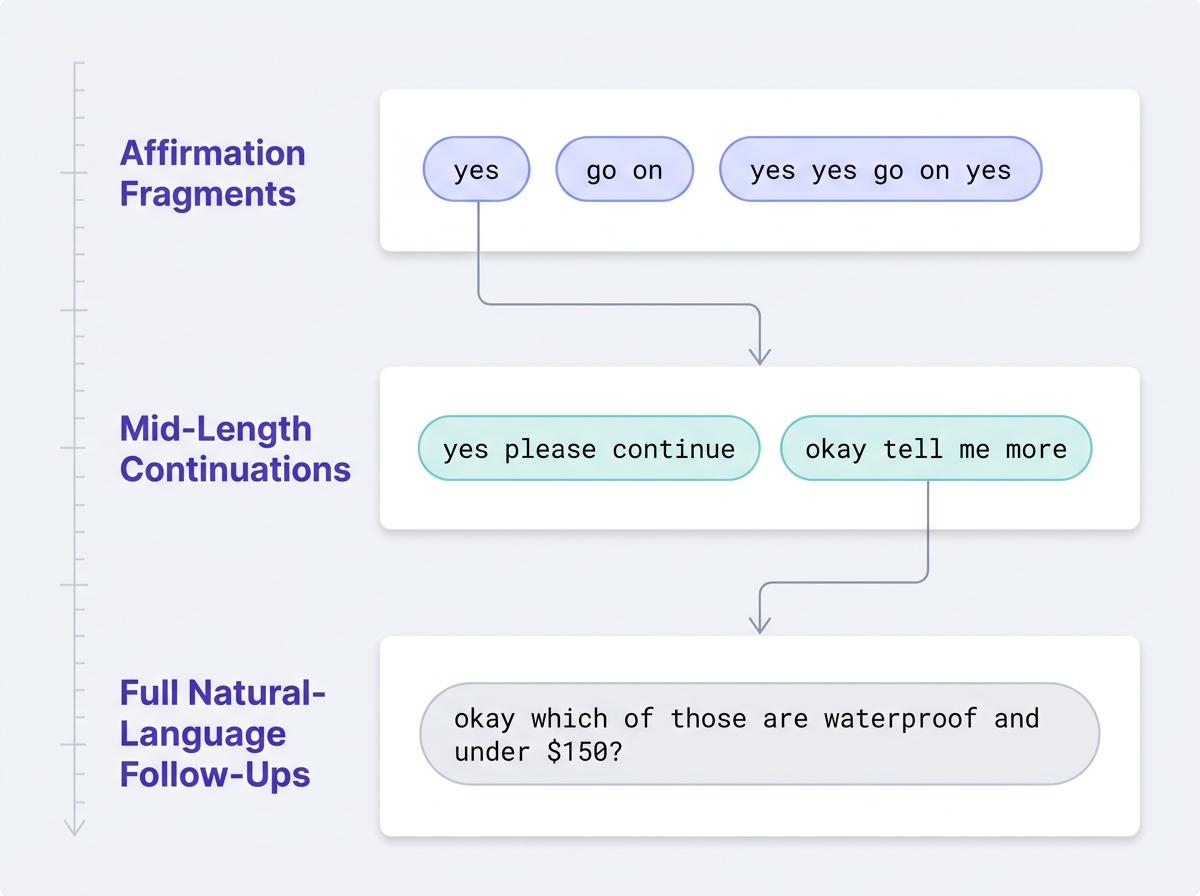
The 'Yes' Fragments and Conversational Affirmations
The shortest rows are the strangest-looking. In early August 2026, SEO professionals shared GSC screenshots containing 'yes', 'yes yes go on yes', 'go on', and 'yes please continue' (Search Engine Roundtable, 2026). They are direct replies asking AI Mode to continue. Each becomes a separate query row, generally with few impressions and near-zero clicks.
AI Overviews gained follow-up questions in January 2026, creating a path from a conventional result into an AI Mode conversation (The Keyword, 2026). Every conversational turn creates another query string, so these fragments have grown with AI Mode adoption.
Full-Sentence Follow-Up Questions
Some follow-ups arrive as complete sentences. A user who starts with 'best hiking boots for wide feet' might then ask, 'okay which of those are waterproof and under $150?' That second prompt is its own reported query. It is less conspicuous than 'yes', but it is AI Mode performance data rather than a standalone organic keyword.
Those longer strings carry more useful evidence. They expose refinements, objections, and comparisons made mid-session, material that can shape FAQ and content structure. Prompt Research for AI Search explains how to turn such strings into structured research instead of treating them as clutter.
So, How Should I Handle This AI Mode Performance Data?
The work has three parts: acknowledge the anomaly, segment it, then analyze it. Too often, a reporting lead sees 'yes' in a monthly review and filters it away before asking why it appeared.
Acknowledge that these strings are documented behavior, not bad data. Once identified, they become a reportable category. What SEO Teams Should Do When Google Search Console Shows Data Anomalies offers a broader investigation framework, while anomalies in your Search Console data covers other platform-level shifts.
Segment conversational fragments before they distort conventional keyword analysis and query-length reporting. GSC has no native filter that identifies AI Mode queries, so regex should be used only as an exploratory heuristic. None of the patterns below can confirm that a query originated in AI Mode; they simply surface conversational query shapes worth reviewing manually.
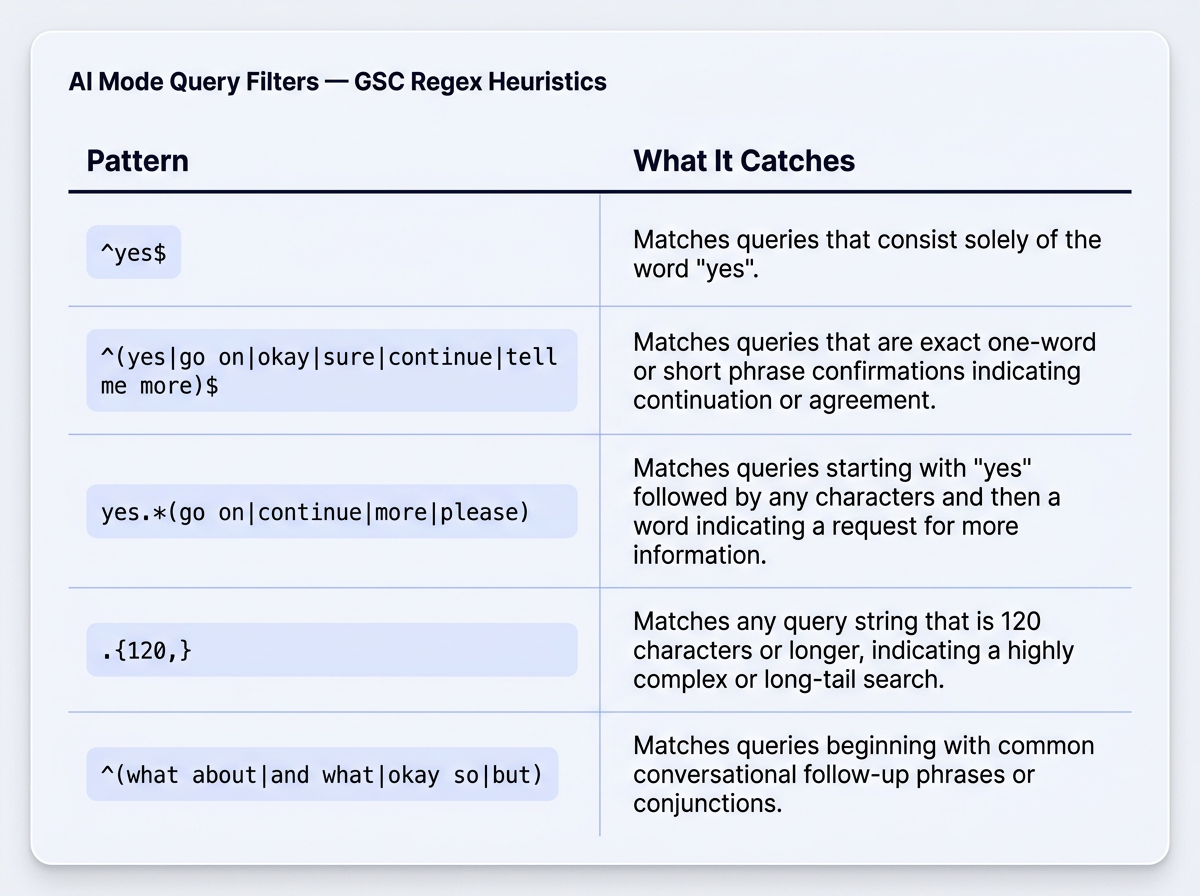
Regex heuristics for segmenting conversational AI Mode query fragments in GSC (apply in the query filter as 'matches regex'):
- ^yes$ isolates the exact one-word affirmation
- ^(yes|go on|okay|sure|continue|tell me more)$ catches common short confirmations
- yes.*(go on|continue|more|please) finds strings such as 'yes yes go on yes'
- .{120,} flags unusually long natural-language follow-ups
- ^(what about|and what|okay (so|which|but)|so (which|what|how)) catches conversational pivots and refinements
Analyze the longer strings rather than discard them. 'Okay which of those are waterproof and under $150' names the comparison criteria of someone already near a purchase decision. That signal belongs in FAQ sections, comparison tables, and product-page structure.
Key Takeaways: What to Remember About AI Mode Queries in Search Console
Essential points for reporting leads working with GSC performance data:
- 'Yes', 'go on', and similar strings are AI Mode follow-ups, not data errors.
- AI Mode data is in the main GSC performance report; the 'Generative AI' report has no query-level data.
- No official filter exists. Regex matching is approximate, not definitive.
- Unsegmented fragments skew keyword analysis and average query-length metrics.
- Longer follow-ups are prompt research: evidence of how users refine a search mid-session.
Beyond GSC: The Bigger Picture of AI Visibility
Even a carefully segmented report shows only part of AI search presence. GSC records clicks and impressions where your site was cited in an AI response, but not unlinked mentions: references to your brand or content without clickable attribution. Do Unlinked Mentions Count as AI Search Impressions? explains why that gap matters to AI-driven reach.
GSC also cannot provide a complete view of how a brand is discovered across AI Answer Engines, Social, Communities, and Local Discovery, particularly when visibility does not result in a traditional click. For teams improving brand visibility in AI search, that creates a meaningful blind spot. Vizup complements Search Console as an Organic Autopilot for modern discovery, helping brands monitor, create, optimise, publish, and learn across Search, Social, Communities, AI Answer Engines, and Local Discovery using AI agents, human experts, and live SEO, pSEO, AEO, and GEO tools. Paid ads are available as an optional amplification add-on. generative AI controls in Search Console outlines the participation controls available within Google's ecosystem.
A 'yes' in the query report is a small clue to a larger change in search sessions. Identify it, segment it, then mine longer follow-ups for research rather than removing them on sight. To understand the wider discovery journey, learn how AI search engines retrieve and cite content, then use Vizup to monitor and act on visibility beyond the limits of Search Console.
Frequently Asked Questions
Why am I seeing 'yes' as a query in my Google Search Console report?
A query such as 'yes' can be the result of a user continuing an AI Mode conversation. Google counts follow-up turns in AI Mode as new queries with their own performance data, which helps explain why conversational fragments can appear in the main Search Console performance report. However, Search Console does not label individual query rows as AI Mode, so a lone 'yes' should be treated as a likely conversational signal rather than definitive proof of its origin.
How can I filter out AI Mode queries from my GSC performance data?
There is no official filter. Use regex in GSC's query filter to isolate likely fragments: ^yes$, ^(go on|continue|tell me more)$, and .{120,} for very long natural-language strings are useful starting points. The result is a heuristic segment, not a supported classification.
Does the 'Generative AI' report in Search Console show me which queries came from AI Mode?
No. The Generative AI performance report, which began testing in June 2026, provides impression-level AI feature data but no query-level data. AI Mode queries and their performance data appear unlabelled in the main Search performance report.
Are these conversational queries bad for my SEO?
No. Short fragments such as 'yes' have little click value, but they do not damage rankings. The problem is reporting: left unsegmented, they can skew impression counts and average query-length metrics. Longer follow-ups can reveal valuable mid-session refinements.
Can I stop my site from appearing in AI Mode conversations?
Google offers controls for how a site participates in AI features. generative AI controls in Search Console covers the rolling-out opt-out toggle and its limits. No single setting currently provides complete exclusion from AI Mode, and those controls are evolving.
