
Google's new Search Console generative AI controls sit inside Search Console and do one blunt thing: they let a site owner keep the default "allow" setting, or block their content from appearing in (and grounding) Google's generative AI search surfaces, including AI Overviews, AI Mode, and AI Overviews in Discover. The switch first showed up on a subset of UK properties after a Competition and Markets Authority (CMA) order, and it's now starting to surface on properties in the United States, India, Switzerland, and other regions.
This isn't a routine settings tweak. It's a binary, site-wide call that can change how much visibility you get, and where, with direct knock-on effects for traffic, impressions, and revenue. Because the rollout is staggered (some properties have it, others don't), the industry has spent the last few weeks swapping screenshots and second-guessing what "normal" looks like. John Mueller has characterized the expansion as incremental. If you see the toggle today or next month, the real question doesn't change: do you make more money by being present inside AI-generated answers, or by keeping your content out of them entirely? That's a business-model decision, not a technical SEO reflex.
What Exactly Are the New Search Console Generative AI Controls?
The generative AI search control is configured at the Google Search Console property level. According to Google's Search generative AI control documentation, website owners can include their content, exclude it from supported generative AI search features, or inherit the setting from a parent property. When a property is included, its content remains eligible to appear in and support responses across AI Overviews, AI Mode, and AI Overviews in Discover. When it is excluded, the property should stop receiving traffic and impressions from those features after the change takes effect.
The boundaries are clearer than the discourse around it. This setting applies to Google Search surfaces only; it doesn't stop your content from showing up in the standalone Gemini app. It also has nothing to do with the Google-Extended user-agent in robots.txt, which is about whether Google can use your content for model training. And it's not the same as page-level snippet controls like nosnippet, which shape how your pages appear in traditional results.
Warning: The control works at the Search Console property level rather than at the individual page or query level. However, it is not strictly limited to one site-wide binary choice. Google also supports inherited settings for child properties, allowing a URL-prefix property to follow or override the setting applied to its parent property. Website owners should therefore review their Search Console property structure before changing the control.
The timeline matters because the control is still being rolled out gradually. Google announced the Search generative AI controls on 3 June 2026 alongside new reporting designed to help website owners understand their visibility in generative AI search experiences. Vizup has explained how these metrics work in its guide to Google Search generative AI performance reports. The initial test covered a subset of UK website owners following regulatory action from the UK Competition and Markets Authority. Google has said the controls will be expanded more broadly, but availability may still differ between Search Console properties.
How to Find and Use the Google AI Opt Out Toggle
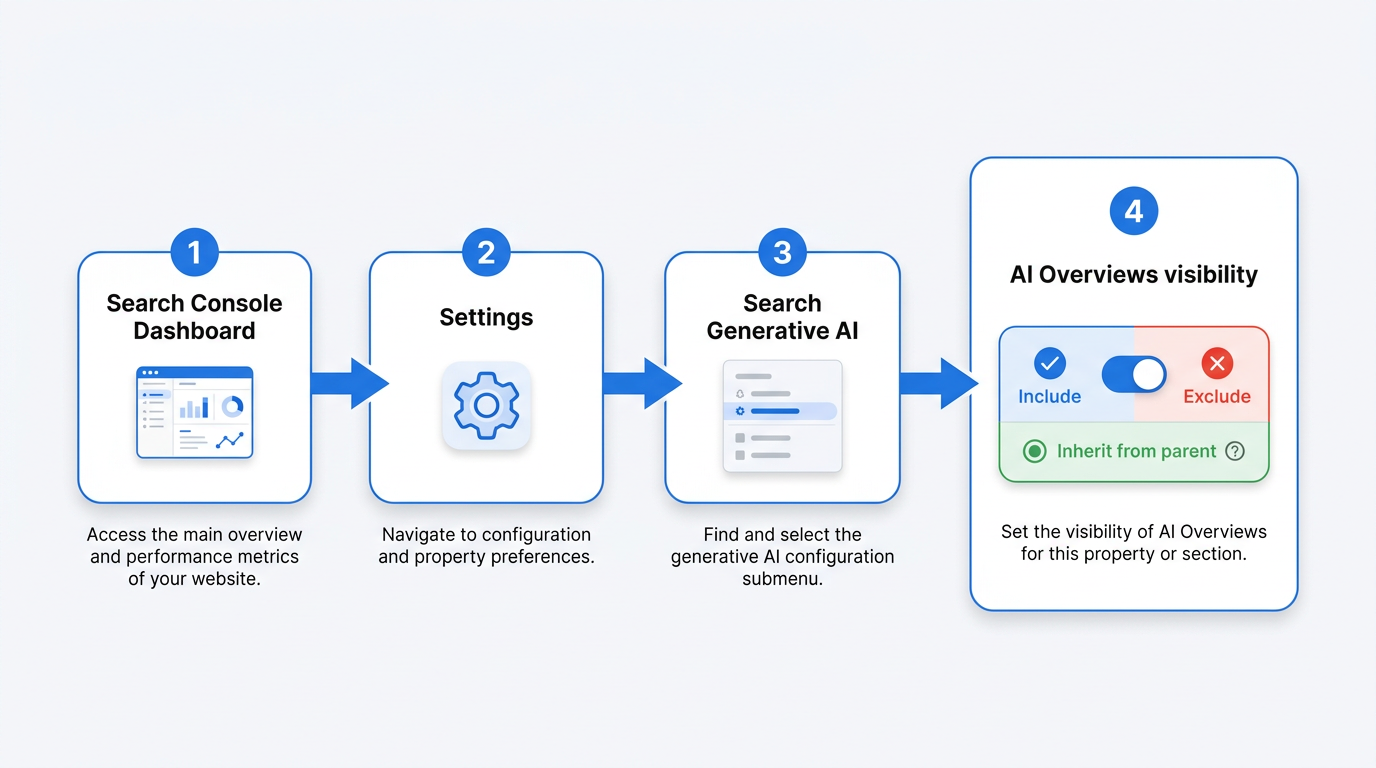
If the feature is available for your property, open Google Search Console and go to Settings → Search generative AI. Depending on the property configuration, Google may show three possible states: Include, Exclude, or Inherit control from parent. Refer to Google's official Search generative AI control instructions before changing the setting.
The 'Allow' Option (Default)
With Include selected, your content remains eligible to appear in and support AI Overviews, AI Mode, and AI Overviews in Discover. Brands should also understand how Google Search Live and AI Mode are changing search behaviour, because visibility inside AI-generated results may influence discovery even when a user does not immediately visit the website. Search Console's generative AI reports currently provide impression data, but limited click-level reporting makes it difficult to connect visibility directly with traffic, leads, or revenue.
The 'Exclude' Option
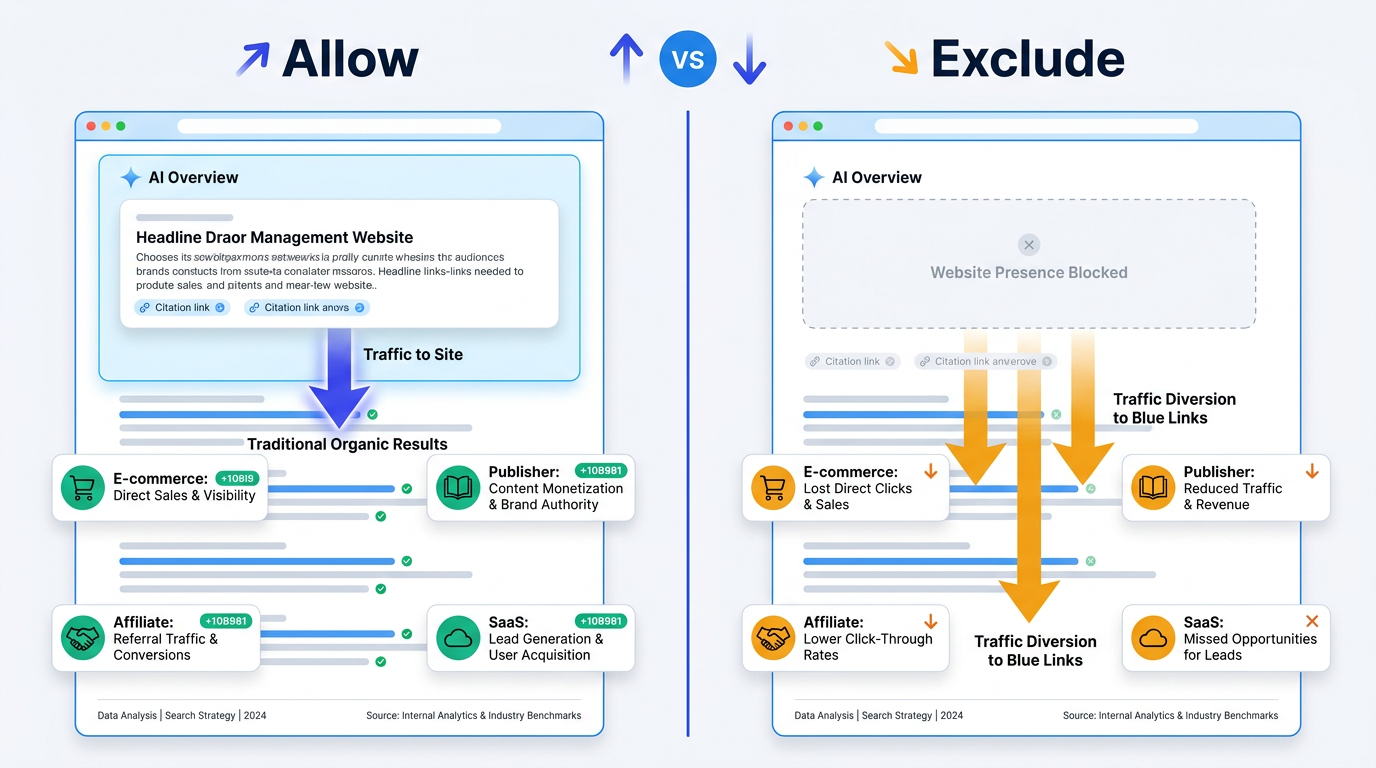
When a property is set to Exclude, its content is removed from the supported generative AI search features covered by the control. Google states that excluded properties should no longer receive traffic or impressions from those experiences once the setting takes effect. This may appeal to publishers whose business models depend heavily on website visits, subscriptions, affiliate clicks, or lead-generation forms. However, exclusion also removes a potential source of brand visibility as AI-assisted search experiences expand.
The Strategic Decision Framework
Treat the setting as a distribution and visibility decision rather than a routine technical change. Before excluding a property, review the AI impression volume and brand exposure that may be lost. Vizup's guide to AI search performance analytics explains how teams can interpret generative AI visibility alongside broader organic performance. Impression data can establish whether a website is already appearing at a meaningful scale, but the current reporting limitations mean it should be assessed alongside traffic, conversions, branded demand, and visibility across other discovery channels.
| Business/Content Model | 'Allow' Rationale | 'Exclude' Rationale | Key Metric to Watch |
|---|---|---|---|
| E-commerce (product pages) | Staying eligible keeps products visible in AI shopping-style answers that influence discovery and purchase intent | Competitors can be listed right next to you in a synthesized response, weakening brand differentiation | AI impression share vs. organic CTR trend |
| Publisher (ad-supported) | AI surfaces can widen reach; impressions still contribute to awareness even when clicks lag | If the summary satisfies intent, you lose the pageview that funds the business | Pageviews from AI referrals vs. overall traffic decline |
| Affiliate (review/comparison) | Presence in AI responses keeps you in the consideration set when users are comparing options | AI can lift the recommendation while bypassing your affiliate link | Affiliate click-through rate and conversion attribution |
| SaaS / Lead-gen | Citations in AI outputs can reinforce authority and still send qualified users to landing pages | If the AI answer is complete, prospects never hit the page where the form lives | Lead volume and cost-per-lead from AI-referred sessions |
| Paywalled content | Limited upside; AI placements can leak the gist of content you intended to gate | The cleanest case for exclusion since summaries can undercut the paywall's value proposition | Subscriber acquisition rate and paywall bypass indicators |
| No single answer fits all models. Evaluate based on how your content generates revenue. |
Use the table as a starting point, then consider the competitive visibility of your category. If competing brands remain eligible for AI-generated results while your property is excluded, their content may have more opportunities to influence those answers. Vizup helps brands monitor brand visibility across AI answers and connect those findings with performance across Search, Social, Communities, AI Answer Engines, and Local Discovery.
Google Search Console provides only one part of the modern discovery picture. Vizup acts as an Organic Autopilot for modern discovery, helping brands monitor, create, optimise, publish, and learn across Search, Social, Communities, AI Answer Engines, and Local Discovery. It combines AI agents, human experts, and live SEO, pSEO, AEO, and GEO tools, with paid advertising available as an amplification add-on when brands need additional reach.
Common Misconceptions About This Control
Myth: Opting out hurts your regular search rankings. Google states in its Search generative AI control documentationthat the setting does not affect rankings in traditional web search. Changing the control determines eligibility for the specified generative AI experiences, not a page's ranking position in standard organic results.
Myth: This stops Google from using your content for AI model training. It does not. The Search Console setting controls whether content is eligible for specified generative AI experiences in Google Search. Google separately documents the Google-Extended user-agent, which publishers can use to manage whether their content helps improve certain Gemini models and generative AI systems. The two controls serve different purposes.
Myth: This is the same as the nosnippet meta tag. It is not. Google's nosnippet directive works at the individual page level and controls whether textual snippets may be shown or reused from that page. The Search generative AI control works at the Search Console property level and manages eligibility for specified generative AI search experiences. To better understand how these surfaces are identified, read Vizup's guide to Google AI search labels and AI visibility.
Key Takeaways
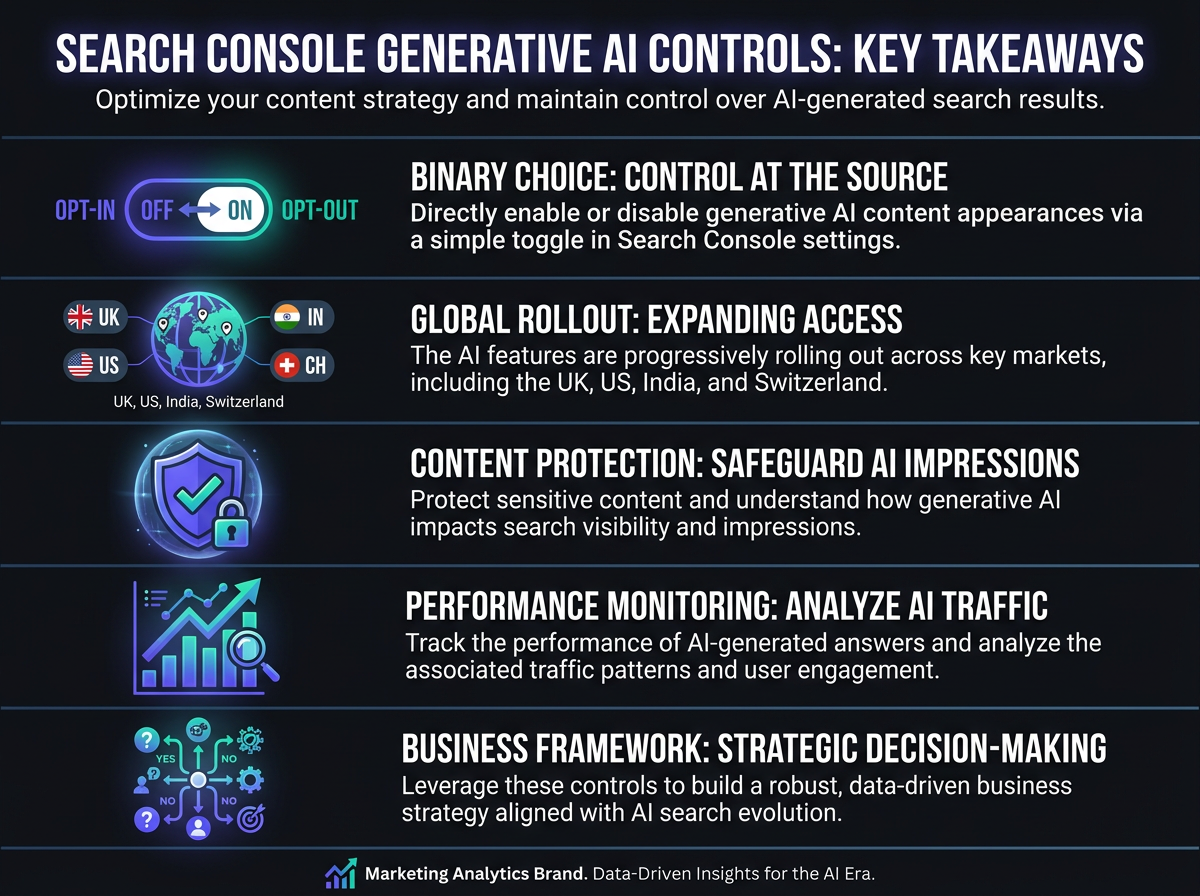
- Search Console generative AI controls are a site-wide, binary switch: allow (default) or exclude your content from AI Overviews, AI Mode, and AI Overviews in Discover.
- The rollout started with UK properties in June 2026 and is now appearing in waves across the US, India, Switzerland, and other regions.
- Opting out cuts off all impressions and traffic from AI search surfaces, but it does not change traditional organic rankings.
- This setting is separate from Google-Extended (model training) and nosnippet (page-level snippet behavior); they solve different problems.
- Treat the setting as a business and visibility decision: estimate the AI impressions you may lose, connect them with your commercial model, and monitor the outcome using Search Console alongside AI search performance analytics.
There is no single setting that will suit every website. The right decision depends on the organisation's business model, content mix, visibility goals, and reliance on website visits. Whichever setting is selected, teams should continue monitoring the results across both traditional search and emerging discovery surfaces. Vizup helps brands turn those insights into action by combining monitoring, content creation, optimisation, publishing, and performance learning within one Organic Autopilot workflow. For additional context, read Vizup's guide to how Google's spam policies apply to generative AI content.
Frequently Asked Questions
Does the 'AI mode opt out' change my site's normal Google rankings?
No. Google says this setting is not used as a ranking signal for traditional web search results (Google Search Console Help, 2026). Your positions in standard organic results, featured snippets, and other non-AI placements are separate from whether you choose allow or exclude.
How is the Search Console generative AI control different from the Google-Extended robots.txt rule?
They control different things. The Search Console setting determines whether your content can appear in Google's AI search surfaces like AI Overviews and AI Mode. The Google-Extended user-agent in robots.txt controls whether Google can use your content for AI model training. You can set one without changing the other.
If I exclude my site from AI Overviews, can I switch back later?
Yes. You can toggle the setting back to "allow" in Search Console. Expect some processing delay before the change fully takes effect, similar to other Search Console settings; Google hasn't published a specific re-inclusion timeline.
Will Search Console still show AI Overviews data if I opt out?
No. Once excluded, the property should receive zero impressions and zero clicks from generative AI features, so there is no AI-specific performance data to populate. The generative AI performance reports in GSC only fill in for properties set to "allow."
Does this Search Console AI setting affect Bing Chat or other AI search engines?
No. The setting applies only to the specified generative AI experiences within Google Search. It does not control whether a website appears in Microsoft Copilot, Perplexity, or other answer engines, which operate under their own crawling, indexing, citation, and content-use policies.
